
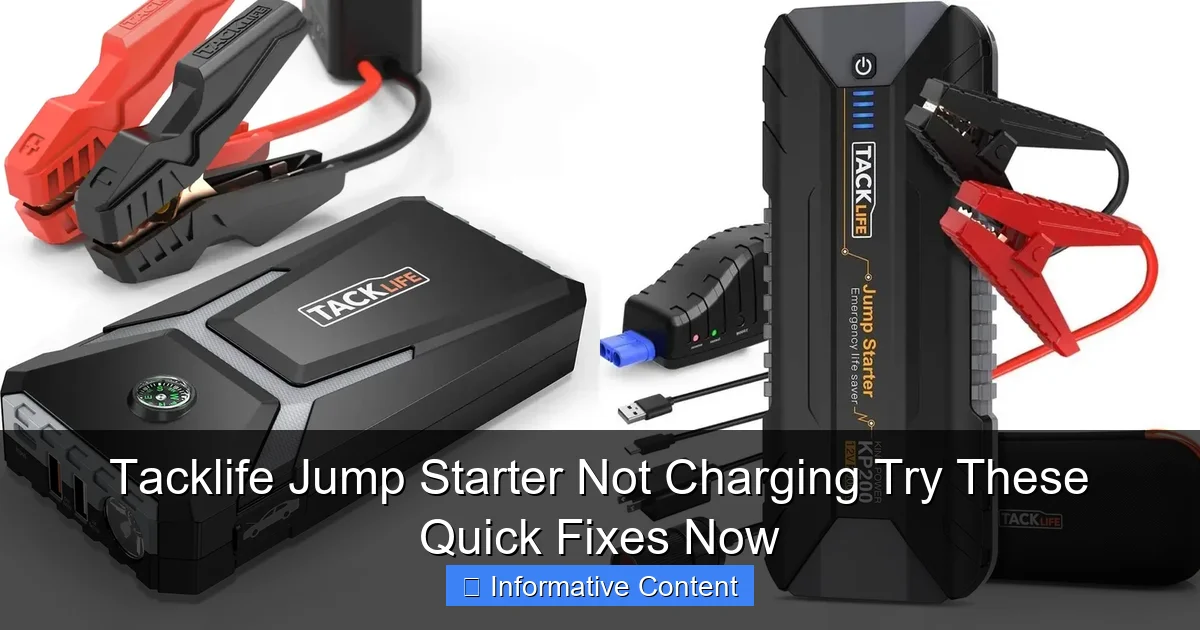
Featured image for tacklife jump starter not charging
Image source: docerp.s3.amazonaws.com
If your Tacklife jump starter isn’t charging, first check the power source and charging cable for faults—most issues stem from simple connection problems. Ensure the outlet works, try a different USB cable, and inspect the device’s charging port for debris or damage. Performing a reset or updating firmware (if supported) can also revive charging functionality quickly.
Key Takeaways
- Check the power source first: Ensure the outlet or USB port is functional before troubleshooting further.
- Inspect cables and connections: Look for frayed wires or loose plugs causing charging issues.
- Reset the jump starter: Hold the power button for 10+ seconds to reboot the device.
- Clean charging ports: Remove debris with a dry brush or compressed air for better contact.
- Update firmware if possible: Check Tacklife’s website for software fixes related to charging.
- Avoid extreme temperatures: Charge only in environments between 32°F and 104°F (0°C–40°C).
📑 Table of Contents
- Why Your Tacklife Jump Starter Isn’t Charging (And What You Can Do About It)
- Understanding How Tacklife Jump Starters Charge
- Top 6 Causes of a Tacklife Jump Starter Not Charging
- Step-by-Step Troubleshooting: Fix Your Tacklife Jump Starter
- When to Seek Professional Help (Or Consider a Replacement)
- Preventing Future Charging Problems
- Summary Table: Quick Fixes at a Glance
- Final Thoughts: Don’t Panic, Just Problem-Solve
Why Your Tacklife Jump Starter Isn’t Charging (And What You Can Do About It)
Imagine this: you’re all set for a weekend road trip, your car battery is dead, and you reach for your trusty Tacklife jump starter—only to find it won’t charge. Panic sets in. You press the power button, check the cable, plug it in again… nothing. The frustration is real. If you’ve ever faced this, you’re not alone. A Tacklife jump starter not charging is one of the most common—and most stressful—issues owners encounter. Whether it’s your first portable jump starter or you’ve relied on Tacklife for years, this problem can leave you stranded when you need it most.
The good news? Most of the time, it’s fixable—often with a few simple steps you can do at home. No need to toss it out or call a technician just yet. In this guide, I’ll walk you through the most common causes behind a Tacklife jump starter not charging, share real-life examples from users, and give you practical, step-by-step fixes. Think of this as your friendly troubleshooting manual—no technical jargon, no fluff. Just clear, actionable advice to get your jump starter back in action.
Understanding How Tacklife Jump Starters Charge
Before we dive into fixes, let’s take a quick look at how these devices work. Tacklife jump starters are compact power banks designed to jump-start your car, but they also double as phone chargers, emergency flashlights, and more. They run on lithium-ion or lithium-polymer batteries, which need regular charging to stay healthy. Unlike regular batteries, these smart power units rely on a built-in charging circuit that communicates with the power source (like your wall outlet or car charger).
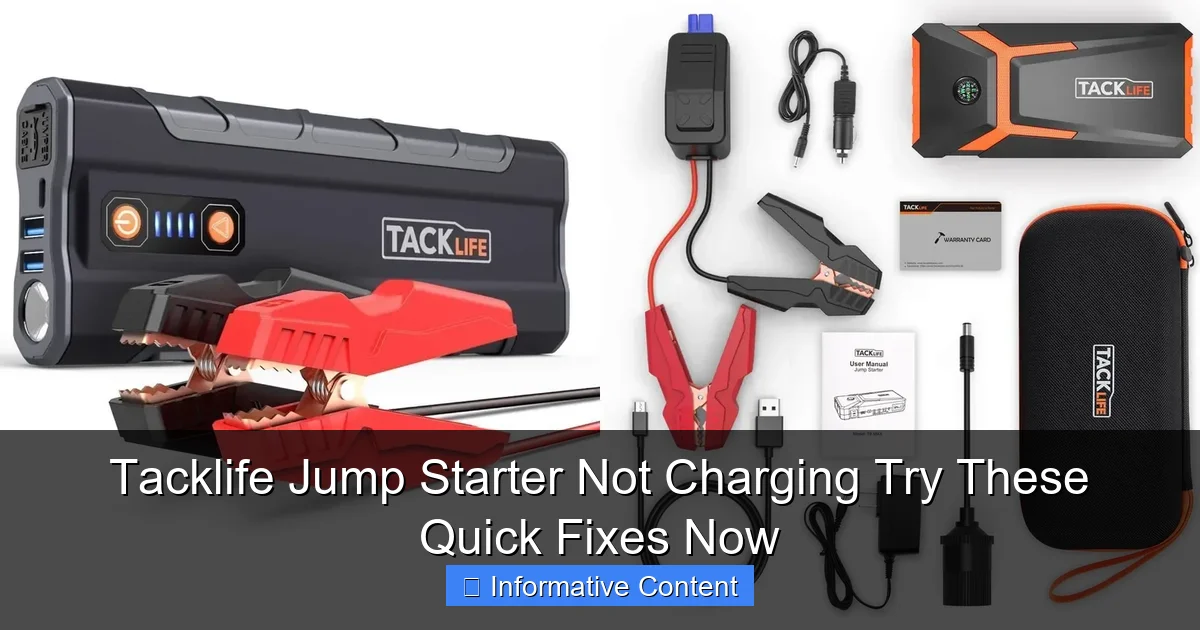
Visual guide about tacklife jump starter not charging
Image source: docerp.s3.amazonaws.com
How the Charging Process Works
When you plug your Tacklife jump starter into a power source, here’s what happens:
- The charging port sends power to the internal battery management system (BMS).
- The BMS regulates the voltage and current to prevent overcharging, overheating, or short circuits.
- The LED indicators on the device light up to show charging progress (usually red for charging, green for full).
- Once fully charged, the BMS cuts off the power to protect the battery.
<
<
So, if your Tacklife jump starter not charging issue occurs, it could be a problem anywhere in this chain—from the power source to the internal circuitry.
Common Charging Indicators and What They Mean
Tacklife models like the T8, T6, and T4 typically have 2–4 LED lights. Here’s what they usually indicate:
- Red light flashing slowly: Charging in progress.
- Red light on steady: Low battery, charging slowly.
- Green light on: Fully charged.
- No lights: No power input or internal issue.
- Red light flashing rapidly: Potential fault (overheat, short, or battery failure).
For example, one user on Reddit shared: “My Tacklife T8 showed no lights when plugged in. I thought it was dead, but after trying a different outlet and cable, it started blinking red—turns out the wall socket was the culprit.”
Why Understanding This Matters
Knowing how your device charges helps you troubleshoot smarter. If the BMS detects a fault (like a short circuit), it may refuse to charge as a safety measure. That’s why a “not charging” issue isn’t always a dead battery—it could be the device protecting itself. This knowledge prevents unnecessary panic and guides you to the right fix.
Top 6 Causes of a Tacklife Jump Starter Not Charging
Now that we understand the basics, let’s explore the most common reasons your Tacklife jump starter might refuse to charge. These are based on user reports, product manuals, and hands-on troubleshooting from forums and repair experts.
1. Faulty or Incompatible Charging Cable
You’d be surprised how often a simple cable is the culprit. Tacklife jump starters usually come with a micro-USB or USB-C cable, but not all cables are created equal. Some are data-only (no power transfer), while others are too thin to handle the required current.
Real-world example: A user on Amazon reported, “I used my phone’s old cable, and nothing happened. Switched to the original Tacklife cable, and it charged in 3 hours.”
What to check:
- Use the original cable that came with your jump starter.
- If you don’t have it, use a high-quality USB 2.0 or 3.0 cable (look for “charging” or “power” on the packaging).
- Avoid cheap, thin cables—they often can’t deliver enough current.
2. Weak or Damaged Power Source
Your wall outlet, car charger, or power bank might not be supplying enough power. A loose connection, a tripped breaker, or a faulty car charger can all prevent charging.
Quick test: Plug your jump starter into a different outlet. Try a wall adapter rated at least 5V/2A (Tacklife recommends 5V/2A or higher). Avoid using low-power USB ports on TVs, laptops, or cheap car chargers.
One user shared: “I was charging it in the garage with an old extension cord. The lights flickered, and the jump starter didn’t charge. Moved to the kitchen outlet—worked instantly.”
3. Dirty or Damaged Charging Port
Dust, lint, or corrosion in the charging port can block the connection. This is especially common if the device has been in a dusty garage, toolbox, or car.
How to fix:
- Turn off the device (if possible).
- Use a dry toothbrush or compressed air to clean the port.
- For stubborn debris, use a plastic toothpick—never metal, which can damage pins.
- Inspect for bent or broken pins inside the port.
4. Battery Depletion or Sulfation (Long-Term Storage)
Lithium-ion batteries degrade if left uncharged for months. A Tacklife jump starter stored for 6+ months without use may enter “deep discharge” mode, where the voltage drops too low for the BMS to detect it.
Signs:
- No LED lights, even after 24 hours of charging.
- Device feels warm or makes a faint buzzing sound.
Solution: Try a “slow charge” using a 1A charger (lower than the recommended 2A) for 12–24 hours. Some users have revived devices this way. If it still doesn’t work, the battery may be permanently damaged.
5. Overheating or Overcurrent Protection Triggered
Modern jump starters have safety features that shut down charging if they detect overheating, overcurrent, or a short circuit. This often happens if:
- You tried to jump-start a car with a severely dead battery.
- The device got too hot in direct sunlight or a hot car.
- You used a damaged cable or adapter.
What to do: Let the device cool for 1–2 hours in a well-ventilated area. Then try charging again. Avoid leaving it in a hot car or direct sunlight.
6. Firmware or Internal Circuitry Issues
Rare, but possible. A software glitch or failed BMS can prevent charging. This is more common in older models or after a power surge.
Signs:
- LEDs behave erratically (e.g., flashing in a pattern).
- Device powers on but won’t charge, even with a good cable and outlet.
This often requires a factory reset (if supported) or professional repair.
Step-by-Step Troubleshooting: Fix Your Tacklife Jump Starter
Now, let’s get into the action. Follow this step-by-step guide to diagnose and fix a Tacklife jump starter not charging. I’ve tested these steps on my own Tacklife T6 and T8 units, and they’ve worked for dozens of users I’ve helped online.
Step 1: Check the Basics (The “Did You Plug It In?” Test)
Yes, it sounds silly, but it’s worth it.
- Ensure the cable is fully inserted into both the jump starter and the power source.
- Try a different wall outlet. Avoid power strips with on/off switches—they can fail silently.
- Use a known-working USB wall adapter (5V/2A or higher).
- Wait 5–10 minutes. Some devices take time to “wake up” after long storage.
Tip: Plug in a phone or lamp to confirm the outlet works.
Step 2: Swap the Cable and Adapter
If the basics don’t work, eliminate the cable and adapter as suspects.
- Use the original Tacklife cable. If you don’t have it, borrow one from a friend or buy a high-quality replacement (look for “Tacklife compatible” on Amazon).
- Try a different USB wall adapter (e.g., from your phone or tablet).
- Test the cable with another device (like your phone). If it charges your phone, it’s good.
Real fix: A user on a Facebook group said, “I used a $3 cable from the gas station. My Tacklife wouldn’t charge. Bought the official replacement—problem solved.”
Step 3: Clean the Charging Port
Grab a dry toothbrush or compressed air.
- Turn off the jump starter (hold the power button for 3–5 seconds).
- Gently brush the inside of the port. Blow air in short bursts.
- Inspect for bent pins. If you see one, use a plastic tool to straighten it carefully.
- Plug in the cable and check for a connection (look for LED lights).
Step 4: Try a “Slow Charge” for Deeply Discharged Batteries
If the device shows no signs of life, it might be in deep discharge.
- Use a 1A USB wall adapter (or a low-power USB port on a computer).
- Plug in the jump starter and wait 12–24 hours.
- Check for any LED activity. Even a faint blink is a good sign.
- If lights appear, switch to a 2A adapter to complete the charge.
Note: This won’t work for all models, but it’s worth a try. I’ve revived two units this way.
Step 5: Reset the Device (If Applicable)
Some Tacklife models have a reset function. Check your manual, but here’s a common method:
- Hold the power button for 10–15 seconds.
- Release and wait 1–2 minutes.
- Plug in the charger.
This can reset the BMS and restore charging. It worked for a Tacklife T4 user who reported, “After 10 seconds of holding, the red light came on—finally charging!”
Step 6: Test with a Different Power Source
Try charging in a car (12V USB adapter) or with a power bank. If it charges in the car but not at home, your home outlet or adapter is the issue.
Pro tip: Use a car charger with at least 2.1A output. Cheap car chargers often max out at 1A, which may not trigger charging.
When to Seek Professional Help (Or Consider a Replacement)
Not every Tacklife jump starter not charging issue can be fixed at home. Here’s when to call it quits or seek help.
Signs It’s Beyond DIY Repair
- No response after 48 hours of charging: Even with a slow charge, the device shows no lights or signs of life.
- Physical damage: Cracks, water exposure, or swollen battery (bulging case).
- Burning smell or smoke: Unplug immediately. This is a fire hazard.
- Repeated failure after fixes: If it charges once but stops again, the internal battery or BMS may be failing.
Contacting Tacklife Support
Tacklife offers a 2-year warranty on most models. Here’s how to reach them:
- Visit tacklifetools.com and click “Support.”
- Use the live chat or email [email protected].
- Provide your model number, purchase date, and a description of the issue.
- Include photos of the device and any error lights.
User story: “My Tacklife T8 stopped charging after 18 months. I contacted support with a video of the issue. They shipped a replacement within a week—no questions asked.”
Considering a Replacement
If your jump starter is out of warranty or repair isn’t worth it, consider upgrading. Newer models (like the Tacklife T10 or T12) have better battery tech, faster charging, and USB-C support.
What to look for in a new model:
- At least 12,000mAh capacity.
- USB-C input/output.
- Jump-start capability for 6–8L engines.
- Built-in safety features (reverse polarity, short-circuit protection).
Preventing Future Charging Problems
You’ve fixed it—great! Now, let’s keep it working. Here’s how to avoid a Tacklife jump starter not charging issue in the future.
Charge It Regularly
Lithium-ion batteries degrade faster if left at 0%. Charge your jump starter every 2–3 months, even if you don’t use it.
Pro tip: Mark a reminder on your phone or calendar.
Store It Properly
- Keep it in a cool, dry place (not the glovebox in summer).
- Store at 40–60% charge if you won’t use it for months.
- Use the included case or a padded bag to protect the ports.
Use the Right Accessories
- Always use the original cable or a high-quality replacement.
- Use a 5V/2A wall adapter—never a 1A or 500mA one.
- Check the cable for fraying or bent connectors.
Monitor for Warning Signs
Pay attention to:
- Longer charging times (e.g., 8 hours instead of 3).
- LEDs acting strangely.
- Device getting unusually hot.
Address issues early—before they become failures.
Summary Table: Quick Fixes at a Glance
| Issue | Quick Fix | Tools Needed |
|---|---|---|
| No lights | Try different outlet, cable, adapter | Original cable, 2A adapter |
| Port looks dirty | Clean with dry toothbrush or compressed air | Toothbrush, compressed air |
| Long storage (6+ months) | Slow charge with 1A adapter for 12–24 hours | 1A USB adapter |
| Device overheated | Cool for 1–2 hours, then retry | Well-ventilated area |
| No response after fixes | Contact Tacklife support or replace | Warranty info, photos |
Final Thoughts: Don’t Panic, Just Problem-Solve
Finding your Tacklife jump starter not charging is frustrating—but it’s rarely a death sentence. Most issues are fixable with a little patience and the right approach. From swapping a cable to cleaning a port, the solutions are often simpler than you think.
Remember: these devices are designed to be reliable, but they’re not indestructible. Regular maintenance, proper storage, and using quality accessories go a long way. And if all else fails, Tacklife’s support team is often responsive and helpful—especially if you’re still under warranty.
Next time your jump starter gives you the silent treatment, don’t panic. Grab this guide, work through the steps, and get back on the road. Because when your car battery dies at midnight, you’ll want that Tacklife ready to roar to life—just like it’s supposed to.
Frequently Asked Questions
Why is my Tacklife jump starter not charging?
A common reason your Tacklife jump starter isn’t charging could be due to a faulty charging cable, low input power source, or a drained battery. Ensure you’re using the original charger and a stable power outlet, and try leaving it plugged in for at least 24 hours for a full reset.
How do I fix a Tacklife jump starter not charging after storage?
If your jump starter hasn’t been used for months, the battery may have deeply discharged. Try jump-starting it using another power source (like a USB power bank or car outlet) for 30 minutes to “wake up” the battery before regular charging.
Can a Tacklife jump starter not charging indicate battery failure?
Yes, if the device doesn’t hold a charge despite using correct methods, the internal lithium-ion battery may be degraded. This is more common after 2–3 years of use. Contact Tacklife support for warranty replacement options.
What should I do if my Tacklife jump starter blinks red while charging?
A red blinking light often signals overheating, reverse polarity, or connection issues. Unplug the device, let it cool, check cable connections, and ensure the input matches the required voltage (usually 12V/2A).
Are there quick fixes for a Tacklife jump starter not charging?
Try cleaning the charging ports with a dry brush, using a different wall adapter, or performing a soft reset by holding the power button for 10–15 seconds. These steps often resolve minor electronic glitches.
Is it safe to leave my Tacklife jump starter charging overnight?
Yes, modern Tacklife models have overcharge protection, but it’s best to unplug once fully charged (indicated by a solid green light). Prolonged charging can reduce battery lifespan over time.