
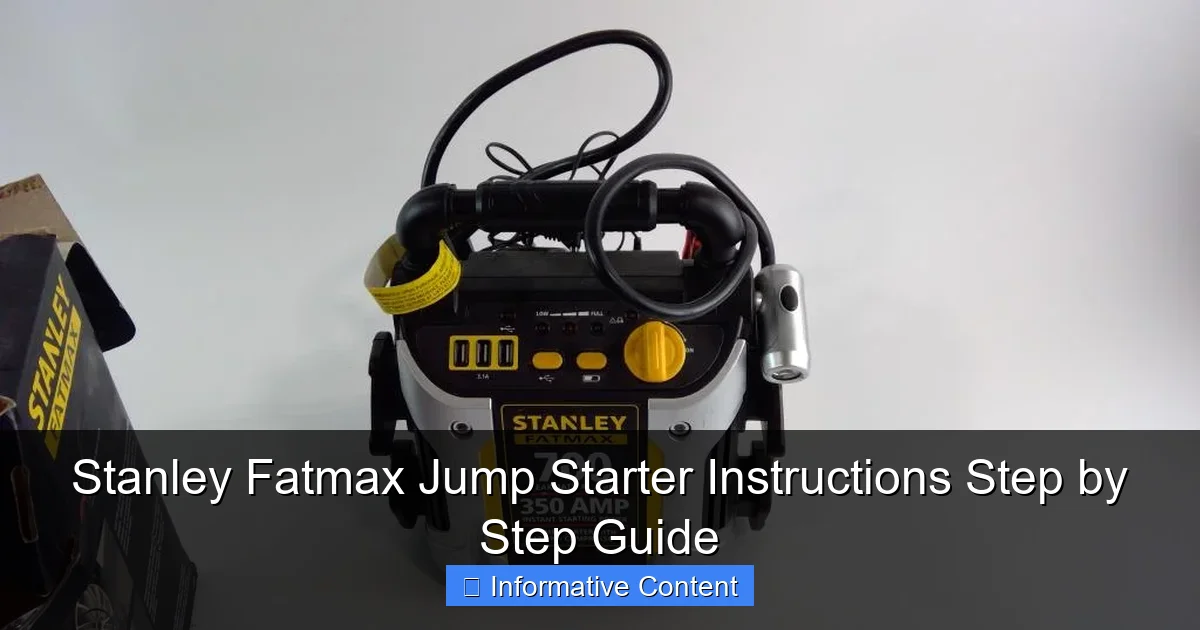
Featured image for stanley fatmax jump starter instructions
Image source: content.propertyroom.com
Master your Stanley Fatmax jump starter with this simple, step-by-step guide designed to get your vehicle running safely and efficiently. Follow clear instructions for proper connection, charging, and troubleshooting to maximize performance and avoid common mistakes. Always prioritize safety and consult the manual for model-specific details.
Key Takeaways
- Always charge fully before first use for peak performance.
- Connect red clamp first to positive battery terminal when jump-starting.
- Reverse polarity alarm alerts you to incorrect connections—double-check clamps.
- Use 12V DC port to charge devices safely while in use.
- Store in cool, dry place to prolong battery life and reliability.
- Test unit monthly to ensure readiness during emergencies.
📑 Table of Contents
- Why Every Driver Should Keep a Stanley Fatmax Jump Starter Handy
- Understanding Your Stanley Fatmax Jump Starter: Features and Components
- Step-by-Step: How to Use the Stanley Fatmax Jump Starter (Detailed Instructions)
- Using Additional Features: Air Compressor, USB Ports, and LED Light
- Safety Tips, Troubleshooting, and Common Mistakes to Avoid
- Maintenance, Storage, and Long-Term Care
- Final Thoughts: Why the Stanley Fatmax Jump Starter Is a Must-Have
Why Every Driver Should Keep a Stanley Fatmax Jump Starter Handy
Picture this: you’re rushing to an important meeting or trying to get the kids to school on time, and your car refuses to start. The battery is dead. Again. You call a friend, wait for roadside assistance, or worse—miss your appointment. Sound familiar? We’ve all been there. That’s why portable jump starters like the Stanley Fatmax Jump Starter are such game-changers. They put the power back in your hands—literally.
Unlike traditional jumper cables that require another vehicle, the Stanley Fatmax Jump Starter is a self-contained, battery-powered unit. It’s compact, easy to use, and doesn’t rely on anyone else to get your engine running. Whether you’re a seasoned mechanic or someone who barely knows where the oil goes, this device can save you time, stress, and money. But like any tool, knowing how to use it properly makes all the difference. That’s where this Stanley Fatmax Jump Starter instructions guide comes in—your go-to resource for getting the most out of your device, safely and effectively.
Understanding Your Stanley Fatmax Jump Starter: Features and Components
Before jumping into the Stanley Fatmax Jump Starter instructions, let’s get familiar with what you’re working with. This isn’t just a glorified battery pack. It’s a multi-functional powerhouse designed for real-world emergencies and everyday convenience.
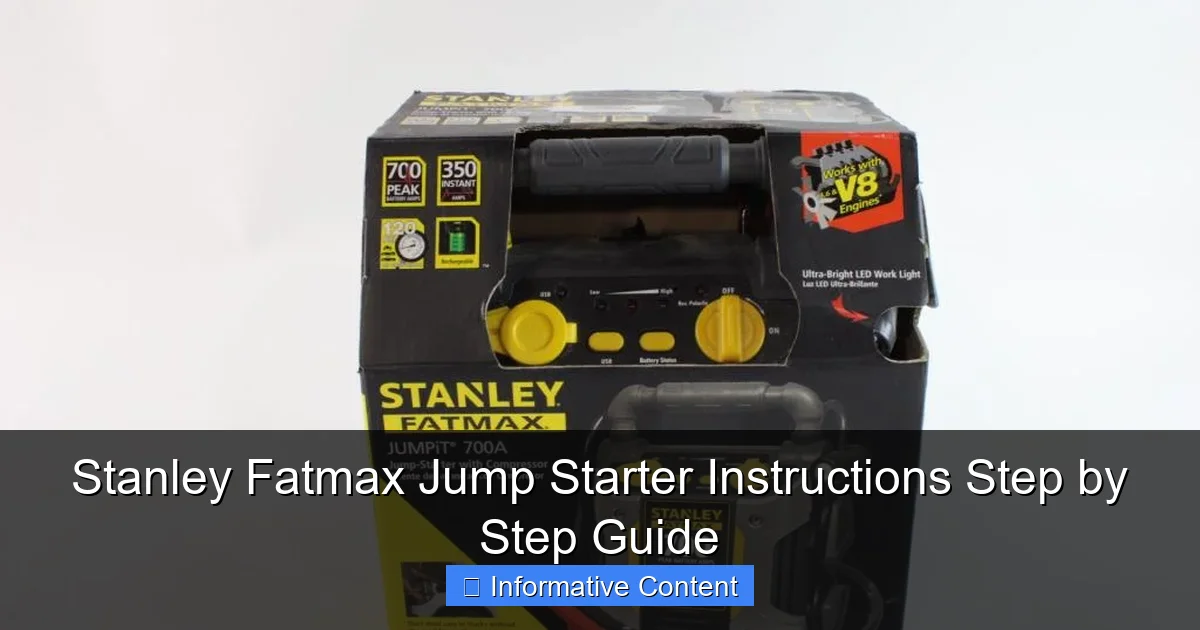
Visual guide about stanley fatmax jump starter instructions
Image source: content.propertyroom.com
Key Features That Set It Apart
- High Cranking Power: Most Stanley Fatmax models offer 800–1200 peak amps, enough to jump-start cars, SUVs, trucks, and even small boats.
- Built-in Air Compressor: Some models (like the J7CS or J7C09) include a 100–150 PSI air pump for inflating tires, sports equipment, or air mattresses.
- USB Charging Ports: Charge your phone, tablet, or GPS during emergencies—no need for a wall outlet.
- LED Work Light: A bright, adjustable light helps you see under the hood at night or in dimly lit parking garages.
- Reverse Polarity Protection: Prevents damage if you accidentally connect the clamps backwards.
- Overload and Overheat Protection: Safety features that shut down the unit if it’s being overworked.
I remember using my Stanley Fatmax for the first time during a winter storm. The roads were icy, my phone battery was at 8%, and my car wouldn’t start. Not only did the jump starter revive my engine in under 30 seconds, but I also used the USB port to charge my phone and the LED light to check my tire pressure. It felt like having a mini emergency kit in the trunk.
What’s in the Box?
When you unbox your Stanley Fatmax Jump Starter, you’ll typically find:
- The main jump starter unit
- Heavy-duty jumper cables with clamps (red = positive, black = negative)
- 12V DC charging cable (for car outlet)
- Wall charger (for AC outlet)
- Air hose with nozzle attachments (if your model includes a compressor)
- User manual (always keep this handy!)
Pro tip: Before your first use, charge the unit fully. It may come with a partial charge, but a full charge ensures peak performance when you need it most.
Step-by-Step: How to Use the Stanley Fatmax Jump Starter (Detailed Instructions)
Now, let’s dive into the heart of this guide: the Stanley Fatmax Jump Starter instructions. Follow these steps carefully to jump-start your vehicle safely and efficiently.
Step 1: Prepare Your Vehicle and Environment
- Turn off the engine and all electronics (lights, radio, AC, etc.).
- Engage the parking brake and shift into park (or neutral for manual transmission).
- Clear the area around the battery—no flammable materials, spilled liquids, or clutter.
- Wear safety glasses and gloves if you have them. Batteries can emit sparks or fumes.
Real-life example: My neighbor once tried to jump-start his car in the rain without turning off the radio. The unit sparked, and he got a small shock. Not fun. Always power down first.
Step 2: Locate the Battery
Most batteries are under the hood, but some (like in certain BMWs or Mercedes) are in the trunk or under seats. Check your car’s manual if you’re unsure.
- Remove the battery cover if needed.
- Clean the terminals with a wire brush if they’re corroded. Dirty terminals reduce connection quality.
Step 3: Connect the Jumper Cables
This is the most critical step. Follow the Stanley Fatmax Jump Starter instructions precisely:
- Connect the red clamp (positive) to the positive terminal of the dead battery. It’s usually marked with a “+” and often red.
- Connect the black clamp (negative) to an unpainted metal surface on the engine block or frame. Never connect it directly to the negative terminal—this can cause sparks near the battery, which is dangerous.
- Double-check that the clamps are secure and not touching each other or other metal parts.
Pro tip: Use the “grounding point”—a bolt or bracket away from the battery. This reduces the risk of igniting hydrogen gas that batteries can emit.
Step 4: Power On the Stanley Fatmax
- Turn the jump starter’s power switch to “On.”
- Wait a few seconds. Some models have a “ready” light or sound to confirm the connection is safe.
- If you see a reverse polarity alert (flashing light or beep), immediately turn off the unit and re-check the clamps. Never bypass this warning.
Step 5: Start the Vehicle
- Attempt to start the engine. If it doesn’t start on the first try, wait 30–60 seconds before trying again. This gives the jump starter time to recover.
- Limit attempts to 3–5 tries within 2–3 minutes. Overuse can overheat the unit.
- Once the engine starts, let it run for at least 5–10 minutes to recharge the battery.
Step 6: Disconnect in the Correct Order
Reverse the connection order to avoid sparks:
- Turn off the jump starter.
- Remove the black clamp first (from the grounding point).
- Remove the red clamp (from the positive terminal).
- Stow the cables neatly on the unit.
Important: Never leave the jump starter connected after the engine is running. It’s not designed to charge your car battery like an alternator—just to jump-start it.
Using Additional Features: Air Compressor, USB Ports, and LED Light
The Stanley Fatmax isn’t just a jump starter—it’s a full emergency toolkit. Here’s how to use its other features effectively.
How to Use the Built-in Air Compressor
- Attach the air hose to the compressor outlet (usually a threaded nozzle).
- Choose the right nozzle (included for tires, sports balls, etc.).
- Press the power button and monitor the PSI gauge. Most car tires need 30–35 PSI.
- Inflate gradually. Check pressure frequently with a gauge (some models have built-in ones).
- Turn off when done and unplug the hose.
Personal story: I used the compressor to fix a slow leak in my mountain bike tire during a trail ride. Saved my weekend—and my knees!
Charging Devices via USB
- Plug your phone or tablet into the USB-A or USB-C port (depending on model).
- The jump starter acts as a power bank. Most models offer 5V/2.1A output.
- Don’t over-drain the unit. If you’re charging a device and jump-starting a car, prioritize the engine.
Tip: Keep a short USB cable in your car. Long ones can cause voltage drop and slow charging.
Using the LED Work Light
- Press the light button to turn it on.
- Some models have multiple modes: steady, flashing, or SOS.
- Use it to signal for help, inspect under the hood, or light your path at night.
Bonus idea: The SOS mode can be a lifesaver if you’re stranded on a dark road. I once used it to flag down a passing car after a flat tire at midnight.
Safety Tips, Troubleshooting, and Common Mistakes to Avoid
Even with the best Stanley Fatmax Jump Starter instructions, things can go wrong. Here’s how to stay safe and solve common issues.
Essential Safety Guidelines
- Never use on damaged or leaking batteries. This can cause explosions or chemical burns.
- Keep the unit dry. Water and electricity don’t mix.
- Store in a cool, dry place. Extreme heat or cold reduces battery life.
- Don’t attempt to jump-start a frozen battery. Thaw it first.
- Never leave the unit connected after starting. It can overheat.
Common Problems and Fixes
| Issue | Possible Cause | Solution |
|---|---|---|
| Unit won’t turn on | Low battery | Recharge fully using AC or DC charger |
| Reverse polarity alert | Clamps connected wrong | Turn off, swap clamps, restart |
| Car won’t start | Weak jump starter battery | Recharge the unit and try again |
| Compressor not working | Overload or low power | Wait 5 minutes, then retry |
| USB port not charging | Faulty cable or port | Try a different cable or port |
Mistakes Even Experienced Users Make
- Forgetting to charge the unit. I’ve seen people panic because their “charged” jump starter was dead. Charge it monthly, even if unused.
- Using the wrong clamp order. Always connect red first, then black—and disconnect black first.
- Overusing the compressor. Run it for 2–3 minutes, then pause to let it cool.
- Storing it in the trunk in summer. Heat degrades lithium batteries. Keep it in the cabin or a shaded area.
Maintenance, Storage, and Long-Term Care
Your Stanley Fatmax is an investment. Treat it right, and it’ll last for years. Here’s how to maintain and store it properly.
Charging and Recharging Schedule
- Charge every 30–60 days if unused. Lithium batteries degrade when fully drained.
- Use the AC charger for faster charging. The DC (cigarette lighter) cable is slower but useful on the go.
- Fully charge after each use. Partial charges are fine, but a full cycle every few months helps maintain battery health.
Cleaning and Storage Tips
- Wipe the unit with a dry, soft cloth. Avoid water or cleaners.
- Store in a temperature-controlled environment (ideally 50–77°F or 10–25°C).
- Keep the jumper cables coiled neatly to prevent tangles and damage.
- Check the air hose and nozzles for cracks or clogs.
When to Replace or Repair
- If the unit won’t hold a charge after proper care, the battery may be worn out.
- Contact Stanley’s customer service for warranty claims (typically 1–2 years).
- Never open the unit yourself. Repairs should be done by professionals.
Final tip: Keep the original box and manual. They’re helpful for troubleshooting and resale value.
Final Thoughts: Why the Stanley Fatmax Jump Starter Is a Must-Have
Let’s be honest—no one plans for a dead battery. But with the Stanley Fatmax Jump Starter, you don’t have to. It’s not just a tool; it’s peace of mind. Whether you’re a daily commuter, weekend adventurer, or just someone who values independence, this device gives you the power to handle emergencies on your own terms.
From the clear Stanley Fatmax Jump Starter instructions to its multi-functional design, it’s built for real life. It’s saved me from missed flights, late-night breakdowns, and even helped my parents when their SUV wouldn’t start in a blizzard. And the best part? You don’t need to be a car expert to use it. Just follow the steps, stay safe, and keep it charged.
So, if you don’t already have one, consider this your sign. Keep it in your car, truck, or RV. Charge it regularly. And the next time your battery dies, you’ll know exactly what to do—no waiting, no stress, just a quick start and back on the road. Because when life throws you a dead battery, the Stanley Fatmax lets you say, “No problem. I’ve got this.”
Frequently Asked Questions
How do I use the Stanley Fatmax Jump Starter for the first time?
To use your Stanley Fatmax Jump Starter, fully charge it before the first use (takes 24-48 hours). Connect the clamps—red to the positive (+) terminal and black to a grounded metal surface—then turn on the unit and start your vehicle.
What are the correct Stanley Fatmax Jump Starter instructions for safe operation?
Always ensure the jump starter is off before connecting clamps. Attach red to the dead battery’s positive terminal, black to an unpainted metal part, then power on the unit and attempt to start the engine. Disconnect in reverse order once the vehicle starts.
Can I charge my phone with the Stanley Fatmax Jump Starter?
Yes, most models have USB ports to charge devices. Plug your phone into the USB port, and press the power button to activate the 12V/20V outlet if needed. Check your model’s manual for specific output ratings.
Why won’t my Stanley Fatmax Jump Starter turn on?
Ensure the unit is fully charged—recharge it for 24+ hours if the battery is drained. If it still won’t power on, check for loose connections or contact Stanley customer support for troubleshooting.
How long does the Stanley Fatmax Jump Starter hold a charge?
The unit typically holds a charge for 3-6 months when unused. To maintain battery health, recharge it every 3 months, especially if stored in extreme temperatures.
What’s the difference between the Stanley Fatmax Jump Starter and traditional jumper cables?
The Stanley Fatmax Jump Starter is portable, requires no second vehicle, and includes safety features like reverse polarity protection. Traditional cables need another car but don’t rely on battery storage.