
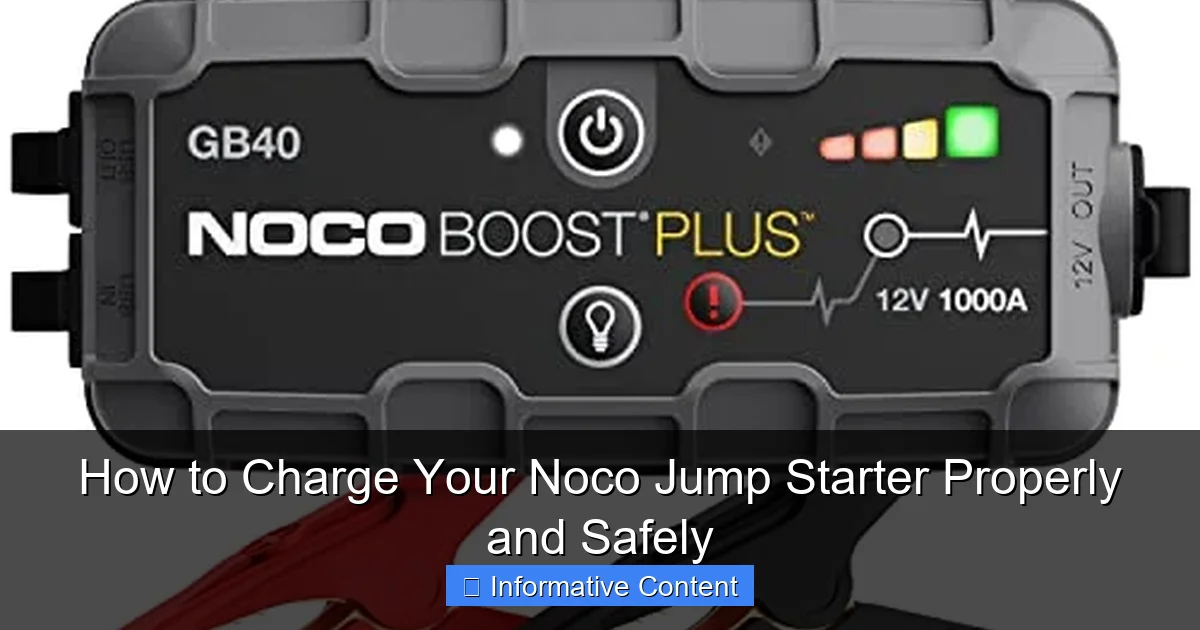
Featured image for noco jump starter how to charge
Image source: m.media-amazon.com
Always use the original Noco charger and a stable power source to safely charge your Noco jump starter—this prevents damage and ensures optimal battery performance. Follow the LED indicator lights closely and avoid overcharging, as proper charging extends lifespan and keeps your device ready for emergencies. Never leave it unattended for long periods during charging.
Key Takeaways
- Use the correct charger: Always use the manufacturer-recommended charger to avoid damage.
- Charge fully before first use: Ensure 100% charge for optimal performance and battery life.
- Check polarity: Match red (+) and black (-) clamps correctly to prevent short circuits.
- Store at 50% charge: Maintain half charge during long-term storage to preserve battery health.
- Monitor charging time: Never overcharge—follow the manual’s recommended duration.
- Avoid extreme temperatures: Charge in moderate environments (32°F–104°F) for safety and efficiency.
📑 Table of Contents
- Understanding Your Noco Jump Starter and Its Charging Needs
- Step-by-Step Guide to Charging Your Noco Jump Starter
- Best Practices for Safe and Efficient Charging
- Troubleshooting Common Charging Issues
- Maintaining Your Noco Jump Starter for Long-Term Use
- Data Table: Noco Jump Starter Charging Times and Specifications
- Final Thoughts: Keep Your Noco Jump Starter Ready for Action
Understanding Your Noco Jump Starter and Its Charging Needs
Imagine this: you’re rushing out the door, late for work, and your car won’t start. You reach for your trusty Noco jump starter, press the power button—and nothing happens. The battery is dead. You groan, realizing you forgot to charge it after the last use. Sound familiar? I’ve been there. A Noco jump starter is a lifesaver, but only if it’s ready when you need it. That’s why knowing how to charge your Noco jump starter properly and safely is essential. It’s not just about plugging it in; it’s about maximizing its lifespan, ensuring safety, and avoiding frustrating surprises.
Noco jump starters are known for their durability, compact design, and powerful performance. Whether you have the popular GB40, GB70, or the larger GBX155, these devices are built to handle jump-starting cars, trucks, boats, and even small engines. But like any lithium-ion battery-powered device, they need the right care. Overcharging, undercharging, or using the wrong charger can shorten the battery life or, worse, create a safety hazard. The good news? Charging your Noco jump starter is simple once you know the rules. In this guide, I’ll walk you through everything you need to know—from choosing the right charger to troubleshooting common issues—so your jump starter is always ready to save the day.
Step-by-Step Guide to Charging Your Noco Jump Starter
Step 1: Choose the Right Charging Method
Noco jump starters come with multiple charging options, and choosing the right one makes a big difference. The most common methods are:
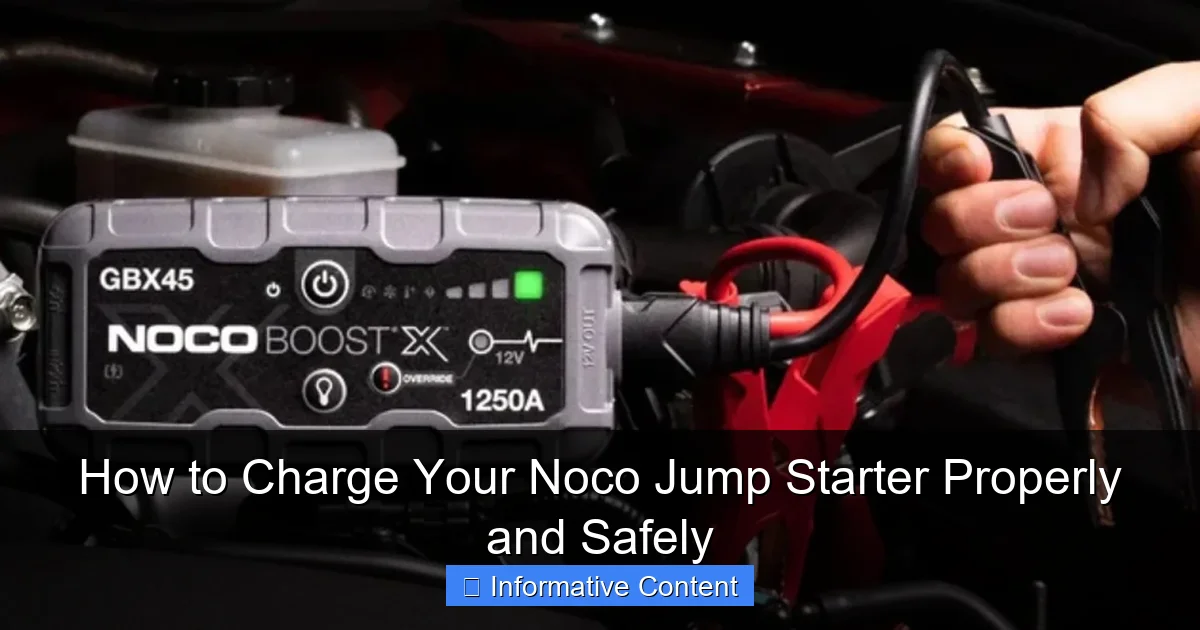
Visual guide about noco jump starter how to charge
Image source: assets-global.website-files.com
- Wall outlet charging: Use the included AC wall adapter. This is the standard method and works well for most users. Just plug the adapter into a wall outlet and connect the USB-C or barrel plug (depending on your model) to your jump starter.
- Car charger (DC): Great for on-the-go charging. Use the included DC car adapter to charge your jump starter from your vehicle’s cigarette lighter socket. This is handy if you’re on a road trip or don’t have access to a wall outlet.
- USB power source: Some newer models (like the GBX series) support USB-C input. You can charge them using a USB-C cable connected to a laptop, power bank, or even a modern car’s USB port. This is convenient but usually slower than AC or DC charging.
Tip: For fastest charging, always use the wall adapter that came with your Noco jump starter. Using third-party chargers may work, but they can deliver inconsistent voltage and damage the battery over time.
Step 2: Connect the Charger Correctly
This might seem obvious, but it’s easy to mix up ports or use the wrong cable. Here’s how to do it right:
- Locate the charging port on your Noco jump starter. Most models have a USB-C or a proprietary barrel plug (usually labeled “DC IN”).
- Use the original charging cable and adapter. If you’ve lost them, check the Noco website for compatible replacements—don’t risk using a generic USB cable with a non-certified charger.
- Plug the adapter into the wall (or car outlet) first, then connect the cable to the jump starter. This reduces the risk of a power surge.
I once tried charging my GB40 with a cheap USB-C cable from a dollar store. It charged… but took twice as long and got unusually warm. Lesson learned: stick to the original gear or Noco-approved accessories.
Step 3: Monitor the Charging Process
Noco jump starters have built-in indicators to show charging status. Here’s what to look for:
- LED lights: Most models have 4-5 LED battery level indicators. When charging, the lights will blink in sequence (e.g., one light on, then two, then three) until fully charged. A solid light means that level is full.
- Charging time: This varies by model. The GB40 (1000A) takes about 3-4 hours from 0% to 100% with the AC adapter. Larger models like the GBX155 (4250A) can take 8-10 hours. USB charging is usually 2-3x slower.
- Auto-shutoff: Once fully charged, the jump starter stops drawing power automatically. This is a safety feature—no need to unplug it immediately, but it’s still a good habit to do so.
Pro tip: Charge your jump starter in a visible spot, like a kitchen counter or garage shelf. That way, you’ll notice when it’s done and avoid leaving it plugged in for days.
Best Practices for Safe and Efficient Charging
Avoid Overcharging and Undercharging
Lithium-ion batteries (like the ones in Noco jump starters) are sensitive to charge levels. Here’s how to keep yours healthy:
- Don’t leave it plugged in for weeks. While Noco’s auto-shutoff prevents damage from overcharging, long-term trickle charging can degrade battery chemistry. Unplug it once fully charged.
- Don’t let it fully drain. Lithium-ion batteries last longer when kept between 20% and 80% charge. If you’re storing your jump starter, charge it to about 50% first.
- Use it regularly. Even if you don’t need to jump-start a car, power it on and run a quick self-test every 2-3 months. This keeps the battery active and prevents deep discharge.
I keep a reminder on my phone to “check Noco” every 90 days. It takes two minutes, and I’ve never had a battery issue.
Charge in a Safe Environment
Safety first! Here’s how to charge your jump starter without risks:
- Keep it away from flammable materials. Don’t charge it on a bed, couch, or near curtains. I once left mine charging on a pile of old newspapers—luckily, I noticed before it got too warm.
- Avoid extreme temperatures. Don’t charge in freezing garages or hot cars. Ideal range is 32°F–104°F (0°C–40°C). Cold slows charging; heat accelerates battery wear.
- Use a surge protector. If your home has unstable power, plug the adapter into a surge protector. Power spikes can damage the internal circuitry.
Noco’s built-in safety features (like reverse polarity and spark-proof tech) are great, but they’re not a substitute for smart charging habits.
Use the Right Power Source
Not all outlets are equal. Here’s what to consider:
- Wall outlets: Use a grounded outlet (3-prong) if possible. Older 2-prong outlets can work, but may lack surge protection.
- Car charging: Make sure your car is running (or the ignition is on “accessory” mode) while charging. Some vehicles cut power to the cigarette lighter when the engine is off.
- Power banks: If charging via USB, use a power bank with at least 18W output. Lower-wattage power banks may not charge the jump starter at all.
I keep my Noco GB70 in the trunk with the car charger adapter. That way, I can top it off during road trips without needing a wall outlet.
Troubleshooting Common Charging Issues
Jump Starter Won’t Charge
If your Noco jump starter isn’t charging, don’t panic. Try these fixes:
- Check the cable and adapter: Wiggle the cable near the connector. If the LED flickers, the cable might be damaged. Try a different cable or adapter.
- Clean the charging port: Use a dry toothbrush or compressed air to remove dust or debris. I once had a GB40 that wouldn’t charge—turned out, a crumb was stuck in the port!
- Try a different outlet: Test the charger with another device to confirm the outlet works.
- Reset the device: Some models (like the GBX series) have a reset button. Press and hold it for 10 seconds to reboot the system.
If none of these work, contact Noco support. They have excellent customer service and often replace faulty units.
Charging Is Extremely Slow
If charging takes much longer than usual, consider:
- Using a high-wattage adapter: For USB-C models, a 30W+ adapter charges faster than a 5W phone charger.
- Avoiding power strips with “energy saving” modes: These can limit power delivery.
- Checking the battery health: If your jump starter is over 3-4 years old, the battery may have degraded. Noco offers battery replacement services.
My GB40 once took 8 hours to charge. I realized I was using a 5W tablet charger—switching to the original 12W adapter cut the time in half.
Overheating During Charging
A slight warmth is normal, but if it’s hot to the touch:
- Unplug it immediately and let it cool.
- Check for damage: Cracks, swelling, or leaks mean the battery is compromised. Stop using it and contact Noco.
- Ensure proper ventilation: Don’t charge it in a closed drawer or under a blanket.
Overheating is rare with Noco’s safety features, but it’s always better to be cautious.
Maintaining Your Noco Jump Starter for Long-Term Use
Regular Self-Testing
Noco jump starters have a self-test feature to check battery health and internal components. Here’s how to use it:
- Press and hold the power button for 5-10 seconds (varies by model).
- The LED lights will flash in a sequence, then show the battery level.
- If all lights stay solid, the system is healthy. If they blink erratically, there may be an issue.
I test mine every 60 days. It’s a quick way to catch problems before they leave me stranded.
Proper Storage Tips
Storing your jump starter correctly keeps it ready for emergencies:
- Store at 50% charge: This is the sweet spot for long-term storage.
- Keep it dry and cool: Avoid damp basements or hot attics. A closet or shelf is ideal.
- Protect the clamps: Use the included clamp covers to prevent dust and corrosion.
I store mine in a small plastic bin with the charger and manual. It’s organized and easy to grab in a hurry.
When to Replace the Battery
Even with perfect care, batteries wear out. Signs it’s time for a replacement:
- Charge capacity drops significantly (e.g., holds only 50% after a full charge).
- It takes much longer to charge or discharges rapidly.
- The device fails the self-test repeatedly.
Noco batteries last 3-5 years with proper care. If yours is older, consider a battery replacement or a new model.
Data Table: Noco Jump Starter Charging Times and Specifications
| Model | Battery Capacity (Wh) | AC Charging Time (0-100%) | DC Charging Time (0-100%) | USB Charging Time (0-100%) | Recommended Charging Method |
|---|---|---|---|---|---|
| GB40 (1000A) | 24Wh | 3-4 hours | 4-5 hours | 6-8 hours (USB-C) | AC or DC |
| GB70 (2000A) | 48Wh | 4-5 hours | 5-6 hours | 8-10 hours (USB-C) | AC or DC |
| GBX45 (1250A) | 30Wh | 3-4 hours | 4-5 hours | 5-7 hours (USB-C) | AC, DC, or USB |
| GBX155 (4250A) | 120Wh | 8-10 hours | 9-11 hours | 12-14 hours (USB-C) | AC (fastest) |
Note: Charging times are approximate and vary based on temperature, charger quality, and battery age.
Final Thoughts: Keep Your Noco Jump Starter Ready for Action
Charging your Noco jump starter isn’t rocket science, but it does require attention to detail. By following the steps in this guide—choosing the right charger, monitoring the process, and maintaining your device—you’ll ensure it’s always ready to jump-start your car, power your devices, or handle any roadside emergency. Remember: how to charge your Noco jump starter properly and safely isn’t just about convenience; it’s about safety, longevity, and peace of mind.
I’ve used my Noco jump starter for years, and it’s saved me more times than I can count. From dead batteries in freezing weather to helping a friend whose car wouldn’t start at a remote campsite, it’s been a true lifesaver. But it only works because I take the time to charge it right, test it regularly, and store it properly. Don’t let a simple charging mistake turn your trusty tool into a paperweight. With these tips, your Noco jump starter will be ready when you need it most—because the last thing you want is to be the person who *forgot* to charge their jump starter.
Frequently Asked Questions
How do I charge my Noco jump starter for the first time?
For the first charge, use the included wall charger or a 12V USB adapter and plug it into the input port on your Noco jump starter. Charge it fully (indicated by a solid green LED) before use to ensure optimal performance and battery longevity.
Can I charge my Noco jump starter with a regular phone charger?
Yes, but only if it’s a high-output USB charger (5V/2A or higher). Lower-output chargers may not provide enough power, leading to slow or incomplete charging of your Noco jump starter.
How long does it take to fully charge a Noco jump starter?
Charging time varies by model but typically takes 3–6 hours using the included wall charger. Always refer to your model’s manual for exact specifications to avoid overcharging.
Is it safe to leave my Noco jump starter charging overnight?
Yes, most Noco jump starters feature built-in overcharge protection, so leaving them plugged in overnight is safe. However, avoid prolonged charging beyond 24 hours to maximize battery lifespan.
What do the LED lights mean when charging my Noco jump starter?
Flashing red means charging in progress, solid green indicates a full charge, and flashing yellow signals an error (e.g., low input power). Check your power source if yellow persists.
Can I use a car’s 12V outlet to charge my Noco jump starter?
Yes, you can use a 12V car adapter (sold separately or included with some models) to charge your Noco jump starter on the go. Ensure the vehicle is running to avoid draining its battery.