

Featured image for jump starting a battery with a battery charger
Image source: assets.bluesea.com
Jump starting a battery with a battery charger is a safe, effective way to revive a dead battery without needing another vehicle. Unlike traditional jumper cables, a battery charger delivers a controlled charge, reducing the risk of sparks, surges, or damage to your vehicle’s electrical system. Whether you’re using a portable jump starter or a dedicated charger, following proper steps ensures a reliable start and extends battery life.
Key Takeaways
- Always check voltage: Match charger voltage to your battery to avoid damage.
- Connect properly: Attach red to positive, black to negative terminals first.
- Use slow charging: Opt for a low-amp setting for safer jump starts.
- Monitor closely: Watch for overheating or swelling during charging.
- Follow instructions: Adhere to manufacturer guidelines for best results.
- Test after charging: Verify battery functionality before full reassembly.
📑 Table of Contents
Why Jump Starting a Battery with a Battery Charger Matters
We’ve all been there. You’re running late for work, or you’re about to leave for a weekend getaway, and your car refuses to start. The engine turns over slowly, or worse—it doesn’t turn over at all. A dead battery is one of the most common (and frustrating) automotive issues, and it can strike at the worst possible moment. But before you call a tow truck or flag down a stranger with jumper cables, there’s a smarter, safer, and often more reliable solution: jump starting a battery with a battery charger.
Unlike traditional jump-starting with another vehicle, using a battery charger gives you more control, reduces risks, and can even help diagnose the health of your battery. Whether you’re a seasoned DIYer or someone who just wants to be prepared, knowing how to safely and effectively use a battery charger can save you time, money, and stress. In this guide, I’ll walk you through everything you need to know—from understanding how chargers work, to step-by-step instructions, safety tips, and even how to choose the right charger for your needs. Think of this as your go-to manual, written like a conversation with a trusted friend who’s been down this road (literally) a few times.
Understanding How Battery Chargers Work
Before diving into the jump-start process, it helps to understand what’s happening under the hood. A car battery stores electrical energy and delivers it to start the engine, power the lights, and run electronics when the engine is off. Over time, batteries can lose charge due to cold weather, infrequent use, or simply age. A battery charger steps in to restore that lost energy—safely and efficiently.
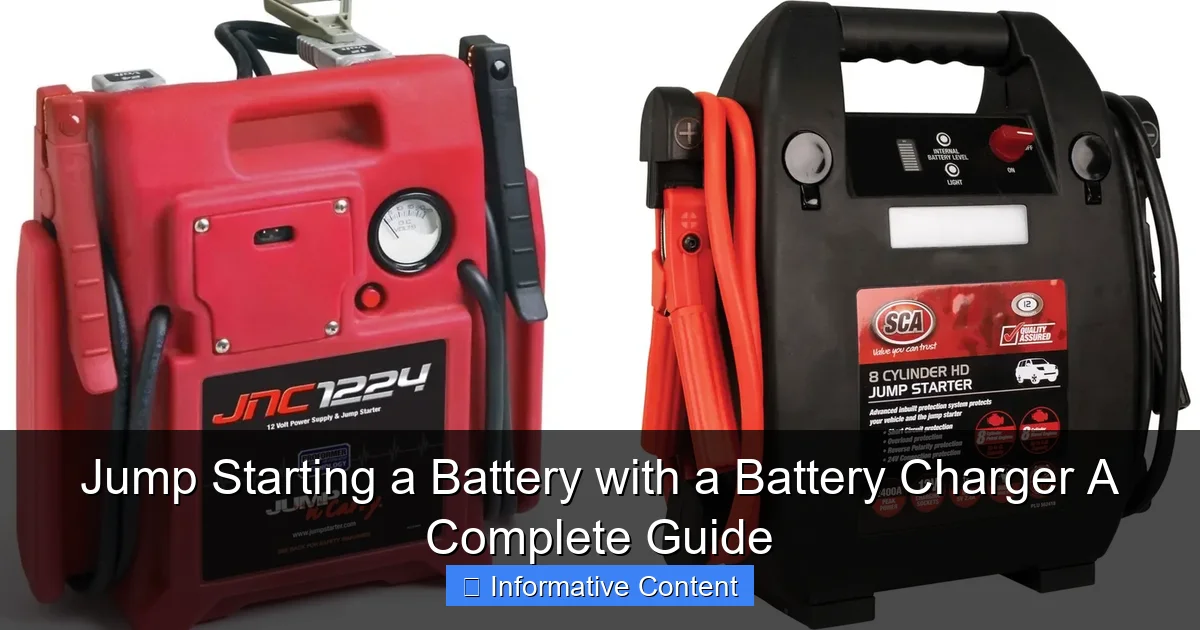
Visual guide about jump starting a battery with a battery charger
Image source: everstartjumpstarter.com
How Chargers Replenish Battery Power
A battery charger works by sending a controlled electrical current into the battery. This process reverses the chemical reaction that occurs when the battery discharges. Think of it like filling a water bottle: the charger is the tap, and the battery is the bottle. But unlike a tap, a good charger doesn’t just blast electricity—it carefully regulates voltage and current to avoid overcharging, which can damage the battery or even cause it to explode.
Most modern chargers use a multi-stage charging process:
- Bulk Stage: The charger delivers maximum current to quickly restore up to 80% of the battery’s capacity.
- Absorption Stage: The current tapers off as the battery approaches full charge to prevent overheating.
- Float/Maintenance Stage: A low, steady charge keeps the battery topped off without overcharging—ideal for long-term storage.
For jump starting, the first two stages are most important. A smart charger can detect the battery’s state and automatically adjust its output, making the process much safer than older, manual chargers.
Types of Battery Chargers: Which One Do You Need?
Not all chargers are created equal. Here are the most common types and their best use cases:
- Trickle Chargers: Deliver a slow, steady charge (usually 1-2 amps). Great for maintaining batteries in vehicles not used often (e.g., classic cars, RVs). Not ideal for jump starting, but useful for recovery.
- Smart/Automatic Chargers: Most recommended for jump starting. They detect battery voltage, adjust charging rates, and switch to float mode. Many have a “boost” or “jump start” mode that delivers a quick jolt to get your engine running.
- Manual Chargers: Require you to set voltage and current. Riskier—overcharging is easy. Best avoided unless you’re experienced.
- Jump Starters with Charging Capability: Portable units with built-in batteries and charging functions. Can jump start without another vehicle, then recharge from a wall outlet. Super convenient for emergencies.
- Desulfators: Specialized chargers that break down sulfate crystals on battery plates—common in old or neglected batteries. Can revive batteries thought to be dead.
Pro Tip: If you plan to jump start a battery with a battery charger, a smart charger with a “boost” mode (10-30 amps) is your best bet. It delivers enough power to start the engine while protecting the battery.
Step-by-Step Guide to Jump Starting a Battery with a Battery Charger
Now that you know the basics, let’s get into the nitty-gritty. Jump starting with a charger isn’t as instant as using jumper cables, but it’s far safer and often more effective—especially if the battery is deeply discharged.
Step 1: Safety First – Prepare Your Workspace
Safety is non-negotiable. A car battery contains sulfuric acid and produces flammable hydrogen gas. Always:
- Work in a well-ventilated area (preferably outdoors or in an open garage).
- Wear safety glasses and gloves.
- Remove metal jewelry (rings, watches) to prevent sparks.
- Ensure the car is off, in park (or neutral for manual), and the parking brake is engaged.
- Keep the charger and cables away from water, heat sources, and flammable materials.
Step 2: Inspect the Battery and Charger
Before connecting anything:
- Check the battery for cracks, leaks, or bulging. If you see any, do not charge—replace the battery.
- Look at the terminals. If they’re corroded (covered in white/green powder), clean them with a wire brush or baking soda and water.
- Ensure the charger is set to the correct battery type (e.g., lead-acid, AGM, gel) and voltage (12V for most cars).
Step 3: Connect the Charger to the Battery
This is where many people make mistakes. Follow this order:
- Connect the red (positive) clamp to the battery’s positive terminal (+).
- Connect the black (negative) clamp to a clean, unpainted metal surface on the engine block or frame—not the battery’s negative terminal. This prevents sparks near the battery, reducing explosion risk.
- Double-check all connections. They should be tight and secure.
Why the ground connection matters: The negative terminal of the battery is connected to the car’s chassis. By grounding to the engine block, you complete the circuit safely. I once skipped this step and got a spark that scared the cat—and me. Learn from my mistake!
Step 4: Set the Charger and Start Charging
Now, plug in the charger and turn it on. Here’s what to do:
- Select the appropriate charge rate. For jump starting, use a “boost” or “start” mode (10-30 amps) if available. Otherwise, choose a medium rate (6-10 amps).
- For deeply discharged batteries (below 10V), start with a slow charge (2-4 amps) for 15-30 minutes to “wake up” the battery before boosting.
- Let the charger run. Smart chargers will show progress on a display; manual chargers require you to monitor voltage.
Real-Life Example: Last winter, my neighbor’s battery died after sitting idle for weeks. I used a smart charger with a 10-amp boost mode. After 20 minutes, the voltage rose to 12.4V—enough to start the engine. No jumper cables needed!
Step 5: Attempt to Start the Engine
After 10-30 minutes of charging (depending on the battery’s condition and charger output):
- Try starting the car. If it starts, great! Let it run for 10-15 minutes to help recharge the battery.
- If it doesn’t start, continue charging in 5-10 minute increments. Don’t exceed 30-45 minutes total for a jump start attempt.
- If the engine still won’t start after 45 minutes, the battery may be too far gone or there’s another issue (e.g., starter motor, alternator).
Step 6: Disconnect the Charger
Once the car is running:
- Turn off and unplug the charger.
- Remove the black (negative) clamp first.
- Remove the red (positive) clamp second.
- Store the charger and cables properly.
Important: Never disconnect the charger while it’s still running—this can create a dangerous arc.
Common Mistakes and How to Avoid Them
Even experienced DIYers make errors when jump starting with a charger. Here are the most common pitfalls—and how to sidestep them.
Connecting the Clamps in the Wrong Order
It’s easy to mix up the order, especially in a hurry. But connecting the negative clamp directly to the battery first (instead of grounding it) can cause sparks near hydrogen gas, leading to an explosion. Always:
- Positive to battery first.
- Negative to ground (engine block) second.
- Reverse the order when disconnecting.
Using the Wrong Charger Settings
Not all batteries are the same. Charging an AGM battery with a regular lead-acid setting can damage it. Always:
- Check your battery’s type (look for labels like “AGM,” “Gel,” or “Standard”).
- Set the charger to match. Most smart chargers have auto-detection, but it’s good to confirm.
Overcharging the Battery
Leaving a charger on for hours (or days) can overheat the battery, warp plates, and cause leaks. Avoid this by:
- Using a smart charger with automatic shutoff.
- Setting a timer if using a manual charger.
- Never charging a battery unattended overnight.
Ignoring Battery Health
A charger can’t fix a dead battery. If your battery is more than 4-5 years old, has frequent jump starts, or won’t hold a charge, it’s time for a replacement. Charging a bad battery wastes time and money.
Forgetting to Recharge the Charger
Portable jump starters with built-in batteries need to be recharged after each use. I once grabbed my trusty portable charger during an emergency—only to find it was dead. Now, I recharge it every month, even if I haven’t used it.
Choosing the Right Battery Charger for Your Needs
With so many options, picking the right charger can feel overwhelming. Here’s what to consider based on your lifestyle and vehicle.
For Everyday Drivers
If you use your car daily, a smart 12V charger with boost mode (10-20 amps) is ideal. Look for:
- Automatic voltage detection.
- Multi-stage charging.
- Reverse polarity protection.
- Spark-proof clamps.
Example: The NOCO Genius 10 is a top choice—compact, reliable, and great for jump starting.
For Infrequent Drivers or Storage
If you own a motorcycle, classic car, or RV that sits for months, a trickle or float charger is better. It keeps the battery healthy without overcharging. Many have a “maintenance” mode that kicks in when the battery drops below 12.4V.
For Emergencies (On-the-Go)
Portable jump starters (like the DBPOWER 2000A) are a game-changer. They combine a lithium battery, USB ports, and LED lights. You can jump start your car without another vehicle, then recharge the unit from a wall outlet. Perfect for road trips or remote areas.
For Heavy-Duty Vehicles
Trucks, tractors, and diesel engines often have larger batteries (12V or 24V). You’ll need a high-amp charger (30+ amps) or a dual-voltage model. Some even have a “cold cranking” mode for winter starts.
Data: Popular Battery Chargers at a Glance
| Model | Type | Amps | Best For | Jump Start Mode? | Price Range |
|---|---|---|---|---|---|
| NOCO Genius 10 | Smart/Automatic | 10A | Daily drivers, AGM batteries | Yes (boost mode) | $80-$100 |
| Schumacher SC1281 | Smart/Automatic | 6A/2A | Maintenance, trickle charging | Yes (10A boost) | $50-$70 |
| DBPOWER 2000A | Portable Jump Starter | 2000A peak | Emergencies, on-the-go | Yes | $100-$130 |
| CTEK MXS 5.0 | Smart/Automatic | 5A | Classic cars, long-term storage | Yes (8.3A pulse) | $90-$110 |
| Black+Decker BC15BD | Smart/Automatic | 15A | Large batteries, trucks | Yes (40A boost) | $70-$90 |
Tip: Read user reviews and check for certifications (e.g., UL, CE) to ensure quality and safety.
After the Jump Start: What to Do Next
Congratulations! Your car is running. But the job isn’t quite done. Here’s how to prevent future battery issues.
Drive to Recharge the Battery
After a jump start, your battery is still low on charge. Drive for at least 20-30 minutes (longer in cold weather) to let the alternator replenish it. Avoid short trips—they don’t give the battery enough time to recharge.
Check the Charging System
A dead battery isn’t always the battery’s fault. If your car keeps dying, the alternator or voltage regulator might be failing. Look for:
- Dimming headlights when idling.
- Flickering dashboard lights.
- A battery warning light on the dashboard.
Have a mechanic test the charging system if you notice these signs.
Inspect the Battery Terminals
Corrosion can prevent proper charging. Clean terminals every 6 months with a wire brush and apply a battery terminal protector spray to prevent future buildup.
Test the Battery
Use a multimeter or visit an auto parts store for a free battery test. Most batteries last 3-5 years. If yours is older or shows low cranking amps, replace it before it fails again.
Store Your Charger Properly
Keep your charger in a dry, temperature-controlled place. Coil the cables neatly to avoid damage. For portable units, recharge them every 3-6 months to maintain battery health.
My Story: I once left my portable jump starter in the trunk during a heatwave. The lithium battery swelled and became unusable. Now, I store it indoors and check it monthly. A small effort that pays off big when you need it.
Jump starting a battery with a battery charger is more than just a quick fix—it’s a skill that empowers you to handle emergencies with confidence. Whether you’re reviving a daily driver or keeping a classic car in top shape, the right charger makes all the difference. Remember: safety first, follow the steps, and choose a charger that fits your needs. With this guide in your back pocket, you’ll never be stranded by a dead battery again. So charge up, stay safe, and drive on!
Frequently Asked Questions
Can you jump start a car battery with a battery charger?
Yes, you can jump start a car battery using a battery charger, especially if it has a “boost” or “jump start” mode. Ensure the charger is set to the correct voltage (usually 12V) and follow the safety instructions to avoid damage.
How long does it take to jump start a battery with a charger?
Jump starting a battery with a charger typically takes 5–30 minutes, depending on the charger’s amperage and the battery’s condition. Higher-amp chargers work faster, but trickle chargers may take longer for deeply discharged batteries.
Is it safe to use a battery charger to jump start a dead battery?
Yes, it’s safe when done correctly. Always connect the charger’s red clamp to the positive terminal and black to the negative (or grounded metal) before turning it on. Avoid sparks and keep the charger away from flammable materials.
What’s the difference between jump starting with cables vs. a battery charger?
Jump cables transfer power from another vehicle’s battery, while a battery charger uses AC power to deliver a controlled charge. A charger is safer for weak batteries and avoids straining another vehicle’s electrical system.
Do I need to remove the battery to jump start it with a charger?
No, you can jump start the battery while it’s still in the vehicle. Just ensure the charger is unplugged during connection, terminals are clean, and the car is in park with the ignition off.
What type of battery charger is best for jump starting?
Smart chargers with jump start or boost modes are ideal, as they automatically adjust amperage and prevent overcharging. Look for models with safety features like reverse polarity protection for added security.