
Featured image for jump starter wont charge
Image source: electrotalks.com
If your jump starter won’t charge, the issue is often a simple fix—start by checking the power source and charging cable for faults. Loose connections, a drained battery, or a faulty outlet can prevent charging, but resetting the device or using a different adapter may solve it fast. Try these easy troubleshooting steps before assuming the worst.
Key Takeaways
- Check the power source: Ensure your outlet or USB port is working properly.
- Inspect cables and connections: Look for frayed wires or loose plugs before charging.
- Reset the jump starter: Use the reset button to fix minor electrical glitches.
- Clean charging ports: Remove dust or debris blocking proper contact with charger.
- Verify battery status: A fully drained battery may need longer initial charging time.
- Avoid extreme temperatures: Charge only in recommended temperature ranges for safety.
- Contact support if issues persist: Manufacturer help may be needed for internal faults.
📑 Table of Contents
- Jump Starter Wont Charge Try These Easy Fixes Now
- Why Your Jump Starter Won’t Charge: Common Causes Explained
- Step-by-Step Troubleshooting: What to Check First
- How to Revive a Dead or Deeply Discharged Jump Starter
- Prevention Tips: How to Keep Your Jump Starter Charging Properly
- When to Replace Your Jump Starter
- Top Jump Starter Models with Reliable Charging
- Final Thoughts: Don’t Panic—Fix It Instead
Jump Starter Wont Charge Try These Easy Fixes Now
You’re stuck on the side of the road, your car battery is dead, and you reach for your trusty jump starter—only to find it won’t charge. Frustrating, right? You’ve probably relied on this compact lifesaver more than once, whether you’re camping in the woods, driving through a snowstorm, or just forgot to turn off your headlights. When it suddenly refuses to power up, panic can set in fast. But before you toss it in the trash or spend money on a new one, take a deep breath. Most of the time, a jump starter that won’t charge isn’t broken—it’s just trying to tell you something.
I remember one cold winter morning when my own jump starter decided to go on strike. I had a long commute ahead, and my car wouldn’t start. I grabbed the jump starter, pressed the button—nothing. No lights, no sound, not even a flicker. I felt that sinking feeling in my stomach. But after some troubleshooting, I discovered the issue wasn’t with the device itself—it was a simple fix I could’ve avoided with a little more care. That experience taught me how important it is to understand your jump starter’s needs. And now, I’m sharing what I’ve learned so you don’t have to go through the same stress.
In this guide, we’ll walk through the most common reasons why your jump starter won’t charge and show you easy, practical fixes you can try right now. Whether you’re a weekend warrior or a daily commuter, these tips will help you get back on the road safely and confidently. No technical expertise required—just a few minutes of your time and a willingness to troubleshoot like a pro.
Why Your Jump Starter Won’t Charge: Common Causes Explained
Before jumping into fixes (pun intended), it helps to understand why your jump starter might not be charging in the first place. Jump starters are essentially portable lithium-ion or lithium-polymer batteries with built-in circuitry to safely deliver a high burst of power. Like any rechargeable device, they rely on proper charging habits, compatible equipment, and environmental conditions to function. When one of these elements is off, the charging process can fail—even if the device appears fine.
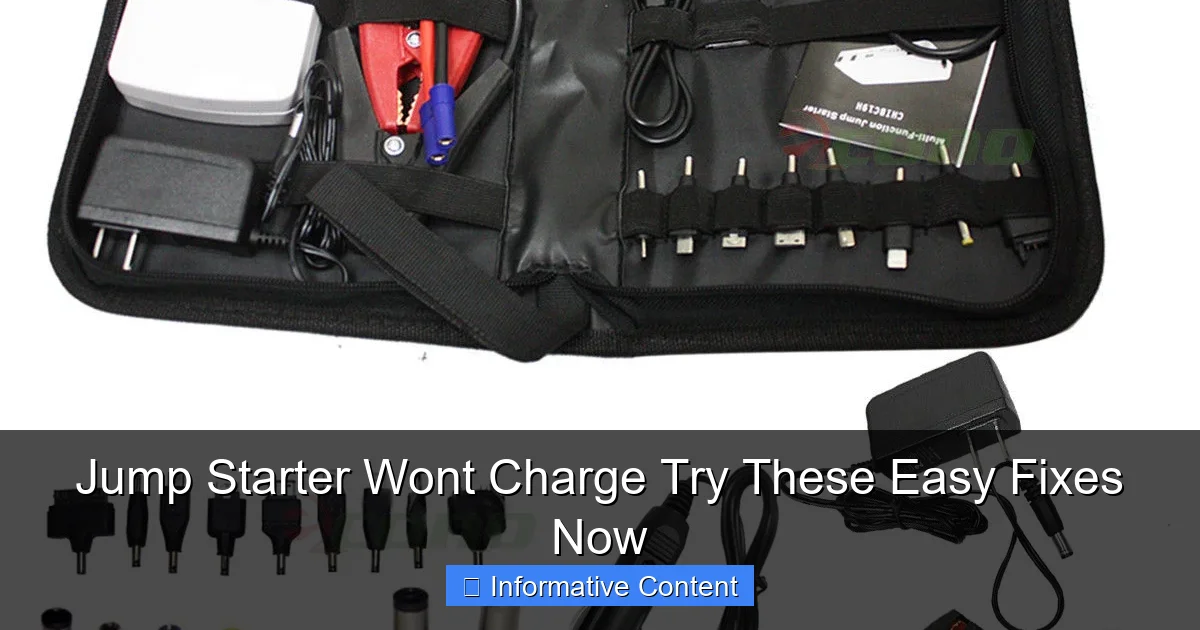
Visual guide about jump starter wont charge
Image source: econosuperstore.com
Battery Chemistry and Charging Cycles
Most modern jump starters use lithium-based batteries because they’re lightweight, hold a charge well, and deliver strong performance. However, lithium batteries don’t like being fully drained or left unused for long periods. If your jump starter has been sitting in a glove compartment for months without use, the battery may have entered a deep discharge state. In this state, the voltage drops so low that the internal protection circuit shuts down charging to prevent damage. This is a safety feature, but it can make the device seem “dead” when it’s actually just protecting itself.
Additionally, lithium batteries have a limited number of charge cycles—typically between 300 and 500 full cycles before performance starts to degrade. If your jump starter is older or has been used frequently, it might simply be nearing the end of its lifespan. But don’t assume it’s dead yet. Many units can still be revived with the right approach.
Environmental Factors That Affect Charging
Temperature plays a huge role in battery performance. Charging a jump starter in extreme cold (below 32°F or 0°C) or extreme heat (above 113°F or 45°C) can prevent it from accepting a charge. Lithium batteries are especially sensitive to cold. If you’ve left your jump starter in a freezing car overnight, it may refuse to charge until it warms up to room temperature. Similarly, leaving it in a hot car during summer can damage the internal components and reduce charging efficiency.
Humidity and moisture are also enemies of electronics. If your jump starter has been exposed to rain, snow, or high humidity, moisture could have seeped into the charging port or internal circuitry, causing a short or corrosion. Even a little dampness can interfere with the charging process.
Power Source and Charging Equipment Issues
Not all chargers are created equal. Using the wrong charger—or a low-quality one—can prevent your jump starter from charging properly. Many jump starters come with a dedicated wall charger or USB-C cable, but people often substitute them with phone chargers or car adapters that don’t deliver the correct voltage or current. For example, a 5V/1A phone charger might not provide enough power to charge a jump starter that requires 5V/2A or higher.
Also, check the power outlet itself. Sometimes the issue isn’t the jump starter or the charger—it’s the wall socket. Try plugging the charger into a different outlet, or test the outlet with another device to make sure it’s working. If you’re using a car charger, ensure your vehicle’s 12V outlet is functional and that the car is running (some outlets only work when the engine is on).
Internal Protection Circuits and Safety Features
Jump starters are packed with safety features to prevent overcharging, short circuits, overheating, and reverse polarity. These circuits are great for safety, but they can also be overly cautious. If the device detects even a minor anomaly—like a slightly low input voltage or a temperature fluctuation—it may refuse to charge as a precaution.
For instance, some jump starters have a “sleep mode” that activates after prolonged inactivity. In this mode, the device consumes almost no power, but it also won’t respond to charging attempts until it’s “woken up.” This usually requires a specific sequence, like holding the power button for 10 seconds or connecting it to a higher-wattage charger.
Step-by-Step Troubleshooting: What to Check First
Now that you know the possible causes, let’s get into the actual fixes. The key is to go step by step, ruling out the simplest issues first before moving on to more complex ones. Think of it like a detective solving a mystery—start with the obvious clues.
Check the Charger and Cable
Start by inspecting the charging cable and adapter. Look for frayed wires, bent pins, or loose connections. Even a small kink in the cable can interrupt the flow of electricity. Try using a different cable—preferably the original one that came with the jump starter. If you don’t have it, use a high-quality USB-C or micro-USB cable (depending on your model) that’s rated for data and power transfer.
Next, test the charger with another device. Plug it into your phone or tablet and see if it charges. If it doesn’t, the charger is likely faulty. Also, check the output rating on the charger. It should match or exceed the input requirement of your jump starter (usually printed on the device or in the manual). For example, if your jump starter needs 5V/2A, a 5V/1A charger will charge it too slowly—or not at all.
Verify the Power Source
Plug the charger into a different wall outlet. Avoid using power strips or extension cords, as they can reduce voltage. If possible, test the outlet with a lamp or another electronic device to confirm it’s working. If you’re charging in the car, make sure the 12V outlet is active and that the car is running. Some vehicles cut power to accessory outlets when the engine is off.
If you’re using a solar charger or a portable power station, ensure it has enough output capacity. Many solar panels deliver low current, which may not be sufficient to wake up a deeply discharged jump starter.
Inspect the Charging Port
Look closely at the charging port on your jump starter. Is it clean? Free of dust, lint, or debris? Over time, pocket lint can accumulate in USB ports and block the connection. Use a can of compressed air or a soft toothbrush to gently clean it out. Avoid using metal objects like paperclips, as they can damage the pins.
If the port feels loose or wobbly, the internal connection may be damaged. This is more common in cheaper models or devices that have been dropped. In such cases, the fix may require professional repair or replacement.
Check the Battery Indicator Lights
Most jump starters have LED indicator lights that show charging status. A blinking red light might mean charging in progress, while a solid green light usually means fully charged. If there are no lights at all, the device may be in protection mode or the battery could be too drained to respond.
Refer to your user manual for the specific light patterns. Some models use different colors or blink rates to indicate various states—like low battery, charging, error, or fault. If you’ve lost the manual, search online for your model number—most manufacturers post digital copies.
Try a Hard Reset
Some jump starters have a reset function that can revive them from a frozen or unresponsive state. This usually involves holding down the power button for 10–15 seconds, even if nothing seems to happen. After releasing, wait a minute, then try charging again.
For example, the NOCO Boost Plus GB40 has a known “wake-up” procedure: plug in the charger, hold the power button for 10 seconds, then release. If the lights flash, it’s waking up. This trick works for many lithium-based devices that enter deep sleep mode.
How to Revive a Dead or Deeply Discharged Jump Starter
If your jump starter won’t charge because the battery is deeply discharged, don’t give up. There are a few techniques that can help “jump-start” the jump starter itself.
Use a Higher-Wattage Charger
Sometimes, a standard 5V/1A charger isn’t enough to wake up a dead battery. Try using a fast charger—like a 5V/2.4A or 9V/2A USB-C PD (Power Delivery) charger. These deliver more power and can sometimes kickstart the internal circuitry. Just make sure your jump starter supports higher input voltages. Most modern ones do, but older models may not.
For example, if your jump starter has a USB-C port, try charging it with a laptop charger or a high-wattage phone charger. I once revived a seemingly dead jump starter by plugging it into a 65W USB-C charger—within 10 minutes, the lights came on.
Charge in a Warm Environment
If your jump starter has been in the cold, bring it inside and let it warm up to room temperature before charging. Cold batteries have reduced chemical activity, which makes them reluctant to accept a charge. Avoid using heaters, hair dryers, or direct sunlight to speed up the process—this can damage the battery.
Let it sit for at least 30 minutes to an hour. Once it’s warm, plug it in and monitor the lights. You should see a response within a few minutes.
Try a “Trickle Charge” Method
Some experts recommend a slow, steady charge for deeply drained batteries. Use a low-current charger (like a 5V/1A) and leave it plugged in for several hours—even overnight. This gives the battery time to slowly regain voltage without triggering protection circuits.
While this method isn’t guaranteed, it’s worth a try if other approaches fail. Just be patient and avoid interrupting the charge.
Use a Secondary Power Source (Advanced)
In rare cases, you can use another jump starter or a portable power bank to give your dead unit a small boost. Connect the two devices using jumper cables (if compatible) or a USB cable, and let the healthy device supply a small amount of power. This can sometimes wake up the protection circuit.
⚠️ Warning: This method carries risks, including short circuits or damage to both devices. Only attempt it if you’re experienced with electronics and understand the risks. Always check compatibility first.
Prevention Tips: How to Keep Your Jump Starter Charging Properly
The best fix is prevention. With a little care, you can avoid most charging issues and extend the life of your jump starter.
Charge Regularly, Even When Not in Use
Don’t wait until you need it to charge your jump starter. Lithium batteries degrade faster when left uncharged. Aim to recharge it every 1–3 months, even if you haven’t used it. This keeps the battery chemistry active and prevents deep discharge.
Think of it like your phone—you don’t let it die completely every time, right? Treat your jump starter the same way.
Store in a Cool, Dry Place
Keep your jump starter in a climate-controlled environment—like your home or garage—not in your car. Extreme temperatures are the #1 enemy of battery life. Avoid direct sunlight, basements with high humidity, or areas prone to flooding.
A protective case or storage bag can also help shield it from dust and physical damage.
Use the Right Charger
Always use the charger that came with your jump starter, or a high-quality replacement with matching specifications. Avoid cheap, off-brand chargers—they may not deliver stable power and can damage the battery over time.
If you’ve lost the original charger, check the manufacturer’s website for replacements. Many brands sell official chargers that are guaranteed to work.
Clean the Ports and Connections
Every few months, inspect and clean the charging port and jumper cable clamps. Use a dry cloth or compressed air to remove dust and debris. For the clamps, a bit of rubbing alcohol on a cotton swab can remove corrosion and improve conductivity.
Monitor Battery Health
Some advanced jump starters have built-in battery health indicators or apps that track usage and charge cycles. If yours does, use it to monitor performance. If you notice the charge holding time decreasing significantly, it may be time for a replacement.
When to Replace Your Jump Starter
Despite your best efforts, some jump starters simply reach the end of their life. Here are signs it’s time to upgrade:
- Won’t hold a charge: Even after a full night of charging, it dies within minutes.
- Swollen battery: The casing bulges or feels soft—this is a serious safety hazard.
- Overheating: Gets unusually hot during charging or use.
- Failed jump attempts: Can’t start a car even when fully charged.
- Age: Most jump starters last 3–5 years with regular use.
If you notice any of these issues, stop using the device immediately. A swollen or overheating battery can catch fire or explode. Dispose of it properly at an electronics recycling center—don’t throw it in the trash.
Top Jump Starter Models with Reliable Charging
Not all jump starters are created equal. Some are built to last, with robust charging systems and smart safety features. Here’s a quick comparison of reliable models known for consistent charging performance:
| Model | Battery Type | Charging Time | Input Port | Special Features |
|---|---|---|---|---|
| NOCO Boost Plus GB40 | Lithium-ion | 3 hours | USB-C | Spark-proof, reverse polarity protection, 1000A peak |
| Jump-N-Carry JNC660 | Lead-acid | 4–6 hours | 12V DC | Heavy-duty, 1700A peak, built-in voltmeter |
| DBPower 2000A | Lithium-ion | 4 hours | USB-C | Fast charge, LED flashlight, 2000A peak |
| Clore Automotive JNC770R | Lead-acid | 6 hours | 12V DC | Professional grade, 2500A peak, durable casing |
| Tacklife T8 Pro | Lithium-ion | 3.5 hours | USB-C | Compact, 2000A peak, includes air compressor |
When choosing a new jump starter, look for models with USB-C charging, fast charge support, and clear indicator lights. These features make troubleshooting easier and improve overall reliability.
Final Thoughts: Don’t Panic—Fix It Instead
Finding out your jump starter won’t charge when you need it most is stressful, but it’s rarely a dead end. In most cases, the issue is fixable with a little patience and the right approach. Whether it’s a dirty charging port, a weak charger, or a deeply discharged battery, the solutions are often simple and inexpensive.
Remember: your jump starter is a tool, and like any tool, it needs care and attention. Charge it regularly, store it properly, and use the right equipment. And when problems arise, don’t assume the worst—try the fixes we’ve covered here. You might be surprised how often a few minutes of troubleshooting can save you time, money, and a tow truck call.
So the next time your jump starter won’t charge, don’t throw in the towel. Take a breath, check the basics, and work through the steps. With a little know-how, you’ll have it powered up and ready to go in no time. After all, the best jump starter is the one that works when you need it most—and now, you know how to make sure yours does.
Frequently Asked Questions
Why won’t my jump starter charge even when plugged in?
This could be due to a faulty power source, damaged charging cable, or internal battery issues. Try using a different outlet or USB port and inspect the cable for visible damage. If problems persist, your jump starter may need professional repair or replacement.
How do I know if my jump starter’s battery is completely dead?
If the jump starter doesn’t power on, shows no LED indicators, or fails to hold a charge after hours of charging, the battery may be dead. Many models have a “test” button to check remaining power—if it shows zero, the battery likely needs replacing.
Can a jump starter that won’t charge be fixed at home?
Yes, in some cases. Clean the charging ports with a dry brush, reset the device (if it has a reset button), or try a different charger. If your jump starter won’t charge after these steps, contact the manufacturer for troubleshooting or warranty support.
Why does my jump starter stop charging after a few minutes?
Overheating protection may be activating due to excessive heat or a short circuit. Let the unit cool down and ensure it’s charged in a well-ventilated area. A failing internal battery could also cause premature charging shutdowns.
Is it safe to leave a jump starter charging overnight?
Most modern jump starters have overcharge protection, but prolonged charging can degrade battery life. For a jump starter that won’t charge properly, avoid leaving it plugged in beyond the recommended time (usually 4–8 hours) to prevent damage.
What should I do if my jump starter shows a charging error light?
Check the manual for specific error codes—common causes include incompatible chargers, low input voltage, or battery faults. Try a different power adapter or cable, and if the error persists, contact customer support for assistance.