
Featured image for gooloo jump starter will not charge
Image source: gooloo.uk
If your Gooloo jump starter won’t charge, the issue is often a faulty charging cable, poor power source, or depleted internal battery. Try using a different USB-C cable and a high-output wall adapter to rule out connection problems. Resetting the unit or recharging it for 24+ hours may revive a deeply discharged battery.
Key Takeaways
- Check the power source: Ensure your outlet or charger is working properly.
- Inspect cables and ports: Look for visible damage or debris blocking connections.
- Reset the device: Hold the power button for 10+ seconds to force a reboot.
- Use original accessories: Third-party chargers may not provide correct voltage.
- Monitor temperature: Extreme heat or cold can prevent charging—store indoors.
- Update firmware: Visit GOOLOO’s site for software fixes if available.
📑 Table of Contents
- Why Your Gooloo Jump Starter Won’t Charge (And What You Can Do)
- Understanding How Gooloo Jump Starters Charge
- Common Causes of Charging Issues (And How to Spot Them)
- Step-by-Step Troubleshooting Guide
- When to Replace vs. Repair (And What to Look For)
- Preventing Future Charging Problems
- Final Thoughts: Don’t Panic—You’ve Got This!
Why Your Gooloo Jump Starter Won’t Charge (And What You Can Do)
Imagine this: you’re late for work, your car won’t start, and you reach for your trusty Gooloo jump starter—only to find it won’t charge. Your heart sinks. You’re stuck, frustrated, and probably a little panicked. If this sounds familiar, you’re not alone. Many Gooloo jump starter owners have faced the same issue: the device powers on, but the battery won’t charge. It’s a common problem, and while it’s annoying, the good news is that it’s often fixable.
Jump starters like the Gooloo GT4000, GT3000, or the compact GP03C are lifesavers when your car battery dies. They’re portable, powerful, and designed to get you back on the road in minutes. But like all electronics, they can develop issues—especially when it comes to charging. Whether it’s a faulty charger, a drained lithium-ion battery, or a simple user error, there are several reasons your Gooloo jump starter won’t charge. In this guide, I’ll walk you through the most common causes, how to diagnose them, and—most importantly—how to fix them. No tech jargon, no fluff. Just real, practical advice from someone who’s been in your shoes.
Understanding How Gooloo Jump Starters Charge
Before we dive into fixes, it’s important to understand how your Gooloo jump starter charges. Most Gooloo models use a lithium-ion (Li-ion) battery, which is lightweight, holds a charge well, and recharges quickly. But these batteries are sensitive to certain conditions. Knowing the basics helps you avoid future problems and troubleshoot current ones.
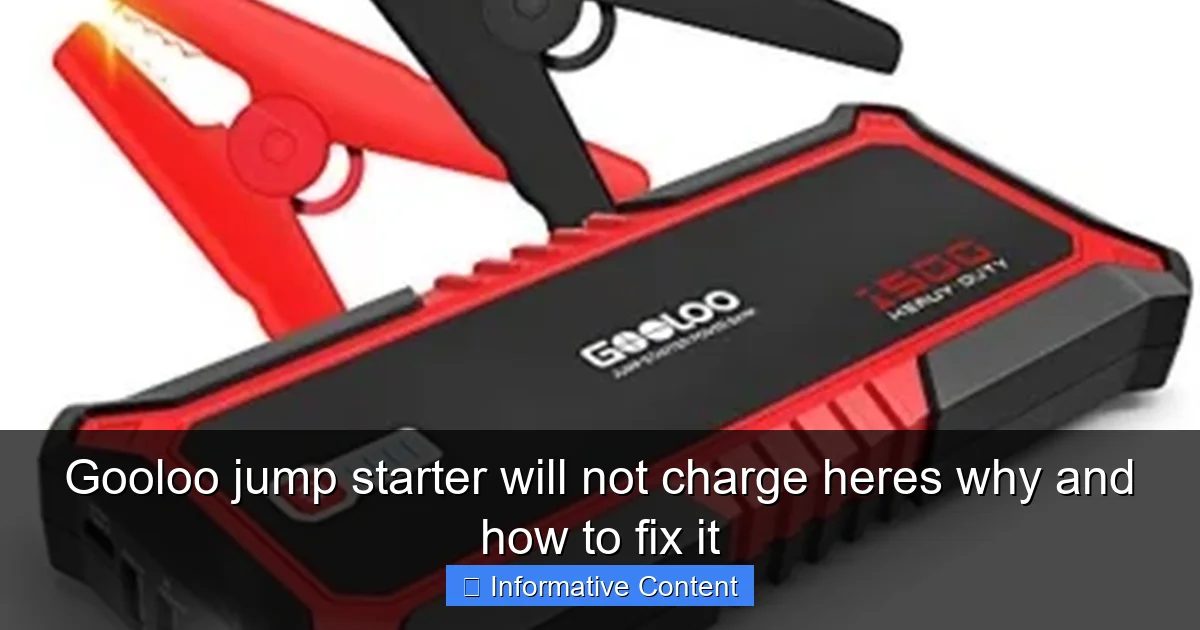
Visual guide about gooloo jump starter will not charge
Image source: jumpstarter.io
The Charging Process Explained
When you plug your Gooloo into the wall charger or a USB-C cable (depending on the model), the device goes through three main stages:
- Trickle charging: For deeply discharged batteries. A small current slowly brings the voltage up to a safe level.
- Constant current: The main charging phase. The battery draws a steady current until it reaches about 80% capacity.
- Constant voltage: The final stage. The voltage stabilizes, and charging slows to top off the battery without overcharging.
Most Gooloo jump starters have LED indicators to show charging progress. For example, the GT4000 has four lights. When all four are solid, the battery is fully charged. If the lights don’t come on or flicker erratically, it’s a red flag.
Why Lithium-Ion Batteries Fail to Charge
Lithium-ion batteries are great, but they have quirks. Here are the main reasons they might not charge:
- Deep discharge: If the battery drops below ~2.5 volts, it can enter “sleep mode” and stop accepting a charge.
- Overheating or cold exposure: Charging in extreme temperatures (below 32°F or above 113°F) can damage the battery or trigger safety cutoffs.
- Age and wear: After 2–3 years of regular use, battery capacity drops, and charging becomes less efficient.
- Internal circuitry faults: The charging management system (BMS) might malfunction due to a power surge or physical damage.
For example, I once left my Gooloo in my car during a cold winter night. The next day, it wouldn’t charge. Turns out, the battery had dropped below its safe charging temperature. A few hours in a warm room fixed it—but it taught me a valuable lesson about storage.
Common Causes of Charging Issues (And How to Spot Them)
Now that you know how the charging system works, let’s look at the most common reasons your Gooloo jump starter won’t charge. The key is to diagnose the issue accurately before jumping to conclusions (or buying a new device).
Faulty or Incompatible Charger
This is the #1 culprit. Not all chargers are created equal. Gooloo jump starters require a specific voltage and current. Using the wrong charger—or a damaged one—can prevent charging or even damage the device.
- Signs: No LED lights, slow charging, or the charger feels hot.
- What to check:
- Is the charger the original one that came with your Gooloo?
- Are the prongs bent or corroded?
- Is the cable frayed or split?
- Does the charger work with other devices?
Pro tip: Test the charger with a multimeter. A healthy 12V Gooloo charger should output between 12.6V and 13.8V. If it’s below 12V, replace it.
Damaged or Loose Charging Port
The charging port on your jump starter can wear out over time, especially if you’re frequently plugging and unplugging it. A loose port might make intermittent contact, leading to failed charging.
- Signs: The charger wiggles in the port, or the device only charges when the cable is held at a certain angle.
- What to do:
- Gently wiggle the charger in the port. If the lights flicker, the port is loose.
- Use a flashlight to inspect for debris or bent pins.
- Try a different cable to rule out cable issues.
I once had a Gooloo that only charged when I pressed down on the cable. A quick inspection revealed a bent pin inside the port. I carefully straightened it with a paperclip—problem solved.
Dead or Deeply Discharged Battery
If your Gooloo hasn’t been used or charged in months, the battery might be too drained to accept a charge. This is especially common with lithium-ion batteries.
- Signs: No LED response when plugged in, or lights flash briefly then turn off.
- What to do:
- Leave it plugged in for 12–24 hours. Some devices need a “wake-up” period.
- Try a “jump start” with a higher-current charger (e.g., a 2A USB adapter instead of 1A).
- If it still won’t charge, the battery may be permanently dead.
Environmental or Temperature Issues
Extreme temperatures are a silent killer for jump starters. Cold slows down chemical reactions in the battery, while heat accelerates wear.
- Signs: Device charges slowly or stops charging in hot/cold environments.
- What to do:
- Store your Gooloo at room temperature (68–77°F).
- Never charge it in direct sunlight or a freezing car.
- If it’s cold, let it warm up for 1–2 hours before charging.
Step-by-Step Troubleshooting Guide
Now that you know the possible causes, let’s walk through a systematic approach to fixing your Gooloo jump starter. Follow these steps in order—don’t skip ahead!
Step 1: Inspect the Charger and Cable
Start with the basics. Plug the charger into a wall outlet (not a power strip) and check:
- Do the LED lights on the charger turn on?
- Is the cable frayed or bent?
- Does the charger feel warm or hot?
If the charger is damaged, replace it with the original or a Gooloo-approved one. Avoid cheap knockoffs—they can damage your device.
Step 2: Clean the Charging Port
Use a dry toothbrush or compressed air to remove dust, lint, or debris from the port. If you see corrosion, gently wipe it with a cotton swab and isopropyl alcohol. Let it dry completely before plugging in.
Step 3: Try a “Hard Reset”
Sometimes, the internal circuitry needs a reset. Here’s how:
- Plug in the charger and wait 10 seconds.
- Unplug it and wait 30 seconds.
- Repeat this cycle 3–5 times. This can “wake up” a dormant battery.
Step 4: Test with a Different Power Source
Try charging from:
- A different wall outlet.
- A USB port on your computer or a power bank (if your model supports USB-C charging).
- A 12V car charger (for models with DC input).
If it charges with one source but not another, the issue is with the original charger or outlet.
Step 5: Check the Battery Voltage (Advanced)
If you’re comfortable with basic electronics, use a multimeter to check the battery voltage:
- Set the multimeter to DC voltage (20V range).
- Touch the probes to the battery terminals (inside the jump starter’s clamps).
- A healthy battery reads 12.6V–13.8V. Below 11V, it’s deeply discharged.
Caution: Don’t short the terminals! This can cause sparks or damage the device.
Step 6: Let It “Trickle Charge”
If the battery is deeply discharged, leave the Gooloo plugged in for 24–48 hours. Some models have a slow-trickle mode that activates when the battery is very low. Be patient—it might take a full day to show any signs of life.
When to Replace vs. Repair (And What to Look For)
Not every issue is fixable at home. Sometimes, the problem is beyond DIY repair. Here’s how to decide whether to fix or replace your Gooloo jump starter.
Signs It’s Time to Repair
- The charging port is loose but the device works when plugged in.
- The battery charges slowly but holds a charge.
- The LED lights work, but the battery dies quickly.
For these issues, consider:
- Replacing the charging port (if you’re handy with a soldering iron).
- Swapping the battery (some models have user-replaceable batteries).
- Using a third-party repair service (check Gooloo’s warranty first).
Signs It’s Time to Replace
- The device won’t power on at all, even after 48 hours of charging.
- The battery swells or leaks (a serious safety hazard).
- It’s more than 3 years old and has been used heavily.
- Repair costs exceed 50% of a new model’s price.
If you’re replacing it, consider upgrading. Newer Gooloo models like the GT5000 have better battery life, faster charging, and USB-C compatibility. But if you’re on a budget, the GP03C is a reliable, affordable option.
Warranty and Customer Support
Gooloo offers a 12–24 month warranty on most models. If your jump starter is still under warranty:
- Contact Gooloo support via email or their website.
- Provide proof of purchase and photos of the issue.
- They may offer a free repair or replacement.
I once had a Gooloo GT3000 that stopped charging after 10 months. I reached out to support, sent photos, and got a replacement within a week. It was hassle-free—so don’t hesitate to use the warranty!
Preventing Future Charging Problems
The best fix is prevention. A little care goes a long way in keeping your Gooloo jump starter ready to use.
Proper Storage Tips
- Store it at 50–70% charge (not fully charged or empty).
- Keep it in a cool, dry place—away from direct sunlight.
- Charge it every 3–6 months, even if you don’t use it.
Charging Best Practices
- Always use the original charger or a Gooloo-approved one.
- Unplug it once fully charged (overcharging reduces battery life).
- Avoid charging in extreme temperatures.
Regular Maintenance
- Clean the charging port and clamps every few months.
- Check the battery voltage annually (if you’re comfortable with a multimeter).
- Inspect the cables and housing for cracks or wear.
Data Table: Gooloo Jump Starter Charging Specs
| Model | Charging Voltage | Charging Time | Input Type | Battery Capacity |
|---|---|---|---|---|
| Gooloo GT4000 | 12V/2A | 4–6 hours | Wall adapter + USB-C | 18,000 mAh |
| Gooloo GT3000 | 12V/2A | 3–5 hours | Wall adapter | 15,000 mAh |
| Gooloo GP03C | 5V/2A (USB) | 5–7 hours | USB-C | 12,000 mAh |
| Gooloo GT5000 | 12V/2A + 9V/2A (PD) | 3–4 hours | Wall adapter + USB-C | 20,000 mAh |
Final Thoughts: Don’t Panic—You’ve Got This!
Finding out your Gooloo jump starter won’t charge is stressful, but it’s rarely the end of the road. In most cases, the issue is something simple—a faulty charger, a dirty port, or a cold battery. By following the steps in this guide, you can diagnose and fix the problem yourself, saving time and money.
Remember: lithium-ion batteries are sensitive. Treat your jump starter with care, store it properly, and charge it regularly. And if all else fails? Use the warranty. Gooloo stands behind their products, and you shouldn’t hesitate to reach out for help.
At the end of the day, a Gooloo jump starter is a tool—and like any tool, it needs maintenance. But when it works, it’s a lifesaver. So keep yours in top shape, and it’ll be ready when you need it most. After all, the best jump starter is the one that works when you’re stuck on the side of the road. Stay charged, stay safe, and happy driving!
Frequently Asked Questions
Why is my Gooloo jump starter not charging?
Your Gooloo jump starter may not charge due to a faulty power source, damaged charging cable, or a drained internal battery. Try using a different outlet or USB adapter to rule out power supply issues.
How do I fix a Gooloo jump starter that won’t charge?
First, clean the charging port with compressed air and test the cable with another device. If the issue persists, perform a reset by holding the power button for 10 seconds, which often resolves minor firmware glitches.
Can a dead internal battery cause my Gooloo jump starter to not charge?
Yes, if the internal lithium-ion battery is deeply discharged or degraded, the device may not accept a charge. In this case, contact Gooloo support for a battery replacement or professional repair.
Is there a reset button on my Gooloo jump starter when it won’t charge?
Most Gooloo models don’t have a dedicated reset button, but you can reset the system by holding the power button for 10–15 seconds. This can resolve charging issues caused by temporary system errors.
Why does my Gooloo jump starter show a charging light but not gain power?
This often indicates a connection issue between the battery and charging circuit. Inspect the charging port for debris, try a different cable, or let the device charge uninterrupted for 4+ hours to bypass a protective lockout.
How long should I charge my Gooloo jump starter if it’s not holding a charge?
Allow 4–6 hours of continuous charging using a 5V/2A adapter. If it still won’t hold a charge after this, the battery may be faulty and require replacement by the manufacturer.