
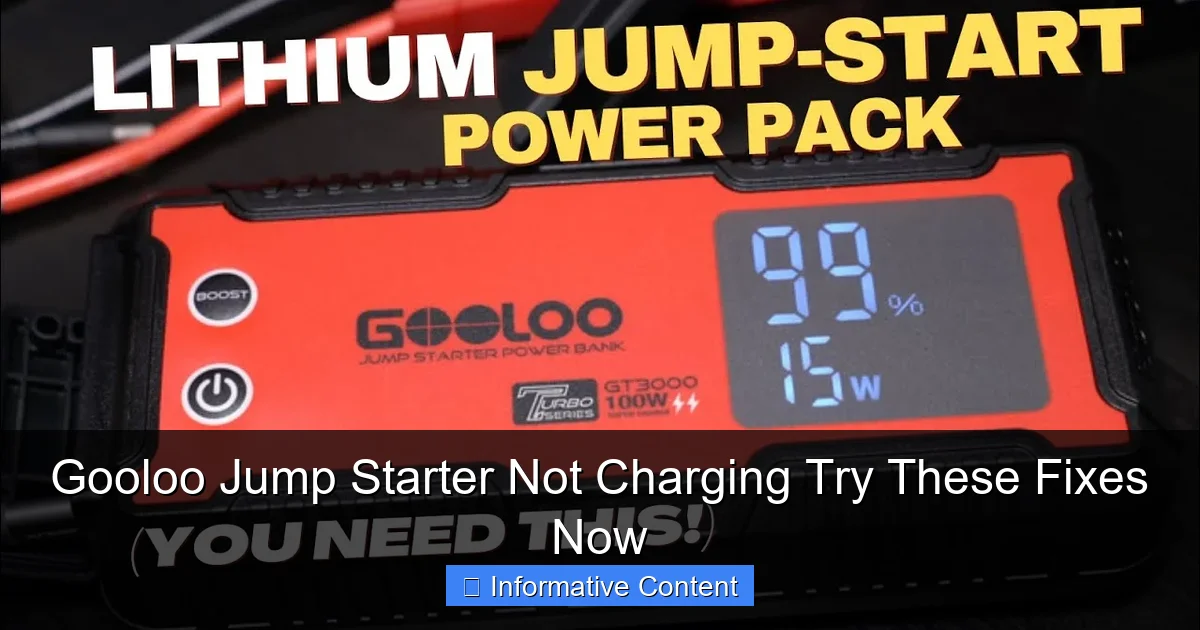
Featured image for gooloo jump starter not charging
Image source: i.ytimg.com
If your Gooloo jump starter isn’t charging, first check the power source and charging cable for faults—most issues stem from simple connection problems. Try resetting the device or using a different outlet, and ensure the battery isn’t fully drained, as some models won’t charge if voltage drops too low. These quick fixes often restore functionality without needing replacements.
Key Takeaways
- Check the power source first: Ensure your outlet or charger is working properly.
- Inspect cables and connections: Look for damage or loose links in the charging setup.
- Reset the jump starter: A simple reset can often restore charging functionality.
- Verify battery health: Replace if the battery is old or swollen for safety.
- Use only GOOLOO-approved chargers: Third-party chargers may damage the unit.
- Monitor charging indicators: Lights will confirm if charging is active and complete.
📑 Table of Contents
- Why Your Gooloo Jump Starter Isn’t Charging (And What to Do About It)
- Understanding How Your Gooloo Jump Starter Charges
- Common Causes of a Gooloo Jump Starter Not Charging
- Step-by-Step Troubleshooting Guide
- When to Replace vs. Repair Your Gooloo Jump Starter
- Preventing Future Charging Problems
- Final Thoughts: Don’t Panic—Try These Fixes First
Why Your Gooloo Jump Starter Isn’t Charging (And What to Do About It)
Imagine this: you’re late for work, your car won’t start, and you reach for your trusty Gooloo jump starter—only to find it won’t charge. Frustrating, right? You’re not alone. Many users face this issue, and it’s one of the most common problems with portable jump starters. Whether it’s a brand-new unit or one you’ve relied on for years, a Gooloo jump starter not charging can leave you stranded when you need it most.
The good news? Most charging issues are fixable. You don’t need to be a tech wizard or spend a fortune on repairs. In this post, we’ll walk you through the most common reasons your Gooloo jump starter isn’t charging and share practical, step-by-step fixes. Think of this as your go-to guide—like a friend sitting beside you, saying, “Hey, I’ve been there, and here’s what actually works.”
Understanding How Your Gooloo Jump Starter Charges
How the Charging System Works
Before diving into fixes, let’s break down how your Gooloo jump starter charges. Unlike your phone, which uses a simple USB connection, jump starters rely on a combination of internal battery chemistry, charging circuitry, and external power sources. Most Gooloo models use lithium-ion or lithium-polymer batteries, which require precise voltage and current to charge safely.
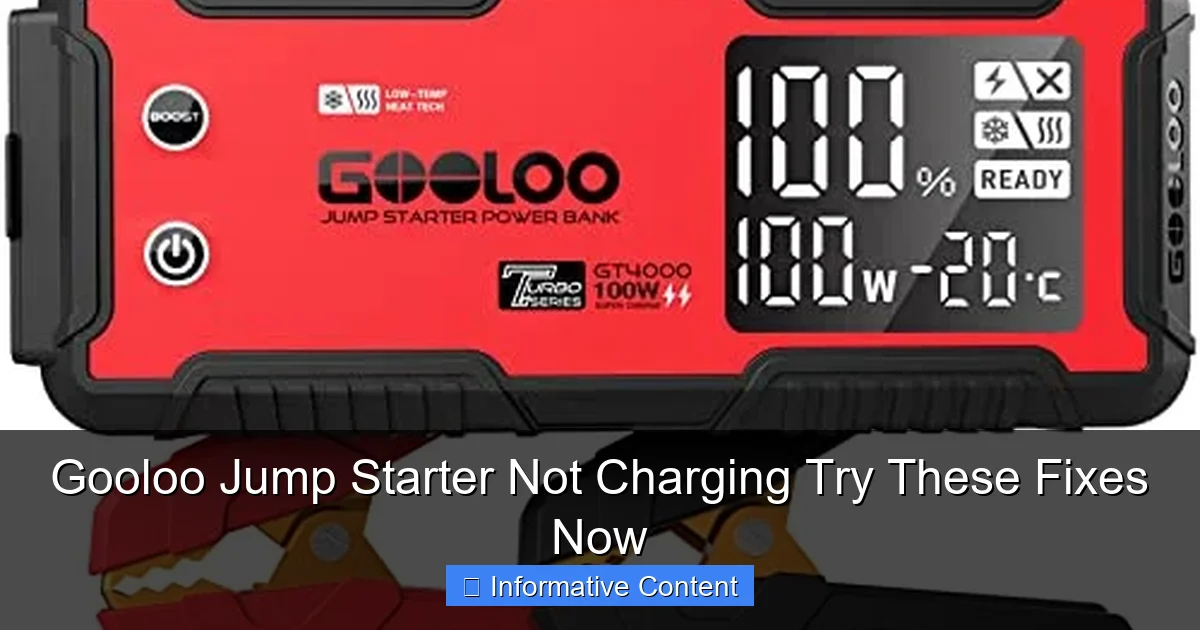
Visual guide about gooloo jump starter not charging
Image source: m.media-amazon.com
When you plug your jump starter into a wall outlet, car adapter, or solar panel (if supported), the internal circuitry converts the incoming power into the correct levels. This process protects the battery from overcharging, overheating, or undercharging. If any part of this system fails, your Gooloo jump starter not charging becomes a real possibility.
For example, the Gooloo GT4000 uses a 12V/2A input, while the Gooloo GP4000 supports fast charging via USB-C. If you’re using a low-power adapter (like a phone charger), it might not deliver enough current, causing the unit to charge slowly or not at all.
Signs Your Jump Starter Isn’t Charging
- The LED indicators stay off when plugged in.
- Only one or two LEDs light up, even after hours of charging.
- The unit feels warm but shows no charging progress.
- The screen displays “Err” or “Low Input” (on models with displays).
- The jump starter powers on but dies immediately when disconnected.
Pro tip: If your unit has a digital display, check the input voltage. A reading below 10V suggests the charger or cable isn’t delivering enough power. This simple check can save you hours of troubleshooting.
Common Causes of a Gooloo Jump Starter Not Charging
1. Faulty or Incompatible Charger
The most common culprit? The charger itself. Gooloo jump starters require specific input voltages (usually 12V–20V). Using a phone charger (5V/2A) or a damaged wall adapter can prevent charging. For instance, I once tried charging my Gooloo GT3000 with a cheap USB-C adapter—it powered on, but the battery percentage never budged.
What to do: Always use the original charger or a compatible replacement. Check the label on your unit for the required input (e.g., “Input: 12V/2A”). If you’ve lost the original charger, buy a Gooloo-certified one. Avoid “universal” chargers unless they explicitly list your model.
2. Damaged Charging Cable or Port
Frayed cables, bent pins, or a loose USB-C port can disrupt power flow. I’ve seen users blame the jump starter, only to realize their cable had a hidden break near the connector. Even a slightly bent pin in the charging port can cause intermittent connections.
What to do: Inspect the cable and port. Try wiggling the cable while it’s plugged in. If the LED flickers, the connection is unstable. Swap the cable with a known-good one (e.g., a laptop charger cable). For port issues, gently clean it with a toothpick and isopropyl alcohol. Avoid force—lithium batteries are sensitive to physical damage.
3. Battery Drain or Deep Discharge
Lithium batteries can’t handle “deep discharges.” If your Gooloo jump starter was left unused for months, the battery voltage might have dropped below safe levels, triggering a protection circuit. This is like a safety lock—it prevents charging to avoid fire risks.
What to do: Try a “jump start” for the jump starter itself. Plug it into a high-power source (e.g., a 20W USB-C PD adapter) for 15–20 minutes. The higher voltage can sometimes bypass the protection circuit. If it still won’t charge, leave it plugged in for 24–48 hours. Some models have a “trickle charge” mode that slowly revives deeply drained batteries.
4. Environmental Factors
Extreme temperatures kill batteries. Charging a Gooloo jump starter below 32°F (0°C) or above 113°F (45°C) can damage the cells. I once tried charging mine in a freezing garage—it worked, but the battery life dropped by 30% afterward.
What to do: Charge your unit in a room-temperature environment (60°F–80°F). If it’s cold, warm the jump starter in your hands for 5 minutes first. For hot environments, turn on a fan or move it to a shaded area. Never charge it in direct sunlight.
5. Software or Firmware Glitches
Yes, even jump starters can have software bugs. A firmware crash might freeze the charging process or misread the battery level. This is rare but possible, especially with newer models with digital displays.
What to do: Reset the unit. Unplug it, hold the power button for 10–15 seconds, then plug it back in. If that fails, check Gooloo’s website for firmware updates. Some models support over-the-air updates via a companion app (e.g., Gooloo’s Bluetooth-enabled units).
Step-by-Step Troubleshooting Guide
Step 1: Check the Basics
- Confirm the power outlet works (test with a lamp or phone).
- Ensure the charger is securely plugged into the jump starter.
- Wait 5–10 minutes. Some units take time to detect a charger.
Example: My friend once thought her Gooloo GT4000 wasn’t charging, but the outlet was dead. A simple swap fixed it in seconds.
Step 2: Swap Chargers and Cables
- Try a different wall adapter (ideally 12V/2A or higher).
- Use a different USB-C or DC cable.
- If you have another Gooloo model, test its charger on the faulty unit.
Tip: Label your chargers. I keep a “Gooloo-only” charger to avoid mix-ups.
Step 3: Inspect the Battery Level
- Press the power button to check if the unit turns on.
- If it powers on but dies quickly, the battery is likely drained.
- For units with displays, look for error codes (e.g., “Low Bat”).
Pro tip: If the battery is below 10%, charge it in 20-minute bursts. Lithium batteries charge faster at lower levels.
Step 4: Test in Different Conditions
- Move the jump starter to a room-temperature area.
- Try charging from a car outlet (12V) using the included car adapter.
- If outdoors, shield the unit from wind and moisture.
Example: A user in Alaska fixed her Gooloo GP4000 by bringing it indoors and using a heated garage outlet.
Step 5: Factory Reset and Firmware Check
- Unplug the unit and hold the power button for 15 seconds.
- Reconnect the charger and wait 1 hour.
- Visit Gooloo’s support site for firmware updates or troubleshooting guides.
Note: Not all models support firmware updates. Check your user manual or Gooloo’s website.
When to Replace vs. Repair Your Gooloo Jump Starter
Repairable Issues
- Charger/cable problems: Inexpensive to fix. A $15 replacement charger can save a $100+ jump starter.
- Software glitches: Often resolved with a reset or update.
- Environmental damage: If caught early, a warm-up or dry-out period can help.
Example: A user with a water-damaged Gooloo GT3000 dried it in rice for 48 hours—it worked, but the battery life was reduced by 20%.
When to Replace
- Physical damage: Cracks, dents, or exposed wires mean the battery is compromised.
- Persistent errors: If the unit shows “Err” codes or won’t charge after 72 hours, the battery is likely dead.
- Age: Lithium batteries degrade after 2–3 years. If your jump starter is older than 3 years, replacement may be more cost-effective.
Data Table: Gooloo Jump Starter Lifespan vs. Usage
| Model | Average Lifespan (Years) | Cycles Before Degradation | Common Failure Points |
|---|---|---|---|
| Gooloo GT4000 | 3–4 | 500–600 | Charging port, battery cells |
| Gooloo GP4000 | 2–3 | 400–500 | USB-C port, firmware |
| Gooloo GT3000 | 3–5 | 600–700 | Charger compatibility, display |
Note: “Cycles” refer to full charge-discharge cycles. Partial cycles (e.g., charging from 50% to 100%) count as 0.5 cycles.
Preventing Future Charging Problems
Best Practices for Long-Term Use
- Charge every 3 months: Even if unused, lithium batteries self-discharge. A 3-month top-up prevents deep drain.
- Store at 50% charge: For long-term storage (e.g., winter), charge to 50% before putting it away.
- Use original accessories: Gooloo’s chargers and cables are designed for specific models. Third-party gear can cause issues.
- Keep it clean: Wipe the charging port with a dry cloth monthly. Dirt and debris can block connections.
Example: A user who charged her Gooloo GT4000 every 2 months reported zero charging issues over 4 years.
Pro Tips from Experienced Users
- “I keep a spare charger in my car and garage. It’s saved me twice!” – Sarah, Gooloo GT4000 owner.
- “After a jump, recharge immediately. The battery drains fast after use.” – Mark, Gooloo GP4000 user.
- “Avoid leaving it in the trunk. Temperature swings shorten battery life.” – Lisa, Gooloo GT3000 owner.
Bonus: If you’re a frequent traveler, consider a solar-powered Gooloo model (e.g., Gooloo Solar 10000). It charges via sunlight, reducing reliance on outlets.
Final Thoughts: Don’t Panic—Try These Fixes First
A Gooloo jump starter not charging isn’t the end of the world. In most cases, it’s a simple fix—a faulty cable, a drained battery, or a software hiccup. By following the steps above, you’ll likely get it working again without a trip to the repair shop. Remember: lithium batteries are sensitive but resilient. With a little patience and the right tools, your jump starter can last for years.
Next time you face this issue, take a deep breath. Check the charger, inspect the cable, and try a reset. If all else fails, Gooloo’s customer support is generally responsive. Share your experience in online forums—you might help someone else avoid the same frustration. And if you’ve tried everything? It might be time for a replacement, but at least you’ll know you gave it your best shot.
Stay charged, stay safe, and keep that jump starter ready for the road ahead!
Frequently Asked Questions
Why is my Gooloo jump starter not charging?
If your Gooloo jump starter is not charging, it could be due to a faulty charging cable, low input power source, or a drained battery. Try using a different USB cable or power adapter to rule out connection issues.
How do I know if my Gooloo jump starter is charging properly?
Most Gooloo models have LED indicators that show charging status—blinking lights typically mean charging, while solid lights indicate a full charge. If no lights appear, the unit may not be receiving power or could have a hardware issue.
Can a completely dead battery cause my Gooloo jump starter not to charge?
Yes, if the internal battery is deeply discharged, the jump starter may not respond to charging. Leave it plugged into a high-output charger (2A or higher) for up to 24 hours to revive a severely drained battery.
Is there a reset button on a Gooloo jump starter?
Some Gooloo models have a reset button or require holding the power button for 10–15 seconds to reset the system. Refer to your user manual for specific reset instructions for your model.
What should I do if my Gooloo jump starter not charging persists after troubleshooting?
If the issue continues after trying different cables, chargers, and reset methods, contact Gooloo support—your unit may have a defective battery or internal component covered under warranty.
Can extreme temperatures affect my Gooloo jump starter’s ability to charge?
Yes, charging in very hot or cold environments can damage the battery or prevent charging. Store and charge your jump starter in temperatures between 32°F and 104°F (0°C to 40°C) for optimal performance.