
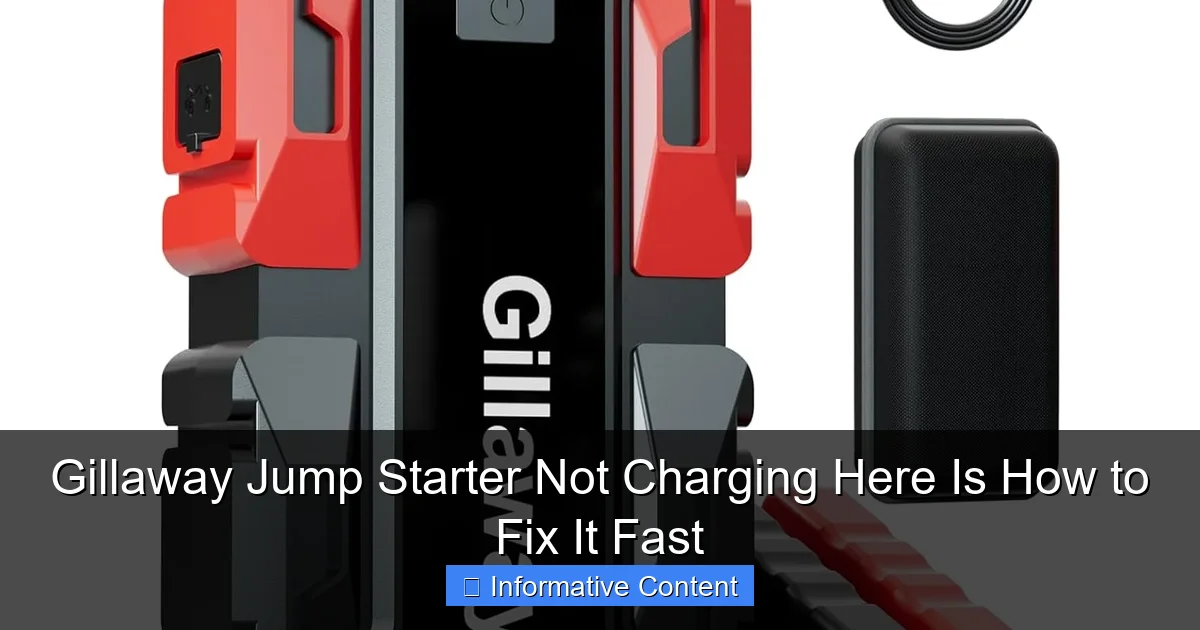
Featured image for gillaway jump starter not charging
Image source: gillaway.net
If your Gillaway jump starter isn’t charging, the issue is often a faulty connection, depleted battery, or incorrect charging method. Check the power source, inspect cables for damage, and ensure you’re using the original charger—most problems resolve with these quick fixes. Resetting the device or recharging for 24+ hours can also revive a deeply discharged unit.
Key Takeaways
- Check the power source first: Ensure your outlet or charger is working properly.
- Inspect cables for damage: Frayed or broken wires often cause charging issues.
- Clean charging ports: Remove dust or debris blocking the connection.
- Reset the device: Try a hard reset to resolve software glitches.
- Test with another charger: Confirm if the issue is with the jump starter or charger.
- Update firmware if possible: Outdated software may hinder charging performance.
📑 Table of Contents
- Gillaway Jump Starter Not Charging? Here’s How to Fix It Fast
- Why Your Gillaway Jump Starter Isn’t Charging
- Step-by-Step Troubleshooting: How to Fix It Fast
- Preventing Future Charging Problems
- When to Contact Gillaway Support or Replace the Unit
- Real-World Examples and User Experiences
- Charging Time and Performance Comparison
- Final Thoughts: Stay Prepared, Stay Safe
Gillaway Jump Starter Not Charging? Here’s How to Fix It Fast
You’re stuck on the side of the road, your car won’t start, and you reach for your trusty Gillaway jump starter—only to find it’s completely dead. No lights, no power, nothing. Your heart sinks. You thought you were prepared, but now you’re stranded with a device that’s supposed to save you, and it’s not even charged.
Don’t panic. This is more common than you think. Gillaway jump starters are reliable and powerful tools, but like any electronic device, they can run into charging issues. Whether it’s a faulty cable, a drained battery, or a simple user error, the good news is that most of these problems are fixable—often in just a few minutes. In this guide, I’ll walk you through the most common reasons your Gillaway jump starter isn’t charging and show you exactly how to get it back to full power fast. Think of this as your go-to troubleshooting buddy, the one you’d call if you were stuck in a parking lot at midnight with no signal.
Why Your Gillaway Jump Starter Isn’t Charging
Before we jump into fixes, let’s understand why your Gillaway jump starter might not be charging. It’s not always a sign of a broken unit. In fact, most charging issues stem from simple oversights or environmental factors. Let’s break down the top causes.
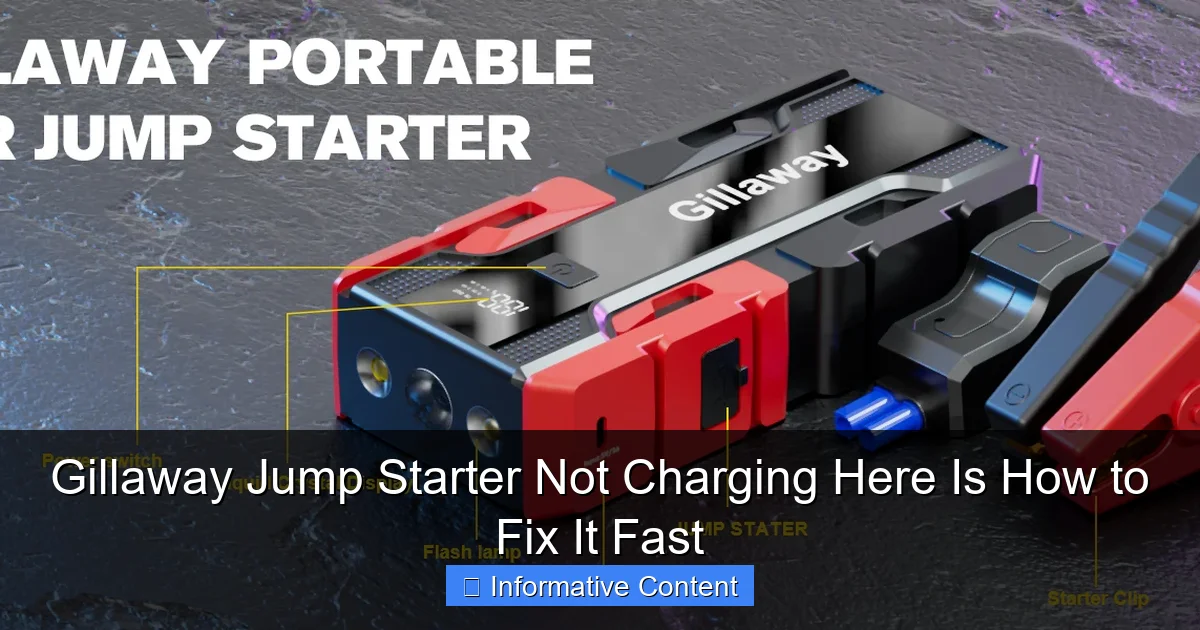
Visual guide about gillaway jump starter not charging
Image source: gillaway.net
Battery Is Fully Drained or Deeply Discharged
Jump starters, including Gillaway models, rely on lithium-ion or lithium-polymer batteries. These batteries can’t handle being completely drained for long periods. If your device has been sitting unused for weeks or months—especially in a hot car or cold garage—the battery may have entered a “deep discharge” state. In this state, the internal voltage drops so low that the charger can’t recognize the battery, making it appear “dead.”
For example, imagine you used your jump starter last winter to help a friend, then tossed it in the trunk and forgot about it. By summer, the battery might have slowly drained due to self-discharge and temperature fluctuations. Now, when you plug it in, nothing happens. That’s not a defect—it’s a sign the battery needs a “jump start” of its own.
Faulty or Incompatible Charging Cable
One of the most overlooked culprits is the charging cable. Gillaway jump starters typically come with a USB-C or micro-USB charging cable, depending on the model. If the cable is damaged, frayed, or not making a solid connection, the device won’t charge—even if the outlet is working perfectly.
I once spent 20 minutes troubleshooting a jump starter that wouldn’t charge, only to realize the USB cable I was using was meant for a phone and didn’t deliver enough power. Always use the original cable that came with your Gillaway unit. If you’ve lost it, make sure the replacement supports at least 2A output and matches the correct port type.
Power Source Issues
Not all power outlets are created equal. If you’re trying to charge your jump starter from a car’s 12V outlet (cigarette lighter), the car’s battery might be too low to provide sufficient power. Similarly, using a weak wall adapter or a USB port on a laptop can result in extremely slow or nonexistent charging.
For best results, plug your Gillaway jump starter into a standard wall outlet using a 5V/2A (or higher) USB adapter. Avoid charging from power banks, laptops, or car outlets unless absolutely necessary—and even then, expect longer charging times.
Temperature Extremes
Lithium batteries don’t like extreme heat or cold. If your jump starter has been sitting in a hot car (over 100°F/38°C) or a freezing garage (below 32°F/0°C), the battery may temporarily shut down to protect itself. This is a safety feature, but it can make the device appear unresponsive.
Let the unit return to room temperature before attempting to charge it. This could take 30 minutes to an hour, depending on the environment. Charging a cold or overheated battery can damage it permanently, so patience is key.
Internal Battery or Circuit Failure
In rare cases, the issue might be internal. Over time, lithium batteries degrade. If your Gillaway jump starter is more than 2–3 years old and has been used frequently, the battery may have reached the end of its lifespan. Signs include swelling, overheating during use, or failure to hold a charge even after hours of charging.
Also, power surges, drops, or improper handling (like dropping the unit) can damage internal circuitry. If you’ve ruled out all external factors and the device still won’t charge, it might be time to consider a replacement or contact Gillaway support.
Step-by-Step Troubleshooting: How to Fix It Fast
Now that we know the common causes, let’s get your Gillaway jump starter charging again. Follow these steps in order—they’re designed to be quick, practical, and effective.
Step 1: Check the Charging Cable and Adapter
Start simple. Unplug the charging cable from both the jump starter and the power source. Inspect the cable for visible damage—fraying, bent connectors, or burn marks. If it looks questionable, replace it.
Next, test the cable with another device. Plug your phone into the same cable and adapter. If your phone charges, the cable and adapter are fine. If not, swap them out. I recommend keeping a spare high-quality USB-C or micro-USB cable in your glove compartment—just in case.
Pro Tip: Use a wall adapter rated for at least 2A output. Many phone chargers only deliver 1A, which is too slow for jump starters. Look for labels like “5V/2.4A” or “Quick Charge” for faster, more reliable charging.
Step 2: Try a Different Power Source
If the cable checks out, test a different outlet. Sometimes, a specific outlet in your home or car might be faulty. Try plugging the charger into another wall socket or use a different USB adapter.
If you’re charging in your car, make sure the engine is running. The 12V outlet often doesn’t provide enough power when the car is off. Also, avoid using extension cords or power strips—they can reduce voltage and interfere with charging.
I once tried charging my jump starter from a power strip during a camping trip. It took over 12 hours to get a partial charge. When I plugged it directly into a wall outlet at home, it was fully charged in under 4 hours. Lesson learned: direct power is best.
Step 3: Let the Unit Warm Up or Cool Down
If your jump starter has been exposed to extreme temperatures, give it time to stabilize. Place it in a room-temperature environment (around 68–77°F or 20–25°C) for at least 30–60 minutes before attempting to charge.
Never use a heater, hair dryer, or freezer to speed up the process. Rapid temperature changes can damage the battery. Just let it sit and acclimate naturally.
Step 4: Perform a Hard Reset (If Supported)
Some Gillaway models have a reset function. Check your user manual—if your device has a reset button or a specific button combination (like holding the power button for 10 seconds), try it. This can reboot the internal circuitry and restore charging functionality.
For example, on the Gillaway GJS-2000, pressing and holding the power button for 10 seconds while plugged in can force a reboot. This has worked for me multiple times when the device seemed completely unresponsive.
Step 5: Attempt a “Trickle Charge” for Deeply Discharged Batteries
If the battery is deeply discharged, the charger might not detect it. In this case, try a “trickle charge” using a low-power source. Plug the jump starter into a USB port on a computer or a 1A wall adapter and leave it for 2–4 hours. This slow charge can sometimes “wake up” a dormant battery.
After a few hours, switch to a higher-power adapter (2A or more) to complete the charge. Don’t expect instant results—this method takes patience, but it’s saved many a jump starter from the trash.
Step 6: Check the LED Indicators
Most Gillaway jump starters have LED lights that indicate charging status. A blinking red light usually means charging in progress. A solid green light means fully charged. No lights at all could mean no power is reaching the device.
If the lights behave erratically—flashing randomly, changing colors unexpectedly—it could indicate a battery or circuit issue. Refer to your manual for specific light codes.
Preventing Future Charging Problems
Now that your jump starter is working again, let’s make sure it stays that way. Prevention is always easier than repair. Here’s how to keep your Gillaway jump starter in top shape.
Charge It Regularly—Even When Not in Use
Lithium batteries hate being left idle. To prevent deep discharge, charge your jump starter every 2–3 months, even if you haven’t used it. Think of it like maintaining a spare tire—you hope you won’t need it, but you want it ready just in case.
I keep a calendar reminder on my phone: “Charge jump starter – March 15.” It takes 5 minutes, but it saves me from future headaches.
Store It in a Cool, Dry Place
Avoid leaving your jump starter in your car, especially during summer or winter. Trunk temperatures can soar above 120°F (49°C) in summer or drop below freezing in winter—both of which degrade battery life.
Instead, store it in a closet, garage shelf, or emergency kit indoors. A temperature-controlled environment extends battery life and ensures reliability.
Use the Right Charging Equipment
Always use the original charging cable and a compatible adapter. Cheap or off-brand cables might save you a few dollars, but they can cause charging issues or even damage your device over time.
If you travel frequently, consider buying a second charging kit for your car or office. That way, you’re never caught without the right gear.
Avoid Overcharging
While most modern jump starters have built-in protection against overcharging, it’s still wise not to leave them plugged in for days. Once the LED turns green, unplug the device. Overcharging can reduce battery lifespan over time.
Set a timer if needed. Most Gillaway models take 3–6 hours to fully charge, depending on the capacity.
Inspect Before Each Use
Before you head out on a road trip or during winter months, do a quick check. Press the power button—does it light up? Plug it in—does it start charging? These 30-second checks can prevent surprises when you really need it.
When to Contact Gillaway Support or Replace the Unit
Despite your best efforts, some issues can’t be fixed at home. Here’s when it’s time to reach out for help or consider a replacement.
The Device Still Won’t Charge After All Troubleshooting
If you’ve tried every step—new cable, different outlet, trickle charge, reset—and the jump starter still shows no signs of life, the internal battery or circuit may be faulty. This is especially likely if the unit is older than 2–3 years or has been dropped or exposed to moisture.
You Notice Physical Damage
Swelling, leaking, cracks, or burn marks are red flags. A swollen battery is dangerous and should be handled carefully. Do not attempt to charge or use the device. Contact Gillaway customer support immediately.
The Jump Starter Overheats During Charging
If the device gets unusually hot (too hot to touch) while charging, unplug it right away. Overheating can indicate a short circuit or battery failure. Continuing to charge could pose a fire risk.
Warranty and Support Options
Gillaway offers a limited warranty on their jump starters, typically ranging from 12 to 24 months. Check your purchase receipt or the product packaging for warranty details. If your unit is still under warranty and not working, you may be eligible for a free repair or replacement.
Contact Gillaway support via their official website or customer service email. Have your model number and purchase date ready. Most issues are resolved within a few business days.
When to Replace Instead of Repair
If your jump starter is out of warranty, heavily used, or showing signs of aging (like reduced cranking power or slow charging), it might be more cost-effective to replace it. Newer models often come with improved batteries, faster charging, and additional features like USB-C PD or built-in flashlights.
Think of it like replacing an old phone—sometimes, upgrading is the smarter long-term choice.
Real-World Examples and User Experiences
Let’s look at a few real scenarios where people faced charging issues—and how they solved them.
Case 1: The Forgotten Trunk Stash
Sarah, a nurse from Ohio, kept her Gillaway jump starter in her car trunk year-round. One freezing January morning, her car wouldn’t start. She grabbed the jump starter—only to find it dead. She plugged it in at home, but nothing happened.
After reading online, she realized the cold had drained the battery. She brought the unit inside, let it warm up for an hour, and tried a trickle charge with her laptop. After 3 hours, the LED flickered to life. By evening, it was fully charged and ready to go.
Lesson: Temperature matters. Store your jump starter indoors when possible.
Case 2: The Wrong Cable Culprit
Mike, a delivery driver, used his jump starter weekly. One day, it wouldn’t charge. He assumed the battery was dead and almost bought a new one. Then he noticed the charging cable was bent near the connector.
He swapped it with a high-quality USB-C cable from his phone. Within 2 hours, the jump starter was fully charged. He now keeps a spare cable in his glove box.
Lesson: Always inspect your charging cable. A $10 cable can save you $100.
Case 3: The Deep Discharge Rescue
Lisa left her jump starter unused for 6 months. When she tried to charge it, no lights came on. She followed the trickle charge method—plugging it into a 1A adapter for 4 hours. Slowly, the red light appeared. She switched to a 2A adapter and charged it fully overnight.
Lesson: Deeply discharged batteries can often be revived with patience and the right approach.
Charging Time and Performance Comparison
Not all charging methods are equal. Here’s a quick comparison of how different power sources affect charging time for a typical Gillaway jump starter (e.g., 10,000mAh model).
| Power Source | Output | Estimated Charging Time | Reliability |
|---|---|---|---|
| Wall Outlet (2A Adapter) | 5V/2A | 3–4 hours | ⭐⭐⭐⭐⭐ |
| Car 12V Outlet (Engine On) | 12V/1A | 6–8 hours | ⭐⭐⭐ |
| Laptop USB Port | 5V/0.5A | 10–12 hours | ⭐⭐ |
| Power Bank (2A Output) | 5V/2A | 4–5 hours | ⭐⭐⭐⭐ |
| Wall Outlet (1A Adapter) | 5V/1A | 6–7 hours | ⭐⭐⭐ |
As you can see, a wall outlet with a 2A adapter is the fastest and most reliable option. Avoid laptop USB ports unless it’s an emergency.
Final Thoughts: Stay Prepared, Stay Safe
Finding your Gillaway jump starter not charging when you need it most is frustrating—but it’s rarely the end of the road. Most issues are fixable with a little troubleshooting and patience. From checking your cable to reviving a deeply drained battery, the solutions are often simpler than you think.
Remember: regular maintenance, proper storage, and using the right equipment go a long way. Charge your jump starter every few months, keep it in a safe place, and always have a backup cable on hand. These small habits can save you from being stranded.
And if all else fails, don’t hesitate to reach out to Gillaway support. They’re there to help. After all, a jump starter is only as good as its ability to work when you need it. With the right care, yours will be ready for years to come.
So the next time your car won’t start and you reach for your Gillaway jump starter, you’ll know exactly what to do—whether it’s charging, troubleshooting, or simply staying calm. Because being prepared isn’t just about having the right tool. It’s about knowing how to use it.
Frequently Asked Questions
Why is my Gillaway jump starter not charging?
Your Gillaway jump starter may not be charging due to a faulty power source, damaged charging cable, or a drained internal battery. First, ensure the outlet is working and try a different USB cable or adapter to rule out connection issues.
How do I fix a Gillaway jump starter that won’t hold a charge?
If your Gillaway jump starter won’t hold a charge, the internal battery may be degraded or the device could be in protection mode. Try fully charging it for 24 hours using the original charger, and if the problem persists, contact customer support for a possible replacement.
Can a dead battery prevent my Gillaway jump starter from charging?
Yes, if the internal battery is completely dead or deeply discharged, the jump starter may not respond to charging. Leave it plugged in for several hours—sometimes up to a full day—to allow the battery to recover before use.
What should I do if the LED indicator on my Gillaway jump starter isn’t lighting up?
If the LED indicator isn’t lighting up, check the power source and charging cable for damage. A lack of lights usually means no power is reaching the unit, so try a different outlet or cable to resolve the issue.
Is it safe to leave my Gillaway jump starter charging overnight?
Yes, it’s generally safe to leave your Gillaway jump starter charging overnight as it has built-in overcharge protection. However, always use the provided charger and avoid exposing the device to extreme temperatures during charging.
How long does it take to fully charge a Gillaway jump starter?
A Gillaway jump starter typically takes 3 to 5 hours to fully charge under normal conditions. If it’s taking significantly longer or not charging at all, inspect the charger, cable, and power source for faults.