
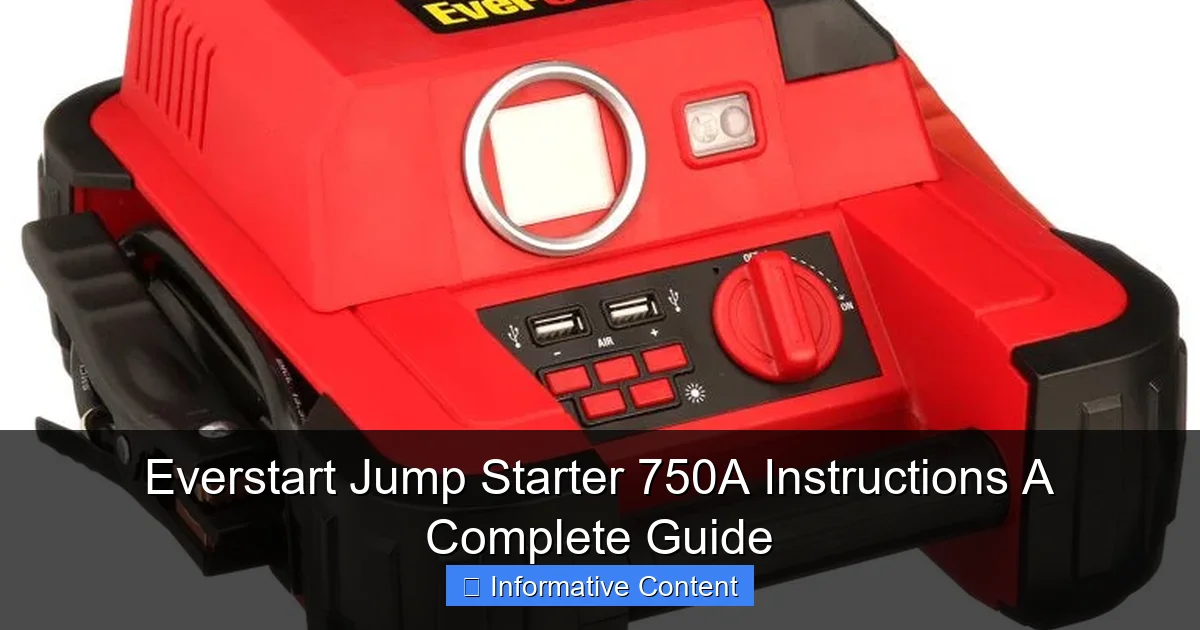
Featured image for everstart jump starter 750a instructions
Image source: docerp.s3.amazonaws.com
Master your Everstart Jump Starter 750A with this clear, step-by-step guide designed to help you jump-start your vehicle safely and efficiently every time. Follow essential instructions—from proper battery connection to troubleshooting tips— to maximize performance and extend the life of your device. Never get stranded again with this reliable, user-friendly power solution.
Key Takeaways
- Read the manual first: Always review safety guidelines before using the Everstart 750A.
- Check battery charge: Ensure the jump starter is fully charged prior to use.
- Connect red first: Attach red clamp to positive terminal, then black to ground.
- Wait 30 seconds: Allow time for voltage stabilization after connecting clamps.
- Start vehicle immediately: Turn ignition within 30 seconds of connection for best results.
- Recharge after use: Plug in unit promptly to maintain battery health and readiness.
📑 Table of Contents
- Why You Need a Reliable Jump Starter in Your Car
- Understanding the Everstart Jump Starter 750A: What’s in the Box?
- Step-by-Step: How to Use the Everstart Jump Starter 750A
- Charging Your Devices: The Power Bank Function
- Troubleshooting Common Issues (And How to Fix Them)
- Maintenance and Long-Term Care
- Final Thoughts: Is the Everstart 750A Worth It?
Why You Need a Reliable Jump Starter in Your Car
Let’s face it—few things are more frustrating than getting into your car, turning the key, and hearing nothing but a sad click. Whether you’re rushing to work, picking up the kids, or heading out on a road trip, a dead battery can derail your entire day. I’ve been there more than once, and each time, I’ve silently cursed myself for not being better prepared. That’s when I discovered the Everstart Jump Starter 750A, a compact yet powerful device that has since become a permanent resident in my trunk. It’s not just a battery booster; it’s peace of mind in a sleek black case.
Unlike traditional jumper cables that require another vehicle and a bit of mechanical know-how, the Everstart 750A is a self-contained unit. It’s designed to jump-start your car without needing a second car, making it perfect for emergencies, remote locations, or those moments when help is nowhere in sight. But here’s the catch: like any tool, it works best when you know how to use it correctly. That’s why I’ve put together this complete guide to the Everstart Jump Starter 750A instructions. Whether you’re a first-time owner or just need a refresher, this guide will walk you through everything—from setup to troubleshooting—so you’re never left stranded again.
Understanding the Everstart Jump Starter 750A: What’s in the Box?
When I first opened my Everstart 750A, I was surprised by how much was packed into such a compact unit. It’s not just a jump starter—it’s a multi-functional tool that doubles as a power bank and flashlight. Let’s break down what you’ll find and why each component matters.
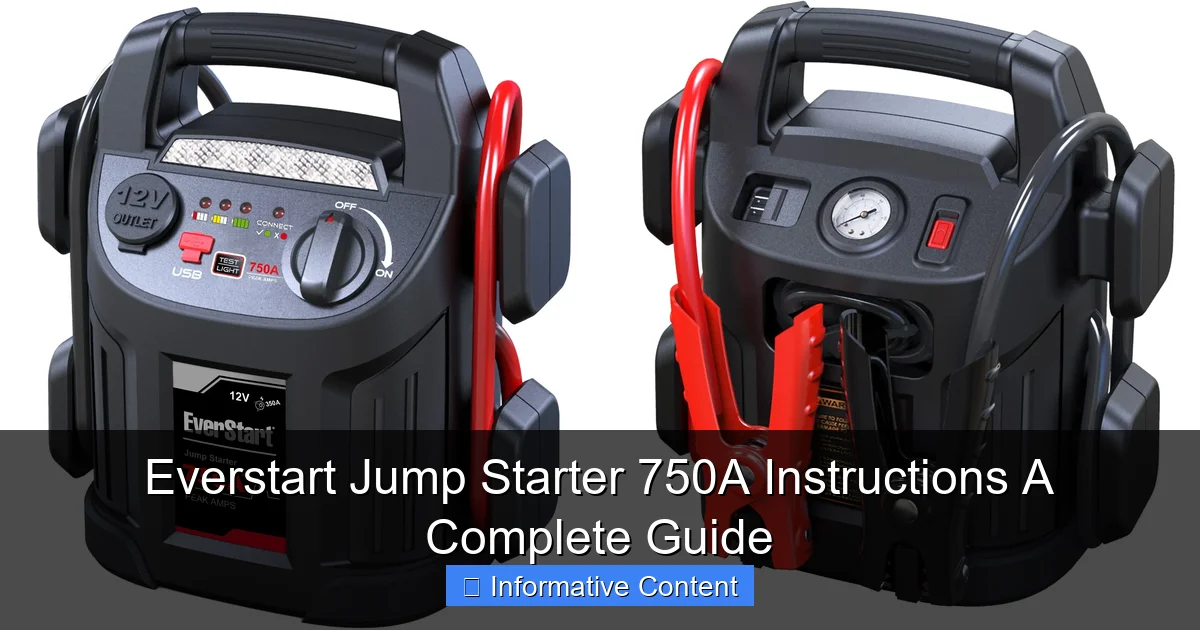
Visual guide about everstart jump starter 750a instructions
Image source: i5.walmartimages.com
Unboxing and Initial Inspection
Inside the box, you’ll typically find:
- The Everstart 750A jump starter unit
- Smart battery clamps (with reverse polarity protection)
- USB charging cable (usually micro-USB or USB-C)
- Wall charger and car charger adapter
- User manual (yes, read it!)
- Carrying case (on select models)
Before doing anything, I recommend checking that all components are present and undamaged. The clamps, in particular, should feel sturdy and have clearly marked red (positive) and black (negative) indicators. If anything looks loose or cracked, contact the seller or manufacturer right away.
Key Features and Specifications
The “750A” in the name refers to the peak current output—750 amps—which is enough to jump-start most gasoline-powered vehicles up to 6.0L engines, including sedans, SUVs, and light trucks. Here’s a quick look at the core specs:
- Battery Type: Lithium-ion (lightweight, holds charge longer than lead-acid)
- Capacity: 18,000 mAh (enough for multiple jumps or phone charges)
- USB Outputs: Dual USB ports (2.1A total) for charging phones, tablets, GPS, etc.
- LED Flashlight: With SOS and strobe modes—great for roadside emergencies
- Reverse Polarity Protection: Prevents damage if clamps are connected incorrectly
- Short Circuit & Overload Protection: Built-in safety features
One thing I love is how lightweight it is—just over 2 pounds. It fits easily in a glove box or under a seat, so it’s always within reach. Unlike bulky traditional jump boxes, this one won’t take up half your trunk.
Initial Charging: Why It Matters
Here’s a common mistake: assuming your jump starter is ready to go out of the box. It’s not. The battery ships partially charged (usually around 50–70%), so your first step should always be a full charge.
To charge:
- Use the included wall adapter or plug into your car’s 12V outlet
- Connect the USB cable to the input port (usually labeled “IN” or “CHARGE”)
- Charge for 4–6 hours until all LED indicator lights are solid (not blinking)
Pro tip: I keep mine on a slow charge overnight once a month, even if I haven’t used it. Lithium-ion batteries degrade over time, but regular top-ups help extend their lifespan. Think of it like charging your phone—better safe than sorry.
Step-by-Step: How to Use the Everstart Jump Starter 750A
Now that your unit is charged, let’s walk through the actual process of jump-starting your car. I’ve used this on my 2015 Honda CR-V, a friend’s Ford F-150, and even a neighbor’s old Corolla—each time with success. But it only works if you follow the steps correctly.
Step 1: Safety First—Park and Prepare
Before touching the battery, make sure:
- The vehicle is turned off and in park (or neutral for manual)
- The parking brake is engaged
- You’re on a flat, stable surface (not a steep hill)
- No smoking or open flames nearby (batteries emit hydrogen gas)
I learned this the hard way when I once tried to jump-start a car in a sloped driveway—the vehicle rolled slightly, and the clamps slipped. Not fun. Always prioritize stability.
Step 2: Locate and Inspect the Battery
Open the hood and find the battery. It’s usually near the front of the engine bay. Look for:
- Corrosion (white or green crust around terminals)
- Cracks or leaks in the battery case
- Loose or frayed cables
If you see heavy corrosion, use a battery terminal cleaner or a mix of baking soda and water to gently scrub it off. A bad connection can prevent the jump starter from delivering power. Also, make sure the terminals are dry and clean before attaching clamps.
Step 3: Connect the Clamps Correctly
This is where the Everstart Jump Starter 750A instructions really shine—thanks to its smart clamps. Here’s the order:
- Connect the red (positive) clamp to the positive terminal on the dead battery (marked “+” or “POS”)
- Connect the black (negative) clamp to a metal grounding point on the engine block or frame (not the negative battery terminal)
Why a grounding point instead of the negative terminal? It reduces the risk of sparks near the battery, which could ignite hydrogen gas. I use a bolt or bracket on the engine—just make sure it’s unpainted metal for a solid connection.
Important: The unit has reverse polarity protection, but don’t rely on it. Always double-check the clamps. If you connect them backward, the LED will flash red, and the unit won’t power on. Simply disconnect and fix the order.
Step 4: Power On and Start the Engine
Once the clamps are secure:
- Press the power button on the jump starter. The LED should glow blue (or green, depending on the model)
- Wait 30 seconds—this gives the unit time to stabilize the current
- Try starting the car. Turn the key and hold it for no more than 3–5 seconds
If the engine doesn’t start on the first try, wait 30–60 seconds before trying again. The Everstart 750A is smart enough to detect overloads and will shut down automatically if you crank too long. I’ve found that a second attempt usually works—sometimes the battery just needs a little extra juice.
Step 5: Disconnect and Recharge
Once the engine is running:
- Disconnect the black clamp first, then the red clamp
- Turn off the jump starter and stow it in your vehicle
- Let the engine run for at least 15–20 minutes to recharge the battery
Don’t just turn the car off immediately—this won’t fully recharge the battery. I always drive around the block or let it idle while I pack up tools. Also, recharge your Everstart 750A as soon as possible. Even if it worked fine, it likely used 15–30% of its charge, and you’ll want it ready for next time.
Charging Your Devices: The Power Bank Function
One of the best things about the Everstart 750A is that it’s not just a jump starter—it’s also a portable power station. I’ve used it to charge my phone during a camping trip, power a GPS in a rental car, and even keep my dashcam running during long parking sessions. Here’s how to make the most of it.
Using the USB Ports
The unit has two USB outputs (usually 2.1A total), which is enough to charge most smartphones and small electronics. To use:
- Press the power button once to activate the USB ports
- Connect your device using a standard USB cable (not included, so keep one handy)
- The LED will indicate charging status (solid = charging, off = complete)
I keep a coiled USB-C cable in my glove box so it’s always ready. It’s also useful for charging wireless earbuds, Bluetooth speakers, or even a portable fan on hot days.
How Long Can It Charge Your Phone?
The 18,000 mAh battery can charge a typical smartphone (3,000 mAh) about 4–5 times. But keep in mind:
- Efficiency isn’t 100%—expect about 70–80% usable capacity due to conversion losses
- Charging multiple devices at once will drain the battery faster
- Using the flashlight while charging reduces overall runtime
For example, I once charged my phone (iPhone 12) and my partner’s Android tablet simultaneously. The jump starter lasted about 3 hours before needing a recharge. Not bad for a roadside emergency!
LED Flashlight: More Than Just a Gimmick
The built-in flashlight has three modes: steady, strobe, and SOS. I’ve used the SOS mode during a nighttime breakdown on a dark highway, and it got the attention of a passing trucker who helped me. The strobe mode is great for signaling in fog or rain.
To use: Hold the power button for 2–3 seconds to turn on the flashlight. Tap to cycle through modes. It’s bright enough to illuminate your engine bay or light up a campsite.
Troubleshooting Common Issues (And How to Fix Them)
Even the best tools can have hiccups. Over the past year, I’ve run into a few issues with my Everstart 750A, but most were easy to fix once I knew what to look for. Here are the most common problems and solutions.
Issue 1: Unit Won’t Turn On
Possible causes:
- Low battery (most common)
- Over-discharge protection triggered
- Faulty power button
Solutions:
- Charge the unit for at least 4 hours using the wall adapter
- If it still won’t turn on, try a “trickle charge”—leave it plugged in for 12+ hours
- If the button feels loose or unresponsive, contact customer support (some models have replaceable switches)
I once left my jump starter in a cold garage all winter, and it wouldn’t power on. A 12-hour charge brought it back to life. Cold temperatures can temporarily disable lithium-ion batteries.
Issue 2: Clamps Won’t Connect or Spark
If you see sparks when attaching clamps:
- Double-check polarity (red to positive, black to ground)
- Clean the terminals with a wire brush or baking soda
- Ensure the clamps are tight—loose connections cause arcing
Sparking isn’t always dangerous, but it can damage the jump starter over time. I use a pair of insulated gloves when working in tight engine bays—better safe than sorry.
Issue 3: Engine Cranks but Doesn’t Start
This usually means the battery isn’t the problem. Possible causes:
- Fuel issues (empty tank, clogged fuel filter)
- Bad starter motor
- Ignition system failure
The Everstart 750A can deliver power, but it can’t fix mechanical problems. If the engine cranks slowly or makes a grinding noise, the issue is likely beyond the battery. In that case, call a mechanic or roadside assistance.
Issue 4: Slow Charging or Overheating
If the unit gets hot during use or charges slowly:
- Stop using it immediately and let it cool
- Use a lower-power charger (5V/2A max)
- Avoid charging in direct sunlight or hot cars
I once left mine on the dashboard on a 90°F day—the battery got warm, and charging took twice as long. Now I keep it in the shade or under the seat.
Maintenance and Long-Term Care
To keep your Everstart 750A working for years, a little maintenance goes a long way. I treat mine like a trusted tool—not just a gadget.
Charging Routine
Follow this simple schedule:
- After every use: Recharge fully (4–6 hours)
- Every 30 days: Top-up charge, even if unused
- Every 6 months: Deep cycle—discharge to 20%, then recharge to 100%
This prevents “battery memory” and keeps the lithium-ion cells healthy. I set a monthly reminder on my phone to check it.
Storage Tips
Store the unit in a cool, dry place (ideally 50–77°F). Avoid:
- Freezing temperatures (can damage battery)
- High humidity (causes corrosion)
- Proximity to metal objects (risk of short circuit)
I keep mine in a small plastic bin in my trunk with a silica gel pack to absorb moisture. The carrying case (if included) works well too.
When to Replace the Battery
Lithium-ion batteries last 3–5 years with proper care. Signs it’s time to replace:
- Holds less than 50% charge after full recharge
- Takes more than 8 hours to charge
- Fails to jump-start vehicles it used to handle
Everstart doesn’t sell replacement batteries, but third-party options exist. If the unit is under warranty, contact the manufacturer first.
Final Thoughts: Is the Everstart 750A Worth It?
After using the Everstart Jump Starter 750A for over a year, I can confidently say it’s one of the best $100 investments I’ve made. It’s saved me from being late to work, helped friends in need, and even provided light during a power outage. The Everstart Jump Starter 750A instructions are straightforward, and once you’ve used it a few times, the process becomes second nature.
It’s not perfect—no device is. The flashlight could be brighter, and the USB ports could be faster—but for the price, it delivers exceptional value. It’s reliable, compact, and packed with safety features that give you confidence when you need it most.
If you’re on the fence, here’s my advice: buy one, keep it charged, and store it in your car. You might never need it… until the day you do. And when that day comes, you’ll be glad you’re prepared. After all, peace of mind isn’t just a luxury—it’s essential. Whether you’re a daily commuter, a weekend adventurer, or a parent juggling a busy schedule, the Everstart 750A is a tool that empowers you to handle the unexpected with confidence.
So charge it up, tuck it away, and drive with one less worry. Because when your car won’t start, you don’t need luck—you need a plan. And this little black box? It’s yours.
Frequently Asked Questions
How do I use the Everstart Jump Starter 750A for the first time?
Before using your Everstart Jump Starter 750A, fully charge it using the included AC adapter. Connect the clamps to the corresponding battery terminals (red to positive, black to negative) and turn on the unit to jump-start your vehicle.
What vehicles are compatible with the Everstart Jump Starter 750A?
The Everstart Jump Starter 750A is designed for 12V vehicles, including cars, trucks, SUVs, and motorcycles with engines up to 6.0L (gas) or 4.0L (diesel). Always check your vehicle’s manual for specific jump-starting requirements.
How long does the Everstart Jump Starter 750A take to charge?
The charging time for the Everstart Jump Starter 750A is typically 8–12 hours using the included AC adapter. For best results, avoid interrupting the charging cycle and ensure the unit is fully charged before use.
Can I use the Everstart 750A jump starter while it’s charging?
No, do not use the jump starter while it’s charging. This can damage the internal battery or pose a safety risk. Always unplug the charger before connecting the clamps to a vehicle.
What do the LED indicators mean on the Everstart Jump Starter 750A?
The LED indicators show the battery level (green = charged, yellow = medium, red = low) and alert you to issues like reverse polarity or overload. Refer to the Everstart Jump Starter 750A instructions for detailed troubleshooting.
How do I maintain the Everstart Jump Starter 750A for long-term use?
Recharge the unit every 3–6 months if unused and store it in a cool, dry place. Clean the clamps and ports regularly to ensure reliable connections and prolong battery life.