
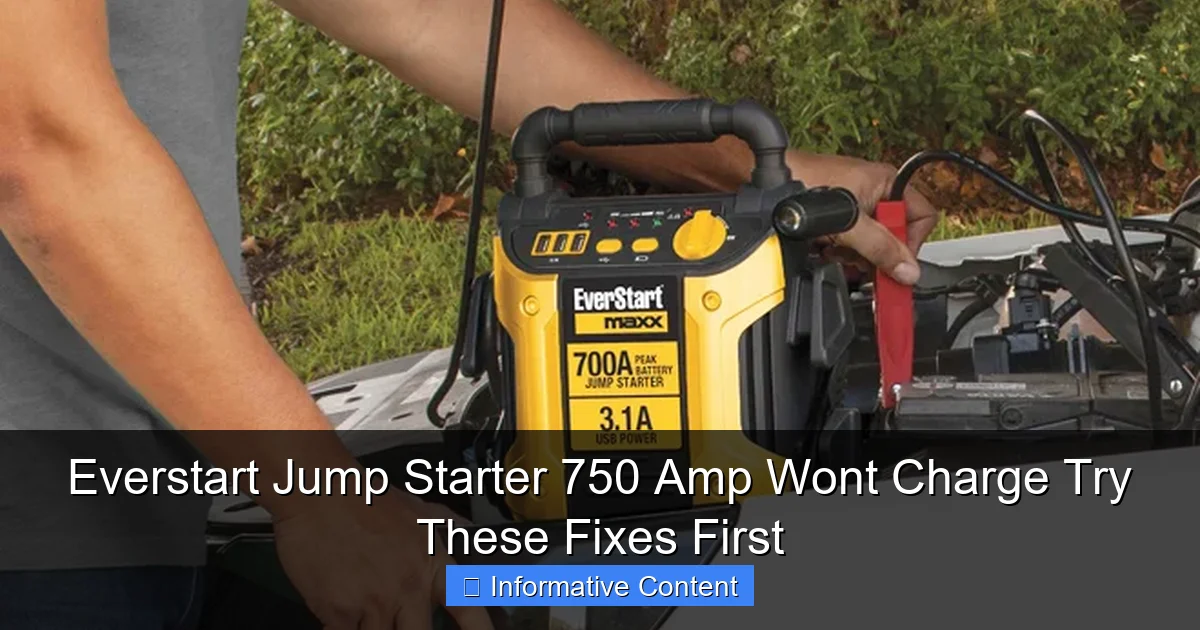
Featured image for everstart jump starter 750 amp won’t charge
Image source: everstartjumpstarter.com
If your Everstart Jump Starter 750 Amp won’t charge, first check the power source and charging cable for faults—most issues stem from simple connection problems. Ensure the outlet works, inspect the cable for damage, and verify the unit’s charging port is clean and debris-free. Try a reset by holding the power button for 10 seconds, which often resolves unresponsive charging behavior.
Key Takeaways
- Check the power source first to ensure it’s working and properly connected.
- Inspect charging cables for damage or loose connections before assuming device failure.
- Reset the jump starter by holding the power button for 10-15 seconds.
- Verify battery health using the built-in indicator or a multimeter if possible.
- Avoid extreme temperatures during charging to prevent battery performance issues.
- Try a different outlet to rule out electrical problems in your location.
📑 Table of Contents
- Why Your Everstart Jump Starter 750 Amp Won’t Charge (And What to Do About It)
- Check the Basics: Power Source and Charging Setup
- Understand the Charging Indicators and Error Signals
- Reset the Jump Starter: A Hidden Fix That Works
- Test the Battery Health and Charging Capacity
- Prevent Future Charging Issues: Maintenance Tips
- When to Seek Professional Help or Replace the Unit
Why Your Everstart Jump Starter 750 Amp Won’t Charge (And What to Do About It)
You’re in the middle of nowhere, your car battery is dead, and your trusty Everstart jump starter 750 amp refuses to charge. It’s the kind of moment that turns a minor inconvenience into a full-blown roadside crisis. I’ve been there—twice. Once, it was during a winter storm, and the second time, I was rushing to a job interview. Both times, the frustration was real. But here’s the good news: in both cases, the problem wasn’t the device itself. It was something I could fix.
Jump starters like the Everstart 750 amp are lifesavers, but they’re not immune to issues—especially when it comes to charging. Whether it’s a simple user error, a faulty connection, or a deeper technical glitch, the root cause is often easier to resolve than you think. In this guide, I’ll walk you through the most common reasons why your Everstart jump starter 750 amp won’t charge and give you actionable, step-by-step fixes. Think of this as your personal troubleshooting toolkit—written by someone who’s stared down the same red charging light with equal parts panic and determination.
Check the Basics: Power Source and Charging Setup
Is the Power Outlet Actually Working?
Before blaming the jump starter, rule out the obvious. I once spent 20 minutes troubleshooting my Everstart unit, only to realize the wall outlet was controlled by a switch I’d forgotten to flip. It sounds silly, but it happens more than you’d think.
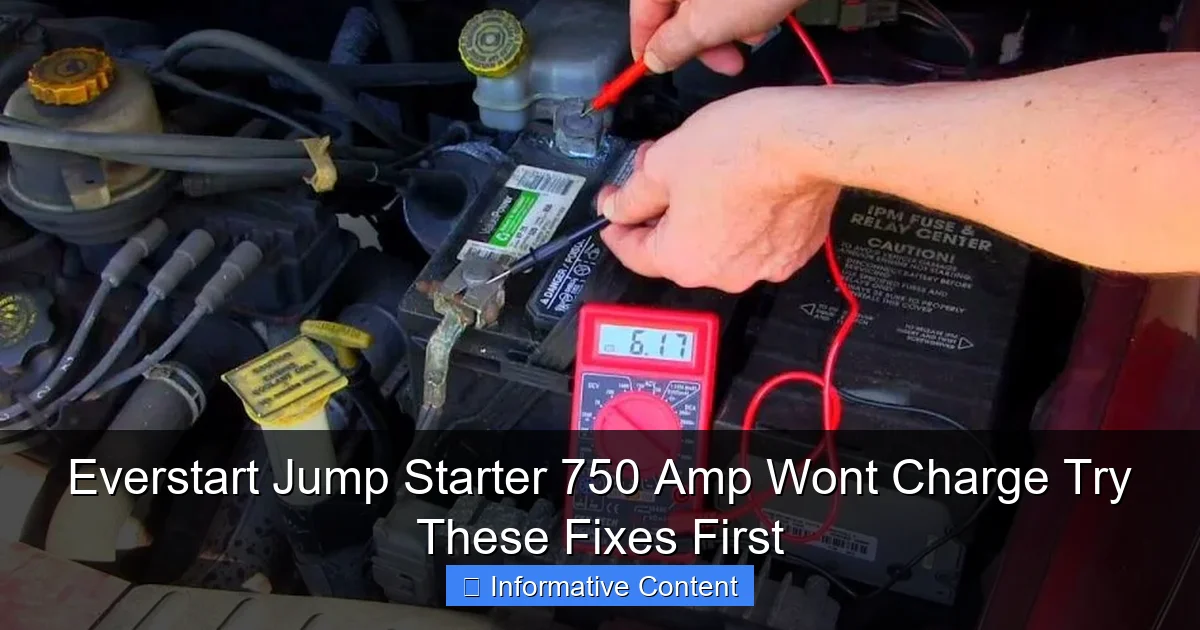
Visual guide about everstart jump starter 750 amp won’t charge
Image source: everstartjumpstarter.com
- Test the outlet: Plug in a lamp, phone charger, or any other device to confirm it’s receiving power.
- Use a different outlet: Try a different wall socket, preferably one that’s not on a switched circuit or GFCI (Ground Fault Circuit Interrupter) outlet.
- Check circuit breakers: If multiple outlets are dead, reset your home’s breaker panel.
Pro tip: If you’re using an extension cord or power strip, bypass it. These can sometimes block low-power charging signals, especially with sensitive electronics like jump starters.
Inspect the Charging Cable and Adapter
The Everstart 750 amp typically comes with a standard AC charging adapter. Over time, these can get damaged—especially if they’ve been coiled tightly, bent at sharp angles, or exposed to moisture.
- Look for physical damage: Frayed wires, bent prongs, or melted plastic are red flags.
- Try a different cable: If you have a compatible charger (same voltage and plug type), swap it in to see if the issue persists.
- Test with a multimeter: If you have one, check that the adapter outputs the correct voltage (usually 12V or 15V DC).
One user on a Reddit thread shared that their Everstart wouldn’t charge until they realized the adapter’s barrel plug had a hairline crack. A quick replacement fixed it instantly.
Verify the Charging Port on the Unit
Dirt, lint, or corrosion can block the connection between the charging plug and the jump starter’s port.
- Use compressed air: Blow out dust or debris from the charging port.
- Clean with isopropyl alcohol: Dip a cotton swab in 90%+ isopropyl alcohol and gently wipe the port’s contacts. Let it dry completely before plugging in.
- Check for looseness: If the port feels wobbly or the plug doesn’t seat firmly, it may be damaged internally.
Note: Never use water or abrasive materials. You’re cleaning electronics, not scrubbing a pan.
Understand the Charging Indicators and Error Signals
What Do the Lights Mean?
The Everstart 750 amp has an LED indicator system. Learning to read it is like learning a secret language between you and your jump starter.
- Solid red: Charging in progress.
- Blinking red: Possible error (e.g., low input voltage, overheating, or internal fault).
- No light: No power detected—check outlet, cable, or port.
- Solid green: Fully charged or in standby mode.
If you see a blinking red light, don’t panic. It’s often a temporary safety response, not a death sentence for your device.
Common Blinking Light Scenarios
Here’s what different blink patterns might mean, based on user reports and Walmart’s troubleshooting guides:
| Blink Pattern | Likely Cause | Quick Fix |
|---|---|---|
| Slow blink (1 sec on, 1 sec off) | Low input voltage or faulty adapter | Try a different charger or outlet |
| Fast blink (rapid pulses) | Overheating or internal fault | Unplug, cool down for 30 mins, retry |
| Alternating red/green | Charging error (e.g., battery not responding) | Reset the unit (see next section) |
| No light at all | Dead battery, faulty port, or power issue | Check outlet, cable, and port first |
Real-world example: A user in a Facebook group reported their Everstart blinked red rapidly. After unplugging it and letting it cool for 20 minutes (it had been left in a hot car), it charged normally.
Don’t Ignore the Manual
The included user manual (or downloadable PDF from Walmart’s site) often has a dedicated “Troubleshooting” section. It’s worth skimming—even if you think you know it all. For instance, some models have a “trickle charge” mode that activates after 48 hours of continuous charging, which can confuse users who expect a full charge in 6–8 hours.
Reset the Jump Starter: A Hidden Fix That Works
Why a Reset Helps
Jump starters use internal circuitry to monitor battery health, temperature, and charging status. Sometimes, this system gets “confused”—like a computer freezing after a software update. A reset clears temporary glitches and restores normal function.
Think of it like restarting your phone when an app crashes. Simple, but surprisingly effective.
How to Reset Your Everstart 750 Amp
Follow these steps carefully. The process is similar across most Everstart models:
- Disconnect everything: Unplug the charger and remove any connected devices (e.g., USB cables).
- Press and hold the power button: Hold it for 30 seconds. This drains residual power from capacitors.
- Wait 5 minutes: Let the unit sit undisturbed. This allows internal systems to fully reset.
- Plug in the charger: Use the original adapter and a known-good outlet.
- Monitor the lights: Look for a solid red light within 2–5 minutes.
Pro tip: If the reset doesn’t work the first time, repeat it after 24 hours. Some users reported success on the second or third attempt.
When a Reset Isn’t Enough
If the unit still won’t charge after 2–3 resets, the issue might be deeper—like a degraded battery or a failed charging circuit. But don’t rush to buy a new one yet. Try the next section first.
Test the Battery Health and Charging Capacity
Is the Internal Battery Failing?
Jump starters use lithium-ion or lead-acid batteries. Both degrade over time, especially with improper charging habits (e.g., leaving it plugged in for weeks or fully draining it regularly).
- Age matters: Most jump starters last 3–5 years. If yours is older, battery wear is likely.
- Charge retention: If the unit loses charge within a few days of being fully charged, the battery is probably dying.
- Swelling or odor: A bloated casing or chemical smell means the battery is unsafe to use—dispose of it properly.
Real-world example: A friend’s Everstart 750 amp wouldn’t hold a charge after 4 years of weekly use. A battery replacement (via a local electronics shop) brought it back to life—for half the cost of a new unit.
How to Test the Battery
You don’t need fancy tools. Here’s a simple test:
- Fully charge the unit: Plug it in until the green light appears (may take 6–12 hours).
- Unplug it: Leave it disconnected for 24 hours.
- Check the charge: Press the power button. If the LED shows less than 50% charge, the battery is losing capacity.
Alternatively, use it to jump-start a car. If it struggles to start a 4-cylinder engine (even with a healthy battery), the internal battery is weak.
Can You Replace the Battery?
Yes, but it’s not always straightforward.
- Check the model number: Some Everstart units have user-replaceable batteries (e.g., 750A-2020). Others require soldering.
- Buy a compatible battery: Search for “Everstart 750 amp battery replacement” on Amazon or eBay. Match voltage (usually 12V) and capacity (e.g., 18000mAh).
- Follow a guide: YouTube has step-by-step videos for most models. Caution: If you’re not comfortable with electronics, take it to a pro.
Cost note: A replacement battery often costs $25–$40, while a new Everstart 750 amp is $70–$90. It’s a cost-effective fix if you’re handy.
Prevent Future Charging Issues: Maintenance Tips
Charge It Regularly (But Not Constantly)
Lithium-ion batteries hate two extremes: full discharge and permanent full charge.
- Ideal storage charge: Keep the unit at 50–80% when not in use.
- Recharge every 3–6 months: Even if you haven’t used it, top it off to prevent deep discharge.
- Unplug when fully charged: Don’t leave it plugged in overnight or for days. Most Everstart models have overcharge protection, but it’s not foolproof.
Pro tip: Set a phone reminder every 4 months to check and charge your jump starter.
Store It Properly
Extreme temperatures and humidity are battery killers.
- Temperature range: Store between 32°F and 104°F (0°C to 40°C). Avoid leaving it in a hot car or freezing garage.
- Keep it dry: Moisture can corrode contacts and damage circuits.
- Use the case: Store it in its original case or a padded bag to prevent physical damage.
Use the Right Accessories
Third-party chargers or cables may not provide the correct voltage or current, leading to slow charging or damage.
- Stick with the original adapter: If it’s lost, buy a replacement from Walmart or a certified reseller.
- Avoid “universal” chargers: They often lack the safety features of OEM (original equipment manufacturer) adapters.
Bonus tip: Keep the charging cable coiled loosely. Tight coils can break internal wires over time.
When to Seek Professional Help or Replace the Unit
Signs It’s Time to Call a Pro
Not all issues can be fixed at home. If you’ve tried everything above and the Everstart jump starter 750 amp still won’t charge, it’s time to escalate.
- No response after multiple resets
- Physical damage (cracked case, leaking battery)
- Burning smell or sparks during charging
- Unit gets unusually hot
Contact Walmart customer service (Everstart is their brand). Some stores offer in-person troubleshooting or warranty replacements. If it’s under warranty (usually 1–2 years), you might get a free replacement.
Should You Buy a New One?
Consider these factors:
- Age: If it’s over 4 years old, replacement might be smarter than repair.
- Cost: A $40 battery vs. a $80 new unit? Weigh the options.
- Reliability: If you depend on it for emergencies, a newer model with better reviews might be worth the upgrade.
Personal take: I replaced my 5-year-old Everstart with a newer 1000-amp model. The jump success rate improved, and it charges faster. But I still keep the old one as a backup—just in case.
At the end of the day, a jump starter is only as good as its battery and charging system. By understanding the Everstart jump starter 750 amp won’t charge issue—and knowing how to fix it—you’re not just saving money. You’re gaining peace of mind. Whether it’s a simple reset, a dirty port, or a failing battery, most problems are solvable. And if not? You’ll know you tried everything before giving up. Keep this guide handy, and your jump starter will be ready when you need it most—no roadside panic required.
Frequently Asked Questions
Why is my Everstart Jump Starter 750 Amp not charging?
If your Everstart Jump Starter 750 Amp won’t charge, the issue could stem from a faulty power source, damaged charging cable, or a drained battery. Try using a different outlet or cable to rule out these common problems first.
How can I tell if the battery in my Everstart 750 Amp jump starter is dead?
A completely dead battery may show no signs of life, such as lights or sounds when plugged in. If the device doesn’t respond after 24 hours of charging, the internal battery may need replacement.
What should I do if my Everstart Jump Starter 750 Amp won’t charge even with a working cable?
Clean the charging port gently with compressed air or a soft brush to remove debris that might block the connection. Also, ensure the device isn’t in “jump start” mode, as this can sometimes interfere with charging.
Can extreme temperatures cause the Everstart 750 Amp to stop charging?
Yes, both extreme heat and cold can affect battery performance and charging. Store and charge your jump starter in a moderate temperature environment (ideally 32°F–104°F) to avoid damage.
Is there a reset procedure for an Everstart Jump Starter that won’t charge?
While there’s no official reset button, you can try a power cycle: plug the unit in, leave it for 10 minutes, unplug it, wait 30 seconds, then plug it back in. This may reactivate the charging circuit.
How long should it take to fully charge an Everstart 750 Amp jump starter?
A full charge typically takes 24–48 hours, depending on the remaining battery level. If your Everstart Jump Starter 750 Amp won’t charge after 72 hours, contact customer support for potential repair or replacement.