
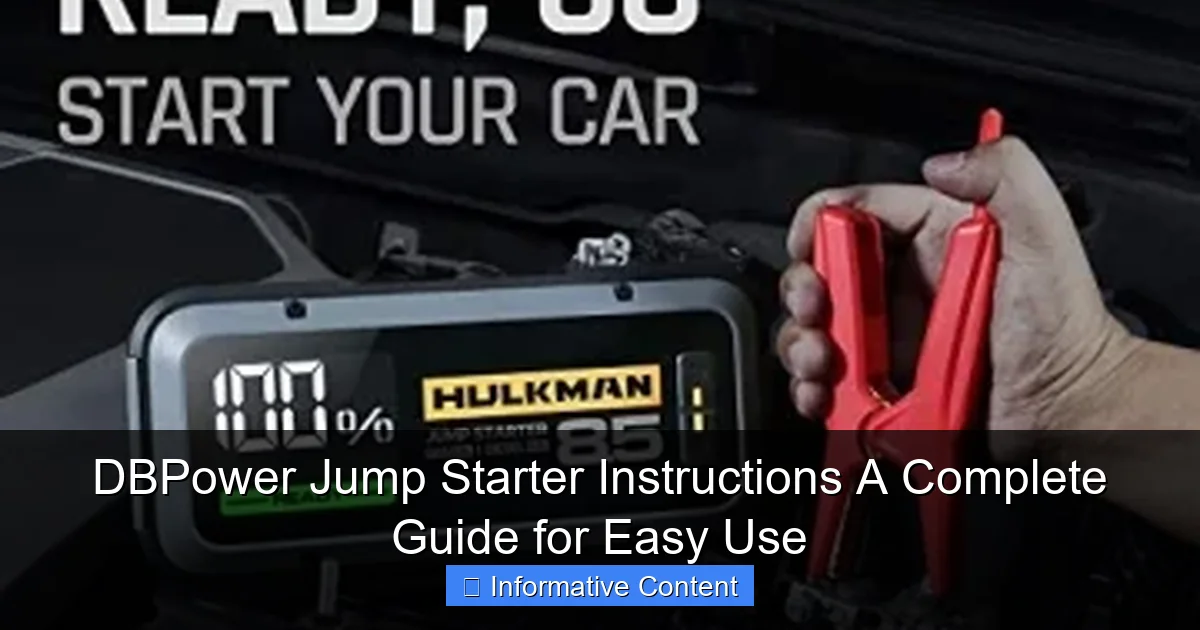
Featured image for dbpower jump starter instructions
Image source: jumpstarter.io
Master your DBPower jump starter in minutes with this clear, step-by-step guide designed for safe and reliable jump-starting. Follow the simple instructions—connect clamps, power on, and start your engine— to get back on the road fast, even in emergencies. Perfect for beginners and pros alike, this guide ensures maximum performance and battery longevity.
Key Takeaways
- Always charge fully before first use to maximize jump starter lifespan.
- Connect red clamp first to positive terminal, then black to ground.
- Wait 30 seconds after connecting before attempting to start the engine.
- Use safety mode to prevent reverse polarity and short circuits.
- Store in cool, dry place to maintain battery health and performance.
- Check LED indicators regularly to monitor battery level and charging status.
📑 Table of Contents
- Why a Reliable Jump Starter Can Save Your Day
- What Is the DBPower Jump Starter and How Does It Work?
- Step-by-Step DBPower Jump Starter Instructions
- Common Mistakes and How to Avoid Them
- Maintenance and Care Tips to Extend Battery Life
- Comparing DBPower Models: Which One Fits Your Needs?
- Final Thoughts: Confidence Comes with Preparation
Why a Reliable Jump Starter Can Save Your Day
We’ve all been there—rushing out the door, late for work or an important meeting, only to turn the key and hear that dreaded click-click-click of a dead battery. No amount of tapping the gas pedal or hoping for a miracle helps. That’s where a portable jump starter like the DBPower jump starter comes in. It’s not just a backup plan; it’s peace of mind in a compact, easy-to-use package. Whether you’re stuck in a parking lot, at home, or on a remote road trip, having the right tool and knowing how to use it can turn a stressful situation into a minor hiccup.
The DBPower jump starter is a popular choice among drivers for its reliability, compact design, and user-friendly interface. But like any tool, its effectiveness depends on how well you know how to use it. Many people buy these devices, tuck them in the trunk, and forget about them—until they need it, only to realize they’re not quite sure what to do. That’s why this guide exists: to walk you through every step of the DBPower jump starter instructions, from setup to troubleshooting. Think of this as your go-to manual, written not by a tech manual writer, but by someone who’s used it in real-life scenarios—sometimes in the rain, sometimes at night, and always with a sense of urgency.
What Is the DBPower Jump Starter and How Does It Work?
Understanding the Basics of Jump Starters
A jump starter is a portable battery pack designed to deliver a burst of power to your car’s battery, allowing the engine to start without needing another vehicle. Unlike traditional jumper cables that rely on a second car, a jump starter is self-contained. The DBPower jump starter takes this concept further by offering additional features like USB charging ports, LED flashlights, and even air compressors in some models. It’s essentially a multi-tool for roadside emergencies.
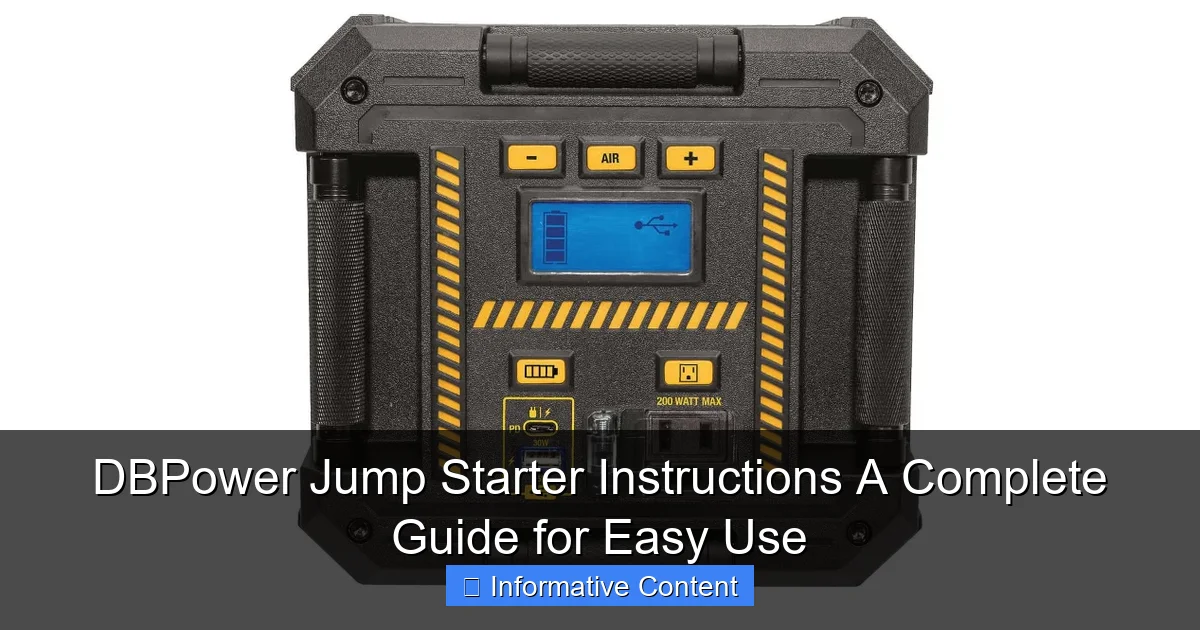
Visual guide about dbpower jump starter instructions
Image source: everstartjumpstarter.com
At its core, the DBPower unit contains a lithium-ion battery capable of delivering high cranking amps (CA) or peak amps—usually in the range of 1,000 to 2,000 amps depending on the model. When connected properly to your car’s battery terminals, it provides enough juice to crank the engine and get you back on the road. The key is using it correctly and safely—something that’s easier said than done if you’re unfamiliar with the process.
Key Features of DBPower Jump Starters
DBPower offers several models, but most share common features that make them stand out:
- High Cranking Power: Ranges from 1,000A to 2,000A, suitable for most cars, SUVs, and even small trucks.
- Multiple Charging Ports: USB-A and USB-C ports for charging phones, tablets, and other devices.
- LED Flashlight: With strobe and SOS modes for emergencies.
- Smart Clamps: Reverse polarity protection, spark-proof design, and over-current safeguards.
- Compact and Lightweight: Easy to store in your glove compartment or center console.
- Built-in Safety Alerts: LED indicators and audible warnings if connections are incorrect.
For example, the DBPower 2000A Peak Jump Starter is a favorite among drivers because it can jump-start a 7L gas or 6L diesel engine up to 20 times on a single charge. That’s more than enough for most drivers—even if you accidentally leave the dome light on overnight.
How the Technology Works (Without the Jargon)
You don’t need an engineering degree to understand how it works. Think of the jump starter as a temporary battery replacement. When your car’s battery is too weak to start the engine, the DBPower unit steps in and provides the necessary voltage and current. Once the engine is running, your car’s alternator takes over and recharges the original battery.
The smart clamps (the red and black cables that attach to your battery) are designed to protect both you and the device. They detect incorrect polarity—like if you accidentally connect red to negative—and won’t deliver power until the connections are correct. This is a huge safety feature, especially for first-time users.
Step-by-Step DBPower Jump Starter Instructions
Step 1: Prepare Your Vehicle and Jump Starter
Before you even touch the cables, take a moment to prepare. Turn off your car completely—ignition, lights, radio, and any other accessories. This reduces the risk of electrical surges. Open the hood and locate your battery. Most batteries are under a plastic cover; remove it if needed. Make sure the area is dry and free of debris. If it’s raining, try to work under shelter or use a plastic sheet to keep the battery dry.
Next, grab your DBPower jump starter. Check its charge level using the LED indicator on the side. Most models have four lights: one for 25%, two for 50%, three for 75%, and four for 100%. You’ll want at least 75% charge for a successful jump, especially in cold weather. If it’s low, plug it into a wall charger or your car’s 12V outlet for 3–4 hours.
Step 2: Connect the Smart Clamps
Here’s where the DBPower jump starter instructions really matter. Follow these steps carefully:
- Take the red (positive) clamp and attach it to the positive terminal of your car battery. It’s usually marked with a “+” sign and often has a red cover.
- Take the black (negative) clamp and attach it to an unpainted metal surface on the engine block or frame—not the negative battery terminal. This is a safety precaution to prevent sparks near the battery, which could cause a fire if hydrogen gas is present.
- Once both clamps are secure, plug the clamp cable into the jump starter unit. You’ll hear a click when it’s fully inserted.
Pro Tip: If your car has a “jump start terminal” under the hood (common in newer models), use that instead of the battery terminals. It’s often labeled and located near the fuse box. This reduces the risk of damaging sensitive electronics.
Step 3: Turn On the Jump Starter
Now press and hold the power button on the DBPower unit for 3–5 seconds until the LED lights turn on. The device will automatically check the connections. If the clamps are reversed, you’ll see a red flashing light and hear a beep. Reconnect them correctly—this is the smart protection in action.
Once the green light appears (or all lights flash in sequence), you’re good to go. The unit is now ready to deliver power. Wait about 30 seconds to let it stabilize—this helps ensure a smooth transfer of energy to the battery.
Step 4: Start Your Engine
Hop into the driver’s seat and turn the key to start the engine. In most cases, the car should fire up within a few seconds. If it doesn’t start on the first try, don’t panic. Wait 10–15 seconds, then try again. Sometimes a second attempt is all it takes.
Important: Do not crank the engine for more than 5–6 seconds at a time. If it doesn’t start after three attempts, wait 1–2 minutes before trying again. Over-crank can overheat the starter motor or drain the jump starter.
Step 5: Disconnect and Recharge
Once the engine is running, disconnect the jump starter in this order:
- Unplug the cable from the jump starter unit.
- Remove the black (negative) clamp from the engine.
- Remove the red (positive) clamp from the battery.
Store the clamps safely in the included case or pouch. Leave your engine running for at least 15–20 minutes to allow the alternator to recharge the battery. Then, drive for at least 30 minutes to ensure a full charge. This is especially important if the battery is old or has been deeply discharged.
After use, plug the DBPower unit into a wall charger to recharge it. Most models take 3–4 hours to reach full capacity. A fully charged jump starter can sit for months, but it’s smart to check the charge every 3–6 months.
Common Mistakes and How to Avoid Them
Connecting to the Wrong Terminal
This is the #1 mistake—and it’s easy to make when you’re stressed. Always double-check: red to positive, black to unpainted metal. The DBPower’s smart clamps help, but they’re not foolproof. I once connected the black clamp to the negative terminal during a late-night jump. The jump starter beeped at me, and I laughed at myself for the rookie error. Lesson learned: take a breath, read the signs, and go slow.
Using a Low-Charge Jump Starter
You wouldn’t try to jump-start a car with a nearly dead phone battery, right? Same principle. If your DBPower unit has only one or two lights lit, it may not have enough power—especially in cold weather. Cold reduces battery efficiency. Always keep it above 75% charge, and consider recharging after every use, even if it seems fine.
Cranking Too Long or Too Often
I’ve seen people crank for 10 seconds straight, then try again immediately. That’s a recipe for overheating. The jump starter has thermal protection, but it’s not magic. Follow the 5-second rule, and wait between attempts. If the engine turns over but doesn’t start, it might be a fuel or spark issue—not the battery.
Leaving It in the Trunk in Extreme Temperatures
Extreme heat or cold can damage lithium-ion batteries. I once left my DBPower in the trunk during a summer heatwave. When I needed it two weeks later, the charge had dropped significantly. Now I store it in the cabin or in a temperature-controlled area. If you must keep it in the trunk, use an insulated case and check it monthly.
Ignoring the Manual (But Not Anymore!)
Many people toss the manual and wing it. I did too—until I accidentally shorted a connection and tripped the safety mode. Now I keep a printed copy of the DBPower jump starter instructions in the glove box. It’s saved me twice.
Maintenance and Care Tips to Extend Battery Life
Charge It Regularly—Even When Not in Use
Lithium-ion batteries degrade when left fully drained or fully charged for long periods. The sweet spot is 50–80%. But for emergency use, 100% is fine. Just don’t leave it plugged in for days. I charge mine every 3 months, even if I haven’t used it. This keeps the cells active and ready.
Clean the Clamps and Ports
Corrosion on the clamps can interfere with connections. Wipe them with a dry cloth after each use. If you notice white powder (a sign of corrosion), clean it with a baking soda and water mix, then dry thoroughly. Avoid using metal tools—they can scratch the surface and reduce conductivity.
Store in a Cool, Dry Place
Ideal storage temperature is between 40°F and 80°F (4°C–27°C). Avoid direct sunlight, car trunks in summer, or garages in winter. I keep mine in a small storage bin under the back seat—accessible but protected.
Update Firmware (If Applicable)
Some newer DBPower models have firmware that can be updated via USB. Check the manufacturer’s website every few months. Updates can improve safety features, charging efficiency, and diagnostic alerts.
Test It Once a Year
Do a dry run: connect it to your battery, turn it on, and see if the green light appears. You don’t need to start the car—just verify it powers up and recognizes the connection. This ensures it’s ready when you really need it.
Comparing DBPower Models: Which One Fits Your Needs?
Choosing the Right Model
DBPower offers several models, each suited for different vehicles and lifestyles. Here’s a quick comparison to help you pick the right one:
| Model | Peak Amps | Engine Compatibility | USB Ports | Special Features | Best For |
|---|---|---|---|---|---|
| DBPower 1200A | 1200A | Up to 6.5L gas / 5L diesel | 2 USB-A | LED flashlight, 12V outlet | Compact cars, daily drivers |
| DBPower 1800A | 1800A | Up to 7L gas / 6L diesel | 1 USB-A, 1 USB-C | Digital display, jump count | SUVs, trucks, frequent travelers |
| DBPower 2000A | 2000A | Up to 8L gas / 7L diesel | 2 USB-A, 1 USB-C | Air compressor (in some versions), SOS light | Large vehicles, off-roaders, emergency kits |
| DBPower 1000A (Mini) | 1000A | Up to 6L gas / 4L diesel | 1 USB-A | Pocket-sized, keychain loop | Motorcycles, small engines, backup |
Real-World Use Cases
For example, I use the DBPower 1800A because I drive a 4×4 SUV and often go on weekend trips. The USB-C port charges my phone quickly, and the digital display shows how many jumps are left. My friend with a compact hatchback swears by the 1200A model—it’s small enough to fit in her glove box and has saved her from dead batteries three times.
If you have a diesel truck or a large SUV, go for 1800A or higher. The extra power ensures a strong cranking force, especially in cold weather. But if you drive a small car and just want a backup, the 1000A or 1200A models are more than enough.
Final Thoughts: Confidence Comes with Preparation
Having a DBPower jump starter in your car is like having a fire extinguisher in your kitchen—you hope you never need it, but you’re incredibly glad it’s there when you do. But owning it isn’t enough. Knowing how to use it—step by step, calmly and correctly—makes all the difference. The DBPower jump starter instructions aren’t just a manual; they’re a roadmap to confidence.
From connecting the clamps the right way to maintaining the battery for long-term reliability, every step matters. I’ve used mine in pouring rain, in the dark, and even once to jump-start my neighbor’s car (he’d left his lights on for 12 hours). Each time, the process was the same: prepare, connect, power, start, disconnect, recharge. Simple, safe, and effective.
Remember, a jump starter is not a permanent fix. If your car keeps dying, have the battery and alternator checked by a mechanic. But for those unexpected moments—when you’re late, when it’s cold, when you’re far from help—the DBPower gives you independence. It’s not just a tool. It’s peace of mind, wrapped in a compact, easy-to-use device.
So charge it, store it properly, and review these instructions once a year. That way, when the moment comes, you won’t be fumbling in the dark. You’ll be ready—calm, prepared, and in control.
Frequently Asked Questions
How do I use the DBPower jump starter for the first time?
Begin by fully charging your DBPower jump starter using the provided USB cable or adapter. Once charged, connect the clamps to the battery terminals (red to positive, black to negative) and start your vehicle. Always follow the safety instructions in the user manual to avoid damage.
Can the DBPower jump starter be used on all vehicle types?
Yes, most DBPower jump starters are compatible with 12V vehicles, including cars, trucks, motorcycles, and boats. Check your model’s specifications to ensure it supports your vehicle’s engine size and voltage requirements.
What should I do if my DBPower jump starter isn’t working?
First, verify the jump starter has sufficient charge and the clamps are securely connected. If issues persist, reset the device or consult the troubleshooting section of your DBPower jump starter instructions manual for error codes or LED indicators.
How long does the DBPower jump starter hold its charge?
When fully charged, the DBPower jump starter retains power for 3–6 months in standby mode. For optimal performance, recharge it every 3 months, especially if unused, to maintain battery health.
Is it safe to leave the DBPower jump starter plugged in overnight?
Yes, modern DBPower models feature overcharge protection, making it safe to charge overnight. However, always use the original charger and avoid exposing the device to extreme temperatures during charging.
Where can I find a digital copy of the DBPower jump starter instructions?
Download the PDF version of the DBPower jump starter instructions from the official website under the “Support” or “Downloads” section. Alternatively, scan the QR code included in your product packaging for quick access.