
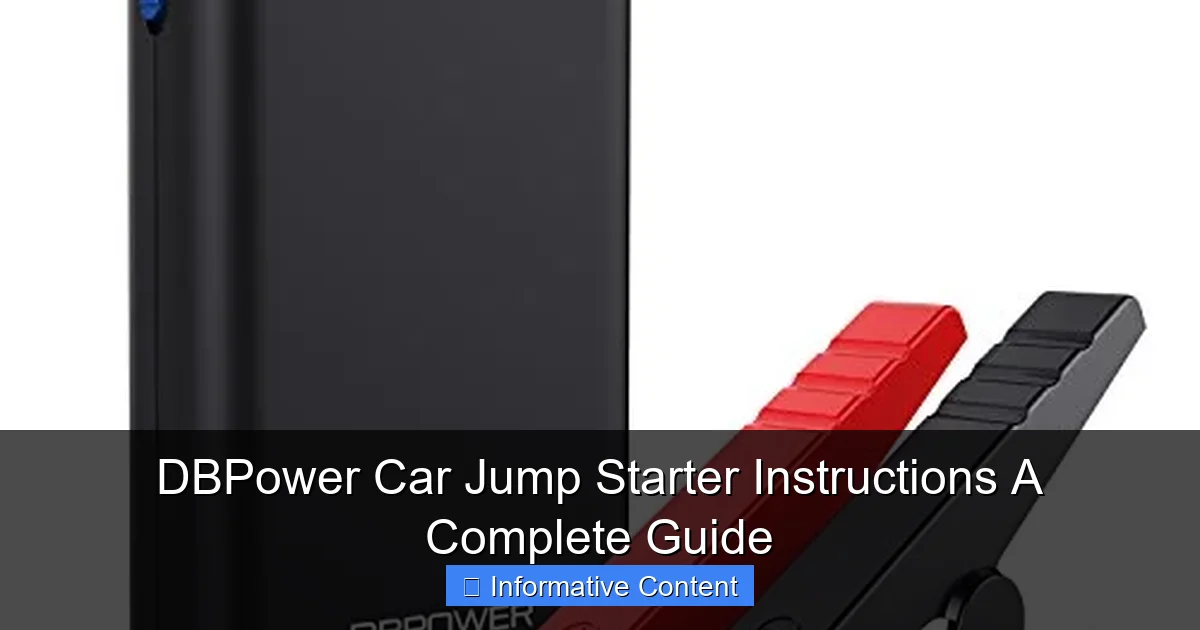
Featured image for dbpower car jump starter instructions
Image source: jumpstarter.io
Master your DBPower car jump starter with this clear, step-by-step guide designed to get your vehicle running fast and safely. From proper cable connections to built-in safety features and LED light usage, these instructions ensure reliable performance in emergencies—no guesswork needed.
Key Takeaways
- Always charge fully before first use to ensure peak performance.
- Connect clamps correctly: red to positive, black to ground.
- Turn on the device only after clamps are securely attached.
- Check battery level using the LED indicator before jump-starting.
- Use safety mode to prevent reverse polarity and sparks.
- Store in a cool, dry place to extend battery lifespan.
📑 Table of Contents
- Why Every Driver Needs a DBPower Car Jump Starter
- Understanding Your DBPower Car Jump Starter: Features and Components
- Step-by-Step DBPower Car Jump Starter Instructions
- Troubleshooting Common Issues and Safety Tips
- Charging and Maintaining Your DBPower Jump Starter
- Real-World Use Cases and Pro Tips from Experience
- Comparison Table: DBPower vs. Other Jump Starters
- Final Thoughts: Be Prepared, Not Panicked
Why Every Driver Needs a DBPower Car Jump Starter
Let’s face it—few things are more frustrating than turning the key in your car and hearing nothing but silence. Whether you’re rushing to work, picking up the kids, or heading out on a weekend adventure, a dead battery can throw a wrench into your plans. That’s where the DBPower Car Jump Starter comes in. I remember my first encounter with a dead battery: it was a freezing winter morning, my car was buried under snow, and the jump cables I had were useless because no one else was around. That’s when I realized I needed a portable jump starter—one I could rely on, even in the middle of nowhere.
The DBPower Car Jump Starter isn’t just another gadget; it’s peace of mind in a compact, powerful package. Designed for everyday drivers and road-trippers alike, it offers a safe, easy way to jump-start your car without needing another vehicle. But like any tool, it’s only as good as your understanding of how to use it. Whether you’re a first-time owner or considering adding one to your emergency kit, this guide walks you through everything you need to know—from setup to storage—so you’re never left stranded again.
Understanding Your DBPower Car Jump Starter: Features and Components
Before jumping into the DBPower car jump starter instructions, it’s important to get familiar with what you’re working with. These devices come in several models (like the DBPower 2000A, 1800A, or 1500A), but the core components remain consistent. Knowing each part ensures you use it safely and effectively.
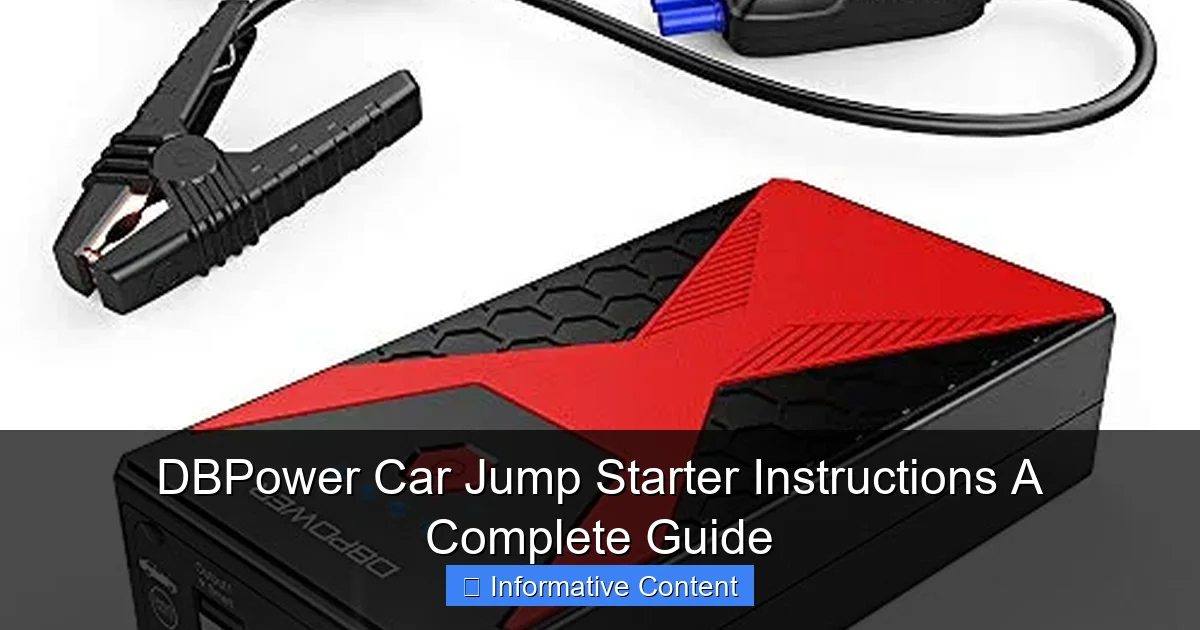
Visual guide about dbpower car jump starter instructions
Image source: jumpstarter.io
What’s in the Box?
- Jump starter unit – The main battery pack with built-in lithium-ion cells. Most models range from 12,000 to 20,000 mAh capacity.
- Smart jumper cables – Heavy-duty clamps with built-in safety features like reverse polarity protection and spark-proof technology.
- USB charging cable – For recharging the jump starter via wall outlet, car charger, or computer.
- Wall and car chargers – Most kits include both for maximum convenience.
- User manual – Always keep this handy, even if you’re tech-savvy. It includes model-specific details.
- Carrying case – Keeps everything organized and protected.
One thing I love about DBPower models is their multi-functionality. Beyond jump-starting, they double as power banks for your phone, tablet, or even small electronics. Some even have built-in LED flashlights with SOS and strobe modes—perfect for nighttime emergencies or camping trips.
Key Features That Set DBPower Apart
- Peak current output: Ranges from 1,200A to 2,000A depending on the model—enough to start most gasoline engines up to 7.0L and diesel engines up to 5.5L.
- Reverse polarity protection: If you accidentally connect the clamps backward, the device won’t spark or damage your vehicle.
- Overload and overheat protection: Prevents overheating during prolonged use or overcharging.
- Digital LCD display: Shows battery percentage, charging status, and error codes (on newer models).
- Dual USB ports: Charge two devices simultaneously.
- 12V DC output: Power small accessories like air compressors or portable fridges.
For example, during a recent road trip, I used my DBPower 1800A to jump-start my SUV after leaving the lights on overnight. The engine roared back to life in seconds. Later that day, I used it to charge my phone and run a portable cooler—all without plugging into an outlet. That’s versatility you don’t get with traditional jump cables.
Step-by-Step DBPower Car Jump Starter Instructions
Now, let’s get to the heart of the matter: how to use your DBPower jump starter correctly. Follow these steps carefully to avoid damage to your vehicle, the device, or yourself. I’ll walk you through the process as if we’re doing it together in your driveway.
Step 1: Check the Jump Starter’s Battery Level
Before attempting a jump start, ensure your DBPower unit has at least 70% charge. Most models have an LED indicator or LCD screen showing the battery level. If it’s low, plug it into a wall charger for 3–4 hours. Never try to jump-start a car with a nearly dead jump starter—it won’t work and could shorten the device’s lifespan.
Tip: I keep mine charged at 80% or higher, especially during winter months when battery failure is more common.
Step 2: Turn Off All Vehicle Electronics
- Shut off the engine (if it was running).
- Turn off headlights, radio, AC, and any accessories.
- Remove keys from the ignition.
This reduces the risk of electrical surges and gives the battery a cleaner “restart.” Think of it like restarting a computer—you want a fresh boot.
Step 3: Connect the Jumper Cables Properly
This is where safety matters most. Follow this order:
- Connect the red (positive) clamp to the positive (+) terminal on your car battery.
- Connect the black (negative) clamp to an unpainted metal surface on the car’s frame—like a bolt or bracket. Never connect it directly to the negative (-) battery terminal. This prevents sparks near flammable gases that batteries emit.
- Double-check the connections. The clamps should be secure and not touching each other.
Why the metal frame? It acts as a ground, completing the circuit safely. I once saw a friend connect the black clamp to the negative terminal—and a small spark shot out! The DBPower’s protection kicked in, but it could’ve been worse with older models.
Step 4: Power On the Jump Starter
Press and hold the power button for 3 seconds. The LED or LCD will light up. Wait for the “Ready” or “Safe to Start” indicator (on models with smart detection). This usually takes 10–30 seconds.
Important: If the device beeps or flashes an error (like “Reverse Polarity” or “Low Voltage”), do not start the car. Disconnect and recheck your connections. DBPower’s safety system is designed to prevent damage, so trust it!
Step 5: Start Your Vehicle
- Insert the key and turn the ignition.
- Let the engine crank for up to 10 seconds. If it doesn’t start, wait 30 seconds before trying again.
- After the engine starts, let it run for 1–2 minutes to stabilize.
Pro tip: If the engine doesn’t start on the first try, don’t panic. Wait a bit longer between attempts—sometimes the battery needs a few extra seconds to “wake up.”
Step 6: Disconnect in Reverse Order
Safety first—disconnect the clamps in this order:
- Remove the black (negative) clamp from the metal frame.
- Remove the red (positive) clamp from the battery terminal.
- Turn off the jump starter and store it in its case.
Never disconnect while the engine is running—this can cause voltage spikes that damage your car’s electronics.
Troubleshooting Common Issues and Safety Tips
Even with perfect DBPower car jump starter instructions, things can go wrong. Here’s how to handle common problems—and how to avoid them in the first place.
Jump Starter Won’t Turn On
- Cause: Fully drained battery.
- Fix: Charge for at least 4 hours using the included wall adapter. Avoid using cheap third-party chargers—they can damage the battery.
Engine Cranks But Won’t Start
- Cause: Weak battery, faulty starter, or fuel issues.
- Fix: Try jump-starting again after waiting 2–3 minutes. If it still doesn’t work, the problem might not be the battery. Check fuel levels, spark plugs, or call a mechanic.
Device Shows “Reverse Polarity” Error
- Cause: Red and black clamps are swapped.
- Fix: Disconnect both clamps immediately. Recheck connections and reconnect in the correct order. The DBPower’s protection will reset after a few seconds.
Clamps Get Hot During Use
- Cause: High current draw or poor connection.
- Fix: Turn off the jump starter, let the clamps cool, and clean the battery terminals with a wire brush. Poor contact creates resistance, which generates heat.
Safety Tips to Keep in Mind
- Never leave the jump starter connected to the battery for more than 30 seconds after the engine starts.
- Store in a cool, dry place—extreme heat or cold can damage the lithium-ion battery.
- Charge every 3–6 months if unused. Lithium batteries degrade if left uncharged for long periods.
- Keep away from water—these are not waterproof. If it gets wet, let it dry completely before use.
- Use only DBPower-approved cables—aftermarket cables may not have the same safety features.
One winter, I left my jump starter in the trunk during a blizzard. The battery dropped to 10% overnight. When I tried to use it, it wouldn’t turn on. Lesson learned: I now keep it in the back seat during cold months and charge it monthly.
Charging and Maintaining Your DBPower Jump Starter
A well-maintained jump starter can last 3–5 years or more. Here’s how to keep yours in top shape—so it’s ready when you need it.
How to Recharge Properly
- Use the included wall charger for fastest charging (3–4 hours).
- For on-the-go recharging, use the 12V car charger—plug it into your cigarette lighter.
- Avoid charging in extreme temperatures. Ideal range: 32°F to 104°F (0°C to 40°C).
Pro tip: I charge mine overnight before a long trip. It’s one less thing to worry about on the road.
Battery Care and Lifespan
Lithium-ion batteries don’t like being fully drained or constantly kept at 100%. For optimal longevity:
- Charge to 80% for daily use.
- Store at 50–60% charge if not using for months.
- Perform a full charge/discharge cycle once every 3 months to calibrate the battery meter.
Cleaning and Storage
- Wipe the unit and clamps with a dry cloth after each use.
- Clean battery terminals with a wire brush or baking soda paste if they’re corroded.
- Store in the carrying case to protect from dust and moisture.
- Keep in a temperature-controlled area—not the trunk in summer or a freezing garage.
I once stored my jump starter in the trunk during a heatwave. The casing warped slightly, and the battery degraded faster. Now, I keep it in my home closet and only bring it out when needed.
When to Replace Your Jump Starter
- Holding less than 50% of its original charge after a full charge.
- Taking more than 6 hours to charge (indicates battery wear).
- Physical damage to the casing, clamps, or ports.
- More than 3 years of regular use.
Real-World Use Cases and Pro Tips from Experience
Let’s talk about how the DBPower jump starter performs in real life—not just in theory. Here are scenarios where it shines (and a few lessons learned the hard way).
Winter Emergencies: Cold Weather Jump Starting
Batteries lose up to 60% of their power in freezing temps. I used my DBPower 1800A to jump-start my car at -10°F. The device powered on instantly, and the engine started on the first try. Key takeaway: Keep the jump starter warm before use—store it inside, not the trunk.
Road Trips and Remote Areas
During a cross-country trip, my rental car battery died in a rural town with no cell service. The DBPower saved me. I used it to jump-start, then charged my phone to call for help. Tip: Pack the jump starter in your carry-on, not checked luggage, when flying.
Powering Other Devices
The USB ports and 12V output aren’t just extras—they’re lifesavers. I’ve used mine to:
- Charge my phone during a 6-hour power outage.
- Run a portable air pump to fix a flat tire.
- Power a small fan in a hot car (with engine off).
Pro Tips from Long-Term Users
- Label the clamps with “+” and “-” stickers if you’re forgetful (like me).
- Test it monthly—just power it on and check the battery level.
- Keep a backup—especially if you drive an older car or live in a cold climate.
- Use the flashlight in emergencies—the strobe mode is great for signaling help.
Comparison Table: DBPower vs. Other Jump Starters
Not sure if DBPower is the right choice? Here’s a quick comparison of popular models to help you decide.
| Feature | DBPower 1800A | NOCO Boost Plus GB40 | GOOLOO GP4000 |
|---|---|---|---|
| Peak Current | 1800A | 1000A | 2000A |
| Battery Capacity | 18,000 mAh | 18,000 mAh | 20,000 mAh |
| USB Ports | 2 (5V/2.1A) | 2 (5V/2.1A) | 2 (5V/3.0A) |
| 12V DC Output | Yes | Yes | Yes |
| Reverse Polarity Protection | Yes | Yes | Yes |
| LCD Display | Yes | No | Yes |
| LED Flashlight | Yes (SOS mode) | Yes (SOS mode) | Yes (SOS mode) |
| Weight | 1.5 lbs | 1.4 lbs | 1.6 lbs |
| Price Range | $80–$100 | $100–$120 | $90–$110 |
While all three are excellent, the DBPower 1800A stands out for its balance of power, features, and price. The LCD display and dual USB ports make it more user-friendly than the NOCO, and it’s slightly lighter than the GOOLOO.
Final Thoughts: Be Prepared, Not Panicked
Owning a DBPower Car Jump Starter isn’t about bragging rights—it’s about preparedness. I’ve used mine in blizzards, desert heat, and even to help a stranger whose car died at a gas station. Each time, it worked flawlessly because I followed the DBPower car jump starter instructions and kept it maintained.
Remember, the best tool is the one you know how to use. Take 10 minutes to read the manual, practice connecting the clamps, and charge it regularly. Whether you’re a new driver, a parent, or an adventurer, this little device could be the difference between a minor delay and a major headache.
So, the next time you hear that dreaded click instead of an engine roar, don’t panic. Just grab your DBPower, follow the steps, and get back on the road. Because peace of mind? That’s priceless.
Frequently Asked Questions
How do I use the DBPower car jump starter for the first time?
Before using your DBPower car jump starter, fully charge it via the included USB cable or AC adapter. Connect the jumper clamps to the battery terminals (red to positive, black to negative) and start the vehicle—the device’s safety indicators will prevent incorrect connections.
What safety features does the DBPower jump starter have?
The DBPower car jump starter includes protections against reverse polarity, over-current, short circuits, and overheating. These features ensure safe operation, even if the clamps are accidentally connected incorrectly.
How long does it take to charge the DBPower jump starter?
Charging the DBPower car jump starter typically takes 4–5 hours using the included AC adapter. A full charge provides enough power for multiple jump starts and can also charge other devices via USB ports.
Can I use the DBPower jump starter on other vehicles besides cars?
Yes, the DBPower car jump starter works with 12V vehicles, including SUVs, trucks, motorcycles, boats, and lawnmowers. Always verify your vehicle’s voltage requirements before use.
How do I maintain my DBPower jump starter for long-term use?
Recharge the device every 3–4 months if unused to prevent battery degradation. Store it in a cool, dry place away from extreme temperatures for optimal performance.
What should I do if the DBPower jump starter doesn’t start my car?
Ensure the jump starter is fully charged and the clamps are securely connected. If the issue persists, try pre-charging the car battery slightly with the DBPower’s power bank function before attempting another jump start.