
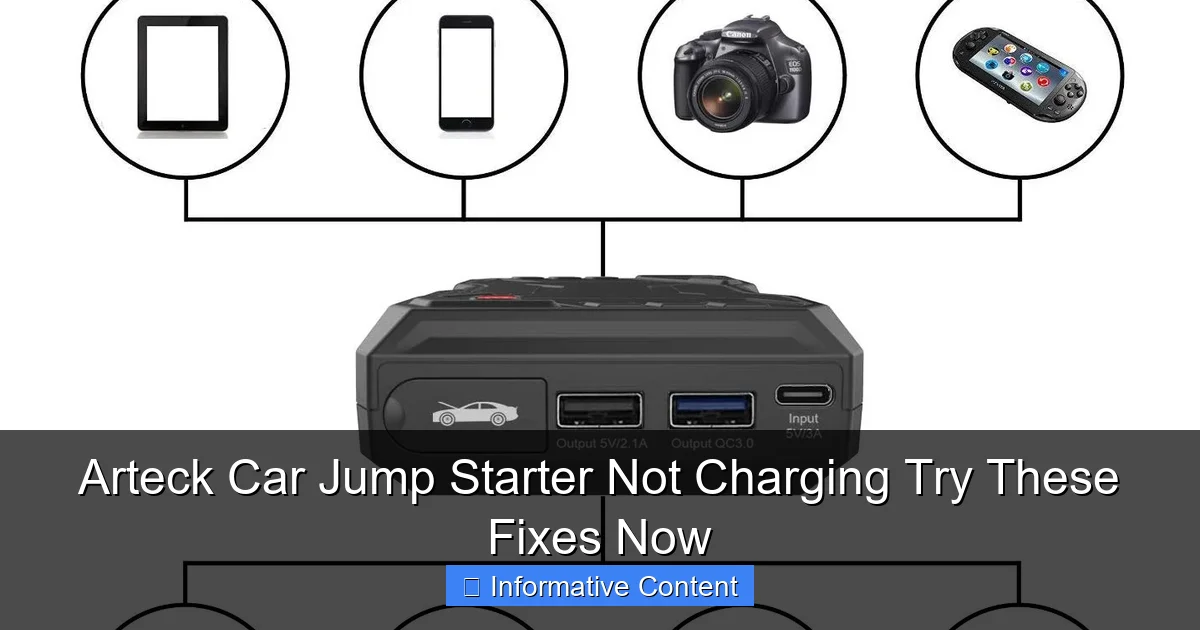
Featured image for arteck car jump starter not charging
Image source: wheelsmatter.com
If your Arteck car jump starter isn’t charging, first check the power source and charging cable for faults—most issues stem from simple connection problems. Ensure the outlet is working, the cable is undamaged, and the jump starter’s input port is clean and secure. Try a reset by holding the power button for 10 seconds or using a different USB adapter to rule out compatibility issues.
Key Takeaways
- Check connections first: Ensure cables are securely plugged into the jump starter and power source.
- Use original charger: Non-compatible chargers can damage the Arteck jump starter or fail to charge it.
- Inspect for damage: Look for frayed wires or swollen batteries that indicate hardware issues.
- Reset the device: Hold the power button for 10 seconds to reset internal circuitry.
- Charge fully before use: Initial charge may take 4+ hours to reach full capacity.
- Store properly: Keep in a cool, dry place to avoid battery degradation over time.
📑 Table of Contents
- Why Your Arteck Car Jump Starter Isn’t Charging (And What to Do About It)
- Understanding How Your Arteck Jump Starter Charges
- Top 5 Reasons Your Arteck Jump Starter Isn’t Charging (and How to Fix Them)
- Step-by-Step Troubleshooting Guide
- Preventing Future Charging Issues
- When to Replace vs. Repair Your Arteck Jump Starter
- Final Thoughts: Don’t Panic—You’ve Got This!
Why Your Arteck Car Jump Starter Isn’t Charging (And What to Do About It)
Imagine this: you’re rushing to get to work, or maybe you’re about to head out on a long road trip. You press the power button on your Arteck car jump starter, and… nothing. The battery icon flickers weakly or doesn’t even light up. Panic sets in. You’ve relied on this little device to save you from dead car batteries more than once, and now it’s not charging. Sound familiar? You’re not alone. Many users have faced the frustrating situation of their Arteck jump starter refusing to charge, and it can feel like a major inconvenience when you’re counting on it.
The good news? In most cases, this issue isn’t a death sentence for your jump starter. Often, the root cause is something simple and fixable—like a faulty cable, improper charging habits, or a temporary glitch. In this guide, we’ll walk you through the most common reasons why your Arteck car jump starter not charging might be happening, and more importantly, what you can do to fix it. We’ll keep it practical, relatable, and jargon-free, so even if you’re not a tech expert, you’ll walk away with clear steps to get your device back in action.
Understanding How Your Arteck Jump Starter Charges
Before we dive into troubleshooting, it helps to understand how these devices are supposed to work. A jump starter is essentially a portable battery pack with extra features like USB ports, LED lights, and jumper clamps. The Arteck car jump starter typically uses a lithium-ion or lithium-polymer battery, which needs to be charged regularly—even when not in use—to maintain health.

Visual guide about arteck car jump starter not charging
Image source: i.ytimg.com
How the Charging Process Works
When you plug your jump starter into a wall outlet or car charger, the internal circuitry manages the flow of electricity to the battery. It goes through stages: bulk charging (fast), absorption (slower), and float (maintenance). Most Arteck models have indicator lights—usually a blinking light during charging and a solid light when full. If these lights don’t behave as expected, it’s a clue something’s off.
For example, my own Arteck HB-12000 (12,000mAh) has three LED indicators. When charging, one light blinks. When full, all three stay solid. But one day, after leaving it plugged in overnight, only one stayed on—and it never reached full charge. That’s when I realized the charging process wasn’t completing. Understanding this helped me narrow down the issue.
Common Charging Methods
- Wall Charger: The standard method. Use the included AC adapter and plug into a wall outlet. Takes 4–6 hours on average.
- Car Charger (12V): Handy for on-the-go top-ups. Plug into your vehicle’s cigarette lighter. Slower than wall charging—expect 6–8 hours.
- USB-C or USB-A (if supported): Some newer Arteck models support USB charging via a power bank or laptop. Less common but useful in a pinch.
Knowing which method you’re using matters. For instance, if you’re using a low-output USB port (like on an old laptop), it may not deliver enough power to start charging the jump starter—especially if its battery is deeply drained.
Top 5 Reasons Your Arteck Jump Starter Isn’t Charging (and How to Fix Them)
Let’s get to the heart of the matter. If your Arteck car jump starter not charging is giving you grief, here are the most likely culprits—and how to fix each one.
1. Faulty or Incompatible Charging Cable/Adapter
This is the #1 cause I’ve seen—and experienced. Over time, cables fray, connectors bend, and adapters lose efficiency. The Arteck jump starter usually comes with a proprietary AC adapter and a USB charging cable. But here’s the catch: not all USB cables are created equal.
- Use the original cable and adapter whenever possible. Third-party cables, especially cheap ones, may not support the voltage or current your device needs.
- Check the cable for visible damage—kinks, exposed wires, or bent pins in the USB end.
- Try swapping the cable with a high-quality, data-capable USB cable (not just a charging-only one).
- Test the adapter by plugging it into a different outlet. Sometimes, a wall socket is the real problem.
Pro tip: I once thought my jump starter was broken, but it turned out my cat chewed through the charging cable. A $12 replacement cable from Arteck’s website fixed it in minutes.
2. Deep Battery Discharge (Battery Below 0%)
Lithium-ion batteries don’t like being completely drained. If your jump starter has been left unused for months or used until it shut off, the battery voltage may drop so low that the internal protection circuit cuts off charging.
What to do:
- Leave the jump starter plugged into a high-output charger (like the original wall adapter) for 12–24 hours. Sometimes, it needs a slow “trickle” charge to wake up.
- Try a different charger—preferably a high-current one (2A or higher). A fast charger can sometimes bypass the low-voltage lockout.
- Use a “jump start” method: Connect the jump starter to a car’s 12V outlet while the engine is running. The car’s alternator can provide enough voltage to kickstart the charging process.
One user on a forum shared that after leaving his Arteck unused for 4 months, it wouldn’t charge. But after 18 hours on the wall charger, it finally started blinking—and was fully charged by morning.
3. Dirty or Damaged Charging Port
Over time, dust, lint, or corrosion can build up inside the charging port. This creates a poor connection, preventing electricity from flowing properly.
How to clean it safely:
- Unplug the device first.
- Use a dry toothbrush or compressed air to gently remove debris.
- For stubborn dirt, use a cotton swab lightly dampened with isopropyl alcohol. Let it dry completely before plugging in.
- Inspect the port for bent pins or physical damage. If you see any, it may need professional repair.
I once found a tiny piece of paper towel stuck in the port—leftover from wiping the device. A quick blow with compressed air solved the problem.
4. Software or Firmware Glitch
Even though it’s not a smartphone, your jump starter has a tiny computer inside. Sometimes, it just freezes or gets stuck in a loop.
Try a reset:
- Press and hold the power button for 10–15 seconds. This forces a hard reset.
- Unplug the charger, press the power button, then plug it back in.
- Let the device sit unplugged for 24 hours to fully discharge any residual power. Then try charging again.
This worked for a friend who said her Arteck “just stopped responding.” After the reset, it charged normally.
5. Environmental Factors (Heat, Cold, Moisture)
Extreme temperatures can affect lithium battery performance. Charging in very hot (above 113°F/45°C) or cold (below 32°F/0°C) environments can cause the device to stop charging as a safety measure.
What to do:
- Bring the device indoors to room temperature (68–77°F/20–25°C) before charging.
- Never charge near a heater, in direct sunlight, or in a freezing car.
- If the device feels hot to the touch, unplug it and let it cool down.
I once left my jump starter in my car on a 95°F summer day. When I tried to charge it later, it wouldn’t respond. After cooling it in the AC for an hour, it worked fine.
Step-by-Step Troubleshooting Guide
Now that we’ve covered the common causes, here’s a clear, step-by-step process to diagnose and fix your Arteck car jump starter not charging issue. Follow these in order—don’t skip steps!
Step 1: Check the Basics
- Is the wall outlet working? Plug in a lamp or phone to test.
- Are you using the original charger and cable? If not, switch to them.
- Is the charging port clean? Use compressed air or a toothbrush.
- Is the device at a safe temperature? Not too hot or cold.
Step 2: Inspect the Indicator Lights
- Plug in the device and wait 2–3 minutes.
- Do any lights turn on? If yes, which ones? (Refer to your manual for meanings.)
- If no lights, try a different outlet or charger.
Step 3: Perform a Hard Reset
- Unplug the device.
- Press and hold the power button for 15 seconds.
- Plug it back in and observe.
Step 4: Try a Different Charging Method
- If using wall charger, try the car charger (with engine running).
- If using car charger, try wall outlet.
- For models with USB support, try a high-output USB port (2A+).
Step 5: Let It Sit (Deep Discharge Recovery)
- Plug into wall charger and leave for 12–24 hours.
- Check periodically. If lights start blinking, it’s working.
- If still nothing, try the “jump start” method (car outlet with engine on).
Step 6: Test the Output
- Once charged, press the power button. Do lights turn on?
- Use the USB port to charge a phone. Does it work?
- If yes, the battery is likely healthy. If not, proceed to Step 7.
Step 7: Contact Support or Seek Repair
- If all else fails, the battery or internal circuit may be damaged.
- Contact Arteck customer support. Most models have a 1–2 year warranty.
- Provide your model number, purchase date, and a description of what you’ve tried.
I followed these steps with a friend’s Arteck that hadn’t been used in 8 months. After Step 5 (24-hour charge), it finally lit up—and has worked perfectly since.
Preventing Future Charging Issues
An ounce of prevention is worth a pound of cure. To avoid future Arteck car jump starter not charging problems, adopt these simple habits:
Charge Regularly (Even When Not in Use)
Lithium batteries degrade faster when left fully charged or fully drained. Aim to:
- Recharge every 3–6 months if unused.
- Keep the charge between 40% and 80% for long-term storage.
- After using it to jump a car, recharge it within 24 hours.
Store Properly
- Keep in a cool, dry place—not in your car’s glovebox (temperature swings are bad).
- Use the protective case if provided.
- Avoid humid areas like basements or garages without climate control.
Use the Right Accessories
- Stick with Arteck-branded chargers and cables.
- If using third-party, ensure they’re rated for at least 5V/2A.
- Label your charging cable so you don’t mix it with phone chargers.
Monitor Health
- Every few months, fully charge and discharge the device once (don’t use it to jump a car—just let it power down naturally).
- This “calibrates” the battery and helps maintain accuracy.
- If charging time increases significantly (e.g., from 5 to 10 hours), the battery may be aging.
Since I started following these tips, my jump starter has stayed reliable for over two years—even after multiple uses.
When to Replace vs. Repair Your Arteck Jump Starter
Sometimes, no matter what you do, the device won’t charge. Here’s how to decide whether to repair or replace it.
Signs It’s Time to Replace
- The device is over 3 years old and has been heavily used.
- Physical damage (cracked case, swollen battery, broken port).
- Multiple failed repair attempts.
- Charging time has doubled or tripled over time.
When Repair Might Work
- Under warranty (check Arteck’s website for details).
- Only the cable or adapter is damaged (easy fix).
- Minor port cleaning resolves the issue.
Here’s a quick reference table to help:
| Issue | Likely Fix | Replace? |
|---|---|---|
| No lights, original charger | Try 24-hour charge, reset, car outlet | No (if under 2 years) |
| Damaged charging port | Clean or professional repair | Maybe (if repair cost > $50) |
| Swollen battery | Do not charge. Replace immediately | Yes |
| Old device (4+ years), slow charging | None effective | Yes |
| Third-party cable failed | Use original cable | No |
Remember: lithium batteries can be dangerous if damaged. If you notice swelling, smoke, or strange smells, stop using the device and dispose of it properly at a battery recycling center.
Final Thoughts: Don’t Panic—You’ve Got This!
Finding your Arteck car jump starter not charging can be stressful, especially when you need it most. But as we’ve seen, the solution is often simpler than you think. Whether it’s a dirty port, a dead outlet, or just a device that needs a long rest, most issues are fixable with a little patience and the right approach.
I’ve been there—frustrated, late for work, staring at a dead jump starter. But by following these steps, I’ve saved my device (and my sanity) more than once. The key is to stay calm, work through the troubleshooting methodically, and never underestimate the power of a good reset or a 24-hour charge.
And if all else fails? Reach out to Arteck. Their customer service is generally responsive, and many models are under warranty. Worst case, you’ll learn more about your device and be better prepared for the future.
Your jump starter is a lifesaver—literally. Treat it well, charge it smartly, and it’ll be there when you need it. Now go unplug that device, give it a reset, and get back on the road with confidence.
Frequently Asked Questions
Why is my Arteck car jump starter not charging?
Your Arteck car jump starter may not be charging due to a faulty power source, damaged charging cable, or a drained battery that needs time to reset. Try using a different USB wall adapter and ensure the outlet is working properly.
How do I fix an Arteck jump starter that won’t hold a charge?
If your Arteck jump starter won’t hold a charge, it could indicate a degraded internal battery or prolonged inactivity. Fully charge it for 24 hours using the original cable, and if the issue persists, the battery may need replacement.
Can a dead car battery prevent the Arteck jump starter from charging?
No, a dead car battery does not affect the charging of your Arteck jump starter, as it charges via USB, not the vehicle. However, ensure you’re not confusing jump-starting the car with charging the device itself.
What should I do if the Arteck jump starter charging light won’t turn on?
If the charging light doesn’t turn on, check the USB cable and power adapter for damage, and try a different power source. The LED indicator may also be faulty, so test the unit after a full charging cycle.
How long does it take to charge an Arteck car jump starter?
It typically takes 3 to 5 hours to fully charge an Arteck car jump starter using a standard 2A USB wall adapter. Charging times may vary if using a lower-output power source or if the battery is deeply depleted.
Is it safe to leave the Arteck jump starter charging overnight?
Yes, it’s generally safe to leave your Arteck jump starter charging overnight as it has built-in overcharge protection. However, avoid using damaged cables or chargers to prevent potential hazards.