
Featured image for type s jump starter not charging
If your Type S jump starter isn’t charging, the issue is often a faulty power source or depleted internal battery. Check the charging cable, outlet, and connections first—many problems stem from simple oversights like loose plugs or incompatible adapters. Persistent issues may indicate a dead battery or internal damage, requiring professional repair or replacement.
Key Takeaways
- Check the power source: Ensure the outlet or USB port is functional before troubleshooting further.
- Inspect cables and connections: Look for frayed wires or loose plugs causing charging issues.
- Reset the jump starter: A hard reset can resolve temporary software glitches.
- Verify battery health: Older or damaged batteries may need replacement to hold a charge.
- Use manufacturer-recommended chargers: Third-party chargers can damage or underpower the device.
- Monitor charging indicators: LED lights signal charging status—know what each color means.
📑 Table of Contents
- Why Your Type S Jump Starter Isn’t Charging—And What You Can Do About It
- Understanding How a Type S Jump Starter Charges
- Top 5 Reasons Your Type S Jump Starter Isn’t Charging
- Step-by-Step Troubleshooting Guide
- Preventing Future Charging Issues
- When to Replace vs. Repair
- Real-World Examples and User Experiences
- Data Table: Common Type S Jump Starter Models and Charging Specs
- Final Thoughts: Don’t Panic—You’ve Got This
Why Your Type S Jump Starter Isn’t Charging—And What You Can Do About It
Imagine this: it’s a cold, rainy morning, and your car won’t start. You reach for your trusty Type S jump starter, plug it in, and… nothing. The device doesn’t power on. The charging indicator stays dark. Panic sets in. You’re stranded, late for work, and your portable lifeline seems to have betrayed you.
You’re not alone. Countless drivers have faced this frustrating situation. A Type S jump starter not charging is one of the most common—and most avoidable—issues with portable power banks. The good news? Most of the time, the problem isn’t broken hardware. It’s something you can diagnose and fix yourself. Whether your jump starter is brand new, a few years old, or just sitting in your trunk, understanding why it won’t charge can save you time, money, and stress.
Understanding How a Type S Jump Starter Charges
How the Charging System Works
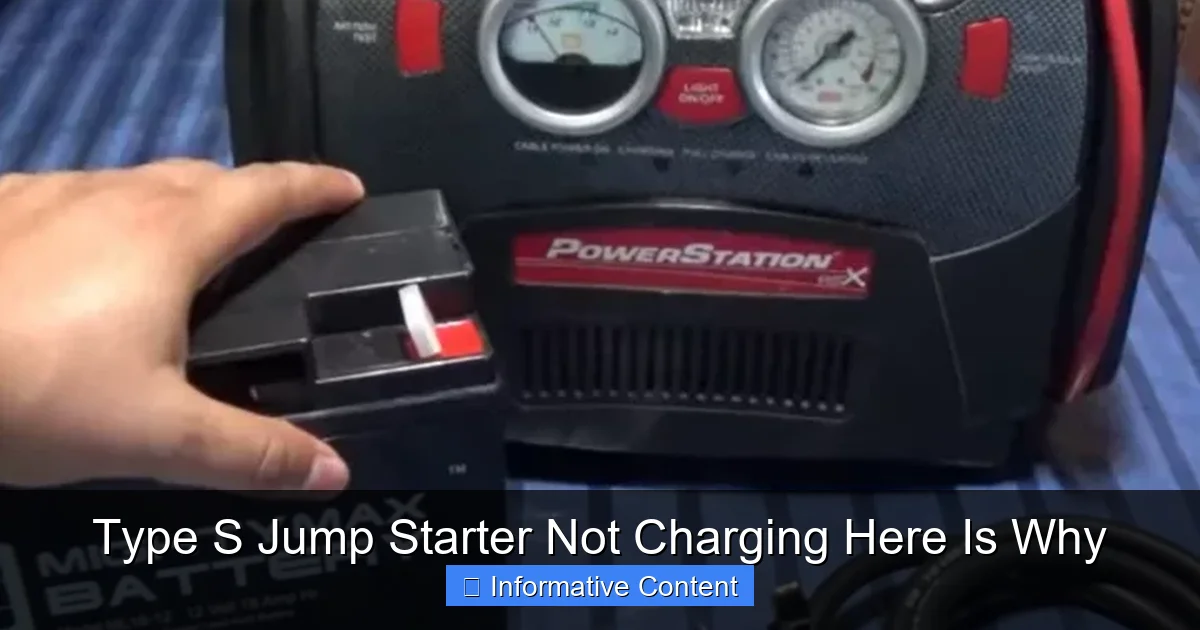
Before we dive into troubleshooting, let’s get a quick understanding of how your Type S jump starter is supposed to charge. These devices are essentially high-capacity lithium-ion or lithium-polymer batteries with built-in circuitry to manage charging, discharging, and safety.
Visual guide about type s jump starter not charging
Image source: weeklytools.com
When you plug your jump starter into a wall outlet (using the included AC adapter), a DC car charger, or even a USB-C PD source, the internal charging board regulates the incoming power. It ensures the battery is charged at the correct voltage and current—usually between 12V and 15V for wall charging. The board also monitors temperature and battery health to prevent overcharging or overheating.
You’ll typically see an LED indicator light up during charging. A red or orange light usually means it’s actively charging. Green or blue means it’s fully charged. Some models even have a digital display showing percentage.
Common Charging Methods
Type S jump starters support multiple charging inputs:
- AC Wall Charger: The most common and reliable method. Uses a standard wall outlet.
- 12V Car Charger: Useful when you’re on the road. Plugs into your vehicle’s cigarette lighter.
- USB-C Power Delivery (PD): Found on newer models. Allows fast charging via a USB-C cable and compatible charger (e.g., laptop or phone charger).
Tip: Always use the original charger or one that meets the manufacturer’s specifications. A low-quality third-party charger can deliver inconsistent power, which confuses the charging circuit and causes your Type S jump starter not charging issue.
Why Charging Matters
Think of your jump starter like a phone battery—it needs regular charging to stay healthy. Lithium-ion batteries degrade over time, especially when left fully drained or fully charged for long periods. A jump starter that’s been sitting in your trunk for months without use may enter a “deep discharge” state, where the battery voltage drops too low for the charging circuit to recognize it. That’s why regular maintenance matters.
Top 5 Reasons Your Type S Jump Starter Isn’t Charging
1. Faulty or Incompatible Charger
This is the #1 culprit. I’ve seen it happen more times than I can count. A friend once tried charging his Type S jump starter with a phone charger he had lying around. The jump starter’s LED blinked once and then went dark. Why? The voltage was too low, and the charging circuit rejected the input.
Your jump starter needs a specific input—usually 12V–15V and at least 1A–2A current. A phone charger typically outputs 5V, which is too weak. Even if the plug fits, the device won’t charge.
What to do:
- Use only the original AC adapter or a certified replacement.
- Check the label on your charger: it should say “Output: 12V–15V, 1A–2A” or similar.
- If using USB-C PD, ensure your charger supports 12V/15V output (not just 5V or 9V).
2. Damaged Charging Cable or Port
Cables get frayed. Ports get bent. It happens. If the charging cable has kinks, exposed wires, or a loose connection, power won’t flow properly. Similarly, if the USB-C or DC port on the jump starter is loose, dirty, or physically damaged, it may not make proper contact.
Personal story: I once thought my jump starter was dead—until I noticed the USB-C port had a tiny piece of lint stuck inside. A quick blast of compressed air fixed it.
What to do:
- Inspect the cable for visible damage. Replace if frayed or cracked.
- Wiggle the plug gently in the port. If the light flickers, the port may be loose.
- Clean the port with a dry toothbrush or compressed air. Avoid water or metal objects.
- Try a different cable—preferably one known to work with other devices.
3. Battery in Deep Discharge (“Bricked” Battery)
Lithium-ion batteries have a safety feature: if the voltage drops below a certain threshold (usually around 2.5V–3V per cell), the protection circuit cuts off all input and output. This prevents over-discharge, but it also means the device won’t charge or turn on—even if it’s plugged in.
This is common if the jump starter was left unused for months or accidentally drained completely.
What to do:
- Plug the jump starter into the wall charger and leave it for 24–48 hours. Sometimes, the charger can slowly bring the battery back above the threshold.
- If it still doesn’t respond, try a “jump start” method: connect it to a known good power bank or car battery for 10–15 seconds. This can trick the protection circuit into allowing a trickle charge.
- Use a smart charger with a “revive” mode (like those from Nitecore or Xtar), which can bypass the low-voltage cutoff.
4. Overheating or Overcharging Protection Triggered
Modern jump starters have thermal sensors. If the device gets too hot—say, left in a hot car or charging in direct sunlight—the charging circuit shuts down to prevent damage.
Similarly, if the battery was left plugged in too long, it might have triggered an overcharge protection. Some models automatically stop charging at 100% and won’t restart unless you unplug and replug.
What to do:
- Let the jump starter cool down for at least 30 minutes in a shaded, ventilated area.
- Unplug and replug the charger. This resets the charging cycle.
- Never charge your jump starter in a hot car, garage, or near a heat source.
5. Internal Circuit or Firmware Glitch
Sometimes, it’s not the battery or charger—it’s the brain of the device. The charging management board or firmware can freeze or malfunction due to power surges, water exposure, or manufacturing defects.
Symptoms include: blinking lights with no progress, sudden shutdown during charging, or the device turning on but not accepting charge.
What to do:
- Perform a soft reset: hold the power button for 10–15 seconds to force a reboot.
- Unplug all cables, wait 5 minutes, then plug back in.
- If your model has a firmware update (check the Type S website), try updating via USB.
- Contact customer support if the issue persists—there may be a known firmware bug.
Step-by-Step Troubleshooting Guide
Step 1: Check the Basics
Start simple. Before assuming the worst, verify the obvious:
- Is the wall outlet working? Plug in a lamp or phone to test.
- Is the charger warm or hot? If so, unplug and let it cool.
- Is the cable securely plugged into both the charger and the jump starter?
- Are you using the correct input port? Some models have multiple ports (e.g., USB-C for charging, USB-A for output).
Step 2: Try a Different Charger and Cable
Swap in a known-good charger and cable. If your jump starter charges with a different setup, the original charger or cable is faulty. If not, the issue is likely internal.
Pro tip: Keep a spare cable in your car or garage. It’s cheaper than replacing the whole jump starter.
Step 3: Test the Charging Port
Use a multimeter (if you have one) to check for continuity in the charging port. Or, simply try wiggling the plug. If the LED flickers, the port is likely damaged.
For USB-C ports, try charging in both orientations—some ports only work one way.
Step 4: Attempt a “Revive” Charge
If the device shows no signs of life:
- Plug into the wall charger.
- Leave it for 24 hours—no need to check every hour.
- After 24 hours, unplug and press the power button.
- If it turns on, let it charge fully (may take 6–8 hours).
Step 5: Reset and Reboot
Perform a soft reset:
- Unplug all cables.
- Hold the power button for 15 seconds.
- Plug in the charger and wait 1–2 minutes.
- Press the power button again.
Step 6: Contact Support
If nothing works, it’s time to reach out. Have your model number, purchase date, and photos ready. Type S typically offers a 1–2 year warranty on their jump starters.
Many users don’t realize that customer support can sometimes send a replacement charging board or guide you through a firmware fix—saving you from buying a new unit.
Preventing Future Charging Issues
Charge Regularly—Even When Not in Use
Lithium-ion batteries degrade faster when left at 0% or 100%. To extend battery life:
- Charge your jump starter to 50–80% before storing.
- Recharge every 3–6 months if unused.
- Use a smart charger with storage mode (if available).
Store in a Cool, Dry Place
Heat is the enemy. Never leave your jump starter in a hot car—temperatures can exceed 150°F (65°C) in summer, damaging the battery and electronics.
Instead, store it in your garage, closet, or trunk (in a shaded area) with moderate temperatures (40°F–85°F / 5°C–30°C).
Use the Right Charger—Always
Keep your original charger safe. If you lose it, buy a certified replacement from Type S or a reputable brand like Anker or Nitecore. Avoid cheap knockoffs from online marketplaces.
Bonus tip: Label your jump starter charger so it doesn’t get mixed up with your phone or laptop chargers.
Clean the Ports Monthly
Dust, lint, and moisture can clog charging ports. Use a dry toothbrush or compressed air to clean them every few months. Avoid liquids or metal tools.
Monitor Battery Health
Some Type S models have a battery health indicator. Check it regularly. If the capacity drops below 70%, consider replacing the battery (if possible) or the entire unit.
When to Replace vs. Repair
Repair: Try These First
Most Type S jump starter not charging issues can be fixed with:
- A new charger or cable
- A deep charge attempt
- A port cleaning
- A soft reset
These are low-cost or free fixes. Try them before spending money.
Replace: Consider These Signs
It might be time to replace your jump starter if:
- It’s over 3–4 years old and has been heavily used.
- The battery swells or leaks (a serious safety hazard).
- Multiple ports are damaged or unresponsive.
- Customer support confirms it’s beyond repair.
- The cost of repair exceeds 50% of a new unit’s price.
Note: Type S offers newer models with better battery tech, faster charging, and longer lifespans. Upgrading might be worth it for frequent users.
Real-World Examples and User Experiences
Case 1: The Forgotten Jump Starter
Sarah, a mom from Ohio, left her Type S jump starter in her car for 8 months. When she tried to charge it, nothing happened. After leaving it plugged in for 36 hours, the red light finally came on. Full charge took 10 hours, but it worked perfectly afterward. The lesson? Don’t let it sit too long.
Case 2: The Wrong Charger
Mark used his laptop charger (19V) on his jump starter. The device smoked and died. He later learned that exceeding the voltage rating can fry the internal circuit. Now he keeps a dedicated charger in his garage.
Case 3: The Lint Problem
David’s jump starter wouldn’t charge. He opened the USB-C port with a flashlight and saw a wad of pocket lint. A quick clean with a toothpick fixed it. He now stores it in a sealed plastic bag.
Data Table: Common Type S Jump Starter Models and Charging Specs
| Model | Battery Capacity (mAh) | Charging Input | Charge Time (AC) | Warranty |
|---|---|---|---|---|
| Type S 12V 12000mAh | 12,000 | 12V DC / USB-C PD | 6–8 hours | 1 year |
| Type S 12V 18000mAh | 18,000 | 12V DC / USB-C PD | 8–10 hours | 1 year |
| Type S 12V 20000mAh Pro | 20,000 | 15V DC / USB-C PD | 7–9 hours | 2 years |
| Type S 12V 8000mAh Compact | 8,000 | 12V DC | 4–6 hours | 1 year |
| Type S 12V 15000mAh Dual USB | 15,000 | 12V DC / USB-C | 7–8 hours | 1 year |
Note: Always check your specific model’s manual for exact charging specs. Charging time varies based on battery health, temperature, and charger quality.
Final Thoughts: Don’t Panic—You’ve Got This
Discovering your Type S jump starter not charging is stressful, but it’s rarely the end of the road. More often than not, the fix is simple, affordable, and within your control. Whether it’s a bad cable, a dirty port, or a battery in deep discharge, there’s almost always a solution.
Remember: prevention is key. Charge your jump starter regularly, store it properly, and use the right accessories. Treat it like the lifeline it is—and it’ll be there when you need it most.
And if all else fails? Reach out to Type S support. They’ve seen it all, and they’re often willing to help. You’re not just buying a product—you’re getting a support system.
So the next time you plug in your jump starter and nothing happens, take a breath. Check the charger. Try a reset. Leave it overnight. And know that with a little patience, your trusty Type S will be back in action—ready to jump-start not just your car, but your day.
Frequently Asked Questions
Why is my Type S jump starter not charging?
If your Type S jump starter not charging issue persists, it could be due to a faulty charging cable, power source, or internal battery damage. Try using a different USB cable or wall adapter first to rule out simple fixes.
How do I fix a Type S jump starter that won’t hold a charge?
A Type S jump starter that won’t hold a charge may have a degraded battery or charging port debris. Clean the port gently with compressed air and test with another charger—if it still fails, contact customer support for potential replacement.
Can a dead battery cause my Type S jump starter not to charge?
Yes, if the internal lithium-ion battery is deeply discharged or has reached end-of-life, the Type S jump starter not charging problem can occur. Try jump-starting it using a working power bank or another jump starter to revive it temporarily.
Is there a reset button on the Type S jump starter?
Some Type S models have a reset function, but it’s not always a physical button—try holding the power button for 10–15 seconds to trigger a reboot. Refer to your manual for model-specific troubleshooting steps.
What should I do if the charging lights don’t turn on?
If the indicator lights stay off while charging, check for a loose connection or damaged cable. Also, inspect the jump starter’s port for physical damage or corrosion, which could interrupt power flow.
Does extreme temperature affect Type S jump starter charging?
Yes, charging below 32°F (0°C) or above 113°F (45°C) can damage the battery or prevent charging. Store and charge your jump starter in a temperature-controlled environment to avoid performance issues.