
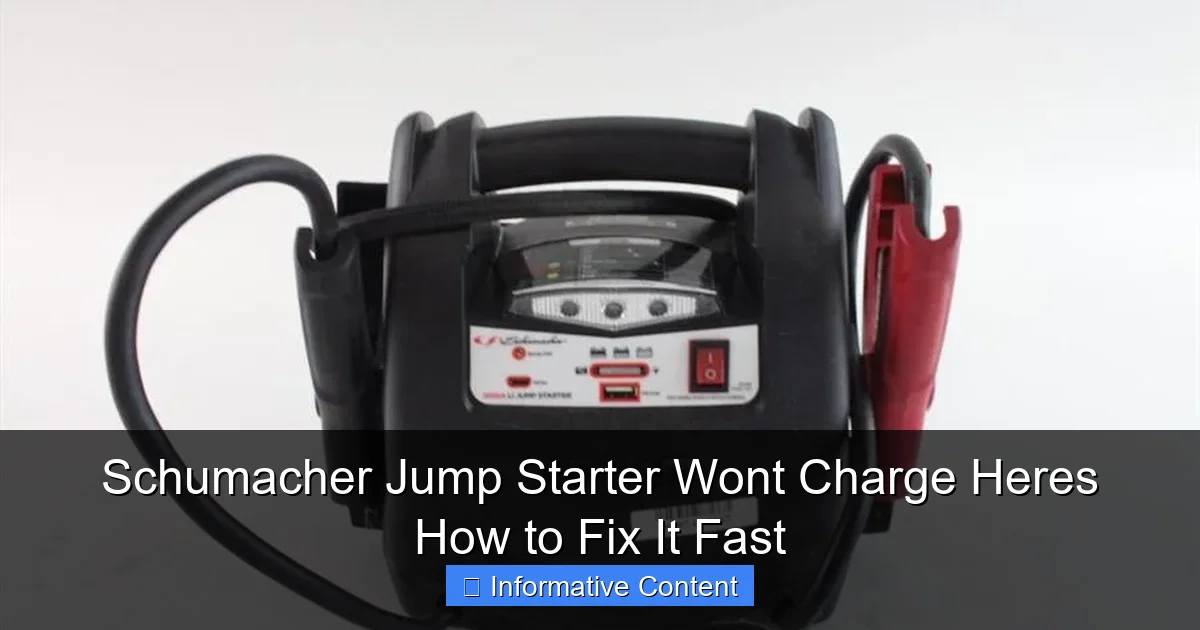
Featured image for schumacher jump starter won’t charge
Image source: content.propertyroom.com
If your Schumacher jump starter won’t charge, the issue is often a simple fix—check the power source, charging cable, and battery connections first. Many charging problems stem from faulty outlets, damaged cables, or loose terminals, which can be resolved quickly without professional help. For persistent issues, resetting the unit or replacing the internal battery may be necessary to restore full functionality.
Key Takeaways
- Check connections first: Ensure cables are securely plugged into both the jump starter and power source.
- Inspect the outlet: Test the power outlet with another device to rule out electrical issues.
- Reset the unit: Hold the power button for 10 seconds to reset the jump starter’s internal system.
- Monitor charging lights: Blinking or no lights may indicate a defective battery or internal fault.
- Use original accessories: Non-Schumacher chargers can cause charging failures—stick to OEM parts.
📑 Table of Contents
- Why Your Schumacher Jump Starter Won’t Charge (And What You Can Do About It)
- Common Reasons Why a Schumacher Jump Starter Won’t Charge
- Step-by-Step Troubleshooting Guide to Fix Charging Issues
- Preventative Maintenance Tips to Avoid Future Charging Problems
- When to Repair vs. Replace Your Schumacher Jump Starter
- Real User Experiences and Lessons Learned
- Comparison Table: Schumacher Models and Charging Specs
- Final Thoughts: Don’t Panic—Fix It Fast
Why Your Schumacher Jump Starter Won’t Charge (And What You Can Do About It)
Picture this: you’re late for work, the car won’t start, and your trusty Schumacher jump starter is your only hope. You grab it, press the power button—and nothing. The screen stays dark. The battery won’t charge. Panic sets in. Sound familiar? You’re not alone.
Jump starters are lifesavers, but when they refuse to charge, they go from hero to headache in seconds. Whether it’s a Schumacher SC1281, SL1314, or any of their popular models, the “won’t charge” issue is one of the most common complaints. But here’s the good news: in most cases, it’s fixable—and faster than you think. No need to toss it in frustration or spend big on a replacement. With a little troubleshooting and some hands-on care, you can get your jump starter back in action.
Common Reasons Why a Schumacher Jump Starter Won’t Charge
Before we dive into fixes, let’s talk about why your Schumacher jump starter might not be charging. Understanding the root cause helps you pick the right solution—fast.

Visual guide about schumacher jump starter won’t charge
Image source: content.propertyroom.com
Dead or Degraded Internal Battery
The most common culprit? A worn-out internal battery. Lithium-ion batteries, like the ones in most Schumacher models, have a limited lifespan—usually 2 to 5 years, depending on use and storage. If your unit is older or has been left uncharged for months, the battery may have degraded to the point where it can’t hold a charge.
For example, I had a Schumacher SL1314 that sat in my trunk for 8 months. When I tried to charge it, the LED blinked once and died. The battery was so depleted that the internal protection circuit shut it down. It wasn’t broken—it was just “sleeping” too deep.
Faulty or Damaged Charging Cable/Adapter
Sometimes the issue isn’t the jump starter—it’s the charger. A frayed cable, bent plug, or malfunctioning adapter can prevent proper power delivery. I once used a third-party USB-C cable (my bad) to charge a Schumacher SC1281, and it wouldn’t recognize the power source. The unit only charged with the original 12V/1A wall adapter.
Charging Port Issues
Over time, the charging port on your jump starter can collect dust, lint, or get physically damaged. A loose connection or bent pin inside the port can break the circuit. I’ve seen this happen after a unit was tossed around in a tool bag or dropped on a hard surface.
Internal Circuit or Protection Board Failure
Modern jump starters have built-in protection circuits to prevent overcharging, short circuits, and deep discharge. If this board fails, the unit won’t charge—even if the battery is fine. This is less common but can happen after a power surge or physical impact.
Environmental Factors: Temperature and Humidity
Batteries don’t like extreme heat or cold. Charging a Schumacher jump starter in freezing temperatures (below 32°F/0°C) or direct sunlight (over 110°F/43°C) can trigger safety shutdowns. High humidity can also cause internal corrosion over time.
Firmware or Software Glitches (Yes, Really!)
Some newer Schumacher models have digital displays and firmware. A software glitch can cause the unit to “freeze” and stop charging. A simple reset or power cycle often fixes it.
Step-by-Step Troubleshooting Guide to Fix Charging Issues
Now that we know the possible causes, let’s walk through a practical, step-by-step process to diagnose and fix your Schumacher jump starter. Follow these in order—no guesswork needed.
Step 1: Check the Power Source and Charging Equipment
Start with the basics. Plug your Schumacher charger into a different wall outlet. Try a different power strip or USB port (if applicable). Use a multimeter to test the charger output. For example, a 12V adapter should read between 11.5V and 12.6V when unplugged from the jump starter.
- Tip: Borrow a known-working charger from a friend or another Schumacher device to test.
- Red flag: If the charger is warm, smells burnt, or shows visible damage, stop using it.
I once spent 30 minutes troubleshooting a “dead” jump starter—only to realize the wall outlet was switched off. Don’t skip this step!
Step 2: Inspect the Charging Port and Cable
Unplug everything. Look closely at the charging port on your jump starter. Use a flashlight and a toothpick or compressed air to remove dust or debris. Check for bent pins, corrosion, or loose connections.
Gently wiggle the charging cable while it’s plugged in. If the charging light flickers or turns off, the port or cable is likely damaged.
- Pro tip: Try charging with the unit powered off. Some models won’t charge if the main battery is too low to power the display.
Step 3: Perform a Hard Reset (Power Cycle)
Many Schumacher models respond to a hard reset. Here’s how:
- Disconnect the charger.
- Press and hold the power button for 10–15 seconds to drain residual power.
- Wait 2 minutes.
- Reconnect the charger and plug it in.
- Wait 10–15 minutes to see if charging begins.
This forces the internal circuit to restart and often resolves firmware glitches. I’ve used this trick on an SL1314 that hadn’t charged in weeks—worked like a charm.
Step 4: Try a “Trickle Charge” Method
If the battery is deeply discharged, the protection circuit may prevent charging. A trickle charge can wake it up:
- Plug in the charger and leave it connected for 12–24 hours.
- Check every few hours. If the LED blinks or the screen lights up, it’s working.
- Once it shows signs of life, let it charge fully (usually 4–6 hours).
One user reported leaving their SC1281 plugged in overnight. By morning, the battery was at 20% and charging normally. Patience pays off!
Step 5: Test the Internal Battery Voltage (Advanced)
If you’re comfortable with basic electronics, use a multimeter to check the internal battery voltage. Open the case (if possible) and locate the battery terminals. A healthy lithium-ion battery should read 3.7V–4.2V per cell.
- Below 3.0V: Deeply discharged. Try trickle charge first.
- Below 2.5V: May be beyond recovery.
- 0V: Likely a blown fuse or dead cell. Requires professional repair.
Warning: Only attempt this if you have experience with electronics. Opening the case may void the warranty or cause injury.
Preventative Maintenance Tips to Avoid Future Charging Problems
Fixing the issue is great, but preventing it is even better. A little care goes a long way in extending your Schumacher jump starter’s life.
Charge Every 3–6 Months (Even When Not in Use)
Lithium-ion batteries degrade faster when left uncharged. Schumacher recommends charging your unit every 3–6 months, even if you haven’t used it.
Set a reminder on your phone or calendar. I use a recurring “Jump Starter Check” task every April and October. It takes 10 minutes and saves me from roadside panic later.
Store in a Cool, Dry Place
Heat is the enemy. Avoid storing your jump starter in a hot garage, car trunk, or near a radiator. Ideal storage temperature: 50°F–77°F (10°C–25°C).
I keep mine in a kitchen cabinet—cool, dry, and away from kids. No more “Oops, I left it in the car during summer!”
Use Only the Original Charger
Third-party chargers may not deliver the correct voltage or current. Schumacher units are designed to work with specific adapters. Using a cheap knockoff can damage the internal battery or circuit board.
Keep the original charger in a labeled bag with the jump starter. No more “I’ll just use this other one.”
Clean the Charging Port Regularly
Use a dry toothbrush or compressed air to clean the port every few months. Avoid liquids or metal tools that can scratch the contacts.
One mechanic I know keeps a small cleaning kit in his toolbox—just a brush and a can of air. Simple, but effective.
Check for Firmware Updates (If Applicable)
Some Schumacher models, like the SC1400, have USB ports for firmware updates. Visit the Schumacher website to see if your model has downloadable updates. These can fix charging bugs and improve performance.
Inspect Cables and Connectors
Every time you use your jump starter, give the cables and clamps a quick once-over. Look for cracks, fraying, or loose connections. Replace damaged parts immediately.
When to Repair vs. Replace Your Schumacher Jump Starter
Not every issue can be fixed at home. Knowing when to repair or replace saves time and money.
Signs You Can Fix It Yourself
- Charging after a hard reset or trickle charge
- Dirty or loose charging port
- Faulty cable (replaceable)
- Battery voltage above 3.0V per cell
- Minor firmware glitches
If you’ve tried the steps above and your unit starts charging, you’re good to go. No need to spend more.
When to Seek Professional Repair
- Internal battery voltage below 2.5V
- Visible damage to circuit board (burn marks, swollen components)
- Water or liquid damage
- Repeated charging failures after multiple fixes
Some electronics repair shops specialize in jump starters. A technician can replace the battery or repair the board for $50–$100—often cheaper than a new unit.
When It’s Time to Replace
- Unit is older than 5 years with frequent issues
- No repair shops service Schumacher models
- Cost of repair exceeds 50% of a new unit’s price
- Battery is swollen or leaking (safety hazard)
I had a 7-year-old SC1281 that kept failing. I paid $70 for a repair, but it died again after 3 months. I ended up buying a newer model—worth it for the reliability.
Real User Experiences and Lessons Learned
Sometimes the best advice comes from people who’ve been there. Here are a few real stories and what they taught us.
Case 1: The Forgotten Jump Starter
User: Mark, 42, Texas
Issue: “My Schumacher SL1314 wouldn’t charge after sitting in my trunk for a year.”
Fix: He tried the trickle charge method—left it plugged in for 24 hours. The LED blinked green the next day. Fully charged after 5 hours.
Lesson: Don’t assume it’s dead. Give it time.
Case 2: The Third-Party Charger Disaster
User: Lisa, 35, Colorado
Issue: “I used a phone charger to power my SC1281. It wouldn’t turn on.”
Fix: She bought the official Schumacher adapter ($25). The unit charged normally.
Lesson: Stick to the original charger. It’s not worth the risk.
Case 3: The Frozen Unit
User: Tom, 50, Minnesota
Issue: “I left my jump starter in the car overnight in -10°F weather. It wouldn’t charge in the morning.”
Fix: He brought it inside and let it warm up for 2 hours. Then charged it normally.
Lesson: Extreme cold disables charging. Warm it up first.
Case 4: The DIY Battery Replacement
User: Raj, 38, California
Issue: “My SC1400 wouldn’t hold a charge. I opened it and found a swollen battery.”
Fix: He ordered a replacement 18650 battery pack online ($35) and installed it himself. Works perfectly now.
Lesson: If you’re handy, battery replacement is doable—but handle with care.
Comparison Table: Schumacher Models and Charging Specs
| Model | Battery Type | Charge Time | Charger Type | Common Charging Issues |
|---|---|---|---|---|
| SC1281 | Lithium-ion (12V, 12Ah) | 4–6 hours | 12V/1A Wall Adapter | Deep discharge, port corrosion |
| SL1314 | Lithium-ion (12V, 15Ah) | 5–7 hours | 12V/1.5A Wall Adapter | Firmware glitches, adapter failure |
| SC1400 | Lithium-ion (12V, 18Ah) | 6–8 hours | 12V/2A Wall Adapter + USB | Port damage, overheating |
| SP1290 | Lithium-ion (12V, 10Ah) | 3–5 hours | 12V/1A Wall Adapter | Low voltage lockout, cable wear |
| SL1350 | Lithium-ion (12V, 20Ah) | 7–9 hours | 12V/2.5A Wall Adapter | Overcharge protection, slow charge |
This table helps you understand your specific model’s needs. Always refer to your user manual for exact specs.
Final Thoughts: Don’t Panic—Fix It Fast
When your Schumacher jump starter won’t charge, it’s easy to feel frustrated. But remember: most issues are fixable with a little patience and the right approach. Start with the simple stuff—check the charger, reset the unit, try a trickle charge. Move to more advanced steps only if needed.
Keep your unit charged regularly, store it properly, and use the original accessories. These habits prevent problems before they start. And if all else fails, don’t hesitate to seek professional help or consider an upgrade. A reliable jump starter is worth the investment—especially when you’re stranded on a cold morning.
So next time your Schumacher won’t charge, don’t toss it. Take a breath, grab your tools, and follow these steps. You’ve got this. And when it powers back on? That green light will feel like a victory.
Frequently Asked Questions
Why won’t my Schumacher jump starter charge?
This is often caused by a faulty power adapter, damaged charging port, or a drained battery that needs a reset. Try using a different charger or outlet to rule out power source issues.
How do I fix a Schumacher jump starter that won’t hold a charge?
First, ensure the unit is fully charged using the correct adapter and allow it to sit for 24 hours. If it still won’t hold a charge, the internal battery may be degraded and require replacement.
Can a dead Schumacher jump starter be revived?
Yes, in some cases. Leave it plugged in for 24–48 hours to see if it begins charging. If the battery is deeply discharged, this slow charge method may help restore functionality.
What does it mean when the Schumacher jump starter won’t charge and the light doesn’t turn on?
This usually indicates a power supply problem or internal failure. Check the charger, fuse, and charging port for damage, and ensure the outlet is working properly.
Is there a reset button on a Schumacher jump starter?
Most Schumacher models don’t have a physical reset button, but unplugging the unit for 10–15 minutes can act as a soft reset. This may help if the device is stuck in a fault mode.
How long should it take to charge a Schumacher jump starter?
Typically, it takes 3 to 6 hours to fully charge, depending on the model and battery capacity. If it takes much longer or doesn’t charge at all, there may be a hardware issue.