
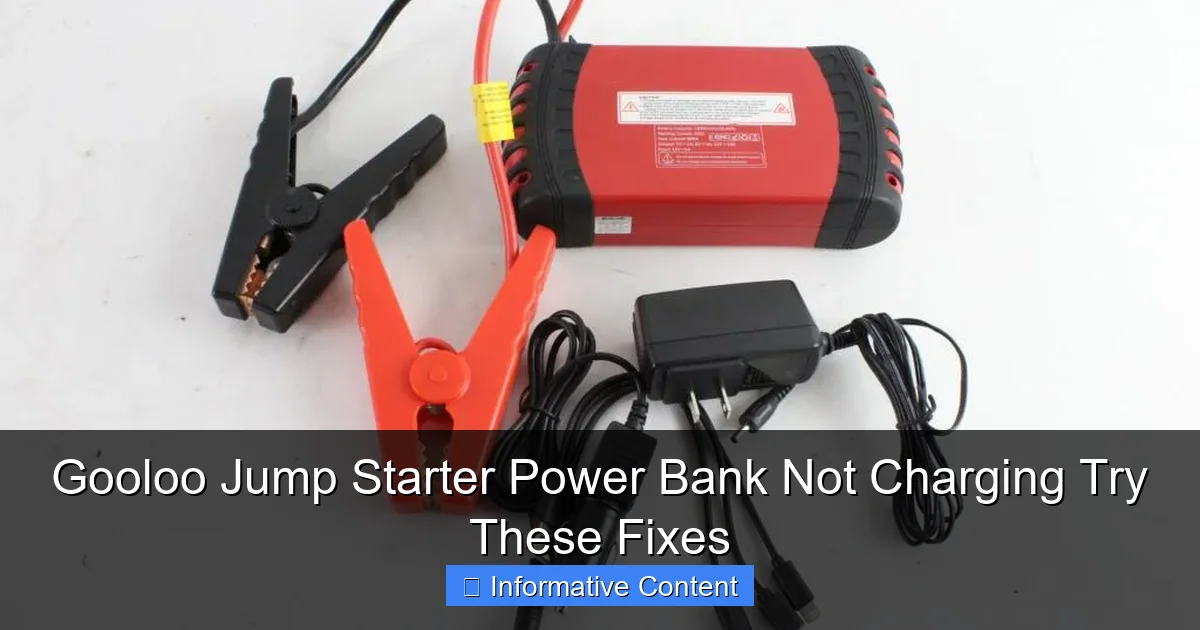
Featured image for gooloo jump starter power bank not charging
Image source: content.propertyroom.com
If your Gooloo jump starter power bank isn’t charging, first check the power source and charging cable for compatibility and damage—this resolves most issues. Try a different outlet or USB-C cable, and ensure the input matches the device’s requirements. Still no luck? Reset the unit or contact Gooloo support—don’t risk a faulty battery.
Key Takeaways
- Check the power source: Ensure your outlet or USB port is working before assuming the jump starter is faulty.
- Inspect charging cables: Use only high-quality, undamaged cables compatible with your Gooloo model.
- Reset the device: Press and hold the power button for 10+ seconds to reset internal circuitry.
- Allow cooling time: Overheating can pause charging—let the unit cool before retrying.
- Verify battery level: A completely drained battery may need 30+ minutes of charging before showing signs of life.
- Test with another charger: Try a different adapter or power bank to isolate the issue.
📑 Table of Contents
- Why Your Gooloo Jump Starter Power Bank Isn’t Charging—And What to Do About It
- Understanding How Gooloo Jump Starter Power Banks Charge
- Top 5 Reasons Your Gooloo Jump Starter Power Bank Isn’t Charging
- Step-by-Step Troubleshooting Guide
- Prevention: How to Keep Your Gooloo Jump Starter Charging Smoothly
- Real-World Data: Charging Performance of Popular Gooloo Models
- Final Thoughts: Don’t Give Up on Your Gooloo Just Yet
Why Your Gooloo Jump Starter Power Bank Isn’t Charging—And What to Do About It
Imagine this: you’re late for an important meeting, your car won’t start, and you reach for your trusty Gooloo jump starter power bank—only to find it’s completely dead. You plug it in, wait, and… nothing. The screen stays black, the indicator lights don’t blink, and your hopes of a quick fix start to fade. If you’ve been there, you’re not alone. Many Gooloo jump starter owners have faced the frustrating issue of their device not charging, and it’s more common than you might think.
But before you toss it in the drawer or write off the brand entirely, take a breath. Most charging issues with Gooloo jump starter power banks aren’t permanent. Often, they stem from simple, fixable causes—like a loose cable, a drained battery, or a misunderstood charging indicator. In this guide, we’ll walk you through the most common reasons your Gooloo jump starter power bank isn’t charging and provide real, actionable fixes that you can try at home. Whether you’re a weekend warrior, a road-trip enthusiast, or just someone who likes to be prepared, this troubleshooting journey will help you get back on the road—without calling a tow truck.
Understanding How Gooloo Jump Starter Power Banks Charge
How the Charging System Works
Before diving into fixes, it helps to understand how your Gooloo jump starter power bank charges. Unlike regular phone power banks, jump starters are built to deliver high bursts of energy to start a car. That means they use larger lithium-ion or lithium-polymer batteries, often with capacities ranging from 12,000mAh to 20,000mAh or more. Charging these batteries requires more time, power, and attention to detail.
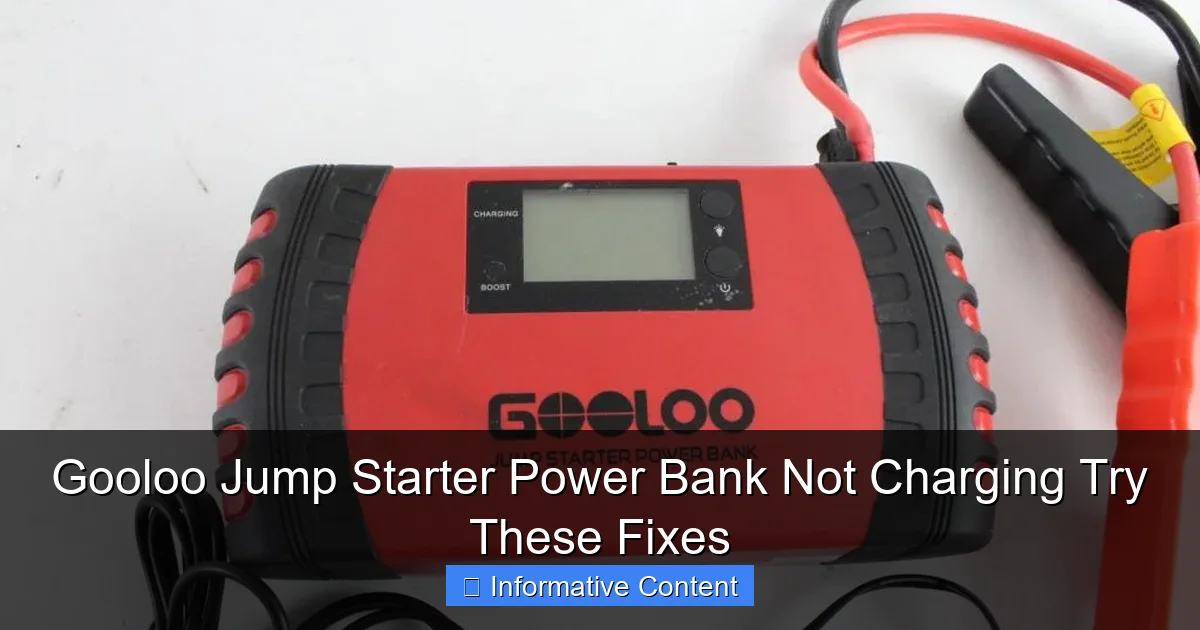
Visual guide about gooloo jump starter power bank not charging
Image source: content.propertyroom.com
Most Gooloo models (like the GT4000, GT3000, and GT1500) come with a standard micro-USB or USB-C input port for charging. Some newer models even support fast charging via 18W or higher adapters. The charging process typically involves:
- A compatible wall adapter (5V/2A or higher recommended)
- A quality USB cable (often included)
- Proper connection to the input port
- A full charge cycle that can take 4–8 hours, depending on capacity
Here’s a key point: Gooloo jump starters are designed to protect the battery from overcharging, deep discharge, and short circuits. That’s great for safety—but it also means the device might appear “dead” when it’s actually in protective mode. So if your Gooloo jump starter power bank isn’t charging, it might not be broken—just being cautious.
Common Charging Indicators and What They Mean
Gooloo models usually have LED indicators that show charging status. For example:
- Solid red light: Charging in progress
- Flashing red light: Low battery or charging error
- Solid green or blue light: Fully charged
- No light at all: Could mean no power, a faulty cable, or a deeply discharged battery
One common mistake? Assuming no light means a dead device. In reality, if the battery is completely drained, the charging circuit might take a few minutes to “wake up.” So if your Gooloo jump starter power bank isn’t charging and shows no lights, don’t panic—just wait and watch for 5–10 minutes.
Top 5 Reasons Your Gooloo Jump Starter Power Bank Isn’t Charging
1. The Battery Is Deeply Discharged (“Sleep Mode”)
One of the most frequent causes of a Gooloo jump starter power bank not charging is a deeply discharged battery. When a lithium-ion battery drops below a certain voltage (usually around 2.5V per cell), the built-in Battery Management System (BMS) shuts down to prevent damage. This is called “sleep mode,” and it can make the device appear completely dead.
For example, if you left your Gooloo jump starter unused for several months, or if you used it to jump-start a car multiple times without recharging, the battery might have fallen into this state. The good news? It’s often reversible.
What to do:
- Plug in the charger and wait at least 10–15 minutes with the device connected. The BMS may take time to detect the charger and wake up the battery.
- If no lights appear after 15 minutes, try using a higher-output charger (like a 5V/3A or 9V/2A fast charger). Sometimes a weak adapter can’t provide enough “kick” to wake the BMS.
- As a last resort, use a smart charger or a USB power meter to check if any current is flowing. Even 0.1A can indicate the battery is slowly waking.
2. Faulty or Incompatible Charging Cable or Adapter
You’d be surprised how often a simple cable is the culprit. Gooloo jump starter power banks require a solid connection and sufficient power input. If your USB cable is frayed, bent, or low-quality, it might not deliver enough current—even if it looks fine.
I once spent an hour troubleshooting a Gooloo GT3000 that wouldn’t charge, only to realize I was using a cheap phone cable that couldn’t handle more than 1A. The moment I swapped in the original cable, the red charging light came on.
What to do:
- Use the original charging cable and adapter that came with your Gooloo. If you lost them, invest in a high-quality USB-A to micro-USB or USB-C cable rated for 2A or higher.
- Avoid “charging-only” cables—some third-party cables only have power lines and lack data lines, which can confuse the BMS.
- Test your cable with another device. If your phone charges slowly or not at all, the cable is likely the problem.
- Try a different wall adapter. A 5V/1A phone charger might not be enough for a 20,000mAh jump starter. Use at least a 5V/2A or 9V/2A fast charger.
3. Dirty or Damaged Charging Port
Over time, dust, lint, and pocket debris can build up inside the charging port. Even a small amount can block the connection between the cable and the internal pins. I’ve seen this happen with jump starters that lived in a car’s glove box—dust from keys, coins, and paper clips gets sucked in.
Also, if you’ve dropped the device or plugged in the cable at an angle, the port’s internal pins might be bent or broken.
What to do:
- Turn off the device and unplug it.
- Use a soft brush (like a clean toothbrush) or compressed air to gently remove debris from the port.
- For stubborn lint, use a plastic toothpick (never metal!) to carefully lift out the gunk. Be gentle—don’t push too hard.
- Inspect the port for bent or missing pins. If you see damage, it might need professional repair or replacement.
- After cleaning, plug in the charger and check if the lights turn on.
4. Overheating or Environmental Damage
Gooloo jump starters are designed for outdoor use, but extreme temperatures can mess with charging. Lithium-ion batteries hate heat (above 45°C/113°F) and cold (below 0°C/32°F). If your device was left in a hot car trunk or a freezing garage, the BMS might have triggered a thermal shutdown.
I once tried charging a Gooloo GT4000 after it spent a summer day in a black car parked in 95°F weather. The device felt warm, and no lights came on. After letting it cool for 2 hours, it started charging normally.
What to do:
- Let the device rest in a cool, dry place for at least 1–2 hours if it’s been exposed to heat or cold.
- Never charge a jump starter in direct sunlight or near a heater.
- If the device feels hot during charging, unplug it and let it cool. Overheating can degrade battery life over time.
- Store your Gooloo in a temperature-controlled environment when not in use.
5. Internal Battery or Circuit Failure
While rare, sometimes the issue is internal. The battery cells might be degraded, the BMS board could be faulty, or a component on the circuit board may have failed. This is more likely if:
- The device won’t charge even after trying all the above fixes
- It shows erratic behavior (lights flashing randomly, turning off suddenly)
- It’s more than 2–3 years old and has been heavily used
What to do:
- Check if your Gooloo is still under warranty (most come with 1–2 years). Contact Gooloo support for a replacement or repair.
- If out of warranty, consider professional repair—but weigh the cost against buying a new unit.
- As a temporary test, try using the jump starter to start a car (if it powers on). If it works but won’t charge, the issue might be isolated to the charging circuit.
Step-by-Step Troubleshooting Guide
Your 6-Step Plan to Fix a Gooloo Jump Starter Power Bank Not Charging
Let’s put it all together. Follow this step-by-step guide to diagnose and fix your Gooloo jump starter:
- Wait and Watch: Plug in the original charger and cable. Leave it for 10–15 minutes. Watch for any light, even a flicker.
- Swap the Cable: Try a known-good, high-quality cable and a 5V/2A or higher wall adapter.
- Clean the Port: Use compressed air or a soft brush to remove dust and debris.
- Check the Environment: Ensure the device is at room temperature. Avoid charging in extreme heat or cold.
- Try a “Wake-Up” Trick: If the battery is in sleep mode, connect it to a higher-output charger (like a laptop USB port or a car USB port with 2.4A) for 1–2 minutes, then switch to the wall charger.
- Test with a Multimeter (Optional): If you have one, check the voltage at the input port. You should see 5V when the cable is connected. If not, the port or cable is faulty.
Pro tip: Keep a charging log. Note the time, adapter used, cable type, and light behavior. This helps you spot patterns—like a cable that works only after being wiggled.
Prevention: How to Keep Your Gooloo Jump Starter Charging Smoothly
Best Practices for Long-Term Use
Prevention is always better than cure. Here’s how to avoid future charging issues:
- Charge every 3–6 months if not in use. Lithium batteries self-discharge over time. Letting them sit for a year can push them into deep discharge.
- Use quality cables and adapters. Avoid dollar-store USB cables. Invest in branded ones with good reviews.
- Store in a clean, dry place. A sealed plastic bag with silica gel packets helps prevent dust and moisture.
- Label your cables. Keep the original Gooloo cable in a separate pouch so you always know which one to use.
- Update firmware (if applicable). Some newer Gooloo models have app connectivity and firmware updates that can improve charging performance.
When to Replace vs. Repair
Even with care, all batteries degrade. If your Gooloo jump starter power bank isn’t charging and:
- It’s older than 3 years
- It takes more than 12 hours to charge
- It holds less than 50% of its original capacity
- It fails multiple troubleshooting steps
…it might be time to consider a replacement. But don’t rush—try all the fixes above first. A $2 cable could save you $100 on a new unit.
Real-World Data: Charging Performance of Popular Gooloo Models
To give you a better idea of what to expect, here’s a comparison of charging times and behaviors across common Gooloo jump starter models:
| Model | Battery Capacity | Input Port | Recommended Charger | Charge Time (0–100%) | Sleep Mode Recovery |
|---|---|---|---|---|---|
| Gooloo GT1500 | 15,000mAh | Micro-USB | 5V/2A | 6–7 hours | Yes (with 10-min wait) |
| Gooloo GT3000 | 18,000mAh | Micro-USB | 5V/2A or 9V/2A | 7–8 hours | Yes (higher charger helps) |
| Gooloo GT4000 | 20,000mAh | USB-C | 5V/3A or 9V/2A | 8–9 hours | Yes (may need 15-min wait) |
| Gooloo GT4000S | 20,000mAh | USB-C + Solar | 5V/3A or solar (slow) | 8–10 hours (wall), 20+ hrs (solar) | Yes (solar can help wake) |
Note: Charge times are estimates based on real user reports and manufacturer specs. Using a fast charger can reduce time by 1–2 hours.
Final Thoughts: Don’t Give Up on Your Gooloo Just Yet
Finding your Gooloo jump starter power bank not charging can be stressful—especially when you need it most. But more often than not, the solution is simpler than you think. From a deeply discharged battery to a dusty charging port, most issues are fixable with patience and the right approach.
Remember: lithium-ion batteries are smart. They protect themselves. That’s why a Gooloo might seem dead when it’s actually just being cautious. By following the steps in this guide—waiting, cleaning, swapping cables, and checking the environment—you’ll give your device the best chance to come back to life.
And if it doesn’t? Don’t beat yourself up. Every device has a lifespan. But now, you’ll know exactly what to try next time—or how to prevent the problem altogether.
So next time your Gooloo jump starter power bank isn’t charging, take a deep breath, grab your original cable, and work through the checklist. With a little troubleshooting, you’ll likely be back on the road in no time. Stay safe, stay prepared, and keep that jump starter charged—because you never know when you’ll need it.
Frequently Asked Questions
Why is my Gooloo jump starter power bank not charging?
This issue is often caused by a faulty charging cable, low input power source, or a drained battery. Try using a different USB-C cable and a high-output wall adapter (18W or higher) to rule out connection problems.
How do I fix a Gooloo jump starter that won’t charge or turn on?
Perform a reset by holding the power button for 15–20 seconds. If the device still doesn’t respond, ensure the battery isn’t fully depleted by charging it with a reliable power source for at least 30 minutes before retesting.
Can a dead battery cause my Gooloo jump starter power bank not charging?
Yes, if the internal lithium battery is deeply discharged, the unit may not show charging signs immediately. Leave it connected to a high-wattage charger for 1–2 hours; some models require a minimum voltage to activate the charging circuit.
Is there a reset button on Gooloo jump starters when they stop charging?
Gooloo jump starters don’t have a physical reset button, but you can soft reset by pressing and holding the power button for 15+ seconds. This often resolves charging errors due to firmware glitches or temporary circuit lockups.
Why does my Gooloo jump starter show a charging light but won’t power up?
This could indicate a partial charge or battery calibration issue. Fully charge the unit (4–6 hours), then discharge it completely by using the USB ports before recharging. Repeat this cycle once to recalibrate the battery.
What should I do if my Gooloo power bank charges other devices but won’t recharge itself?
The issue may lie with the input port or internal charging module. Test with a different cable and adapter, and inspect the port for debris. If problems persist, contact Gooloo support—this often points to a hardware fault requiring repair or replacement.