
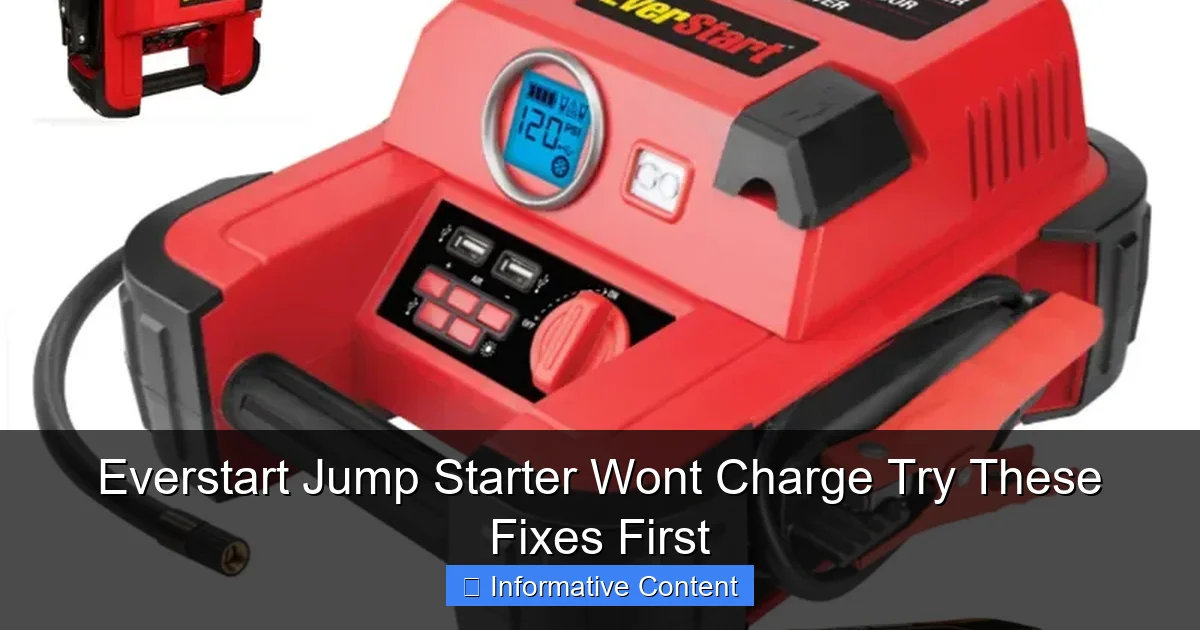
Featured image for everstart jump starter wont charge
Image source: docerp.s3.amazonaws.com
If your Everstart jump starter won’t charge, the issue is often a faulty power source or dirty charging port—always test with a different outlet and inspect the port for debris first. Try resetting the unit by holding the power button for 10 seconds, and ensure you’re using the original charger to avoid compatibility problems. These quick fixes resolve most charging issues without needing a replacement.
Key Takeaways
- Check the power source: Ensure the outlet or USB port is functional before troubleshooting further.
- Inspect cables and connections: Look for frayed wires or loose plugs that block charging.
- Reset the device: Hold the power button for 10 seconds to restart the jump starter.
- Test with alternate cables: Swap chargers to rule out faulty accessories causing the issue.
- Monitor charging indicators: Blinking lights often signal errors; consult the manual for codes.
- Avoid extreme temperatures: Charge only in recommended temperature ranges for safety and efficiency.
📑 Table of Contents
- Everstart Jump Starter Wont Charge? You’re Not Alone
- Check the Basics: Power Source and Connections
- Reset the Jump Starter: A Hidden Fix That Works
- Diagnose Battery Health and Charging Cycles
- Environmental and Usage Factors That Affect Charging
- When to Seek Professional Help or Replace the Unit
- Final Thoughts: Don’t Panic—Try These Fixes First
Everstart Jump Starter Wont Charge? You’re Not Alone
We’ve all been there—you’re running late for work, your car won’t start, and your trusty Everstart jump starter, which has saved you more times than you can count, suddenly decides not to cooperate. You plug it in, wait for the familiar charging lights, and… nothing. No response. No sign of life. Just silence. It’s frustrating, especially when you’re counting on it in a pinch.
Before you toss it in the trash or rush out to buy a replacement, take a deep breath. A dead jump starter doesn’t always mean it’s beyond repair. In many cases, the issue is fixable—often with a few simple troubleshooting steps. Whether it’s a faulty cable, a drained internal battery, or just a software hiccup, there are several things you can try before giving up. And the best part? Most of these fixes take less than 30 minutes and require no special tools.
In this guide, we’ll walk you through the most common reasons why your Everstart jump starter won’t charge and how to fix them—step by step. We’ll cover everything from basic checks to deeper diagnostics, with real-life scenarios and practical tips so you can get back on the road with confidence. No tech degree needed. Just common sense and a little patience.
Check the Basics: Power Source and Connections
It sounds obvious, but the first step in solving any charging issue is to make sure you’re actually giving your jump starter the power it needs. It’s easy to overlook the simplest things when you’re stressed or in a hurry, so let’s start here. For a comprehensive overview of how car battery jump starters work, check out our complete automotive battery jump starter guide.

Visual guide about everstart jump starter wont charge
Image source: docerp.s3.amazonaws.com
Is Your Outlet Working?
Before blaming the jump starter, verify that your power outlet is functional. Plug in another device—like a phone charger, lamp, or toaster—and see if it turns on. If nothing works, the issue might be a tripped circuit breaker, a blown fuse, or a bad outlet. Try a different outlet, preferably on a different circuit. I once spent 20 minutes troubleshooting a “dead” jump starter, only to realize my garage outlet had lost power after a storm. A quick flip of the breaker fixed everything.
Inspect the Charging Cable
The charging cable is often the weakest link. Look closely at the USB end, the barrel plug (if your model uses one), and the cable itself. Are there any kinks, frayed wires, or bent pins? Even a tiny break in the insulation can prevent current from flowing. Try wiggling the cable near the plug while it’s connected—if the charging light flickers or turns on and off, that’s a sign of a broken wire inside.
Pro tip: If you have a multimeter, test the cable for continuity. If you don’t, borrow one from a friend or buy a basic $15 model. It’s a handy tool to have for car gadgets.
Try a Different Cable and Adapter
Not all USB cables are created equal. Some are designed only for data transfer and can’t carry enough power to charge a jump starter. Use the original Everstart cable and wall adapter if possible. If you’ve lost it, try a high-quality USB-A to USB-C (or micro-USB, depending on your model) cable rated for 2.4A or higher. Avoid cheap “dollar store” cables—they often can’t handle the current.
I learned this the hard way when my jump starter wouldn’t charge with a cable from a friend’s old phone. Switched to the original cable, and boom—charging began within seconds.
Clean the Ports
Over time, dust, lint, and pocket debris can build up in the charging port. Use a can of compressed air or a dry toothbrush to gently blow or brush out any gunk. Be careful not to damage the pins inside. A clogged port might not make a solid connection, especially if the plug feels loose or wobbly.
Reset the Jump Starter: A Hidden Fix That Works
Many Everstart models have a built-in “sleep mode” or protection circuit that kicks in when the internal battery gets too low. This can make the unit appear dead—even when it’s not. The solution? A hard reset.
Perform a Hard Reset
Here’s how to do it:
- Disconnect the jump starter from all power sources.
- Press and hold the power button for 15–30 seconds (even if nothing happens).
- Plug in the charger while still holding the button.
- Continue holding for another 15–30 seconds after plugging in.
- Release the button and wait 5–10 minutes.
This forces the internal circuitry to reboot and can “wake up” a dormant battery. I’ve used this trick on a 2-year-old Everstart that hadn’t been charged in months—and it came back to life after a full reset.
Use the Jump Start Function to Reactivate
Some models have a “boost” or “force start” mode. If your jump starter has a manual jump start option (check the manual), try connecting it to a car battery—even a weak one. Sometimes, the act of attempting a jump start can re-energize the internal cells and trigger charging when you plug it back in. If you’re new to using a jump starter, our step-by-step tutorial for beginners can help.
Note: Never connect the jump starter to a battery that’s already being charged by a charger. Always disconnect the car battery from any external charger first.
Let It Rest Overnight
If the reset doesn’t work immediately, leave the jump starter plugged in overnight (8–12 hours). Some units have a “trickle charge” mode that only activates after a long period of being connected. This is especially true for lithium-ion batteries that have been deeply discharged. Think of it like a phone that won’t turn on after being completely drained—sometimes it needs a long, slow charge to recover.
Diagnose Battery Health and Charging Cycles
Jump starters don’t last forever. Over time, the internal battery degrades—especially if it’s been overcharged, exposed to extreme temperatures, or left uncharged for long periods. Understanding battery health can help you determine whether your Everstart jump starter won’t charge due to age or misuse.
How Long Should It Hold a Charge?
Most Everstart jump starters should retain at least 70–80% of their capacity after 1–2 years of regular use. If yours is older than 3 years and has been used frequently, it might be nearing the end of its life. Lithium-ion batteries typically last 300–500 charge cycles before significant degradation. To understand more about lithium-ion technology in jump starters, read our modern battery technology comparison.
For example, if you use your jump starter once a month, you’re looking at 12 cycles per year. After 4 years, that’s 48 cycles—still within the normal range. But if you’ve used it weekly for a year, you’ve already hit 52 cycles, which could explain reduced performance.
Check for Physical Signs of Failure
Inspect the unit for:
- Battery swelling (the case feels puffy or bulges)
- Unusual heat during charging
- Leaking fluid or strange smells
- Cracks or warping in the plastic
If you notice any of these, stop using the jump starter immediately. A swollen battery is a fire hazard and should be disposed of properly at an electronics or battery recycling center.
Test the Battery Voltage
If you have a multimeter, you can check the internal battery voltage. Most Everstart models use 11.1V or 14.8V lithium-ion packs. Set your multimeter to DC voltage (20V range) and carefully touch the probes to the battery terminals (if accessible—some units have sealed cases).
- Below 9V: Battery is deeply discharged. May need a slow charge or replacement.
- 9–11V: Low but recoverable with proper charging.
- Above 11V: Healthy. If it still won’t charge, the issue is likely the charging circuit, not the battery.
If the voltage reads 0 or near 0, the battery may be dead or disconnected internally. At that point, repair may not be worth the cost—replacement is often the better option.
Environmental and Usage Factors That Affect Charging
How and where you store your jump starter can make a big difference in its longevity and charging ability. A little awareness can prevent future issues.
Temperature Extremes Are the Enemy
Lithium-ion batteries hate heat and cold. Never leave your jump starter in a hot car (above 100°F/38°C) or in freezing temperatures (below 32°F/0°C) for long periods. High heat accelerates battery degradation, while extreme cold can temporarily reduce capacity—or even prevent charging entirely.
I once stored my Everstart in the trunk during a Texas summer. When I tried to charge it after two weeks, it wouldn’t respond. After moving it to a cool garage for a few hours, it started charging—but the battery life was noticeably shorter afterward. Now, I keep mine in the cabin or a climate-controlled area.
Avoid Deep Discharge
Letting your jump starter run completely dead—especially multiple times—can damage the battery. Try to recharge it after every use, even if it only dropped to 70%. Most models have a “low battery” indicator. When it lights up, plug it in within 24 hours.
Charge It Regularly—Even When Not in Use
Experts recommend recharging your jump starter every 3–6 months, even if you haven’t used it. This prevents the battery from entering a deep discharge state. Think of it like a phone—if you leave it off for months, the battery won’t last as long when you finally turn it on.
Don’t Use While Charging
Some people try to jump-start a car while the unit is plugged in. This can overload the charging circuit and cause permanent damage. Always unplug before using the jump start function. For more on the differences between jump starters and battery chargers, see our guide on jump starters vs. battery chargers.
When to Seek Professional Help or Replace the Unit
After trying all the above steps, your Everstart jump starter still won’t charge? It might be time to consider repair or replacement.
Warranty and Customer Support
Everstart products typically come with a 1-year limited warranty (check your manual or receipt). If your unit is still under warranty, contact Walmart customer service—they often offer replacements or store credit. Be ready to provide proof of purchase and describe the issue in detail.
Even if it’s out of warranty, call Everstart support (1-800-323-5700). They may offer troubleshooting tips not in the manual or point you to authorized repair centers. Some users report getting free replacements after describing persistent issues.
Repair vs. Replace: Cost Comparison
Repairing a jump starter can cost $30–$60 for a new battery, plus labor if you’re not doing it yourself. Meanwhile, a new Everstart model ranges from $60–$120. If your unit is over 3 years old, replacement is often the smarter choice.
Here’s a quick comparison:
| Factor | Repair | Replace |
|---|---|---|
| Cost | $30–$60 | $60–$120 |
| Time | 1–2 hours (DIY) | Immediate |
| Warranty | None (usually) | 1 year |
| Battery Life | 2–3 years (new cell) | 3–5 years |
| Reliability | Moderate (depends on repair quality) | High (brand new) |
If the repair cost is more than 50% of a new unit, go for replacement. You’ll get peace of mind, better safety features, and possibly a longer-lasting model.
Choose a Reliable Replacement
If you decide to replace, look for models with:
- Overcharge and short-circuit protection
- LED indicators for charging status
- At least 1000 peak amps for most vehicles
- USB-A and USB-C ports for device charging
- Good user reviews for battery longevity
For help choosing the best model, see our comprehensive guide covering top models for 2026.
Everstart’s newer models (like the 1200A or 2000A) have improved battery management systems that reduce the risk of charging issues. They’re worth the upgrade.
Final Thoughts: Don’t Panic—Try These Fixes First
When your Everstart jump starter won’t charge, it’s easy to feel defeated. But remember: most charging issues are fixable. Start with the basics—check the outlet, cable, and ports. Then try a hard reset and a long charge. Consider battery health, usage habits, and environmental factors. And if all else fails, weigh the cost of repair against a new unit.
Think of your jump starter like a loyal friend. It’s saved you from dead batteries, early mornings, and stressful situations. Treat it with care, charge it regularly, and store it properly. With a little attention, it can keep serving you for years.
And if you’re reading this because your unit just failed? Take heart. You’re not alone. Millions of people rely on jump starters every day, and many have faced the same frustration. But now you have the tools to fix it—or at least know when it’s time to move on.
So next time your Everstart won’t charge, don’t panic. Grab your original cable, find a working outlet, and follow these steps. More often than not, you’ll see those familiar charging lights come back to life. And when they do, you’ll know exactly what to do—because you’ve been there, fixed it, and come out stronger.
Stay charged, stay ready, and keep rolling.
Frequently Asked Questions
Why is my Everstart jump starter not charging?
Your Everstart jump starter might not be charging due to a faulty power source, damaged charging cable, or internal battery issues. Try using a different outlet or cable first to rule out simple causes.
How can I fix an Everstart jump starter that won’t charge?
Start by checking the charging connections for debris, testing the cable, and ensuring the outlet works. If the issue persists, a hard reset (holding the power button for 10+ seconds) may resolve it.
Is there a reset button on an Everstart jump starter?
Most Everstart models don’t have a dedicated reset button, but a hard reset (holding the power button for 10–15 seconds) can often restore functionality. Refer to your manual for model-specific steps.
Can a dead battery cause an Everstart jump starter not to charge?
Yes, if the internal battery is fully depleted or damaged, the device may not charge. Try leaving it plugged in for several hours to “jump-start” the charging process.
What should I do if my Everstart jump starter won’t charge after storage?
Long-term storage can cause the battery to enter protection mode. Plug it in for 24–48 hours to revive it, or use a trickle charger to restore the internal battery.
Are there common signs my Everstart jump starter is charging?
Look for LED indicator lights (often blinking or solid) and listen for a faint charging sound. If no lights appear, the device likely isn’t receiving power or has a deeper issue.