
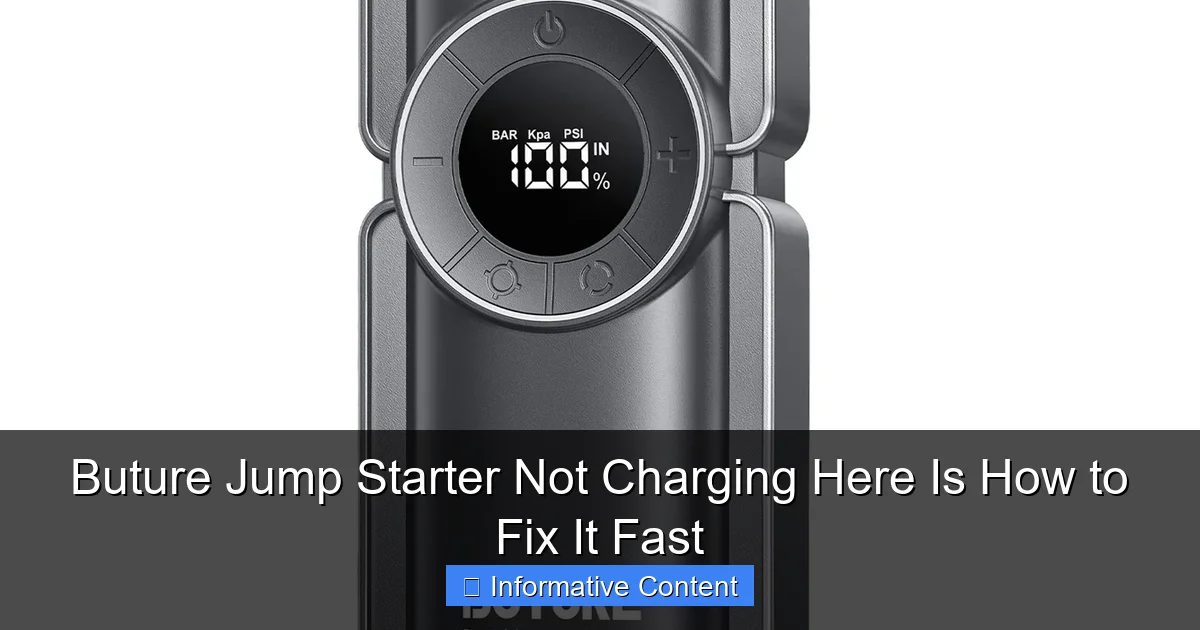
Featured image for buture jump starter not charging
Image source: ibuture.com
If your Buture jump starter isn’t charging, the most common cause is a faulty power source or connection—always verify your outlet, cable, and adapter first. Check for visible damage, ensure the charging port is clean, and try a different cable to rule out simple issues before exploring internal faults. Quick troubleshooting like a factory reset or firmware update can also revive charging functionality fast.
Key Takeaways
- Check connections first: Ensure cables are securely plugged into both the jump starter and power source.
- Use original charger: Third-party chargers may not deliver the correct voltage or current.
- Inspect for damage: Look for frayed wires or bent pins that could disrupt charging.
- Reset the device: Hold the power button for 10 seconds to reset internal circuits.
- Test with another outlet: Faulty wall sockets are a common overlooked issue.
- Update firmware if possible: Manufacturer updates may fix charging bugs or compatibility issues.
📑 Table of Contents
- Buture Jump Starter Not Charging? Don’t Panic – Here’s What to Do
- Why Your Buture Jump Starter Might Not Be Charging
- Step-by-Step Troubleshooting: Fix Your Buture Jump Starter Fast
- Common Mistakes That Prevent Charging (And How to Avoid Them)
- When to Contact Buture Support (And What to Expect)
- Prevention: How to Keep Your Buture Jump Starter Charging Smoothly
- Final Thoughts: Don’t Give Up on Your Buture Jump Starter
Buture Jump Starter Not Charging? Don’t Panic – Here’s What to Do
We’ve all been there: you’re late for work, your car won’t start, and the one tool you rely on – your Buture jump starter – isn’t charging. It’s like a bad movie plot where the hero’s sidekick suddenly goes silent. You plug it in, wait, and nothing. No lights. No signs of life. Just silence and growing frustration.
But before you toss it in the trash or start blaming the universe, take a deep breath. A Buture jump starter not charging is more common than you think, and in most cases, it’s fixable. Whether you’re a first-time user or someone who’s used portable jump starters for years, technical glitches happen. The good news? Many of these issues are simple to diagnose and resolve – often without needing to contact customer support or spend a dime on repairs.
Why Your Buture Jump Starter Might Not Be Charging
When your Buture jump starter refuses to charge, it’s easy to assume the worst. But in reality, the cause is usually something minor – a loose connection, a faulty power source, or a temporary glitch. Let’s break down the most common reasons this happens.
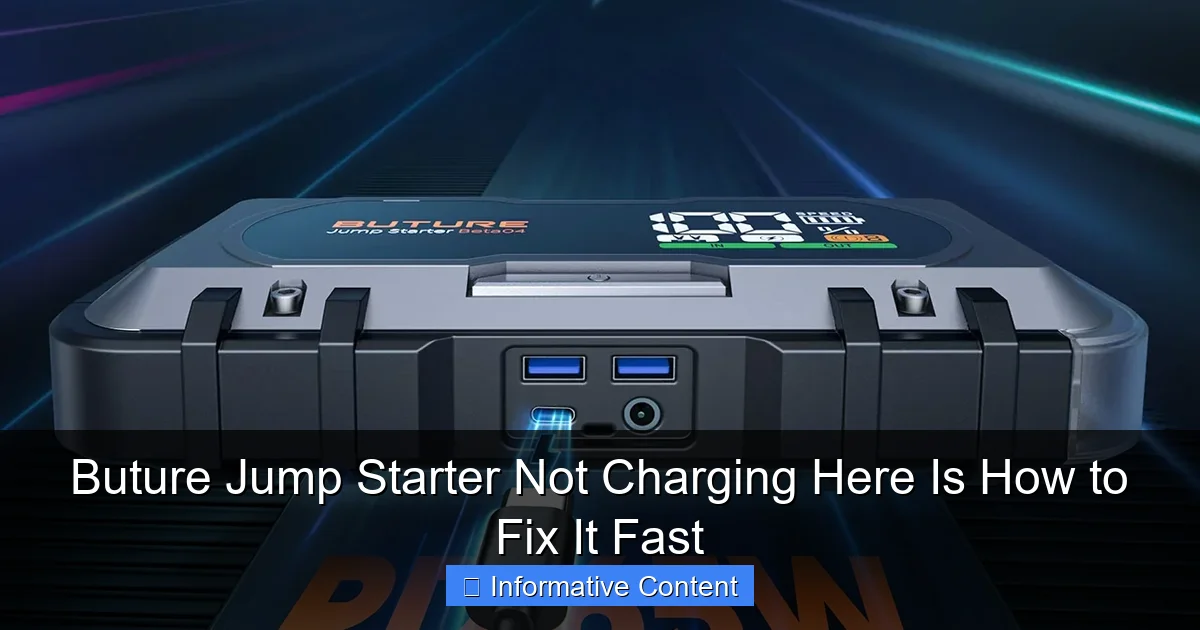
Visual guide about buture jump starter not charging
Image source: ibuture.com
Power Source Problems
It sounds obvious, but you’d be surprised how often people blame the jump starter when the real issue is the wall outlet. Maybe the outlet is dead, the adapter isn’t seated properly, or the power strip is switched off. I once spent 20 minutes troubleshooting a Buture jump starter only to realize my power strip was off – classic facepalm moment.
Always test your outlet with another device, like a phone charger or lamp. If that works, check the adapter. The Buture jump starter typically uses a standard 12V DC wall adapter. Make sure it’s fully plugged in and the cable isn’t frayed or bent. A loose or damaged cable can prevent power from reaching the unit.
Faulty Charging Cable or Adapter
The charging cable is the lifeline between your power source and the jump starter. Over time, cables can wear out, especially if they’ve been coiled tightly or left in extreme temperatures. Look for visible signs of damage: cracks, kinks, or exposed wires.
Try using a different cable or adapter if you have one. Buture jump starters are generally compatible with standard USB-C or barrel plug adapters (depending on the model), so borrowing one from another device can help you test. If the jump starter starts charging with a different cable, you’ve found the culprit.
Battery Protection Mode or Over-Discharge
Modern jump starters like Buture include built-in battery protection to prevent over-discharge, overheating, and short circuits. If the battery has been drained completely or stored for a long time, it might enter a “sleep mode” to protect itself. In this state, it won’t respond to charging attempts right away.
For example, I left my Buture jump starter in my trunk over winter, and when I tried to charge it in spring, nothing happened. After some research, I learned it was in deep discharge mode. A quick trick – leaving it plugged in for 12–24 hours – often wakes it up. Some models even have a “reset” button or require a specific sequence to reactivate.
Internal Battery Degradation (Rare but Possible)
While Buture jump starters use lithium-ion or lithium-polymer batteries designed to last 500+ charge cycles, no battery lasts forever. If your unit is over 2–3 years old and has been heavily used, the battery may have degraded to the point where it can’t hold a charge.
This is less common, but if you’ve ruled out all other causes and the unit still won’t charge, battery wear could be the issue. Signs include rapid discharge, inability to jump-start a car, or charging only to a low percentage (e.g., 10% max).
Step-by-Step Troubleshooting: Fix Your Buture Jump Starter Fast
Now that we’ve covered the “why,” let’s get into the “how.” Here’s a practical, step-by-step guide to get your Buture jump starter charging again – fast.
Step 1: Inspect the Charging Setup
- Check the outlet: Plug in a lamp or phone charger to confirm the outlet works.
- Inspect the adapter: Make sure the wall adapter is fully inserted and the LED indicator (if present) is lit.
- Examine the cable: Look for fraying, bends, or damage. Wiggle the cable near the connectors while it’s plugged in – if the charging light flickers, the cable is likely faulty.
- Try a different outlet and cable: Use a known-working USB-C cable (for newer models) or a compatible 12V adapter.
Pro tip: If you’re using a car charger, make sure your vehicle is running. Some jump starters won’t charge from a car outlet unless the engine is on, as the voltage drops when the car is off.
Step 2: Reset the Jump Starter
Many Buture models have a reset function. This isn’t always clearly labeled, but here’s what to try:
- Press and hold the power button for 10–15 seconds, even if no lights appear.
- Unplug the charger, press the power button, then plug it back in.
- Some users report success by connecting the jump starter to a car’s battery (with the engine off) for 30 seconds, then disconnecting and plugging it into a wall charger.
I tried the third method once after my unit wouldn’t charge. It felt like voodoo, but the jump starter lit up after 30 seconds of connection to my car battery. Sometimes, the internal circuitry needs a small jolt to reactivate.
Step 3: Try “Trickle Charging” for Deep Discharge
If the battery is deeply discharged, it might not respond to fast charging. Instead, try a slow trickle:
- Plug the jump starter into a wall charger.
- Leave it for 12–24 hours, even if no lights come on.
- After that, check the display or LED indicators.
One user on a forum mentioned their Buture jump starter showed no signs of life for 18 hours, then suddenly lit up. The battery just needed time to wake up from its “sleep mode.”
Step 4: Check for Firmware or Software Glitches (For Smart Models)
Some newer Buture jump starters have LCD screens, Bluetooth connectivity, or companion apps. If yours does, a software glitch could cause charging issues.
- Download the Buture app (if available) and check for firmware updates.
- Restart the unit by holding the power button for 10 seconds.
- If the screen is frozen or unresponsive, try the reset sequence mentioned above.
One user reported their jump starter’s screen was stuck on “0%” even after charging. After a firmware update via the app, the display started working again, and charging resumed normally.
Step 5: Test with a Different Power Source
If you’ve tried everything and still have no luck, test with an alternative power source:
- Car charger: Use a 12V car adapter (if your model supports it).
- Power bank: Some Buture jump starters can be charged via USB-C from a high-capacity power bank (check your model’s manual).
- Solar charger: If you have a portable solar panel with a 12V output, try that – though it’s slow.
This helps determine if the issue is with the wall charger or the jump starter itself.
Common Mistakes That Prevent Charging (And How to Avoid Them)
Even experienced users make mistakes that can cause charging problems. Here are the top culprits – and how to avoid them.
Using the Wrong Charger or Cable
Not all USB-C cables are created equal. Some are designed only for data transfer and don’t carry enough power for charging. Similarly, using a low-wattage adapter (e.g., 5W) on a high-capacity jump starter (e.g., 20,000mAh) will result in extremely slow charging or no charging at all.
Always use the original charger or a high-quality third-party option with the same voltage (12V) and amperage (at least 2A). For USB-C models, look for cables labeled “PD” (Power Delivery) and at least 18W output.
Ignoring Environmental Conditions
Lithium batteries don’t like extreme temperatures. Charging a Buture jump starter in freezing cold (below 32°F / 0°C) or scorching heat (above 113°F / 45°C) can trigger safety cutoffs.
For example, I once left my jump starter in my car during a heatwave. When I tried to charge it, the unit refused – the internal thermometer detected overheating. I let it cool in the shade for an hour, and it charged fine after that.
Store and charge your jump starter in a cool, dry place. Avoid direct sunlight, car trunks in summer, or garages in winter.
Leaving It Plugged In Too Long (Or Not Long Enough)
While Buture jump starters have overcharge protection, leaving them plugged in for days can stress the battery. On the flip side, unplugging too early – especially if the battery is deeply discharged – means you’re not giving it enough time to recharge.
Best practice: Charge for the recommended time (usually 4–6 hours), then unplug. If it’s deeply drained, let it sit for 12+ hours as mentioned earlier.
Skipping Regular Maintenance
Even if your jump starter works fine now, neglecting maintenance can lead to future charging issues. Here’s what to do:
- Charge it every 3–6 months if not in use.
- Wipe the ports with a dry cloth to prevent dust buildup.
- Store it at 50% charge if you won’t use it for a while.
A friend of mine stored his Buture jump starter fully charged for a year. When he tried to use it, it wouldn’t hold a charge. The battery had degraded due to prolonged high voltage.
When to Contact Buture Support (And What to Expect)
You’ve tried everything – different outlets, cables, reset methods, and even trickle charging – and your Buture jump starter still won’t charge. It’s time to call in the experts.
How to Reach Buture Customer Support
- Email: Most users report responses within 24–48 hours.
- Phone: Available during business hours (check their website for numbers).
- Warranty portal: Register your product and file a claim online. Buture offers a 1–2 year warranty on most models.
Be ready to provide:
- Model number (usually on the bottom of the unit)
- Date of purchase (keep your receipt)
- Photos of the damage (if any)
- Description of troubleshooting steps you’ve tried
What Support Might Ask You to Do
Don’t be surprised if they ask you to repeat some steps. This is standard to rule out user error. They might:
- Have you try a specific reset sequence.
- Send you a test video or PDF guide.
- Request you ship the unit back (at their cost, if under warranty).
One user shared that Buture sent a prepaid shipping label and replaced their unit within a week – no questions asked.
Out-of-Warranty Options
If your unit is out of warranty, you have a few choices:
- Repair services: Some electronics repair shops can replace the battery.
- DIY battery replacement: Advanced users can order a compatible battery online and swap it themselves (not recommended for beginners).
- Upgrade to a new model: Use the old unit as a trade-in or keep it as a backup.
Keep in mind: Opening the unit yourself may void any remaining warranty and risks damaging internal components.
Prevention: How to Keep Your Buture Jump Starter Charging Smoothly
An ounce of prevention is worth a pound of cure. Here’s how to avoid charging issues in the future.
Use the Right Charging Gear
Stick to the original charger or high-quality equivalents. Invest in a surge protector to prevent voltage spikes from damaging the unit.
Store It Properly
- Keep it in a temperature-controlled environment.
- Store at 50% charge if unused for >3 months.
- Use the included carrying case to protect the ports.
Charge It Regularly
Even if you don’t use it, charge your jump starter every 3–6 months. Lithium batteries degrade faster when left fully discharged.
Monitor Battery Health
Many Buture models have LED indicators or digital displays showing battery percentage. If you notice it’s losing charge faster than usual, it might be time for a replacement battery or unit.
Data Table: Buture Jump Starter Charging Issues & Solutions
| Issue | Likely Cause | Quick Fix | Prevention |
|---|---|---|---|
| No lights when plugged in | Dead outlet, faulty cable, or deep discharge | Test outlet, swap cable, leave plugged in 12+ hours | Use surge protector, inspect cables monthly |
| Charging light flickers | Loose connection or damaged cable | Wiggle cable, use different adapter | Store cable loosely coiled, avoid sharp bends |
| Charges slowly or stops at low % | Low-wattage charger or battery wear | Use original charger, check battery health | Use high-wattage charger, replace unit every 3–5 years |
| Unit overheats while charging | High ambient temperature or faulty battery | Unplug, let cool, charge in shaded area | Charge indoors, avoid direct sunlight |
| Screen frozen (smart models) | Software glitch | Hold power button 10+ seconds, update firmware | Update app/firmware regularly |
Final Thoughts: Don’t Give Up on Your Buture Jump Starter
Finding your Buture jump starter not charging can feel like a dead end – especially when you need it most. But more often than not, the solution is simpler than you think. From checking a dead outlet to resetting a deep-discharge battery, most fixes take less than 30 minutes and require no special tools.
Remember: these devices are built to handle tough conditions, but they’re not indestructible. Treat your jump starter with care – store it properly, charge it regularly, and use the right accessories – and it will serve you reliably for years.
And if all else fails? Reach out to Buture support. They’re generally responsive and stand behind their products. You’re not alone in this – thousands of users have faced the same issue and come out on the other side with a working unit.
So the next time your Buture jump starter won’t charge, don’t panic. Take a breath, follow the steps above, and get back on the road. Your jump starter isn’t broken – it’s just waiting for you to give it a second chance.
Frequently Asked Questions
Why is my Buture jump starter not charging?
A Buture jump starter not charging is often due to a faulty power source, damaged charging cable, or depleted internal battery. Try using a different outlet or cable first to rule out simple issues.
How do I troubleshoot a Buture jump starter that won’t charge?
Check the charging cable for frays, ensure the wall outlet is working, and clean the jump starter’s charging port. If the Buture jump starter still won’t charge, a reset (if supported) may resolve the issue.
Can a dead battery cause my Buture jump starter not to charge?
Yes, if the internal battery is deeply discharged, it may not accept a charge. Try leaving it plugged in for 1–2 hours to “wake up” the battery before assuming it’s defective.
What do the flashing lights mean on my Buture jump starter?
Flashing lights often indicate an error, such as a poor connection or battery fault. Refer to the manual—specific flash patterns usually signal issues like overheating or charging problems.
How long should it take to fully charge a Buture jump starter?
Most Buture models take 3–5 hours to charge fully. If your Buture jump starter not charging persists beyond this, the battery or charging circuit may need professional inspection.
Is there a reset button on my Buture jump starter?
Some Buture models have a reset function (e.g., holding the power button for 10+ seconds). Check your manual for steps—this can resolve charging glitches caused by software errors.