
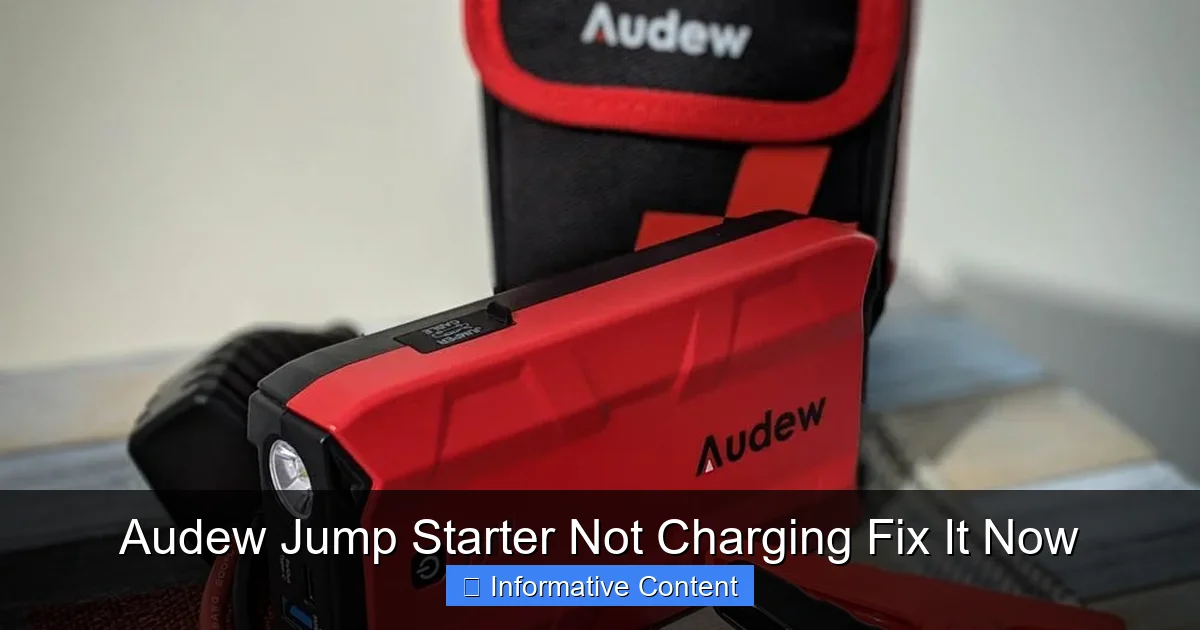
Featured image for audew jump starter not charging
Image source: notenoughtech.com
If your Audew jump starter isn’t charging, the issue is often a faulty charging cable, a drained internal battery, or incorrect charging settings—fix it fast by testing with a different cable or power source first. Ensure the jump starter is powered off during charging and check for LED indicator feedback to confirm it’s receiving power. For persistent issues, a hard reset or professional servicing may be needed to restore full functionality.
Key Takeaways
- Check the power source first: Ensure the outlet or USB port is working before assuming the jump starter is faulty.
- Inspect charging cables and ports: Look for damage, debris, or loose connections that may prevent charging.
- Use the correct charger: Always use the manufacturer-recommended charger to avoid undercharging or damage.
- Reset the device if unresponsive: Press and hold the power button for 10–15 seconds to reboot the system.
- Monitor LED indicators: Understand the light patterns to diagnose charging status and potential errors.
- Avoid extreme temperatures: Charge only in moderate conditions to protect battery health and performance.
- Contact support if issues persist: Reach out to Audew customer service for warranty or repair assistance.
📑 Table of Contents
- Why Is My Audew Jump Starter Not Charging? Let’s Solve This Together
- Understanding How Your Audew Jump Starter Charges
- Top Reasons Why Your Audew Jump Starter Isn’t Charging
- Step-by-Step Troubleshooting Guide
- When to Replace vs. Repair Your Audew Jump Starter
- Preventing Future Charging Issues: Pro Tips
- Final Thoughts: Don’t Panic—Fix It!
Why Is My Audew Jump Starter Not Charging? Let’s Solve This Together
Imagine this: you’re running late for work, you hop into your car, turn the key, and… nothing. The engine won’t start. You reach for your trusty Audew jump starter—only to realize it’s not charging. Your heart sinks. It’s not just inconvenient; it’s downright stressful. You’re not alone. A lot of people face this issue, and it’s more common than you might think. Whether you’re a weekend warrior, a daily commuter, or a road-tripper, a dead jump starter can throw a serious wrench into your plans. But here’s the good news: in most cases, the problem isn’t permanent. With a little troubleshooting, you can often get your Audew jump starter charging again—no need to rush out and buy a new one.
When your Audew jump starter isn’t charging, it’s easy to panic. You might think the device is broken, or worse, that you’ve been scammed by a faulty product. But before you toss it in the trash or write off the brand entirely, take a deep breath. Most charging issues are fixable. This guide is here to walk you through the most common causes—like faulty cables, incorrect power sources, or simple user errors—and show you how to get your jump starter back in action. Think of this as a friendly chat with someone who’s been in your shoes. I’ve dealt with this myself, and I’ve learned a few tricks along the way. Let’s get your Audew jump starter working again so you can get back on the road with confidence.
Understanding How Your Audew Jump Starter Charges
How the Charging System Works
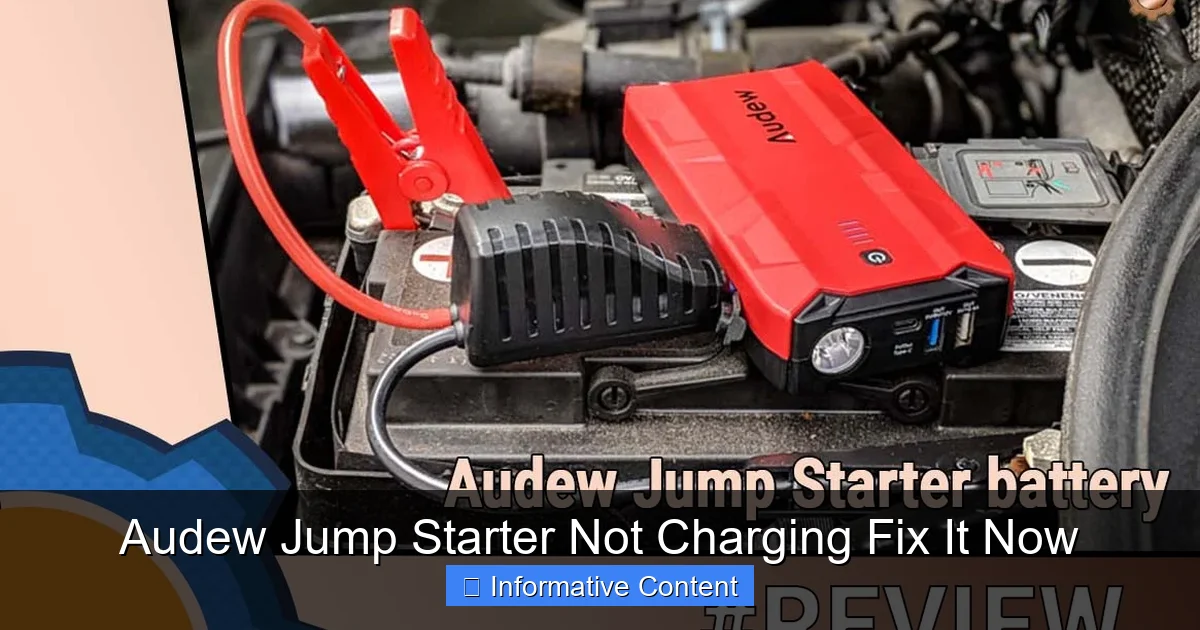
Before we dive into fixes, let’s take a quick look at how your Audew jump starter is supposed to charge. Most Audew models use a lithium-ion battery, similar to your smartphone or laptop. These batteries are efficient, lightweight, and hold a charge well—but they’re also sensitive to how they’re charged and stored. The jump starter typically comes with a charging cable (often USB to DC) and may include an AC wall adapter, a car charger, or both.
Visual guide about audew jump starter not charging
Image source: notenoughtech.com
When you plug it in, the device should display a charging indicator—usually a blinking LED or a progress bar on a digital screen. The charging process involves converting AC power (from the wall) or DC power (from your car) into a safe voltage and current for the internal battery. If this process is interrupted—by a bad cable, a weak power source, or a software glitch—the jump starter won’t charge, even if it appears to be plugged in.
Common Charging Methods for Audew Models
Different Audew jump starters support different charging methods. Here’s a quick breakdown:
- Wall Charging: Using the included AC adapter and USB cable. This is the most reliable method for a full charge.
- Car Charging: Plugging into your vehicle’s 12V outlet (cigarette lighter). Works, but can be slower and less stable if your car’s electrical system is weak.
- USB Charging: Some models can be charged via a computer or power bank using a USB port. This is convenient but often takes much longer.
For example, if you’re using a USB port on your laptop to charge your Audew jump starter, it might take 8–12 hours instead of the usual 3–5 with a wall adapter. And if your laptop is in sleep mode or low on battery, it might not provide enough power. That’s why it’s important to match the charging method to your model and use the recommended power source.
Why Understanding Charging Matters
Knowing how your jump starter charges helps you spot problems faster. If your device charges fine from the wall but not from your car, the issue might be your car’s outlet—not the jump starter. Or if it charges slowly via USB, it might just be the nature of that method. The key is to eliminate variables one by one. Think of it like detective work: you’re gathering clues to solve the mystery of why your Audew jump starter is not charging.
Top Reasons Why Your Audew Jump Starter Isn’t Charging
Faulty or Damaged Charging Cable
This is the #1 culprit. Charging cables—especially USB-to-DC ones—are thin, often bent, and frequently stuffed into glove compartments or bags. Over time, the internal wires can fray or break, even if the outer jacket looks fine. I once had a cable that worked fine when straight but stopped charging if I bent it slightly. That’s a classic sign of internal damage.
Tip: Try a different cable. If you have a spare USB cable (preferably one that came with another Audew device or a high-quality brand), plug it in and see if your jump starter starts charging. If it does, the original cable is the problem. Replace it—don’t try to tape it up or “fix” it. A damaged cable can also cause overheating or charging inconsistencies.
Incorrect or Weak Power Source
Not all power sources are created equal. Your Audew jump starter needs a stable, sufficient power supply to charge. Here are some common issues:
- Weak Wall Outlet: If your home has old wiring or you’re using an extension cord with too many devices plugged in, the voltage might drop.
- Car Battery Issues: If your car battery is low or the alternator isn’t working well, the 12V outlet might not deliver enough power.
- Low-Power USB Ports: Some USB ports (like on old laptops or cheap hubs) only provide 0.5A, while your jump starter needs 2A or more.
Example: I once tried charging my Audew jump starter from a USB hub connected to my office printer. It didn’t charge at all. But when I plugged it directly into the wall using the original adapter, it started charging within seconds. Lesson learned: always use the highest-power source available.
Dirty or Loose Charging Port
Over time, dust, lint, and debris can build up inside the charging port of your jump starter. This can prevent a solid connection between the cable and the device. I’ve seen people blow into the port (don’t do that—it adds moisture), use paper clips (risky), or even try tweezers (not recommended).
Safe Fix: Turn the jump starter off, unplug it, and gently clean the port with a soft, dry toothbrush or a can of compressed air. Avoid metal objects. If the port feels loose or wobbly, it might be damaged internally—this requires professional repair or replacement.
Over-Discharged or Deeply Drained Battery
Lithium-ion batteries don’t like being completely drained. If you’ve left your Audew jump starter unused for months or used it to start a car until it shut off completely, the battery might enter a “sleep” mode. In this state, it won’t accept a charge because the voltage is too low for the charging circuit to detect.
Solution: Try a “trickle charge” method. Plug the jump starter into a high-power source (like a 2A wall adapter) and leave it for 24–48 hours. Sometimes, even if the indicator doesn’t light up immediately, the battery slowly recovers. After that, it should start charging normally.
Internal Circuit or Software Glitch
Rare, but possible. If the jump starter’s internal circuit board has a fault—or if its firmware is stuck—it might not respond to charging attempts. This can happen after a power surge, extreme temperatures, or a software update gone wrong.
What to do: Try a “hard reset.” Unplug the device, hold down the power button for 10–15 seconds, then plug it back in. Some models have a reset pinhole—use a paperclip to press it for 5 seconds. If it still doesn’t charge, contact Audew support. They may offer a firmware update or replacement.
Step-by-Step Troubleshooting Guide
Step 1: Check the Basics
Before diving into complex fixes, go through these quick checks:
- Is the device turned on? Some jump starters need to be powered on to charge.
- Is the charging cable fully inserted? Push it in firmly until it clicks or feels secure.
- Is the LED indicator blinking or showing any light? A solid red light usually means charging; a blinking light could mean an error.
- Is the wall outlet working? Plug in a phone or lamp to confirm.
Tip: Always start with the simplest explanation. I once spent 20 minutes troubleshooting a jump starter that wasn’t charging—only to realize I hadn’t turned it on. Oops.
Step 2: Swap the Cable and Power Source
Use a different USB cable and plug it into a known-good wall adapter (like the one from your phone). Avoid using car chargers or USB hubs at this stage. If it starts charging, your original cable or adapter is the issue. Replace it with a high-quality, manufacturer-recommended one.
Example: My Audew jump starter came with a flimsy USB-C cable. I swapped it for a braided, 3A-rated cable from a trusted brand, and the charging speed improved significantly.
Step 3: Clean the Charging Port
As mentioned earlier, gently clean the port with a dry toothbrush or compressed air. Hold the device upside down and brush in the direction of the port to avoid pushing debris deeper. Wait a few minutes for any dust to settle, then plug in the cable and try charging.
Step 4: Try a Trickle Charge
If the battery is deeply drained, leave the jump starter plugged into a wall adapter for 24–48 hours. Don’t panic if it doesn’t show a charge right away. Some models take time to wake up. After the wait, check if the indicator lights up.
Step 5: Perform a Hard Reset
Unplug the device, hold the power button for 15 seconds, then plug it back in. If your model has a reset button (check the manual), use a paperclip to press it. Wait a few minutes to see if charging begins.
Step 6: Test in a Different Environment
Temperature matters. Lithium-ion batteries don’t charge well in extreme cold or heat. If your jump starter has been in a freezing garage or a hot car, bring it inside and let it reach room temperature before charging. Cold batteries often need to warm up to accept a charge.
When to Replace vs. Repair Your Audew Jump Starter
Signs You Can Fix It Yourself
You should feel confident fixing your jump starter if:
- It charges with a different cable or adapter.
- The port was dirty and cleaning it helped.
- A trickle charge brought it back to life.
- A reset restored normal function.
In these cases, the problem is usually external or temporary. A few bucks on a new cable or a day of patience can save you $100+ on a replacement.
When It’s Time to Seek Professional Help
Contact Audew support or a technician if:
- The charging port is physically damaged (cracked, bent, or loose).
- It shows signs of swelling or overheating.
- It makes unusual noises or emits a burning smell.
- It doesn’t respond to any troubleshooting steps.
Audew offers a limited warranty (usually 12–24 months) on most models. If your device is under warranty, they may offer a free repair or replacement. Even if it’s out of warranty, they might still help—especially if it’s a known issue.
Is It Worth Repairing?
Consider the cost. A new Audew jump starter costs $60–$150, depending on the model. A professional repair might cost $30–$80. If your jump starter is less than 2 years old and has been well-maintained, repair is often worth it. But if it’s old, heavily used, or has other issues (like weak cranking power), it might be time to upgrade.
Preventing Future Charging Issues: Pro Tips
Use the Right Cable and Adapter
Always use the original charging cable or a high-quality replacement. Cheap knockoffs might fit, but they often have thin wires and poor insulation. Look for cables rated for 2A or higher and with reinforced connectors.
Store It Properly
Keep your jump starter in a cool, dry place—away from direct sunlight, moisture, and extreme temperatures. I keep mine in a padded case in my car’s trunk, not on the floorboard where it could get wet or overheated.
Charge It Regularly
Even if you don’t use it, charge your jump starter every 3–6 months. Lithium-ion batteries degrade faster when stored fully discharged. Think of it like watering a plant—regular maintenance keeps it healthy.
Inspect Before You Need It
Before a road trip or winter season, test your jump starter. Plug it in and make sure it charges fully. Try starting a car (if possible) to confirm it works. This way, you won’t be caught off guard.
Keep the Charging Port Clean
Every few months, give the port a quick clean with compressed air. If you carry the jump starter in a dusty or sandy environment, clean it more often.
Here’s a simple maintenance schedule I follow:
| Action | Frequency | Notes |
| Charge fully | Every 3–6 months | Even if unused |
| Clean charging port | Every 3 months | Use compressed air |
| Test functionality | Before long trips or winter | Try charging and starting |
| Inspect cables | Monthly | Look for fraying or damage |
Final Thoughts: Don’t Panic—Fix It!
Discovering your Audew jump starter is not charging is frustrating, but it’s rarely the end of the road. Most issues are simple—bad cables, dirty ports, or weak power sources—and can be fixed with a little patience and the right approach. I’ve had my own moments of panic, only to realize the solution was as easy as swapping a cable or cleaning a port. The key is to stay calm, methodical, and curious.
Remember, your jump starter is a tool—not a magic box. It needs care and attention, just like your car or your phone. By understanding how it charges, knowing the common pitfalls, and following a few simple maintenance habits, you can keep it ready for action whenever you need it. And if you do run into trouble, now you have the tools to troubleshoot like a pro.
So the next time your Audew jump starter isn’t charging, don’t throw it away or call it a loss. Grab a new cable, clean the port, try a reset, and give it a chance. More often than not, it’ll come back to life—and you’ll be glad you didn’t give up. Safe travels, and keep that jump starter charged!
Frequently Asked Questions
Why is my Audew jump starter not charging?
If your Audew jump starter is not charging, first check the power source and charging cable for damage or loose connections. Ensure the wall outlet or USB port you’re using is functional, and try a different cable if possible.
How do I troubleshoot an Audew jump starter not charging issue?
To troubleshoot, reset the device by holding the power button for 10 seconds, then reconnect it to the charger. Inspect the charging port for debris and verify the battery level indicator lights are responding.
Can a faulty battery cause the Audew jump starter not to charge?
Yes, a degraded or defective battery can prevent your Audew jump starter from holding a charge. If troubleshooting fails, contact Audew support for a battery replacement or warranty assistance.
What should I do if my Audew jump starter shows no charging lights?
If no LED lights appear when charging, test the outlet and cable with another device. If the problem persists, the internal charging circuit may be damaged and require professional repair.
Is it safe to leave an Audew jump starter charging overnight?
Audew jump starters have built-in overcharge protection, making overnight charging generally safe. However, avoid prolonged charging beyond 24 hours to prolong battery lifespan.
Where can I find a replacement charger for my Audew jump starter?
Audew sells official replacement chargers on their website or Amazon store. Always use a compatible charger to avoid damaging the battery or voiding the warranty.