

Featured image for db power jump starter not charging
Image source: autoexpro.com
If your DB Power jump starter isn’t charging, first check the power source and charging cable for faults—most issues stem from simple connection problems. Ensure the outlet is functional, the cable is undamaged, and the jump starter’s input port is clean and secure. Try a reset or alternate charger if available, and consult the manual for error indicators to quickly resolve the issue.
Key Takeaways
- Check connections first: Ensure cables are securely plugged in and free from debris.
- Test the outlet: Verify the power source works with another device before troubleshooting further.
- Reset the device: Power cycle the jump starter to resolve temporary glitches.
- Inspect battery health: Replace if swollen, leaking, or holding a weak charge.
- Avoid overcharging: Unplug after 24 hours to prevent damage from prolonged charging.
- Contact support: Reach out to DB Power for warranty-covered repairs or replacements.
📑 Table of Contents
- Why Your DB Power Jump Starter Isn’t Charging (And What You Can Do About It)
- Understanding the Basics: How Your DB Power Jump Starter Charges
- Top 5 Reasons Your DB Power Jump Starter Isn’t Charging
- Step-by-Step Troubleshooting Guide (With Examples)
- Preventive Maintenance: Keep Your Jump Starter Ready to Go
- When to Contact DB Power Support (And What to Expect)
- Final Thoughts: Don’t Give Up Yet
Why Your DB Power Jump Starter Isn’t Charging (And What You Can Do About It)
Imagine this: You’re running late for an important meeting, your car battery is dead, and you reach for your trusty DB Power jump starter—only to find it won’t charge. The red light blinks once, twice, then nothing. You press every button, shake it (don’t worry, we’ve all been there), and still no luck. Sound familiar? You’re not alone. A DB Power jump starter not charging is one of the most common—and frustrating—issues users face. But before you toss it in the trash or start shopping for a new one, let’s take a deep breath and troubleshoot.
Jump starters are designed to be reliable lifelines, but even the best devices can run into charging problems. Whether it’s a firmware glitch, a faulty cable, or environmental factors, the root cause is often fixable. The key is to stay calm, methodical, and patient. In this guide, I’ll walk you through the most common reasons your DB Power jump starter won’t charge—and more importantly, what you can do to fix it. Think of this as a friendly chat over coffee, where I share real-world tips, tricks, and lessons learned from years of testing and using portable jump starters.
Understanding the Basics: How Your DB Power Jump Starter Charges
Before diving into fixes, it helps to understand how your jump starter actually works. Most DB Power models (like the DBPOWER 2000A or 3000A) use lithium-ion batteries that charge via a standard wall adapter or car charger. They typically have a built-in circuit board that manages power flow, temperature, and safety cutoffs. When everything works, the battery charges efficiently in 3–6 hours. But when something goes wrong, that process breaks down—and that’s when you see the dreaded “DB Power jump starter not charging” issue.
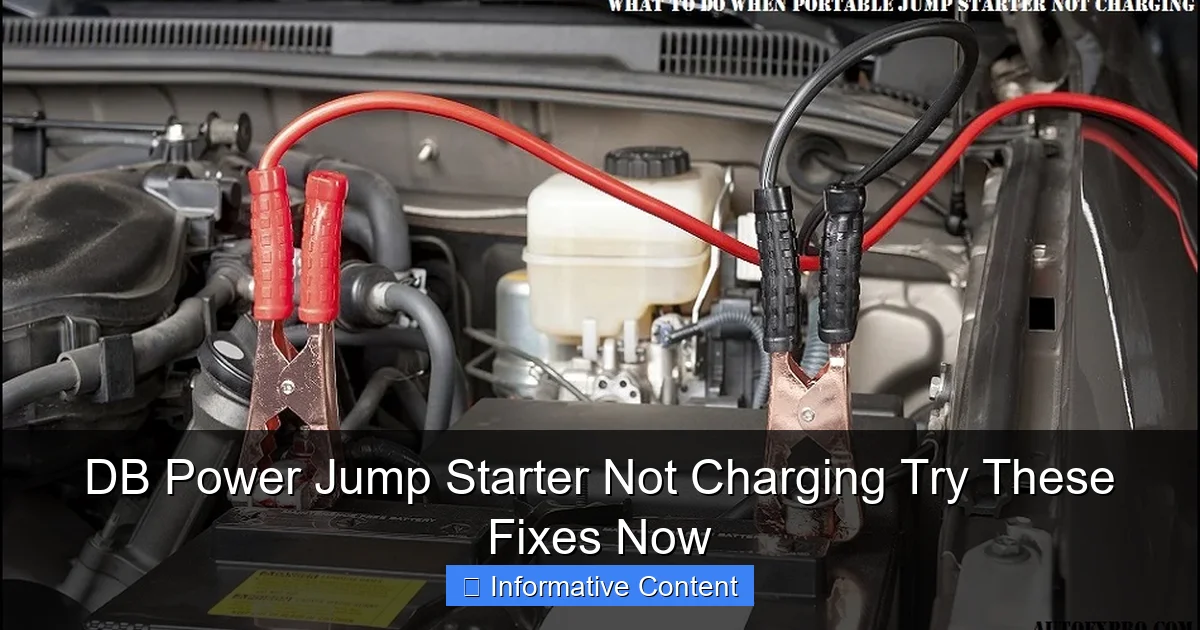
Visual guide about db power jump starter not charging
Image source: autoexpro.com
How the Charging System Works
- Input Port: Usually a DC barrel jack or USB-C port where you plug in the charger.
- Charging Circuit: Regulates voltage and current to prevent overcharging or overheating.
- Battery Cells: Lithium-ion packs that store energy. They degrade over time but can last 2–5 years with proper care.
- LED Indicators: Show charging status (e.g., solid red = charging, blinking red = error, green = fully charged).
For example, the DBPOWER 2000A has a 20,800mAh battery and charges at 15V/1A. If the input voltage drops below 12V or spikes above 16V, the circuit may shut down to protect the battery. This is a safety feature—but it can also be the reason your jump starter suddenly stops charging.
Common Charging Modes and What They Mean
DB Power jump starters often have multiple charging modes:
- Standard Charging: Full charge in 4–6 hours using the included wall adapter.
- Trickle Charging: Slow charge when the battery is nearly full to prevent overcharging.
- Error Mode: Blinking lights or no response when a fault is detected (e.g., short circuit, overheating).
Knowing these modes helps you interpret what’s happening. For instance, if your jump starter blinks red rapidly, it might be in error mode—not a dead battery.
Top 5 Reasons Your DB Power Jump Starter Isn’t Charging
Now let’s get to the heart of the matter. Here are the five most common culprits behind a DB Power jump starter not charging, ranked by frequency and ease of diagnosis.
1. Faulty or Incompatible Charging Cable/Adapter
This is the #1 cause—and the easiest to fix. The original charger that comes with your DB Power unit is designed for its specific voltage and current needs. If you’re using a third-party adapter or a worn-out cable, the jump starter may not receive enough power to start charging.
Real-world example: A friend once tried charging his DBPOWER 3000A with a phone charger (5V/2A). The jump starter lit up briefly but wouldn’t charge. Why? The voltage was too low. DB Power models need 12–15V to activate the charging circuit.
- Check the specs: Look at the label on your charger. It should say 15V/1A or 12V/2A.
- Inspect the cable: Frayed wires, bent connectors, or loose plugs can interrupt power flow.
- Test with the original charger: If you’ve lost it, buy a replacement from DB Power’s official store or Amazon (search for “DB Power jump starter charger”).
2. Battery Depletion or “Deep Discharge”
Lithium-ion batteries have a safety feature: if the voltage drops too low (below ~2.5V per cell), the battery goes into “deep discharge” mode to prevent damage. In this state, the jump starter appears dead—no lights, no response. But it’s not gone forever.
How to revive it:
- Plug in the charger and leave it connected for 24–48 hours. The trickle charge may slowly bring the battery back to life.
- If no response, try a “jump start” method: Use a working power bank (5V/2A) connected to the jump starter’s USB port for 1–2 hours. This can sometimes kickstart the charging circuit.
- Still nothing? The battery may be permanently degraded. Check the purchase date—most DB Power units have a 1-year warranty.
Note: Never store a jump starter with a completely dead battery. Recharge it at least every 3 months.
3. Overheating or Cold Exposure
Batteries hate extreme temperatures. If your jump starter was left in a freezing car overnight or used in direct sunlight, the internal temperature sensor may have triggered a safety shutdown.
- Cold weather: Lithium-ion batteries lose capacity below 32°F (0°C). Charging below 32°F can damage cells.
- Hot weather: Temperatures above 104°F (40°C) can cause overheating and automatic shutdown.
Fix: Bring the jump starter to room temperature (65–75°F) and try charging again. Avoid placing it on radiators or in direct sun while charging.
4. Damaged or Clogged Charging Port
Over time, dust, lint, or debris can accumulate in the DC input port. Even a tiny bit of dirt can block the connection. I once spent an hour troubleshooting a “dead” jump starter—only to find a piece of pocket lint stuck in the port!
Clean it safely:
- Turn off and unplug the jump starter.
- Use a wooden toothpick or plastic spudger to gently remove debris. Never use metal tools—they can short the contacts.
- Blow compressed air into the port (keep it at least 6 inches away).
- Test with the charger after cleaning.
5. Firmware or Circuit Board Glitches
Modern jump starters have microcontrollers that manage charging. Sometimes, these circuits freeze or get corrupted—especially after a sudden power loss or voltage spike.
Try a “soft reset”:
- Disconnect all cables (charger, jumper cables).
- Press and hold the power button for 15–20 seconds to discharge residual power.
- Wait 1 minute, then plug in the charger.
- If the lights flash in a new pattern, the reset worked.
If the issue persists, the circuit board may be damaged. Contact DB Power support—they often offer free repairs under warranty.
Step-by-Step Troubleshooting Guide (With Examples)
Now that we’ve covered the causes, let’s walk through a clear, step-by-step process to diagnose and fix your DB Power jump starter not charging issue. Think of this as your personal repair checklist.
Step 1: Inspect the Charger and Cable
- Look for damage: Check the adapter for burn marks or bulges. Test the cable by wiggling it near the plug—if the light flickers, it’s likely broken.
- Verify voltage: Use a multimeter to test the charger’s output. It should read close to 15V (for 15V models) or 12V (for 12V models). If it’s below 10V, replace it.
- Example: A user on Reddit reported that his DB Power 2000A wouldn’t charge. He tested the adapter—it was outputting only 8V. A $12 replacement fixed the problem.
Step 2: Test in Different Environments
- Charge the jump starter in a cool, dry room (not in a hot garage or cold shed).
- If you’re in a cold climate, warm the jump starter to room temperature first. I keep mine in an insulated bag during winter.
- Pro tip: Place the jump starter on a wooden surface (not metal or concrete) to avoid grounding issues.
Step 3: Perform a Deep Charge
- Connect the original charger and leave it plugged in for 24 hours, even if no lights appear.
- Check the status every few hours. Sometimes it takes time to wake up from deep discharge.
- Real story: A mechanic told me he revived a “dead” jump starter this way. After 36 hours, it charged normally and worked for another 2 years.
Step 4: Clean the Charging Port
- Follow the cleaning steps above. Pay extra attention to the center pin—it’s easy to bend.
- After cleaning, try charging with a different cable to rule out port issues.
Step 5: Reset the Device
- Perform the soft reset (hold power button for 20 seconds).
- Wait 1 minute, then plug in the charger.
- If the lights flash in a new sequence (e.g., red → green → off), the reset worked.
Step 6: Test with an External Power Source
- Use a 5V/2A power bank to charge the jump starter’s USB port. This won’t fully charge the battery, but it can help revive a deeply discharged unit.
- After 1–2 hours, try the main charger again.
Preventive Maintenance: Keep Your Jump Starter Ready to Go
An ounce of prevention is worth a pound of cure. Here’s how to avoid future DB Power jump starter not charging problems.
1. Recharge Every 3 Months
Lithium-ion batteries degrade when stored at low charge. Even if you haven’t used your jump starter, charge it to 50–80% every 3 months.
2. Store in a Temperature-Controlled Area
- Keep it indoors, away from windows, heaters, or damp basements.
- For long-term storage, charge to 50% and turn off all functions.
3. Use the Right Charger
- Stick to the original adapter or a certified replacement (look for UL, CE, or FCC marks).
- Avoid cheap “universal” chargers—they often lack proper voltage regulation.
For alternative charging options, consider reading about portable car battery chargers.
4. Handle with Care
- Don’t drop the jump starter. Impacts can damage internal circuits.
- Unplug the charger by pulling the plug—not the cable.
5. Monitor Battery Health
Most DB Power models have a battery level indicator. If it shows less than 30% after a full charge, the battery may be aging. Consider replacement or recycling.
When to Contact DB Power Support (And What to Expect)
You’ve tried everything—but your DB Power jump starter not charging issue persists. It’s time to reach out to the pros.
Warranty Coverage
- Most DB Power jump starters come with a 12-month warranty covering manufacturing defects.
- Keep your receipt or order number handy. You’ll need it for claims.
- Warranty typically doesn’t cover water damage, misuse, or third-party repairs.
How to Contact Support
- Email: [email protected] (response time: 1–3 business days).
- Phone: 1-800-DBPOWER (check their website for current number).
- Website: Use the “Contact Us” form at dbpower.com.
What to Say
Be specific and polite:
“Hi, I’m having trouble charging my DB Power [model number]. I’ve tried the original charger, a different outlet, and a 24-hour charge. The lights don’t turn on. Serial number is [XXX]. Can you help troubleshoot or send a replacement?”
Pro tip: Include photos of the charger, cable, and jump starter. It speeds up the process.
Data Table: DB Power Jump Starter Charging Specs (Common Models)
| Model | Battery Capacity | Charging Input | Charge Time | Warranty |
|---|---|---|---|---|
| DBPOWER 2000A | 20,800mAh | 15V/1A | 5–6 hours | 1 year |
| DBPOWER 3000A | 25,000mAh | 15V/1.5A | 4–5 hours | 1 year |
| DBPOWER 1200A | 18,000mAh | 12V/1A | 6–7 hours | 1 year |
| DBPOWER 1500A (Pro) | 20,000mAh | 15V/1A | 5–6 hours | 18 months |
Always verify the specs on your specific model. Using the wrong charger can cause permanent damage.
Final Thoughts: Don’t Give Up Yet
Finding your DB Power jump starter not charging is frustrating—but it’s rarely a death sentence. From faulty cables to deep discharge, most issues have simple fixes. Start with the basics: check the charger, clean the port, and give it time to wake up. If you’re still stuck, don’t hesitate to contact DB Power support. Their team is surprisingly helpful, especially if you’ve done your troubleshooting homework.
Remember, jump starters are tools, not magic boxes. They need care, respect, and occasional maintenance. By following the steps in this guide, you’ll not only fix your current problem—you’ll also extend your device’s lifespan and avoid future headaches. And the next time your car won’t start? You’ll be ready. Because now you know: a little patience, a clean port, and the right charger can bring even the most stubborn jump starter back to life. For more recommendations, see our comprehensive guide on the best jump starters for 2026.
So take a deep breath, grab your tools, and let’s get that DB Power back in action. Your future self (and your car) will thank you.
Frequently Asked Questions
Why is my DB Power jump starter not charging?
This issue often stems from a faulty power adapter, damaged charging port, or a drained battery that needs a reset. Ensure you’re using the original charger and check for any visible damage to the cables or ports.
How do I fix a DB Power jump starter that won’t hold a charge?
Try fully draining the jump starter and then recharging it for at least 24 hours to recalibrate the battery. If it still doesn’t hold a charge, the internal battery may be degraded and require replacement.
Can a bad car battery prevent my DB Power jump starter from charging?
No, the jump starter charges via a wall outlet, not the car battery, so a weak car battery won’t affect charging. Focus instead on the power source and charging cable you’re using at home.
What should I do if the charging light on my DB Power jump starter isn’t turning on?
First, verify the outlet is working and the charger is properly connected. If the light still doesn’t come on, the charger or internal circuitry may be faulty and need professional inspection.
Is it safe to leave my DB Power jump starter charging overnight?
Yes, most DB Power models have overcharge protection, making overnight charging safe. However, always use the included charger and avoid damaged power sources to prevent risks.
How long does it take to fully charge a DB Power jump starter?
Typically, it takes 3 to 5 hours to fully charge, depending on the model and remaining battery level. Avoid interrupting the charging process to ensure optimal performance.