
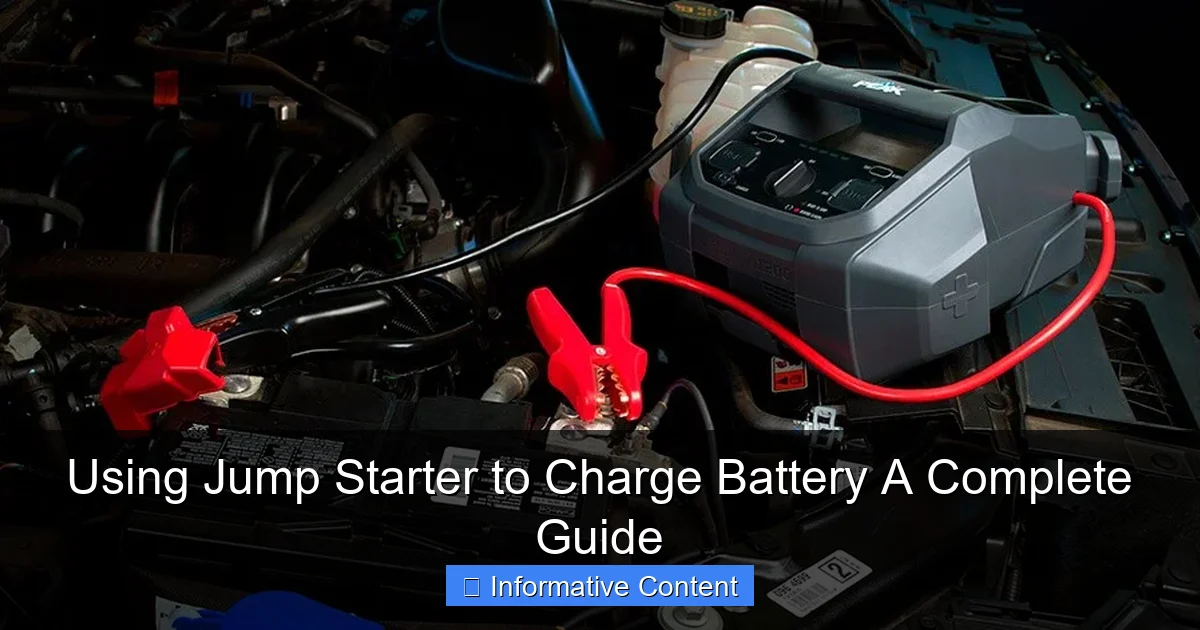
Featured image for using jump starter to charge battery
Image source: bestfordriver.com
Using a jump starter to charge a battery is a quick, portable solution for reviving dead car batteries without relying on another vehicle. Modern jump starters feature built-in safety protections and smart charging technology to prevent overcharging, making them ideal for emergencies and routine maintenance. Always follow the manufacturer’s instructions to ensure safe, effective charging and extend battery life.
Key Takeaways
- Always check compatibility between your jump starter and battery type before connecting.
- Turn off all electronics before jump starting to prevent voltage surges or damage.
- Connect cables correctly: red to positive (+), black to negative (−) terminals.
- Wait 3–5 minutes after jump starting before attempting to start the engine.
- Monitor charging progress and disconnect once the battery reaches 80–100% capacity.
- Use a smart jump starter with safety features like reverse polarity protection.
- Regularly maintain your jump starter to ensure it’s ready when you need it.
📑 Table of Contents
- Why You Might Need to Use a Jump Starter to Charge a Battery
- Understanding How Jump Starters Work
- When and How to Use a Jump Starter to Charge a Battery
- Best Jump Starters for Charging Batteries (With Real-World Examples)
- Safety Tips and Common Mistakes to Avoid
- Maintaining Your Battery and Jump Starter for Long-Term Use
- Final Thoughts: Empower Yourself with the Right Tools
Why You Might Need to Use a Jump Starter to Charge a Battery
Imagine this: It’s early morning, the sun hasn’t even peeked over the horizon, and you’re rushing to get to work. You hop into your car, turn the key—and nothing happens. The engine is silent. The dashboard lights flicker weakly. You’ve got a dead battery. Again. If this sounds familiar, you’re not alone. Car battery failure is one of the most common—and frustrating—issues drivers face. But here’s the good news: you don’t always need another car or a roadside assistance call to get back on the road. A jump starter can be your best friend in these moments.
Jump starters have come a long way from the bulky, heavy devices of the past. Today’s models are compact, portable, and packed with features. But beyond just giving your car a quick jolt to start the engine, many people don’t realize that a jump starter can also be used to charge a battery—not just jump it. That’s right. If your battery is low but not completely dead, you can actually use a jump starter to slowly recharge it, giving you more flexibility and control. Whether you’re stranded in a parking lot, stuck in your garage, or just want to keep your vehicle battery in top shape during long storage periods, knowing how to use a jump starter to charge a battery can save you time, money, and stress.
Understanding How Jump Starters Work
What Is a Jump Starter?
A jump starter is a portable power device designed to provide a high burst of electrical current to start a vehicle with a weak or dead battery. Unlike traditional jumper cables that rely on another vehicle’s battery, a jump starter is self-contained. It has its own internal battery (usually lithium-ion), a set of heavy-duty cables with clamps, and often built-in safety features like reverse polarity protection and overload detection.
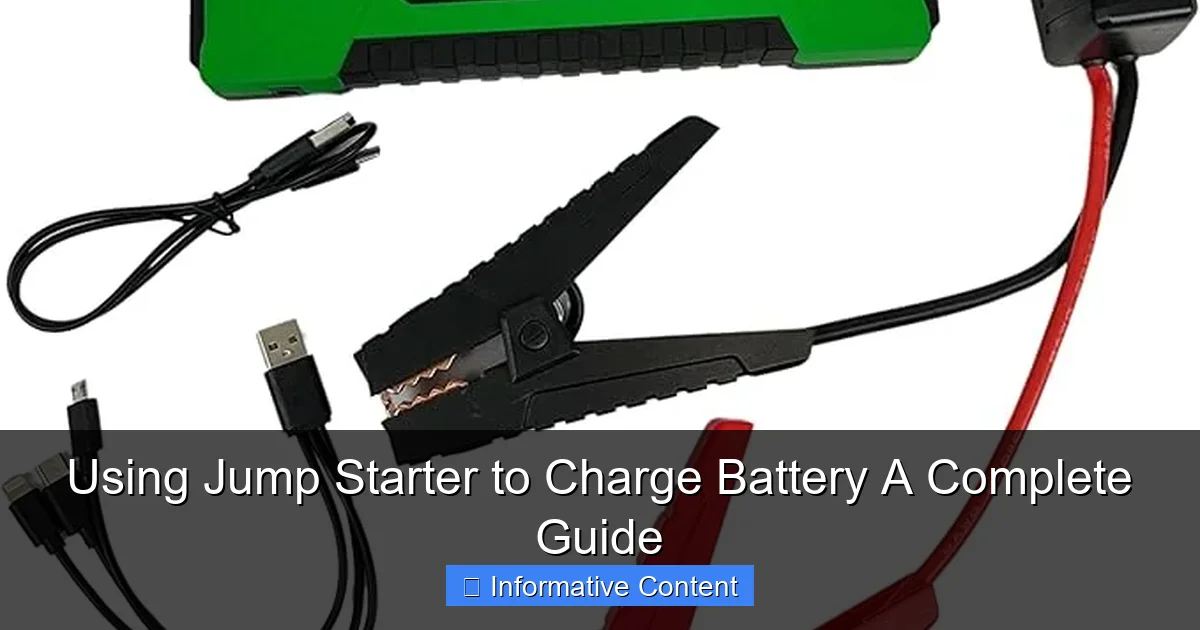
Visual guide about using jump starter to charge battery
Image source: m.media-amazon.com
Think of it like a portable phone charger—but for your car. Instead of charging your phone, it gives your car battery a jumpstart. And just like how some phone chargers can also slowly charge your device over time, modern jump starters can do more than just deliver a quick jolt. They can use jump starter to charge battery systems that are low on charge but still functional.
Types of Jump Starters
Not all jump starters are created equal. Here’s a quick breakdown of the main types you’ll encounter:
- Traditional Lithium-Ion Jump Starters: Lightweight, compact, and powerful. Great for most cars, SUVs, and even light trucks. These are the most common type and often include USB ports for charging phones and other gadgets.
- Heavy-Duty Jump Starters: Built for larger vehicles like trucks, vans, and diesel engines. They have higher cranking amps and can deliver more sustained power. Ideal if you drive a big rig or frequently use your vehicle in cold weather.
- Smart Jump Starters: These come with digital displays, battery level indicators, and advanced safety features. Some even have built-in flashlights, air compressors, or power inverters. They’re more expensive but offer greater control and versatility.
- Jump Starter with Battery Charging Modes: These models include slow charging or trickle charging options, which allow you to use jump starter to charge battery systems over several hours—perfect for deeply discharged batteries or long-term storage.
<
How Charging Differs from Jumping
There’s a key difference between jumping a car and charging a battery:
- Jumping: Delivers a high burst of current (often 1000+ amps) for a few seconds to crank the engine. It doesn’t fully recharge the battery—it just gives it enough power to start the vehicle.
- Charging: Involves a slower, controlled flow of electricity to gradually restore the battery’s charge over time. This is safer for the battery and helps extend its lifespan.
When you use jump starter to charge battery systems, you’re essentially using the device’s charging function (if available) to deliver a steady current. This is especially useful if your battery is at 10–30% charge and just needs a top-up, not a full jump.
When and How to Use a Jump Starter to Charge a Battery
Signs Your Battery Needs Charging (Not Just Jumping)
Before you reach for your jump starter, it helps to know whether you need a jump or a charge. Here are some telltale signs:
- The engine turns over slowly or struggles to start.
- Dashboard lights dim when you turn the key.
- The radio or headlights work, but the engine won’t crank.
- Your car has been sitting unused for more than 2–3 weeks.
- You’ve recently used accessories (like lights or AC) while the engine was off.
<
If the car starts but dies quickly, or if it starts fine in warm weather but struggles in cold, your battery likely needs charging—not a jump. This is where knowing how to use jump starter to charge battery systems comes in handy.
Step-by-Step Guide: Charging Your Battery with a Jump Starter
Follow these steps to safely and effectively charge your car battery using a jump starter:
- Turn Off the Vehicle: Make sure the engine, lights, radio, and all electronics are off. Remove the key from the ignition.
- Locate the Battery: Pop the hood and find your battery. If it’s covered, remove the plastic cover carefully.
- Clean the Terminals: Use a wire brush or terminal cleaner to remove any corrosion. Clean terminals ensure better contact.
- Connect the Jumper Cables:
- Attach the red (positive) clamp to the positive terminal on the car battery.
- Attach the black (negative) clamp to a clean, unpainted metal surface on the car frame (ground point). Avoid the battery’s negative terminal if possible to reduce sparking.
- Turn On the Jump Starter: Power on your device. If it has a charging mode, select it. Some models have a “Charge & Maintain” or “Slow Charge” setting.
- Monitor the Charging Process: Let it charge for 20–60 minutes, depending on the battery’s condition and the jump starter’s output. Many models have LED indicators or digital displays showing progress.
- Disconnect in Reverse Order: Turn off the jump starter, remove the black clamp, then the red clamp. Store everything safely.
- Start the Engine: Try starting your car. If it starts, let it run for 10–15 minutes to help the alternator recharge the battery further.
Pro Tip: If your jump starter has a “battery charge” mode, use it instead of the “jump start” mode. This delivers a lower, steady current—perfect for charging without stressing the battery.
How Long Should You Charge?
Charging time depends on:
- The battery’s current charge level (e.g., 10% vs. 50%)
- The jump starter’s output (measured in amps)
- The battery’s capacity (usually 40–80Ah for most cars)
As a general rule:
- A 10-amp jump starter can add about 10% charge per 30 minutes to a standard car battery.
- For a deeply discharged battery (below 20%), aim for 1–2 hours of charging before attempting to start.
- Never charge for more than 4 hours continuously unless the device has an automatic shutoff or maintenance mode.
For example, if your battery is at 25% and your jump starter outputs 8 amps, a 45-minute charge should bring it to around 40–45%—enough to start the car reliably.
Best Jump Starters for Charging Batteries (With Real-World Examples)
Top Picks for Charging Capabilities
Not all jump starters are great at charging. Some are built for quick jumps only. Here are a few models that excel at both jumping and charging:
| Model | Peak Amps | Charging Modes | USB Output | Best For |
|---|---|---|---|---|
| NOCO Boost Plus GB40 | 1000A | Jump Start, Trickle Charge | USB-A & USB-C (12W) | Compact cars, daily drivers |
| DBPOWER 2000A Portable Jump Starter | 2000A | Jump Start, Slow Charge, Maintain | USB-A (18W) | SUVs, trucks, cold climates |
| Clore Automotive Jump-N-Carry JNC660 | 1700A | Jump Start (No charging mode) | None | Heavy-duty vehicles (not ideal for charging) |
| GOOLOO GP4000 | 4000A | Jump Start, Smart Charge, Maintain | USB-A & USB-C (18W) | Diesel engines, long-term storage |
| Tacklife T8 Pro | 1800A | Jump Start, Trickle Charge, Maintain | USB-A (12W) | Budget-friendly, reliable charging |
Real-World Example: I once had a 2018 Honda CR-V that sat unused for three weeks during a vacation. When I returned, the battery was at about 20% charge. I used my DBPOWER 2000A jump starter in “Slow Charge” mode for 75 minutes. After that, the car started on the first try—no jump needed. The key was using the charging mode instead of the jump function.
What to Look for in a Charging-Ready Jump Starter
If you want a jump starter that can use jump starter to charge battery systems effectively, keep these features in mind:
- Multiple Charging Modes: Look for “Trickle Charge,” “Maintain,” or “Smart Charge” settings.
- Low-Ampere Output: A 5–10 amp charging rate is ideal for slow, safe charging.
- Automatic Shutoff: Prevents overcharging, which can damage the battery.
- Reverse Polarity Protection: Alerts you if clamps are connected incorrectly.
- Digital Display: Shows battery voltage, charge level, and charging status.
- USB Ports: Handy for charging phones, GPS, or other devices while you wait.
Tip: Avoid models that only offer “jump start” mode with no charging options. They’re great for emergencies but won’t help you maintain your battery over time.
Safety Tips and Common Mistakes to Avoid
Essential Safety Precautions
Using a jump starter to charge a battery is generally safe—but only if you follow the rules. Here are some critical safety tips:
- Always read the manual: Every jump starter is different. Know your device’s limits and features.
- Wear protective gear: Safety glasses and gloves protect you from sparks or battery acid.
- Work in a well-ventilated area: Batteries can release hydrogen gas, which is flammable.
- Keep the jump starter dry: Never use it in rain or near water.
- Don’t leave it unattended: Monitor the charging process, especially if it’s your first time.
- Never charge a damaged or leaking battery: Swollen, cracked, or leaking batteries can be dangerous. Replace them instead.
Common Mistakes (And How to Fix Them)
- Connecting clamps in the wrong order: Always red first, then black. Disconnect black first, then red. This reduces the risk of sparks near the battery.
- Using jump mode to charge: Jumping delivers high current too fast for charging. Use the “charge” or “maintain” mode instead.
- Overcharging the battery: Leaving the jump starter connected for hours can overheat the battery. Use a model with auto shutoff or set a timer.
- Ignoring the battery’s age: A 5-year-old battery may not hold a charge well, no matter how long you charge it. If it keeps dying, it’s time for a replacement.
- Charging in extreme temperatures: Very cold or hot conditions can affect charging efficiency. Aim for 50–80°F (10–27°C) when possible.
Personal Note: I once left my jump starter connected overnight to “fully charge” a weak battery. The next morning, the battery was hot and the jump starter had shut down automatically. Lesson learned: always use the right mode and never leave it unattended for too long.
Maintaining Your Battery and Jump Starter for Long-Term Use
How to Keep Your Car Battery Healthy
Using a jump starter to charge your battery is a great temporary fix—but long-term battery health comes from good habits:
- Drive regularly: Short trips (under 20 minutes) don’t give the alternator enough time to recharge the battery. Take longer drives when possible.
- Turn off accessories when the engine is off: Lights, radio, phone chargers, and AC can drain the battery quickly.
- Check for parasitic drain: If your battery dies after a few days of inactivity, you might have a device drawing power (like a faulty alarm or glove box light).
- Inspect terminals regularly: Clean corrosion every 3–6 months.
- Use a battery maintainer during storage: If your vehicle sits for weeks or months, use a dedicated battery tender instead of relying on your jump starter.
Caring for Your Jump Starter
Your jump starter is an investment. Treat it right, and it will last for years:
- Recharge it every 3–6 months: Even if you don’t use it, lithium-ion batteries lose charge over time. Keep it at 50–80% when storing long-term.
- Store in a cool, dry place: Avoid extreme heat or cold. A garage shelf or car trunk (with ventilation) works well.
- Inspect cables and clamps: Look for fraying, corrosion, or loose connections.
- Update firmware (if applicable): Some smart jump starters can be updated via USB or app.
- Test it periodically: Try a 10-second charge on a healthy battery to ensure it’s working.
Example: I keep my jump starter in a small pouch in my trunk. Every three months, I plug it in for an hour to top it off. It’s ready when I need it—no surprises.
Final Thoughts: Empower Yourself with the Right Tools
Knowing how to use jump starter to charge battery systems is more than just a handy trick—it’s a skill that can give you peace of mind. Whether you’re dealing with a slow-starting car, preparing for a long trip, or storing your vehicle for the winter, having a reliable jump starter with charging capabilities can make all the difference.
You don’t need to be a mechanic to do this. With a little knowledge, the right tools, and a few safety precautions, anyone can keep their battery in top shape. And the best part? You’re not dependent on others. No waiting for a tow truck. No flagging down strangers. You’re in control.
So, take a few minutes today to check your jump starter. Is it charged? Do you know how to use its charging mode? Do you have the cables and clamps ready? A little preparation now can save you a lot of hassle later. Because when your car won’t start, you don’t want to be figuring things out in the dark. You want to be the person who knows exactly what to do—calm, confident, and back on the road in minutes.
Your jump starter isn’t just a one-trick pony. It’s a versatile tool that can jump, charge, and even power your devices. Use it wisely, take care of it, and it will take care of you. After all, the best kind of roadside assistance is the one you carry with you.
Frequently Asked Questions
Can I use a jump starter to charge a car battery?
Yes, you can use a jump starter to charge a car battery, but it’s primarily designed for emergency jump-starting. For a full charge, use a dedicated battery charger, as jump starters provide a quick power boost rather than a slow, deep charge.
How long does it take to charge a battery with a jump starter?
Charging a battery with a jump starter typically takes 10–30 minutes, depending on the battery’s size and the jump starter’s output. This method is best for reviving a dead battery temporarily, not for a full recharge.
Is it safe to leave a jump starter connected to a battery for hours?
No, leaving a jump starter connected to a battery for extended periods can damage the battery or the jump starter. Most models have safety features, but prolonged use isn’t recommended—disconnect once the vehicle starts.
Can a portable jump starter charge a completely dead battery?
Yes, a portable jump starter can often charge a completely dead battery enough to start the engine. However, if the battery is deeply discharged or damaged, it may need professional replacement or a full recharge with a charger.
What’s the difference between jump-starting and charging a battery?
Jump-starting delivers a high-current burst to start the engine, while charging replenishes the battery slowly. Using a jump starter to charge a battery is a temporary fix; a charger is better for long-term maintenance.
Can I use a jump starter to charge other devices like phones or laptops?
Many modern jump starters include USB ports or 12V outlets to charge small electronics. While they can power phones or laptops, their primary purpose is jump-starting vehicles, so use them for this sparingly to preserve capacity.