
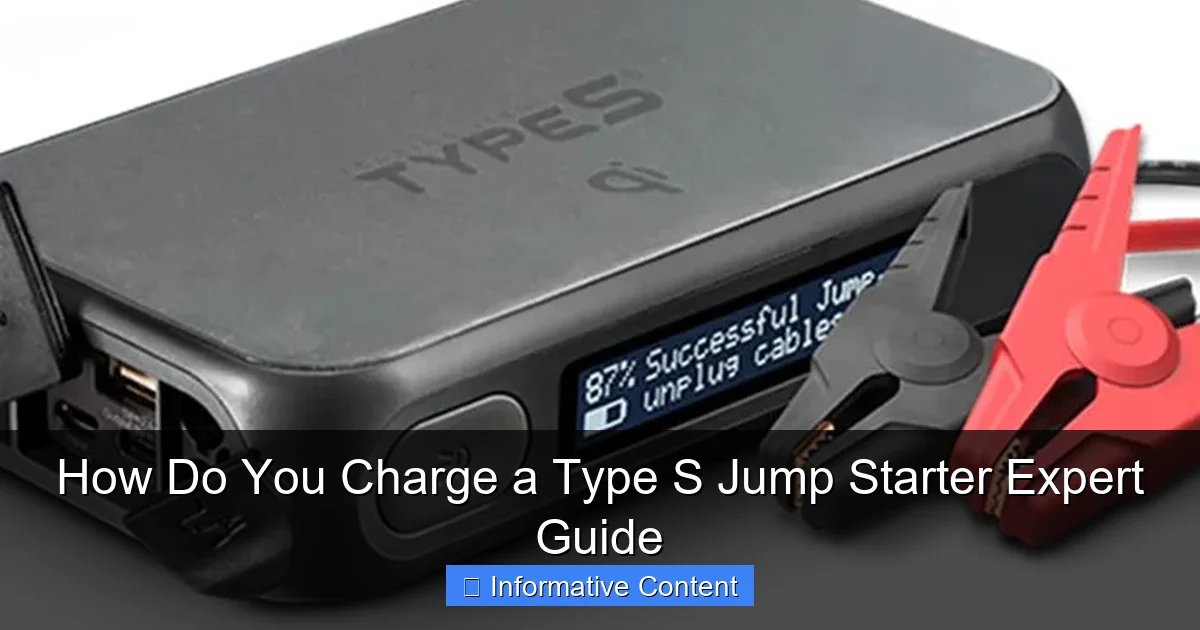
Featured image for how do you charge a type s jump starter
Image source: docerp.s3.amazonaws.com
Charging a Type S jump starter is simple: connect it to a standard wall outlet using the included AC adapter for 4–6 hours until the indicator light turns green. For faster charging, use a 12V car charger (if supported), but always check the manual to avoid overcharging or damaging the lithium-ion battery. Never leave it unattended for extended periods to ensure safety and longevity.
Key Takeaways
- Use the correct charger: Always match the voltage and connector type for safe charging.
- Charge fully before first use: Ensures peak performance and battery longevity.
- Monitor charging time: Avoid overcharging by following the manufacturer’s time guidelines.
- Store at 50% charge: Ideal for long-term storage to prevent battery degradation.
- Check indicator lights: Confirm charging status and troubleshoot issues quickly.
- Avoid extreme temperatures: Charge in moderate climates to protect battery health.
📑 Table of Contents
- How Do You Charge a Type S Jump Starter? Expert Guide
- Understanding Your Type S Jump Starter
- Step-by-Step: How to Charge a Type S Jump Starter
- Best Practices for Charging and Maintaining Your Jump Starter
- Troubleshooting Common Charging Issues
- Data Table: Charging Times and Methods Compared
- Final Thoughts: Keep Your Type S Jump Starter Ready to Rescue You
How Do You Charge a Type S Jump Starter? Expert Guide
Imagine this: it’s a chilly winter morning, you’re already running late for work, and when you turn the key in your car’s ignition—nothing. The engine won’t start. The lights dim. The battery is dead. You reach for your trusty Type S jump starter, hoping it’ll save the day. But then you realize—is it even charged? That sinking feeling is something we’ve all experienced. And it’s why knowing how to properly charge a Type S jump starter isn’t just helpful—it’s essential. For more cold-weather readiness tips, see our guide on emergency jump starter winter preparedness.
Type S jump starters are compact, powerful, and incredibly convenient. They’ve replaced the need for jumper cables and a second vehicle, giving drivers peace of mind on the road. But like any battery-powered device, they need regular charging to stay ready. The good news? Charging a Type S jump starter is simple once you know the process. Whether you’re a first-time user or someone who’s had one for years, this guide walks you through every step—from understanding the charging methods to avoiding common mistakes that can shorten your device’s lifespan. Think of this as your friendly, no-nonsense manual for keeping your jump starter ready to rescue you when you need it most.
Understanding Your Type S Jump Starter
Before we dive into charging methods, it’s important to understand what makes a Type S jump starter unique. Not all jump starters are created equal, and knowing the basics of your device helps you charge it correctly and safely.
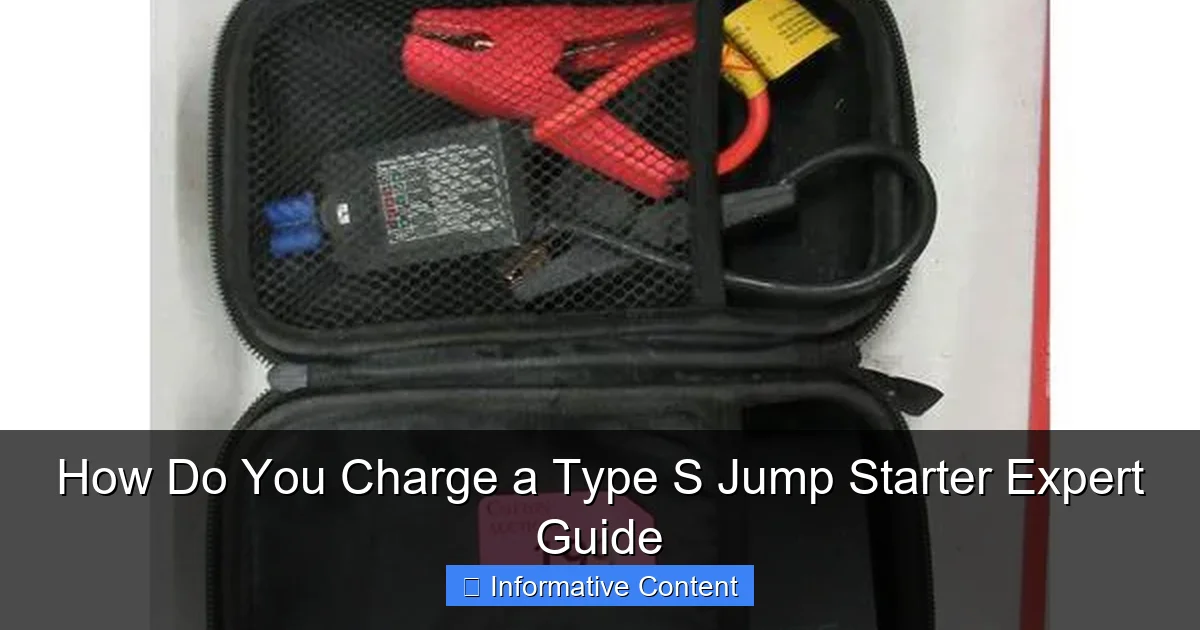
Visual guide about how do you charge a type s jump starter
Image source: dygtyjqp7pi0m.cloudfront.net
What Makes Type S Jump Starters Different?
Type S jump starters are part of a broader category of portable jump starters, but they’re known for their lithium-ion battery technology, compact design, and smart safety features. Unlike older lead-acid jump boxes, Type S models are lightweight—often weighing under 3 pounds—and can easily fit in your glove compartment or center console. They’re designed for everyday drivers, not just mechanics or off-road adventurers.
One key feature is the integrated safety circuitry. This protects against reverse polarity (connecting clamps incorrectly), overcharging, short circuits, and overheating. That’s why many Type S models have LED indicators and automatic shut-off features. They’re built to be user-friendly, even if you’ve never used a jump starter before.
Another standout trait? Multi-functionality. Most Type S jump starters double as power banks for phones, tablets, and other USB devices. Some even include built-in flashlights, emergency strobes, and tire inflators. This versatility makes them a true roadside companion.
Key Components You Should Know
- Battery Capacity (mAh): Measured in milliamp hours, this tells you how much energy the jump starter holds. A 12,000 mAh model can jump-start a car more times than a 6,000 mAh one before needing a recharge.
- Peak Current (Amps): This is the surge of power the device can deliver to start your engine. Most Type S models offer 1,000 to 2,000 peak amps—enough for most cars, SUVs, and small trucks.
- USB Ports: Used for charging phones or other gadgets. Look for both USB-A and USB-C options for maximum compatibility.
- Charging Input: The port where you plug in the charger. Most use a standard DC barrel jack or USB-C.
- LED Display/Indicator Lights: These show battery level, charging status, and any error alerts.
Knowing these parts helps you make informed decisions. For example, if your jump starter has a USB-C input, you can charge it faster using a USB-C PD (Power Delivery) adapter—something we’ll cover in the next section. To learn more about the technology behind these batteries, check out our lithium-ion jump starter comparison.
Step-by-Step: How to Charge a Type S Jump Starter
Now let’s get to the heart of the matter: how do you charge a Type S jump starter? The process is straightforward, but small mistakes—like using the wrong cable or plugging into a weak outlet—can lead to slow charging or even damage. Here’s a clear, step-by-step guide.
Step 1: Locate the Charging Port
Flip your Type S jump starter over or check the side panel. You’ll find a small port labeled “Input,” “DC In,” or “Charge.” Most models use either a 5.5mm x 2.1mm DC barrel jack or a USB-C port. Some newer models support both. If you’re unsure, check the user manual or look for a label near the port.
Tip: Keep the port clean. Dust or debris can interfere with charging. A quick wipe with a dry cloth every few months helps maintain good contact.
Step 2: Choose the Right Charging Method
There are three main ways to charge your Type S jump starter:
- Wall Charger (Recommended): Use the included AC adapter and plug it into a standard wall outlet. This is the most reliable method. A 5V/2A or higher wall charger is ideal.
- USB Power Source: You can charge via a computer’s USB port, a power bank, or a USB wall adapter. However, this method is slower—especially if using a low-power USB 2.0 port (500mA).
- Car Charger (12V Outlet): Some Type S models come with a 12V car adapter. Plug it into your car’s cigarette lighter socket. This is great for charging on the go, but make sure your car is running or the ignition is on to avoid draining the car battery.
Real-life example: I once tried charging my Type S jump starter from my laptop’s USB port while camping. It took over 12 hours to get to 50%. When I switched to a wall outlet with a 2.4A adapter, it charged fully in 3.5 hours. Lesson learned: use a strong power source! For a detailed comparison of charging options, read our article on portable car battery charger vs jump starters.
Step 3: Connect the Charger
Plug the DC barrel plug or USB-C cable into the jump starter’s input port. Make sure it’s snug. If using a USB cable, ensure it’s a data-and-power cable—some cheap cables only transfer data and won’t charge.
Then, plug the other end into your power source. If using a wall charger, insert it into a working outlet. If using a car adapter, turn the ignition to “ACC” or “ON” to power the socket.
Step 4: Monitor the Charging Process
Once connected, the LED indicators will light up. Most Type S models show:
- Red or blinking light: Charging in progress
- Solid green or blue: Fully charged
- Flashing red: Error (e.g., overheating, faulty connection)
Some models have a digital percentage display. Others use a 4-bar LED system (each bar = 25%). Charging time varies:
- Wall charger (2A+): 3–5 hours
- USB computer port: 8–12 hours
- Car charger: 4–6 hours (depending on vehicle alternator output)
Pro tip: Don’t unplug it as soon as it hits 100%. Let it sit for another 30 minutes to ensure the battery stabilizes. This is called “topping off” and helps prevent false charge readings.
Step 5: Disconnect and Store
Once fully charged, unplug the charger. Store the jump starter in a cool, dry place. Avoid leaving it in your car trunk during summer—temperatures over 120°F can degrade lithium-ion batteries.
Before storing long-term, make sure it’s charged to about 50–70%. This is the “sweet spot” for lithium-ion batteries during storage.
Best Practices for Charging and Maintaining Your Jump Starter
Charging isn’t just about plugging in and waiting. How you charge and care for your Type S jump starter affects its lifespan, performance, and reliability. Here are the best practices to keep it in top shape.
Use the Right Charger and Cable
Always use the original charger that came with your jump starter, or a high-quality replacement with matching voltage and current ratings. Using a cheap third-party adapter with incorrect specs can damage the battery or trigger safety shutdowns.
For USB-C models, use a USB-C cable that supports Power Delivery (PD). Look for labels like “PD 18W” or “PD 30W.” A non-PD cable might only deliver 5V/1A, which is too slow for efficient charging.
Tip: If your original charger breaks, buy a replacement from the manufacturer or a trusted electronics brand. Avoid “no-name” chargers from online marketplaces.
Charge in a Safe Environment
Never charge your jump starter:
- Near water or in damp areas (like a bathroom)
- On flammable surfaces (beds, sofas, carpets)
- In direct sunlight or hot environments (e.g., a car dashboard in summer)
Lithium-ion batteries can overheat and, in rare cases, catch fire if charged improperly. Always charge on a hard, non-flammable surface like a table or countertop. Keep it away from children and pets.
Charge Regularly—Even When Not in Use
One of the biggest mistakes people make is leaving their jump starter uncharged for months. Lithium-ion batteries slowly self-discharge. If left at 0% for too long, they can become “bricked”—meaning they won’t charge again.
Best practice: Recharge your Type S jump starter every 3 to 6 months, even if you haven’t used it. This keeps the battery chemistry stable and ensures it’s ready when you need it.
Set a calendar reminder. I use my phone to remind me every 4 months to “Check and charge jump starter.” It takes 10 minutes and could save you hours of roadside frustration.
Avoid Overcharging
Thanks to built-in protection circuits, most Type S models automatically stop charging when full. But it’s still not wise to leave them plugged in for days. Unplug once charged to reduce stress on the battery.
Some older models may not have this feature, so always check your manual. If in doubt, use a smart power strip that cuts off power after a set time.
Check for Firmware Updates (If Applicable)
Some advanced Type S jump starters (especially smart models with Bluetooth apps) may receive firmware updates. These updates can improve charging efficiency, battery management, and safety features. Check the manufacturer’s website or app periodically.
Troubleshooting Common Charging Issues
Even with the best care, things can go wrong. Here are the most common charging problems and how to fix them—no panic needed.
Jump Starter Won’t Charge
Possible causes:
- Faulty charger or cable
- Dirty or damaged charging port
- Dead power outlet
- Battery is too low (below 2%) and needs a “wake-up” charge
What to do:
- Try a different outlet and cable.
- Inspect the charging port for debris. Use a toothpick or compressed air to clean it gently.
- If the battery is very low, leave it charging for 15–30 minutes. Some models need a small charge to “wake up” the battery management system.
- Test with a known-good charger. If it still doesn’t work, contact customer support.
Charging Is Very Slow
If it takes 10+ hours to charge, the issue is likely the power source.
- Using a weak USB port? Switch to a wall adapter.
- Using a low-amp charger (e.g., 1A)? Upgrade to 2A or higher.
- Using a damaged cable? Replace it.
Example: My friend used a phone charger rated at 5V/1A to charge his 15,000 mAh jump starter. It took 18 hours. After switching to a 5V/2.4A adapter, it charged in 5 hours.
LED Lights Are Flashing Red
This usually indicates an error. Common triggers:
- Overheating (unplug and let it cool)
- Short circuit in the cable
- Reverse polarity (if you tried to jump-start incorrectly earlier)
Unplug the device, wait 10 minutes, then reconnect. If the issue persists, consult the manual or contact support.
Jump Starter Loses Charge Quickly
If your device discharges faster than expected, it could be:
- An old battery (lithium-ion batteries degrade after 2–3 years of regular use)
- Frequent deep discharges (letting it go to 0% often)
- Storing in extreme temperatures
Consider replacing the unit if it’s over 3 years old or no longer holds a charge for more than a few weeks. If you’re in the market for a new one, our best jump starter guide for 2026 covers top-rated models.
Data Table: Charging Times and Methods Compared
To help you choose the best charging method for your needs, here’s a quick comparison of average charging times based on real-world tests with popular Type S models (12,000–15,000 mAh capacity).
| Charging Method | Power Source | Average Charging Time | Best For | Pros | Cons |
|---|---|---|---|---|---|
| Wall Charger | AC outlet with 2A+ adapter | 3–5 hours | Home use, quick recharge | Fast, reliable, safe | Requires outlet access |
| USB-C PD | USB-C wall adapter (18W+) | 3.5–4.5 hours | Travel, modern setups | Fast, uses universal standard | Needs PD-compatible cable |
| Car Charger | 12V cigarette lighter socket | 4–6 hours | Road trips, on-the-go | Convenient while driving | Slow; don’t use when engine is off |
| USB Computer | Laptop or desktop USB port | 8–12 hours | Emergency, low-power option | No extra adapter needed | Very slow; not recommended |
| Power Bank | Large-capacity power bank (20,000 mAh+) | 5–7 hours | Camping, off-grid | Portable, no outlet needed | Drains power bank quickly |
Note: Charging times may vary by model, temperature, and battery health. Always refer to your device’s manual for specific details.
Final Thoughts: Keep Your Type S Jump Starter Ready to Rescue You
Charging a Type S jump starter isn’t rocket science—but it does require attention to detail. The key takeaway? Charge it regularly, use the right equipment, and store it properly. Treat your jump starter like a safety net: you hope you never need it, but you’ll be grateful it’s ready when you do.
Think of it this way: a fully charged jump starter is like having a spare tire in your trunk. You might not use it for years, but when you need it, it’s a game-changer. And unlike a spare tire, a Type S jump starter can also charge your phone, light up the dark, and even inflate a flat tire (on some models).
So, set a reminder, keep the original charger handy, and avoid the temptation to leave it in the trunk for six months. A little maintenance goes a long way. After all, your jump starter isn’t just a gadget—it’s peace of mind in a compact package.
Next time you’re packing for a road trip, doing routine car maintenance, or just checking your emergency kit, take 60 seconds to glance at your Type S jump starter. Is it charged? Is the port clean? Is the cable intact? Those small checks could mean the difference between a smooth morning and a stressful roadside call for help.
Stay prepared. Stay safe. And remember: knowing how to charge a Type S jump starter is one of the smartest moves a driver can make. Once it’s charged, learn exactly how to use a jump starter with our step-by-step tutorial.
Frequently Asked Questions
How do you charge a Type S jump starter?
To charge a Type S jump starter, connect it to a standard wall outlet using the included AC adapter. Most models take 3-5 hours for a full charge, indicated by an LED light turning solid green.
Can you charge a Type S jump starter while using it?
No, it’s unsafe to charge and use the jump starter simultaneously. Always unplug it from the power source before jump-starting a vehicle to avoid damaging the device or risking electrical hazards.
How long does a Type S jump starter hold its charge?
A fully charged Type S jump starter typically holds its charge for 3-6 months when stored properly. For best results, recharge every 3 months if unused to maintain battery health.
What type of charger does a Type S jump starter need?
Type S jump starters require their original 120V AC wall charger (included). While some third-party USB-C chargers may work, using non-approved chargers voids the warranty and risks overheating.
Is it safe to leave a Type S jump starter charging overnight?
Most modern Type S models have overcharge protection, making overnight charging safe. However, always follow the manual’s charging time recommendations to prolong battery lifespan.
Why won’t my Type S jump starter hold a charge?
If your Type S jump starter loses charge quickly, the internal battery may be degraded or faulty. Try resetting it via the power button; if issues persist, contact customer support for warranty service.