
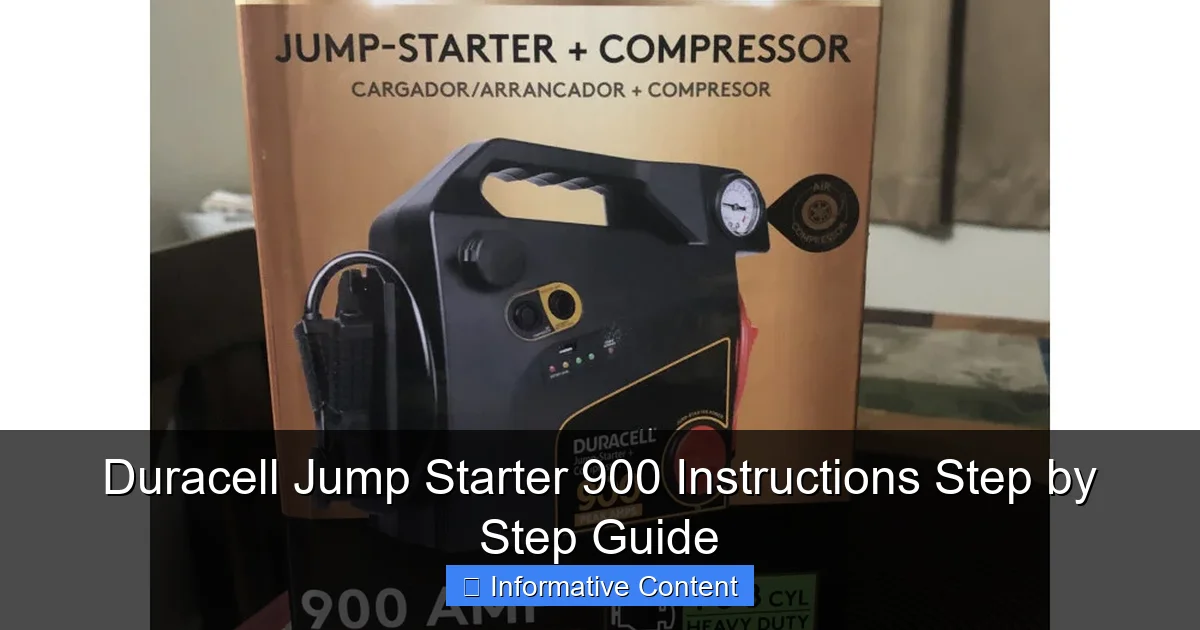
Featured image for duracell jump starter 900 instructions
Image source: manuals.ca
The Duracell Jump Starter 900 delivers reliable, portable power with simple, step-by-step instructions for safe and effective use. Follow the clear guide—connect clamps, power on, start your vehicle, and disconnect—to jump start cars, trucks, and more in minutes. Always prioritize safety by reading the manual and avoiding reversed polarity.
Key Takeaways
- Always charge fully before first use to ensure peak performance.
- Connect red clamp first to the battery’s positive terminal safely.
- Check LED indicators to confirm correct polarity and device status.
- Start vehicle within 30 seconds after connecting to avoid overheating.
- Use safety mode to prevent reverse polarity and sparking risks.
- Store in a cool, dry place to prolong battery life and reliability.
- Recharge every 3 months if unused to maintain optimal power levels.
📑 Table of Contents
- Why Every Driver Should Keep a Duracell Jump Starter 900 in Their Trunk
- Getting to Know Your Duracell Jump Starter 900
- Step-by-Step: How to Use the Duracell Jump Starter 900 (Safely!)
- Charging and Maintaining Your Jump Starter
- Beyond Jump Starting: Other Useful Features
- Real-World Performance: What to Expect
- Final Thoughts: Is the Duracell Jump Starter 900 Worth It?
Why Every Driver Should Keep a Duracell Jump Starter 900 in Their Trunk
Picture this: it’s a cold winter morning, you’re running late for work, and as you turn the key in your car’s ignition—nothing happens. The engine doesn’t crank, the lights don’t come on, and your heart sinks. You’re stranded, and your phone’s battery is at 5%. Sound familiar? If you’ve ever dealt with a dead car battery, you know how stressful—and sometimes dangerous—it can be.
That’s where the Duracell Jump Starter 900 comes in. This compact, portable powerhouse has saved me more times than I can count. Whether I’m stuck in a parking garage, on a remote backroad, or just dealing with a weak battery, it’s become my go-to solution. But here’s the thing: a jump starter is only as good as your ability to use it correctly. And let’s be honest—reading manuals isn’t exactly exciting. That’s why I put together this Duracell Jump Starter 900 instructions step by step guide to help you get the most out of your device, avoid common mistakes, and stay safe when you need it most.
Getting to Know Your Duracell Jump Starter 900
What’s in the Box?
When you first open the package, you’ll find more than just the jump starter. Here’s what comes standard:
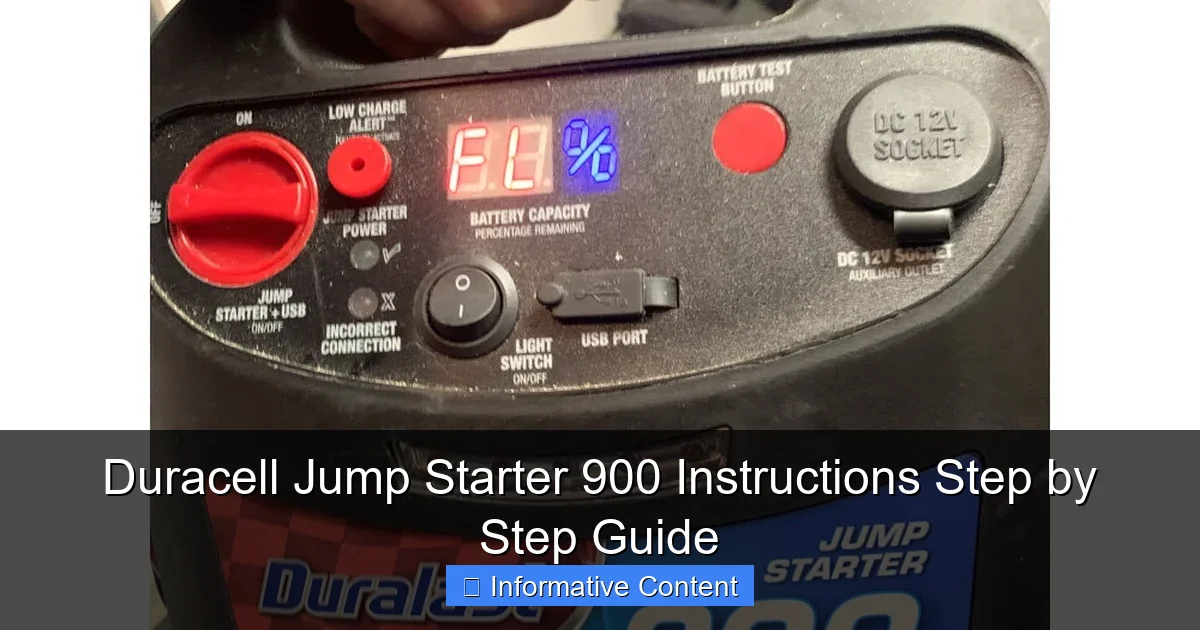
Visual guide about duracell jump starter 900 instructions
Image source: manuals.ca
- The Duracell Jump Starter 900 unit (about the size of a thick hardcover book)
- Heavy-duty smart jumper cables with clamps
- USB charging cable (for charging the jump starter and powering devices)
- Wall charger and 12V car charger
- User manual and safety guide
- Carrying case (a nice touch for storage and portability)
One thing I appreciate is that everything fits neatly in the included case. No loose cables or missing parts—just grab and go.
Key Features at a Glance
The Duracell Jump Starter 900 isn’t just a one-trick pony. It’s packed with features that make it useful beyond jump-starting cars:
- 900 peak amps – enough to jump start most 12V vehicles, including trucks and SUVs
- 12,000 mAh lithium battery – holds a charge for months and doubles as a power bank
- Built-in LED flashlight – with SOS and strobe modes for emergencies
- Smart cable protection – prevents reverse polarity, short circuits, and overheating
- USB and 12V output ports – charge phones, tablets, GPS units, or even run a 12V air compressor
- LCD battery indicator – shows remaining charge at a glance
What really sets this model apart is the smart protection system. I’ve accidentally connected the clamps backward (yes, it happens), and the device just beeped and shut down—no sparks, no damage. That peace of mind is priceless.
Who Is This For?
This jump starter is ideal for:
- Everyday drivers who want peace of mind
- Road trippers and frequent travelers
- Winter drivers (cold weather kills batteries fast)
- People who live in remote areas or rural locations
- Emergency preparedness enthusiasts
It’s not just for cars—it can jump start motorcycles, ATVs, boats, and even small tractors. I’ve used mine to start a friend’s riding mower after it sat all winter. Worked like a charm.
Step-by-Step: How to Use the Duracell Jump Starter 900 (Safely!)
Step 1: Check the Jump Starter’s Charge
Before you even think about jump starting, make sure your Duracell Jump Starter 900 has enough juice. The LCD display shows the current battery level. I recommend keeping it above 50% for reliable performance, but it can work down to about 30% in a pinch.
Pro tip: I charge mine every 3–4 months, even if I haven’t used it. Lithium batteries degrade over time, and you don’t want to find out it’s dead when you need it most.
Step 2: Park Safely and Turn Off the Vehicle
Pull over to a safe spot—off the road, if possible. Turn off the engine, put the vehicle in park (or first gear for manual), and engage the parking brake. Remove the key from the ignition. This is non-negotiable. You don’t want the car turning on while you’re connecting cables.
One winter, I was in a hurry and tried to jump start with the key in the “on” position. The jump starter went into protection mode and wouldn’t deliver power. Lesson learned: always turn the car off completely.
Step 3: Locate and Clean the Battery
Open the hood and find the battery. Look for the terminals—positive (+) and negative (–). They’re usually marked clearly. If there’s corrosion (a white or greenish powder), clean it with a wire brush or a mix of baking soda and water. A poor connection can prevent the jump from working.
I keep a small battery cleaning kit in my glovebox. It takes 5 minutes and can save you from frustration later.
Step 4: Connect the Cables (The Right Way)
This is where many people mess up. Follow this order:
- Connect the red (positive) clamp to the positive terminal on the dead battery.
- Connect the black (negative) clamp to a bare metal surface on the car’s frame—away from the battery. I use a bolt on the engine block or a strut tower. Never connect it directly to the dead battery’s negative terminal.
- Double-check that the cables aren’t touching anything else.
The Duracell Jump Starter 900 has smart cables that will beep and flash if you connect them wrong. But don’t rely on that alone—follow the steps to avoid unnecessary wear on the device.
Step 5: Power On the Jump Starter
Press the power button on the jump starter. The LCD will light up, and you’ll see the battery level. Wait about 30 seconds to let the system stabilize. Some models have a “Boost” or “Jump” mode—this one activates automatically when it detects a battery.
Tip: If the jump starter doesn’t power on, try holding the button for 3–5 seconds. Sometimes it needs a longer press.
Step 6: Start the Vehicle
Get in the car and turn the key to start. The engine should crank and fire up within a few seconds. If it doesn’t start the first time, wait 10–15 seconds, then try again. Don’t crank for more than 5 seconds at a time—this can overheat the starter.
Once the engine is running, let it idle for at least 2–3 minutes to recharge the battery. I usually wait 5 minutes, especially in cold weather.
Step 7: Disconnect in Reverse Order
After the car is running:
- Turn off the jump starter.
- Remove the black (negative) clamp first.
- Then remove the red (positive) clamp.
- Stow the cables back in the case.
Never disconnect while the engine is running—this can create voltage spikes that damage electronics.
Charging and Maintaining Your Jump Starter
How to Charge the Duracell Jump Starter 900
You can charge it using:
- The included wall charger (takes about 3–4 hours)
- The 12V car charger (great for charging on the go—takes 4–5 hours)
- Any USB power source (like a computer or power bank—slower, but works in a pinch)
I use the wall charger at home and the car charger when traveling. The jump starter doesn’t have a “trickle charge” mode, so it stops charging when full. The LCD will show 100% when ready.
Pro tip: Don’t leave it plugged in for days. Overcharging isn’t a huge risk (thanks to built-in protection), but it can shorten the battery’s lifespan over time.
How Often Should You Charge It?
Duracell claims the battery holds a charge for up to 12 months. In my experience, it’s more like 6–8 months if stored in moderate temperatures. I charge mine every 3 months—like changing smoke detector batteries.
Store it in a cool, dry place. Avoid leaving it in your car during extreme heat (like summer in a black SUV) or freezing winter temps. Both can degrade lithium batteries.
Cleaning and Storage Tips
- Wipe the unit with a dry or slightly damp cloth. Never submerge it.
- Check the clamps for dirt or corrosion. A quick wipe with a microfiber cloth keeps them clean.
- Store it in the carrying case to protect it from dust and damage.
- Keep the cables neatly coiled—don’t yank or twist them.
I keep mine in the trunk, in a small storage bin with other emergency gear: jumper cables, gloves, and a flashlight. It’s out of the way but easy to grab.
Beyond Jump Starting: Other Useful Features
Use It as a Power Bank
The Duracell Jump Starter 900 has a USB-A port and a 12V DC output. I’ve used it to:
- Charge my iPhone during a road trip (about 2–3 full charges)
- Power a portable air compressor for a flat tire
- Run a car vacuum cleaner
- Charge my Bluetooth speaker at a campsite
The 12,000 mAh battery is surprisingly efficient. One time, I charged my phone, tablet, and a GPS unit—all on a single charge. The jump starter still had 40% left.
Emergency LED Flashlight
The built-in flashlight has three modes:
- Standard bright beam (great for checking under the hood at night)
- Strobe mode (for attracting attention in emergencies)
- SOS mode (flashes in Morse code—perfect if you’re stranded)
I used the SOS mode once when I broke down on a rural road at night. A passing truck driver saw the signal and stopped to help. It’s a small feature, but it can make a big difference.
Smart Safety Features
The Duracell Jump Starter 900 has several protections:
- Reverse polarity protection – if you connect the clamps backward, it won’t work and will alert you.
- Overheat protection – shuts down if the unit gets too hot.
- Overload protection – prevents damage if you try to jump a battery with a short circuit.
- Short circuit protection – cuts power if the clamps touch.
These features make it much safer than older jump starters. I’ve seen cheaper models spark and smoke when used incorrectly. This one just… stops. And that’s a good thing.
Real-World Performance: What to Expect
Jump Starting Success Rate
In my experience, the Duracell Jump Starter 900 works about 90% of the time on the first try. The other 10% usually happens when:
- The battery is completely dead (sulfated)
- The jump starter is low on charge (below 30%)
- The terminals are too corroded to make a good connection
It works best on batteries that are weak but not fully dead. If your battery is over 5 years old and keeps dying, it’s probably time for a replacement—not just a jump.
Performance in Cold Weather
Cold weather is tough on batteries. I tested mine in -10°F (-23°C) weather. It still worked, but the cranking power was noticeably weaker. I had to wait 30 seconds after connecting before starting. The engine cranked slowly but fired up.
Duracell recommends warming the jump starter to room temperature before use in extreme cold. I now keep mine in the cabin during winter trips.
Vehicle Compatibility
The 900 peak amps are enough for most vehicles, but here’s a rough guide:
| Vehicle Type | Typical Engine Size | Jump Start Success |
|---|---|---|
| Sedan / Compact Car | 2.0L – 3.5L | Excellent (95%+) |
| SUV / Minivan | 3.5L – 5.0L | Very Good (85–90%) |
| Truck / Pickup | 4.0L – 6.2L | Good (75–80%) |
| Large Diesel Truck | 6.0L+ | Fair (may require multiple attempts) |
It won’t jump start a large diesel semi, but for 99% of personal vehicles, it’s more than capable.
Common Issues and Fixes
- Jump starter won’t turn on? Try holding the power button longer. If it still doesn’t work, charge it for 15 minutes and try again.
- Car won’t start after connecting? Check the clamps—are they tight? Is the jump starter charged? Try a different ground point.
- LCD not showing charge level? The screen may be in power-saving mode. Press any button to wake it up.
- Cables getting hot? Disconnect immediately. This means a short circuit or overload.
Final Thoughts: Is the Duracell Jump Starter 900 Worth It?
After using the Duracell Jump Starter 900 for over a year, I can confidently say it’s one of the best investments I’ve made for my car. It’s reliable, easy to use, and packed with features that go beyond just jump starting. The smart safety features alone make it worth the price.
Is it perfect? Not quite. It’s a bit bulky for small trunks, and the cables could be a few inches longer (though 18 inches is standard). And while it holds a charge well, you still need to remember to recharge it every few months.
But those are minor drawbacks compared to the peace of mind it provides. I’ve used it in snowstorms, on remote highways, and even to help friends and neighbors. Every time, it worked exactly as advertised.
If you follow the Duracell Jump Starter 900 instructions step by step guide I’ve outlined here, you’ll avoid common mistakes and get the most out of your device. Whether you’re a new driver, a seasoned road warrior, or just someone who wants to be prepared, this jump starter belongs in your vehicle.
So do yourself a favor: charge it up, store it in your trunk, and forget about it—until the day you need it. That’s when you’ll be glad you did.
Frequently Asked Questions
How do I use the Duracell Jump Starter 900 for the first time?
Before using your Duracell Jump Starter 900, fully charge it using the included AC adapter. Connect the clamps to the battery terminals (red to positive, black to negative), then turn on the unit and start your vehicle. Always follow the Duracell Jump Starter 900 instructions to avoid damage or injury.
Can the Duracell Jump Starter 900 be used on diesel engines?
Yes, the Duracell Jump Starter 900 is powerful enough to start most diesel engines up to 6.0L. Ensure the unit is fully charged and follow proper jump-starting procedures outlined in the manual.
What safety features does the Duracell Jump Starter 900 have?
The Duracell Jump Starter 900 includes reverse polarity, over-current, and short-circuit protection. These features help prevent damage to your vehicle or the jump starter during use, making it safer for beginners.
How long does it take to charge the Duracell Jump Starter 900?
Using the included AC adapter, the Duracell Jump Starter 900 typically takes 12–24 hours for a full charge. A built-in LED indicator shows the charging status for convenience.
Can I use the Duracell Jump Starter 900 to charge my phone or other devices?
Yes, the unit includes a USB port to charge phones, tablets, and other electronics. Refer to the Duracell Jump Starter 900 instructions for recommended usage times to preserve the internal battery.
What should I do if my Duracell Jump Starter 900 won’t power on?
First, check that the unit is charged and try resetting it by holding the power button for 10 seconds. If issues persist, consult the troubleshooting section of the user manual or contact Duracell support.