
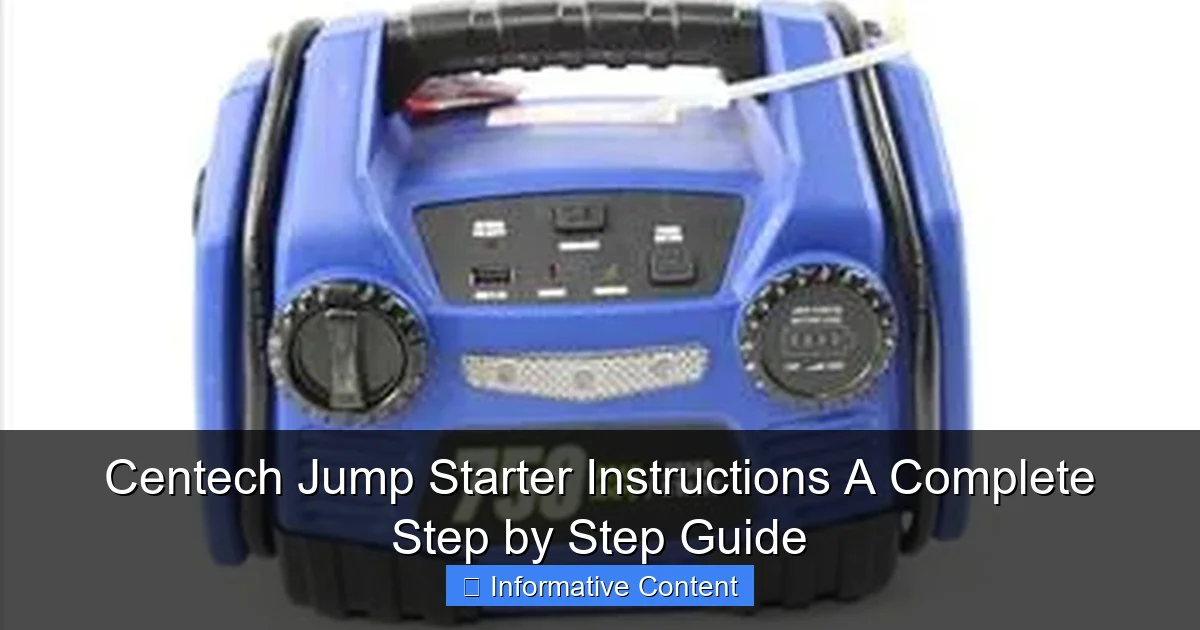
Featured image for centech jump starter instructions
Image source: content.propertyroom.com
Master your Centech jump starter with this clear, step-by-step guide designed to get your vehicle running safely and efficiently. Follow essential instructions—from proper battery connection to jump-starting protocols—to avoid damage and ensure peak performance every time. Perfect for beginners and seasoned users alike, this guide simplifies emergency power solutions.
Key Takeaways
- Read the manual first: Always review safety warnings and specs before use.
- Charge fully before first use: Ensures peak performance and battery longevity.
- Connect red to positive (+): Attach clamps correctly to avoid sparks or damage.
- Power on after connection: Activate the jump starter only once cables are secure.
- Start engine within 30 seconds: Prevents overheating and preserves jump starter life.
- Disconnect promptly after starting: Remove clamps in reverse order to ensure safety.
📑 Table of Contents
- Why You Need a Centech Jump Starter (And How to Use It Right)
- Getting to Know Your Centech Jump Starter: Components & Features
- Step-by-Step: How to Jump-Start Your Car with a Centech Jump Starter
- Safety First: Essential Precautions & Troubleshooting
- Beyond Jump-Starting: Other Uses for Your Centech Jump Starter
- Maintenance & Long-Term Care: Keeping Your Centech Jump Starter Ready
- Final Thoughts: Your Centech Jump Starter Is a Lifesaver
Why You Need a Centech Jump Starter (And How to Use It Right)
Let’s be real—few things are more frustrating than turning the key in your car and hearing that dreaded click… click… click. A dead battery can strike at the worst times: before work, in a dark parking lot, or during a road trip. That’s where a Centech jump starter comes in. It’s not just a backup plan; it’s peace of mind in a compact, portable package.
Unlike traditional jumper cables that require another vehicle, a Centech jump starter is a self-contained unit with its own power source. Think of it as your personal roadside rescue team—no waiting for a Good Samaritan or towing service. Whether you’re a daily commuter, weekend adventurer, or just want to be prepared, knowing how to use your Centech jump starter properly can save you time, stress, and money. In this guide, we’ll walk you through every step, from unboxing to jump-starting safely, with practical tips and real-world examples to help you master the process.
Getting to Know Your Centech Jump Starter: Components & Features
Before you even think about jump-starting, it’s important to understand what you’re working with. Centech jump starters come in various models, but most share core features designed for safety, convenience, and reliability. Let’s break down the key components and what makes them tick.
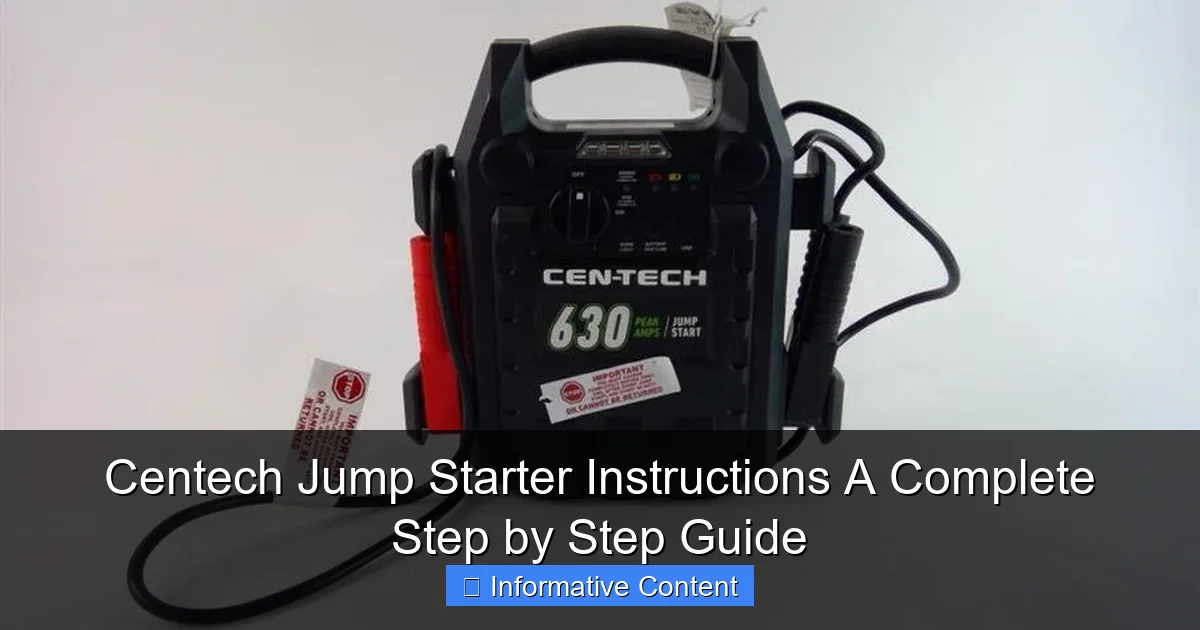
Visual guide about centech jump starter instructions
Image source: content.propertyroom.com
Key Components Explained
- Battery Pack: The heart of the device. Most Centech models use lithium-ion batteries with capacities ranging from 10,000mAh to 30,000mAh. Higher mAh = more jump attempts and longer standby life.
- Smart Jumper Cables: These aren’t your grandpa’s cables. They feature built-in protection circuits to prevent reverse polarity, over-current, and short circuits. Look for color-coded clamps (red for positive, black for negative) and a control module with LED indicators.
- Power Button & LED Indicators: A single button often serves multiple functions: power on/off, checking battery level (via LED lights), and activating emergency modes. A blinking red light? Time to recharge.
- USB Ports & 12V Output: Many Centech jump starters double as power banks. You can charge your phone, tablet, or even a 12V car accessory (like a portable fridge) via USB-A, USB-C, or a cigarette lighter adapter.
- Built-in Flashlight: A small but mighty feature. The flashlight often has multiple modes (steady, SOS, strobe) for emergencies or nighttime repairs.
Model Variations: What to Expect
Centech offers several models, each with unique perks. Here’s a quick snapshot:
- Centech 12000: Entry-level, 12,000mAh, 400A peak current. Great for small to mid-size cars. Includes basic USB charging.
- Centech 20000: Mid-range, 20,000mAh, 800A peak. Handles larger engines (SUVs, trucks) and has dual USB ports.
- Centech 30000: Heavy-duty, 30,000mAh, 1000A peak. Ideal for diesel engines and frequent use. Often includes a 12V DC outlet and faster charging.
Pro Tip: Check your vehicle’s manual for the recommended cold cranking amps (CCA) to ensure your Centech model meets the demand. A 400A jump starter won’t cut it for a large diesel truck.
Step-by-Step: How to Jump-Start Your Car with a Centech Jump Starter
Now for the main event: using your Centech jump starter. Don’t worry—it’s easier than it sounds, but safety is key. Follow these steps carefully to avoid damage to your vehicle, the jump starter, or yourself. For a beginner-friendly overview, see our guide on how to use a jump starter.
Step 1: Prepare Your Vehicle
Before connecting anything, make sure your car is in a safe, stable position:
- Park on a flat surface. Turn off the engine, headlights, and all accessories (radio, AC, phone charger).
- Engage the parking brake. If you’re in gear (manual transmission), keep it in first gear or reverse.
- Open the hood and locate the battery. Clean off any dirt or corrosion with a dry cloth. (If the battery is leaking or damaged, do not attempt to jump-start—call a professional.)
Step 2: Check & Charge Your Centech Jump Starter
Your jump starter is only as good as its charge. Here’s how to check:
- Press and hold the power button. The LED lights will show the battery level (e.g., 4 lights = 100%, 1 light = 25%).
- If it’s below 50%, recharge it using the included AC adapter or USB cable. (Most Centech models take 4–8 hours to fully charge.)
- Ensure the jumper cables are securely plugged into the jump starter’s port.
Real-World Example: Sarah, a nurse, kept her Centech 20000 in her trunk. After a 12-hour shift, she found her car battery dead. She checked the jump starter: 3 out of 4 lights. “I was relieved—it had enough juice for a jump,” she said. “No waiting for a coworker to help!”
Step 3: Connect the Jumper Cables (Correctly!)
This is where many people make mistakes. Follow this order to avoid sparks or damage:
- Red Clamp (Positive): Attach to the positive (+) terminal of the dead battery. It’s usually marked with a “+” and is the larger of the two terminals.
- Black Clamp (Negative): Attach to an unpainted metal surface on the engine block or chassis—not the negative (-) battery terminal. This grounds the circuit safely. (If you connect it to the battery’s negative terminal, you risk a spark near flammable battery gases.)
- Double-Check: Ensure the clamps are tight and not touching any moving parts (like belts or fans).
Safety Tip: If the jump starter has a “Reverse Polarity” alarm, listen for it. If it beeps or flashes, disconnect immediately and recheck the clamps.
Step 4: Start the Engine
- Turn on the Centech jump starter (if it isn’t already on).
- Wait 1–2 minutes to let the jump starter charge the dead battery slightly.
- Turn the car key to “Start.” If the engine cranks but doesn’t turn over, wait 30 seconds and try again. (Don’t crank continuously for more than 5 seconds—it can overheat the starter.)
- Once the engine starts, let it run for 1–2 minutes to stabilize.
Step 5: Disconnect Safely
Disconnect in reverse order to prevent sparks:
- Remove the black clamp first (from the engine ground).
- Remove the red clamp (from the positive terminal).
- Unplug the jumper cables from the jump starter.
Pro Tip: Keep the car running for at least 20–30 minutes to recharge the battery. If it dies again after stopping, you may have a faulty alternator or a battery that needs replacement.
Safety First: Essential Precautions & Troubleshooting
Jump-starting is generally safe, but a few precautions can prevent accidents. Here’s what to watch for—and how to handle common issues.
Critical Safety Rules
- Never smoke or use open flames near the battery. Hydrogen gas can ignite.
- Wear safety glasses and gloves. Battery acid is corrosive.
- Keep kids and pets away. The process involves electricity and moving parts.
- Don’t lean over the battery. If it’s leaking or cracked, skip the jump and call a pro.
- Never connect the clamps to each other. This can short-circuit the jump starter.
Common Problems & Fixes
| Issue | Possible Cause | Solution |
|---|---|---|
| Jump starter won’t turn on | Low battery or faulty power button | Recharge fully. If it still doesn’t work, contact Centech support. |
| Engine cranks but won’t start | Low jump starter charge, bad battery, or faulty starter | Wait 1–2 minutes between attempts. If it fails, recharge the jump starter or check the starter/battery. |
| Jump starter gets warm | Normal during use, but overheating is a risk | Let it cool for 10–15 minutes. Don’t cover it or use it in direct sunlight. |
| Reverse polarity alarm | Clamps connected incorrectly | Disconnect immediately. Recheck connections and try again. |
| USB ports not charging | Low jump starter battery or damaged port | Recharge the jump starter. Test with another device. |
What If the Jump Fails?
Sometimes, even a fully charged Centech jump starter can’t revive a dead battery. Possible reasons:
- Severely sulfated battery: If the battery is old (3+ years), it may not hold a charge.
- Faulty alternator: If the battery dies repeatedly, the alternator might not be charging it.
- Parasitic drain: A device (like a glove box light) is drawing power when the car is off.
Real-World Example: Mark tried jumping his 5-year-old SUV with his Centech 30000. The engine cranked but wouldn’t start. He took the battery to a shop—it tested at 0% capacity. “The jump starter saved me from a tow,” he said, “but I needed a new battery anyway.”
Beyond Jump-Starting: Other Uses for Your Centech Jump Starter
Your Centech jump starter isn’t just for emergencies. It’s a multi-tool for your car, home, and adventures. Here’s how to get the most out of it.
Powering Electronics on the Go
- Charge your phone: Use the USB-A or USB-C port. A 20,000mAh jump starter can charge an iPhone 15 about 5–6 times.
- Keep your GPS or dash cam running: Plug into the 12V output (if available) for long drives.
- Emergency power for laptops: Some models support USB-C PD (Power Delivery) for laptops (check your device’s requirements).
Outdoor & Camping Uses
- Portable light: The built-in flashlight is perfect for campsites or power outages.
- Charge a portable cooler: Use the 12V outlet to power a 12V fridge or fan.
- Emergency beacon: Activate the SOS mode to signal for help.
Home & Office Backup
- Power a Wi-Fi router: During a blackout, use the 12V output to keep your internet running.
- Charge a power bank: Use the jump starter to recharge your phone’s power bank.
- Work from home: Keep a tablet or hotspot charged during storms.
Pro Tip: Store your Centech jump starter in a cool, dry place. Avoid extreme temperatures (below 32°F or above 104°F) to preserve battery life.
Maintenance & Long-Term Care: Keeping Your Centech Jump Starter Ready
A well-maintained jump starter can last 3–5 years. Follow these tips to keep it in top shape.
Charging & Storage
- Recharge every 3–6 months: Even if unused, lithium-ion batteries degrade over time. A 50% charge is ideal for storage.
- Use the right charger: Always use the included AC adapter or a certified USB charger. Cheap knockoffs can damage the battery.
- Store in a moderate climate: Avoid leaving it in a hot car or freezing garage.
Cleaning & Inspection
- Wipe the clamps: Clean with a dry cloth to remove dirt and corrosion.
- Check the cables: Look for fraying or loose connections. Replace damaged cables (Centech often sells replacements).
- Test the flashlight: Press the button monthly to ensure it works.
When to Replace
- Battery won’t hold a charge: If it dies within hours of charging, the battery is likely worn out.
- Physical damage: Cracks, leaks, or swelling mean it’s time for a new unit.
- No power output: If it won’t jump-start or charge devices, contact Centech support.
Real-World Example: Lisa used her Centech 12000 for 4 years. “I charged it every 3 months like the manual said,” she shared. “It saved me twice—once in a snowstorm! But after 5 years, the battery wouldn’t hold a charge. I replaced it with the newer 20000 model.”
Final Thoughts: Your Centech Jump Starter Is a Lifesaver
Let’s face it: car trouble doesn’t come with a warning. But with a Centech jump starter in your trunk, you’re always prepared. From jump-starting a dead battery to charging your phone on a road trip, this little device packs a big punch. And now that you know how to use it safely and effectively, you’ve got one less thing to worry about.
Remember, the key to success is preparation. Keep your Centech jump starter charged, inspect it regularly, and follow the steps we’ve covered. Whether you’re a seasoned driver or a new car owner, having this tool on hand is like having a roadside mechanic in your pocket. So the next time you hear that dreaded click, take a deep breath, grab your Centech, and get back on the road—confident and in control. For more on staying prepared, read about emergency jump starters for winter and roadside safety.
Frequently Asked Questions
How do I use the Centech jump starter for the first time?
Before using your Centech jump starter, fully charge it via the included USB cable or AC adapter. Connect the clamps to the battery terminals (red to positive, black to negative), then start the vehicle while ensuring the power switch is turned on.
Can I jump-start a car with a completely dead battery using a Centech jump starter?
Yes, the Centech jump starter is designed to handle deeply discharged batteries, but ensure the unit is sufficiently charged. If the battery is severely depleted, leave the jump starter connected for 2–3 minutes to allow a pre-charge before attempting to start the engine.
What safety precautions should I follow with Centech jump starter instructions?
Always connect the clamps in the correct order (red to positive, black to negative) and avoid touching the clamps together. Ensure the jump starter is off during connection to prevent sparks or short circuits.
How do I recharge my Centech jump starter after use?
Recharge the Centech jump starter using the provided USB cable or AC adapter until the indicator lights show a full charge. For optimal performance, recharge after every use, even if the battery level appears sufficient.
Can I use the Centech jump starter to charge other devices?
Yes, many Centech models feature USB ports to charge phones, tablets, and other electronics. Simply connect your device using a compatible USB cable while the jump starter is powered on.
What should I do if my Centech jump starter won’t turn on?
Check if the unit needs recharging, as low battery power can prevent activation. If fully charged and still unresponsive, contact Centech customer support for troubleshooting or warranty assistance.