
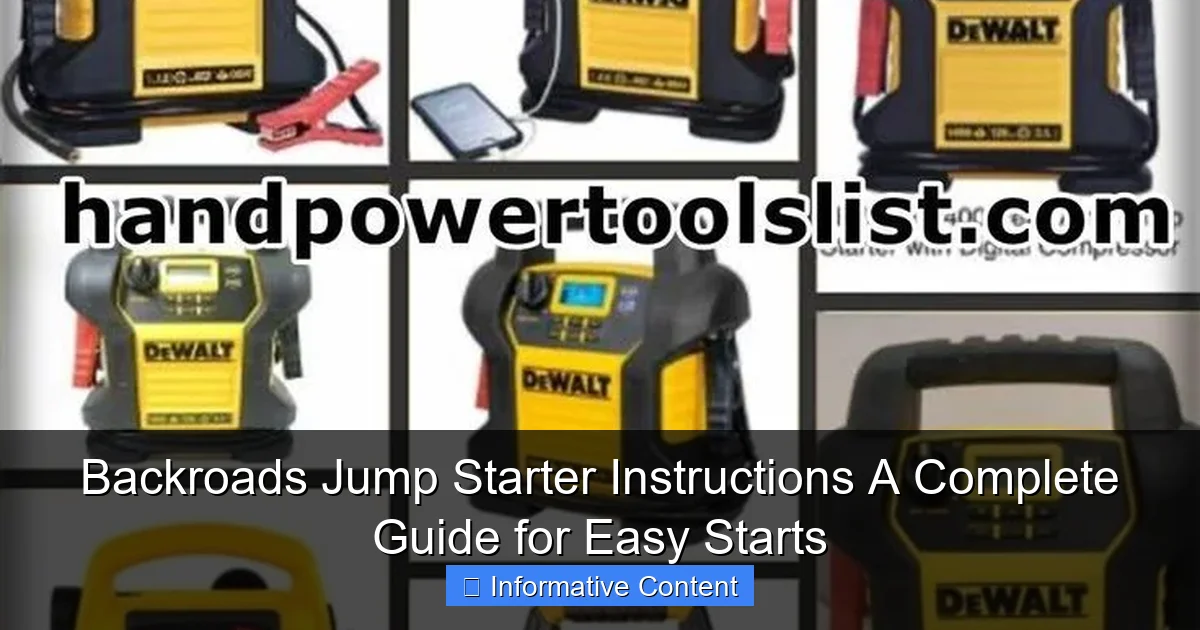
Featured image for backroads jump starter instructions
Image source: i.pinimg.com
Master your Backroads jump starter with these simple, step-by-step instructions to get your vehicle running fast—even in remote locations. From safety checks to proper cable connections, this guide ensures reliable starts every time, so you’re never stranded.
Key Takeaways
- Read the manual first: Always review safety and setup guidelines before using your Backroads jump starter.
- Check battery levels: Ensure the jump starter is fully charged for maximum performance.
- Connect red to positive: Attach the red clamp to the dead battery’s positive terminal first.
- Secure black to ground: Connect the black clamp to a grounded metal surface, not the battery.
- Start within 30 seconds: Activate the jump starter quickly after connecting to avoid power loss.
- Store properly after use: Recharge and keep in a cool, dry place for longevity.
📑 Table of Contents
- Why a Backroads Jump Starter Could Be Your Best Travel Companion
- Understanding Your Backroads Jump Starter: What’s in the Box?
- Step-by-Step Guide to Jump-Starting Your Car
- Safety Tips and Common Mistakes to Avoid
- Beyond Jump-Starting: Other Useful Features
- Maintenance and Storage: Keep Your Jump Starter Ready
- Comparison Table: Backroads vs. Competitors
- Final Thoughts: Your Roadside Hero
Why a Backroads Jump Starter Could Be Your Best Travel Companion
Imagine this: you’re miles away from the nearest town, your car sputters and dies, and you’re left with a dead battery in the middle of nowhere. It’s a scenario no one wants to face, but it happens more often than you’d think. That’s where a Backroads jump starter comes in—a compact, portable powerhouse that can get your vehicle running again without needing another car. Whether you’re on a cross-country road trip, camping in remote areas, or just want peace of mind in daily driving, having a reliable jump starter is a game-changer.
But owning one isn’t enough. Knowing how to use it safely and effectively is what truly makes the difference. That’s why this guide is here—to walk you through every step of using your Backroads jump starter, from unboxing to troubleshooting. We’ll cover everything: how to charge it, how to jump-start your car, common mistakes to avoid, and even tips for maintaining it over time. Think of this as your personal cheat sheet for staying powered up on the road.
Understanding Your Backroads Jump Starter: What’s in the Box?
Before you even think about jumping a car, take a moment to get familiar with your Backroads jump starter. Most models come in a sleek, durable case with several key components. Understanding each part will help you use it correctly and avoid mishaps.
Key Components and Their Functions
- Main Unit: This is the heart of the device. It contains the lithium-ion battery, safety circuits, and output ports. It’s usually compact—about the size of a thick paperback book—and weighs 1-2 pounds. Look for a power button, LED indicators, and USB ports on the side.
- Jump Start Clamps: These are heavy-duty, color-coded cables (red for positive, black for negative) that connect the jump starter to your car battery. High-quality clamps have built-in surge protection and reverse polarity alarms to prevent damage.
- Charging Cable: A USB-C or micro-USB cable for recharging the unit. Some models include a wall adapter, while others charge via a car charger or USB port on your laptop.
- User Manual: Don’t toss it! It contains model-specific safety warnings, charging times, and troubleshooting steps. Keep it in the case for quick access.
- Carrying Case: Keeps everything organized and protects the unit from dust, moisture, and drops.
First-Time Setup: Charging and Initial Checks
Your Backroads jump starter likely arrives with a partial charge, but it’s best to fully charge it before your first use. Here’s how:
- Plug the charging cable into the unit and a power source (wall outlet, car charger, or USB port).
- Look for LED indicators. Most models have 4 lights—each representing 25% of the battery. Wait until all lights are solid (usually 3–5 hours).
- While charging, check the clamps. Make sure they open smoothly and the insulation isn’t cracked.
- Once charged, press the power button. The unit should light up, and you might hear a short beep—this confirms it’s ready.
Pro Tip: Test the jump starter on a working car (with the engine off) just to see how it connects. It’s a great way to build confidence before you actually need it.
Step-by-Step Guide to Jump-Starting Your Car
Now that you’re familiar with the device, let’s get to the main event: jump-starting your car. The process is simple, but safety is critical. Follow these steps carefully—even a small mistake can damage your vehicle or the jump starter.
Step 1: Park and Prepare the Vehicle
- Turn off the ignition and all electronics (lights, radio, AC).
- Engage the parking brake and put the car in park (or neutral for manual transmissions).
- Open the hood and locate the battery. If it’s covered (common in newer cars), remove the plastic cover carefully.
- Wipe the battery terminals with a clean, dry cloth to remove dirt or corrosion. This ensures a good connection.
Step 2: Connect the Jump Starter
- Attach the red (positive) clamp to the positive terminal of the dead battery. It’s usually marked with a “+” and has a red cable or cover.
- Connect the black (negative) clamp to a grounded metal surface on the engine block or frame. Avoid the negative battery terminal—this reduces the risk of sparks near the battery, which can ignite hydrogen gas.
- Double-check the connections. The clamps should be tight and secure.
- Press the power button on the jump starter. You should see a green or blue light indicating it’s ready.
Real-World Example: On a recent camping trip, my friend’s SUV wouldn’t start after leaving the dome light on overnight. We connected the Backroads jump starter to the engine’s metal strut tower (a solid ground point), and the car fired up in seconds—no waiting for roadside assistance!
Step 3: Start the Engine
- Get in the car and turn the key. The engine should crank and start within a few seconds.
- If it doesn’t start immediately, wait 2–3 seconds and try again. Most jump starters have a “boost” mode that delivers extra power—check your manual for how to activate it.
- Once the engine is running, keep it at a fast idle for a minute to stabilize.
Step 4: Disconnect and Recharge
- Turn off the car’s engine.
- Remove the black clamp first, then the red clamp. This sequence prevents sparks near the battery.
- Close the hood and let the engine run for at least 15–20 minutes to recharge the battery.
- Recharge the jump starter as soon as possible—even if it still has some power. This maintains battery health.
Important: Never leave the jump starter connected while driving. The vibrations can loosen the clamps, causing dangerous short circuits.
Safety Tips and Common Mistakes to Avoid
Jump-starting is simple, but it’s easy to make mistakes—especially when you’re stressed or in a hurry. Here’s how to stay safe and get the best results.
Top Safety Rules
- Never touch the clamps together or let them touch metal while connected. This can cause a short circuit, damage the jump starter, or even start a fire.
- Keep the unit away from water and extreme heat. Lithium-ion batteries are sensitive to moisture and temperatures above 120°F.
- Don’t jump-start a damaged or leaking battery. If you see cracks, bulges, or fluid, call a professional. A damaged battery can explode.
- Use the correct mode. Some Backroads models have a “12V” and “24V” setting. Using the wrong one can damage your car’s electronics.
Common Mistakes (And How to Fix Them)
- Mistake: Connecting the clamps in the wrong order.
Solution: Always connect red first, then black. Reverse the order when disconnecting (black first, then red). - Mistake: Using the jump starter on a severely discharged battery.
Solution: If the battery is below 2V (check with a multimeter), the jump starter might not recognize it. Try charging the battery for 15 minutes first, then retry. - Mistake: Leaving the jump starter in the car during summer.
Solution: Store it in a cool, dry place. High temperatures degrade lithium batteries. A trunk can hit 140°F on a hot day! - Mistake: Ignoring the “reverse polarity” warning.
Solution: If the alarm beeps, disconnect the clamps immediately. Reconnect with the correct polarity (red to +, black to ground).
<
What to Do If the Jump Starter Fails
Sometimes, even a fully charged jump starter won’t work. Here’s what to check:
- Is the battery terminal clean? Corrosion (white/green crust) can block the connection. Use a wire brush or baking soda solution to clean it.
- Are the clamps loose? Tighten them or try a different ground point.
- Is the jump starter overheating? Let it cool for 10 minutes. Most units have thermal protection.
- Is the car’s alternator failing? If the battery dies repeatedly, the alternator might not be charging it. Get it checked at a mechanic.
Beyond Jump-Starting: Other Useful Features
A Backroads jump starter isn’t just for dead batteries. It’s a multi-tool for emergencies and everyday use. Let’s explore its hidden talents.
USB Power Bank for Devices
Most models have USB-A and USB-C ports to charge phones, tablets, GPS units, or even a small laptop. For example:
- Charge a smartphone from 0% to 100% 2–3 times.
- Power a portable fan or camping light for hours.
- Keep your dash cam running during long parking sessions.
Tip: Use a high-quality cable and avoid fast-charging while the jump starter is low on power—it can drain the battery faster.
Built-in LED Flashlight
The flashlight is a lifesaver in dark parking lots, breakdowns, or power outages. Features vary by model but often include:
- Standard mode: Steady light for visibility.
- Strobe mode: Flashing light to signal for help.
- SOS mode: Morse code pattern for emergencies.
Real-World Example: During a winter storm, I used the strobe mode to guide a tow truck to my car on a snowy backroad. The driver said he spotted the flashing light from 200 feet away!
Inflator and Air Compressor (On Select Models)
Some Backroads jump starters include a built-in air pump for tires, air mattresses, or sports equipment. To use it:
- Attach the hose to the tire valve.
- Set the desired PSI (check your car’s door jamb for recommended pressure).
- Press start. The unit automatically stops when the pressure is reached.
Note: This feature uses a lot of power. Recharge the jump starter after inflating large tires.
Maintenance and Storage: Keep Your Jump Starter Ready
Like any tool, your Backroads jump starter needs care to last for years. Follow these tips to keep it in top shape.
Charging and Battery Care
- Charge every 3–6 months even if you don’t use it. Lithium batteries self-discharge over time.
- Avoid full discharges. Recharge when the battery drops to 20–30%. Deep discharges shorten battery life.
- Use the original charger. Third-party cables might not provide the right voltage.
Cleaning and Storage
- Wipe the unit with a dry, lint-free cloth. For sticky residue, use a damp cloth (not wet) and mild soap.
- Store it in the carrying case, away from dust and humidity.
- Keep it in a temperature-controlled area (32°F–100°F). Avoid garages or trunks in extreme weather.
Checking for Damage
Inspect the jump starter every few months:
- Look for cracks, bulges, or leaks on the unit.
- Test the clamps—they should open/close smoothly.
- Press the power button. If it doesn’t light up, recharge it fully and try again.
Pro Tip: Write the purchase date on the case with a permanent marker. Most jump starters last 3–5 years with proper care.
Comparison Table: Backroads vs. Competitors
| Feature | Backroads Model X | Brand A | Brand B |
|---|---|---|---|
| Peak Current | 2000A | 1500A | 1800A |
| Capacity | 18,000mAh | 15,000mAh | 20,000mAh |
| USB Ports | 2 (1A/2.4A) | 1 (2.4A) | 3 (1A/2.4A/3A) |
| Flashlight | 3 modes (steady, strobe, SOS) | 2 modes (steady, strobe) | 1 mode (steady) |
| Air Compressor | Yes (up to 150 PSI) | No | Yes (up to 100 PSI) |
| Warranty | 2 years | 1 year | 3 years |
As you can see, the Backroads Model X strikes a balance between power, features, and durability. While Brand B has a higher capacity, it’s also bulkier and more expensive. The Backroads unit is ideal for most drivers who want reliability without sacrificing portability.
Final Thoughts: Your Roadside Hero
There’s something empowering about having a Backroads jump starter in your car. It’s not just about avoiding the frustration of a dead battery—it’s about feeling prepared, no matter where the road takes you. Whether you’re a weekend adventurer, a daily commuter, or a parent shuttling kids to activities, this little device can save your day.
Remember, the key to success is practice and maintenance. Test it once in a while, keep it charged, and follow the steps in this guide. You’ll never have to flag down a stranger or wait for a tow truck again. And if you ever help someone else with their car? That’s just a bonus—the true value is in the peace of mind.
So go ahead, toss your Backroads jump starter in the glovebox or trunk. You’re not just buying a tool—you’re investing in confidence, safety, and the freedom to explore without fear. Safe travels!
Frequently Asked Questions
How do I use the Backroads jump starter for the first time?
Begin by fully charging your Backroads jump starter using the included USB cable or AC adapter. Attach the clamps to the battery terminals—red to positive (+) and black to negative (–)—then turn on the device to start your vehicle.
Can I use the Backroads jump starter on a completely dead battery?
Yes, the Backroads jump starter is designed to work even with deeply discharged batteries. Ensure the clamps are securely connected and wait 2–3 minutes before attempting to start the engine for optimal results.
What safety features does the Backroads jump starter have?
The Backroads jump starter includes reverse polarity, over-current, and short-circuit protection to prevent damage to your vehicle or device. These features make it safe and user-friendly for beginners.
How long does the Backroads jump starter hold its charge?
When fully charged and stored properly, the Backroads jump starter retains its charge for up to 6–12 months. For best performance, recharge it every 3–4 months if unused.
Are there any special Backroads jump starter instructions for cold weather?
Extreme cold can reduce battery performance, so store the Backroads jump starter in a temperature-controlled environment when possible. Before use in winter, warm the device indoors for 10–15 minutes to ensure peak efficiency.
What should I do if my Backroads jump starter won’t turn on?
First, check that the device is charged and the power button is pressed for 3–5 seconds. If it still doesn’t turn on, try resetting it by holding the button for 10 seconds or contact customer support.