
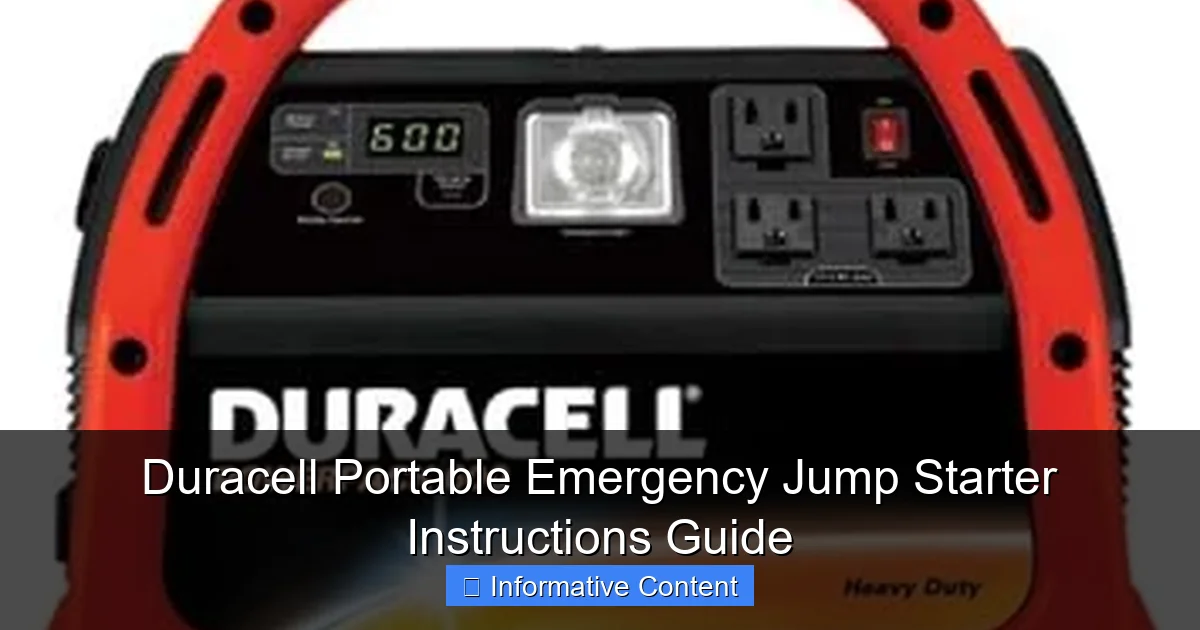
Featured image for duracell portable emergency jump starter instructions
Image source: images-na.ssl-images-amazon.com
Master your Duracell Portable Emergency Jump Starter with these simple, step-by-step instructions to safely jump-start your vehicle in minutes—no tools or expertise required. Always connect the clamps correctly (red to positive, black to ground) and power on the unit to avoid damage and ensure reliable performance when you need it most.
Key Takeaways
- Read the manual first: Always review safety instructions before use.
- Charge fully before storage: Ensure 100% charge to maintain battery health.
- Check connections: Match red to positive (+) and black to negative (−) terminals.
- Turn off accessories: Disable vehicle electronics before jump-starting to avoid surges.
- Use in emergencies only: Not a replacement for regular battery maintenance.
- Store properly: Keep in a cool, dry place to extend lifespan.
📑 Table of Contents
- Why You Need a Reliable Jump Starter in Your Car
- Getting to Know Your Duracell Portable Emergency Jump Starter
- Step-by-Step: How to Use Your Duracell Jump Starter (Safely!)
- Smart Features You Might Not Be Using (But Should!)
- Maintenance and Care: Keep Your Jump Starter Ready
- Real-World Scenarios: When Your Jump Starter Saves the Day
- Final Thoughts: Your Peace of Mind in a Compact Package
Why You Need a Reliable Jump Starter in Your Car
Imagine this: You’re running late for an important meeting, you hop in your car, turn the key, and… nothing. Just a frustrating click-click-click. Dead battery. It’s one of those moments where you wish you had a magic button to bring your car back to life. That’s where the Duracell Portable Emergency Jump Starter comes in. It’s not just another gadget to clutter your trunk—it’s a lifeline when you’re stuck, stranded, or just plain late.
Unlike traditional jumper cables that require another vehicle (and a friendly stranger), a portable jump starter gives you independence. No waiting for help. No awkward conversations with neighbors at 7 a.m. Just you, your trusty device, and the sweet sound of your engine roaring back to life. I’ve been there—once, on a freezing winter morning, with my phone at 3% and my car refusing to start. A portable jump starter would’ve saved me hours of stress. And that’s exactly why I’ve put together this comprehensive guide to help you use your Duracell jump starter safely, effectively, and with confidence.
Getting to Know Your Duracell Portable Emergency Jump Starter
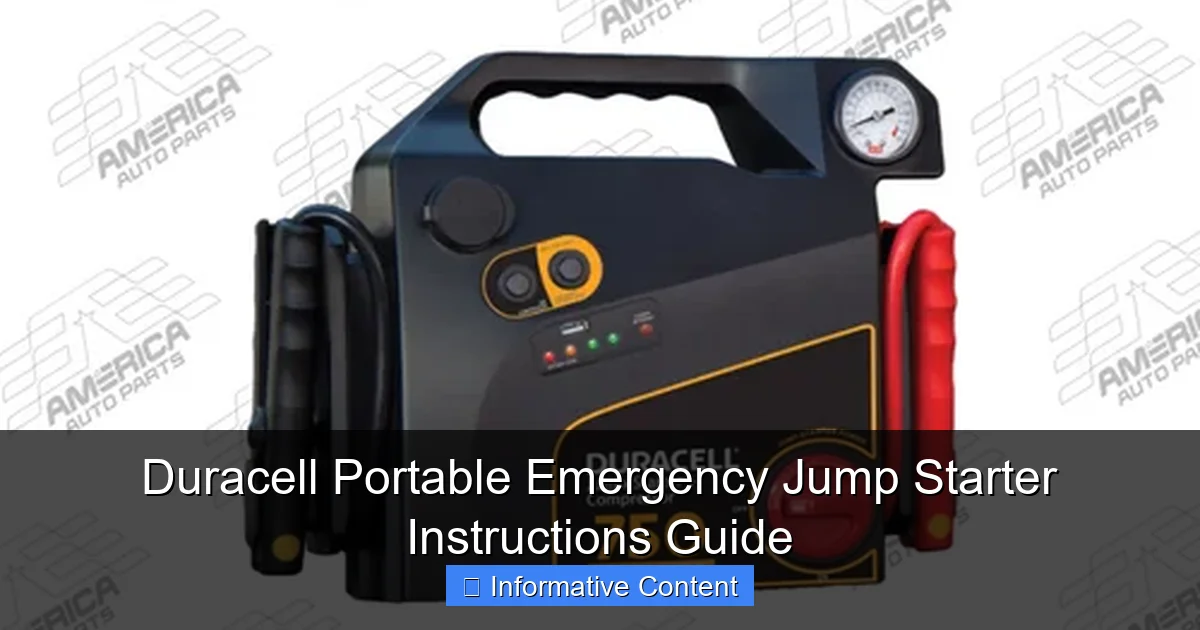
Before you even think about jumping a car, it’s important to understand what you’re working with. The Duracell Portable Emergency Jump Starter is designed for everyday drivers, not just mechanics. It’s compact, user-friendly, and packed with features that make it one of the most trusted names in portable power.
Visual guide about duracell portable emergency jump starter instructions
Image source: static.wixstatic.com
What’s in the Box?
When you unbox your Duracell jump starter, you’ll typically find:
- The main jump starter unit
- Heavy-duty smart jumper clamps
- USB charging cable (often micro-USB or USB-C)
- Wall charger (AC adapter)
- Car charging adapter (12V DC)
- User manual and safety guide
- Optional: carrying case (varies by model)
I always recommend keeping all the accessories together in a small pouch or the original box. Trust me—losing the jumper clamps when you need them most is not fun.
Key Features and Specifications
Duracell offers several models, but most share core features. Here’s what you should know:
- Peak Current: Ranges from 1,000 to 2,000+ amps, depending on the model. This determines how powerful the jump is—ideal for cars, trucks, SUVs, and even small boats.
- Battery Capacity: Measured in milliamp-hours (mAh), typically between 10,000 and 20,000 mAh. Higher capacity means more jump starts per charge.
- Smart Clamps: Built-in safety features like reverse polarity, short circuit, and overcurrent protection. These prevent sparks, damage to your car, or injury.
- USB Ports: Most models have 1–2 USB-A and/or USB-C ports to charge phones, tablets, GPS units, or other devices.
- Built-in LED Light: A lifesaver at night. Often includes SOS flash and strobe modes.
- Digital Display (on select models): Shows battery percentage, voltage, and error codes.
For example, the Duracell DPS1200 (a popular mid-range model) delivers 1,200 peak amps and 18,000 mAh capacity—enough to jump most 4- to 6-cylinder engines up to 20 times on a full charge.
Understanding the Buttons and Indicators
Most Duracell jump starters have a simple interface:
- Power Button: Turns the unit on/off. Often doubles as a mode selector for the LED light.
- Jump Start Button: Activates the jump function. Some models require you to hold it for 3 seconds to prevent accidental use.
- LED Indicators: Usually color-coded (green = ready, red = charging, yellow = low battery).
One thing I appreciate is the auto-shutoff feature. If you forget to turn it off after a jump, it powers down after a few minutes to save battery. Small detail, big peace of mind.
Step-by-Step: How to Use Your Duracell Jump Starter (Safely!)
Jumping a car might sound intimidating, but with a Duracell jump starter, it’s actually one of the safest and easiest things you can do—if you follow the steps. Let’s walk through the process together, like I’m guiding you through it in real time.
Step 1: Check the Jump Starter’s Charge
Before you even pop the hood, make sure your jump starter has enough power. A fully charged unit typically shows 100% on the display or all green LEDs lit. If it’s below 50%, charge it fully before use. Pro tip: Keep it at least 50% charged at all times, even if you’re not using it. Lithium batteries degrade faster when stored completely empty.
To charge, use the wall adapter or car charger. Most models take 3–5 hours to reach full capacity. Some even have a “fast charge” mode that gets you to 80% in under 2 hours.
Step 2: Park Safely and Prepare the Vehicle
Park on a flat surface, turn off the engine, and engage the parking brake. Make sure the car is in “Park” (automatic) or “Neutral” (manual). Remove the key from the ignition—this is critical. You don’t want to accidentally start the car while connecting the clamps.
Open the hood and locate the battery. If it’s covered by a plastic shroud, gently remove it. Look for the battery terminals: positive (+) and negative (-). They’re usually clearly marked.
Step 3: Connect the Clamps Correctly
This is where safety matters most. Always follow the color coding:
- Red clamp → Positive (+) terminal (usually a red cover or “+” symbol)
- Black clamp → Negative (-) terminal (black cover or “-” symbol)
Wait—what if the terminals are dirty or corroded? No problem. Use a wire brush or a clean rag to wipe them down. A good connection is key.
Now, connect the clamps. Start with the red (positive), then the black (negative). The smart clamps will beep or flash if they detect reverse polarity. If that happens, disconnect immediately and check your connections.
Important: Never let the clamps touch each other or any metal parts while connected. Sparks can damage the jump starter or your car’s electronics.
Step 4: Power On and Start the Engine
Turn on your Duracell jump starter. The display should show “Ready” or “Safe to Jump.” Press and hold the jump start button for 3–5 seconds (if required). You’ll hear a soft click or see a green light—this means the system is armed.
Now, get in the car, turn the key, and start the engine. It should fire up within a few seconds. If it doesn’t, wait 30 seconds, then try again. Avoid cranking for more than 5 seconds at a time—this can overheat the starter motor.
Real-life example: I once tried to jump a 2010 Honda Civic with a nearly dead battery. First try—nothing. Waited 30 seconds, tried again, and it started right up. Patience is key.
Step 5: Disconnect in the Right Order
Once the engine is running, disconnect in this order:
- Turn off the jump starter
- Remove the black (negative) clamp first
- Remove the red (positive) clamp second
- Close the hood
Why this order? Removing the negative first reduces the risk of sparks near the battery, which can be dangerous if hydrogen gas has built up.
Step 6: Let the Engine Run and Recharge
Let the engine run for at least 15–20 minutes to recharge the battery. Take a short drive if possible—this helps the alternator do its job. Don’t shut off the engine right away. If it dies again, the battery may be too far gone and need replacement.
Smart Features You Might Not Be Using (But Should!)
Your Duracell jump starter is more than just a battery booster. It’s a multi-tool for emergencies. Most people only use it to jump cars, but it can do so much more—especially when you’re off-grid or facing unexpected situations.
Charging Your Phone and Devices
Got a dead phone during a road trip? No problem. Use one of the USB ports to charge it. Most models deliver 5V/2.1A—enough to charge an iPhone from 0% to 50% in about 30 minutes.
Pro tip: Keep a multi-port USB hub in your car. That way, you can charge your phone, GPS, and dash cam all at once. I once used mine to power a portable fan during a heatwave while stuck in traffic—saved my sanity.
Emergency LED Light: More Than Just a Flashlight
The built-in LED light is a game-changer. It usually has three modes:
- Steady light: Great for working under the hood or changing a tire.
- Strobe: Draws attention if you’re stranded on the side of the road.
- SOS flash: Sends a distress signal (three short, three long, three short flashes).
I keep my jump starter on the passenger seat at night when driving long distances. If I break down, I can quickly grab it and activate the SOS light—it’s much more visible than waving a phone.
Air Compressor (on Select Models)
Some Duracell models, like the DPS2000, come with a built-in air compressor. This lets you inflate tires, air mattresses, or even sports equipment. The compressor typically delivers up to 35 PSI and has an auto-shutoff when the preset pressure is reached.
Example: I once used mine to top off my mountain bike tires before a trail ride. Saved me a trip to the bike shop.
For more on 2-in-1 emergency tools, check out our guide on jump starters with air compressors.
Reverse Polarity and Overload Protection
These aren’t just marketing terms—they’re lifesavers. If you accidentally connect the clamps backward, the jump starter will beep, flash red, and block the jump. Same if there’s a short circuit or the battery is too low. This protects both you and your car.
I’ve seen people fry their alternators using cheap jump starters with no protection. Duracell’s smart tech prevents that.
Maintenance and Care: Keep Your Jump Starter Ready
A jump starter is only as good as its battery. With a little care, your Duracell can last 3–5 years or more. Here’s how to keep it in top shape.
Charging and Storage Tips
- Recharge every 3–6 months: Even if you don’t use it, the battery slowly discharges. I set a reminder on my phone every April and October.
- Store at 40–80% charge: Ideal for long-term storage. Don’t leave it fully charged or completely dead.
- Keep in a cool, dry place: Avoid extreme heat (like a hot car in summer) or freezing temperatures. Room temperature is best.
I keep mine in the trunk, but in a padded case to protect it from bumps and moisture.
Cleaning the Clamps and Ports
Wipe the clamps with a dry cloth after each use. If they get greasy or corroded, use a little rubbing alcohol on a cotton swab. Avoid water near the ports—moisture can damage the electronics.
When to Replace the Battery
Signs your jump starter needs attention:
- It won’t hold a charge
- It struggles to start the car (even when fully charged)
- The display shows “Low Battery” or “Replace Battery”
- Physical damage (cracks, leaks, swelling)
Most Duracell models have non-removable batteries, but you can contact customer service for repair or replacement options. I once had a unit that wouldn’t charge after a year. They sent me a new one under warranty—no questions asked.
Real-World Scenarios: When Your Jump Starter Saves the Day
Let’s look at some common situations where a Duracell jump starter isn’t just helpful—it’s essential.
Winter Weather: Cold Starts Are Tough
Batteries lose up to 60% of their power in freezing temperatures. If your car won’t start on a -10°F morning, your jump starter is your best friend. Just remember: keep the unit inside the car or house before use. Cold batteries deliver less power. I warm mine up in the passenger seat for 10 minutes before jumping.
Learn more about winter preparedness with an emergency jump starter.
Remote Areas: No Help in Sight
Driving through the countryside or national parks? Cell service is spotty. If your battery dies, you can’t call for help. A jump starter gives you independence. I once used mine on a remote forest road in Oregon—no other cars for miles. It started my truck on the second try.
Nighttime Emergencies
Broken down on a dark highway? The LED light and SOS mode are priceless. I used the strobe mode once when my car stalled at night. A passing truck driver saw me and stopped to help—even though I didn’t need it, the visibility made me feel safer.
Multiple Vehicles: Help a Friend (or Yourself)
Most jump starters can handle multiple jumps per charge. I’ve used mine to help three neighbors in one winter season. It’s a great way to build goodwill in your community.
Data Table: Duracell Jump Starter Models Compared
| Model | Peak Amps | Battery (mAh) | USB Ports | LED Light | Air Compressor | Weight (lbs) |
|---|---|---|---|---|---|---|
| Duracell DPS800 | 800 | 10,000 | 1x USB-A | Yes (3 modes) | No | 1.8 |
| Duracell DPS1200 | 1,200 | 18,000 | 2x USB-A | Yes (SOS mode) | No | 2.2 |
| Duracell DPS1600 | 1,600 | 20,000 | 1x USB-A, 1x USB-C | Yes (strobe) | Yes (35 PSI) | 3.1 |
| Duracell DPS2000 | 2,000 | 22,000 | 2x USB-A, 1x USB-C | Yes (SOS + strobe) | Yes (40 PSI) | 4.0 |
Note: Specifications may vary by region and year. Always check the label on your unit.
Final Thoughts: Your Peace of Mind in a Compact Package
At the end of the day, the Duracell Portable Emergency Jump Starter isn’t about flashy specs or gimmicks. It’s about confidence. The confidence to leave the house without worrying about a dead battery. The confidence to help a stranded driver. The confidence to know you’re prepared for the unexpected.
Is it perfect? No. Some models are a bit heavy. The charging time could be faster. And yes, there are cheaper options out there. But when it comes to reliability, safety, and peace of mind, Duracell delivers. I’ve used mine in snowstorms, heatwaves, and midnight breakdowns. It’s never let me down.
So, keep your jump starter charged, store it properly, and don’t be afraid to use it. Whether you’re a daily commuter, a road tripper, or just someone who values preparedness, this little device could one day save your day—or your life. And when that moment comes, you’ll be glad you read this guide. Stay safe, stay charged, and drive with confidence.
Frequently Asked Questions
How do I use the Duracell portable emergency jump starter for the first time?
Before first use, fully charge the Duracell portable emergency jump starter using the provided USB cable. Connect the clamps to the battery terminals (red to positive, black to negative) and turn on the unit to start charging your vehicle.
What should I do if my Duracell jump starter won’t turn on?
Ensure the device is sufficiently charged—connect it to a power source for at least 4-6 hours. If it still won’t turn on, reset it by holding the power button for 10 seconds or consult the troubleshooting section of the Duracell portable emergency jump starter instructions.
Can the Duracell jump starter work on diesel engines?
Yes, but only if your model is rated for diesel engines (typically 8-cylinder or higher). Check the product manual for compatibility and ensure the battery voltage matches your engine requirements. For more details, see our specialized guide for diesel vehicles.
How long does the Duracell portable emergency jump starter hold its charge?
The unit holds a charge for 3-6 months when stored properly in a cool, dry place. For optimal performance, recharge it every 3 months, as noted in the Duracell portable emergency jump starter instructions.
Is it safe to leave the jump starter connected to the car battery?
No—disconnect the clamps immediately after starting the vehicle. Leaving it connected can damage the unit or battery due to voltage fluctuations or backflow.
What do the LED indicators mean on my Duracell jump starter?
Solid green means fully charged, flashing red indicates low battery, and blinking yellow signals an error (e.g., reverse polarity). Refer to the guide for specific error codes and solutions.