
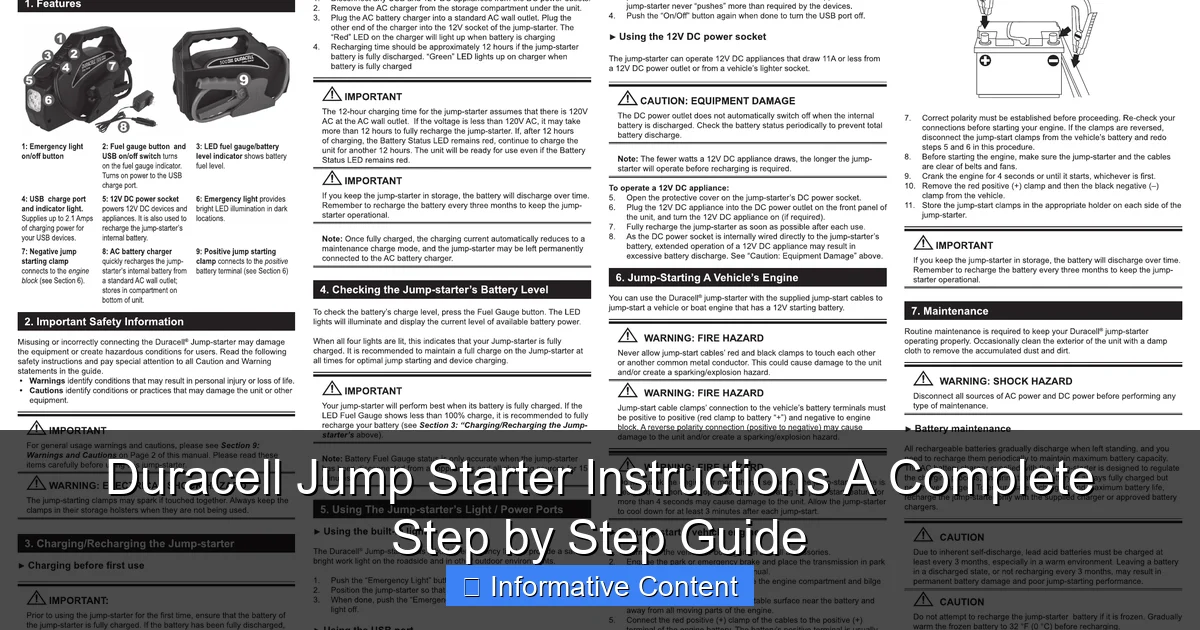
Featured image for duracell jump starter instructions
Image source: handleidi.ng
Master your Duracell jump starter with this simple, step-by-step guide designed to get your vehicle running safely and efficiently. Follow the clear, illustrated instructions for proper connection, charging, and troubleshooting—ensuring reliable performance every time.
Key Takeaways
- Read the manual first: Always review safety guidelines before using your Duracell jump starter.
- Check battery levels: Ensure the jump starter is fully charged before roadside emergencies.
- Connect red to positive: Attach the red clamp to the dead battery’s positive terminal first.
- Ground the black clamp: Secure the black clamp to an unpainted metal surface, not the battery.
- Power on after connections: Turn on the jump starter only after clamps are properly attached.
- Start the vehicle: Attempt ignition immediately after activation for best results.
📑 Table of Contents
- Why Every Driver Needs a Jump Starter (And How to Use It)
- Understanding Your Duracell Jump Starter: What’s in the Box?
- Step-by-Step: How to Use Your Duracell Jump Starter (Safely!)
- Maintenance and Charging: Keep Your Jump Starter Ready
- Troubleshooting Common Issues (And How to Fix Them)
- Beyond Jump-Starting: Other Uses for Your Duracell Jump Starter
- Final Thoughts: Be Prepared, Not Scared
Why Every Driver Needs a Jump Starter (And How to Use It)
Remember that sinking feeling when your car won’t start? The headlights dim, the radio flickers, and your phone’s already at 10%. It’s a scenario most of us have faced — maybe in a cold winter morning, a busy parking lot, or worse, during a road trip far from help. That’s when a portable jump starter like the Duracell jump starter becomes your best friend. No more waiting for a stranger with jumper cables, no more awkward conversations with a tow truck driver. Just you, your trusty device, and a car that roars back to life.
But here’s the catch: owning a jump starter isn’t enough. You need to know how to use it — safely, correctly, and efficiently. And that’s where this guide comes in. Whether you’ve just unboxed your Duracell jump starter or you’ve had it for a while and never quite felt confident using it, I’m going to walk you through every step, from setup to storage. I’ll share real-world tips (like how to avoid sparks when connecting cables), common mistakes to dodge, and how to keep your device ready for action. Think of this as a friendly chat over coffee — one that might just save your next morning commute.
Understanding Your Duracell Jump Starter: What’s in the Box?
Before you even think about jump-starting a car, let’s get familiar with your device. The Duracell jump starter lineup includes several models (like the DS1200, DS1500, and DS2000), but they all share core components. Knowing what each part does helps you use the device correctly and troubleshoot issues.
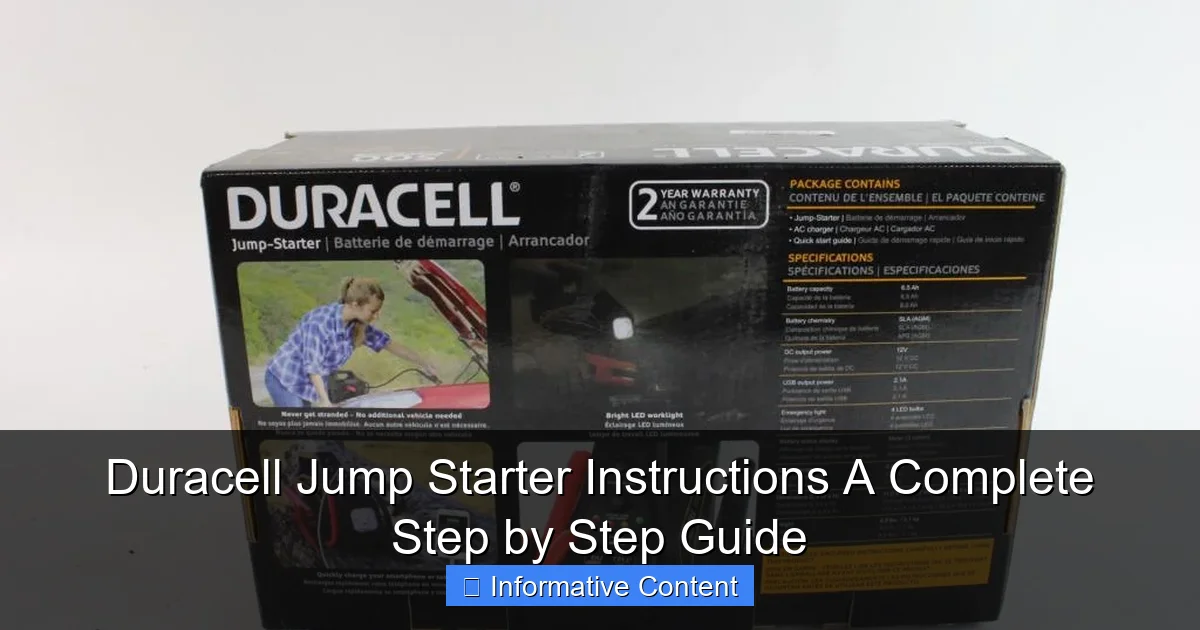
Visual guide about duracell jump starter instructions
Image source: content.propertyroom.com
Key Components and Their Functions
- Jump starter unit: The main battery pack. This is where energy is stored. Most Duracell models use lithium-ion batteries, which are lightweight, charge quickly, and hold a charge longer than older lead-acid types.
- Smart jumper cables: These are the cables that connect to your car battery. Duracell’s cables often include safety features like reverse polarity protection and spark prevention. They’re usually detachable for easy storage.
- USB charging ports: Handy for charging your phone, tablet, or other gadgets. Some models have multiple ports (USB-A and USB-C) and even a built-in flashlight.
- LCD or LED display: Shows battery level, charging status, and error codes. Some models have a digital screen; others use simple LED indicators.
- Charging adapter: Usually a wall plug and sometimes a 12V car charger (for topping up on the go).
- Storage case: A durable case to protect the unit and keep all parts together.
Pro tip: After unboxing, charge your Duracell jump starter fully before first use — even if it shows 100% out of the box. This ensures optimal performance and helps calibrate the battery meter.
Model Comparison: Which Duracell Jump Starter Is Right for You?
Duracell offers different models based on power needs. Here’s a quick breakdown to help you choose (or understand your current model):
| Model | Peak Amps | Engine Compatibility | USB Ports | Flashlight | Special Features |
|---|---|---|---|---|---|
| Duracell DS1200 | 1200A | Up to 6L gas / 3L diesel | 2 (USB-A) | Yes (LED) | Reverse polarity alert |
| Duracell DS1500 | 1500A | Up to 8L gas / 4L diesel | 2 (USB-A + USB-C) | Yes (strobe & SOS) | Smart charging, low self-discharge |
| Duracell DS2000 | 2000A | Up to 10L gas / 6L diesel | 3 (2x USB-A, 1x USB-C) | Yes (adjustable brightness) | Jump start 20+ times on full charge, built-in compass |
For most drivers, the DS1500 hits the sweet spot — powerful enough for SUVs and trucks, but not overkill. The DS2000 is ideal if you drive large vehicles, live in cold climates, or want maximum reliability. The DS1200 is great for compact cars and occasional use. For a broader comparison across brands, see our guide to the best jump starter for 2026.
Step-by-Step: How to Use Your Duracell Jump Starter (Safely!)
Now for the main event: jump-starting your car. I’ve seen people panic when their car won’t start, but with a Duracell jump starter, the process is simpler than you think — if you follow the right steps. Here’s how to do it safely and effectively.
Step 1: Prepare the Jump Starter and Car
- Make sure your Duracell jump starter is charged (check the display — ideally 100%).
- Park the car on a flat surface, turn off the ignition, and engage the parking brake.
- Open the hood and locate the battery. Look for a plastic cover — remove it if needed.
- Inspect the battery terminals. If they’re corroded (white or blue powder), wipe them gently with a damp cloth and dry. Avoid touching them directly.
Real-world tip: I once tried to jump-start a car in a tight garage. Big mistake — no room to open the hood fully! Always pick a spot with enough space to work safely.
Step 2: Connect the Jumper Cables (The Right Way)
- Attach the red (positive) clamp to the positive terminal on your car battery. It’s marked with a “+” and usually has a red cover.
- Attach the black (negative) clamp to a metal, unpainted surface on the car frame or engine block. Never connect it directly to the negative battery terminal if the battery is damaged or leaking — this can cause sparks near flammable gases.
- Double-check the connections. The clamps should be snug and not touching each other.
Why this matters: Duracell jump starters have reverse polarity protection, but it’s still best to connect correctly. If you swap the cables, the device will usually flash a warning light — but why risk it?
Step 3: Power On and Jump Start
- Turn on your Duracell jump starter. Most models have a power button — press it until the display lights up.
- Wait 10–30 seconds. This allows the device to “sense” the battery and prepare for the jump.
- Start the car. Turn the key (or push the start button) and hold it for a few seconds. If the engine doesn’t start on the first try, wait 30 seconds and try again.
- If it starts — great! Let the engine run for 1–2 minutes to stabilize.
Common issue: If the car doesn’t start, check the jump starter’s display. A blinking light or error code might mean low charge, poor connection, or a deeply discharged battery. Try re-clamping the cables and wait longer before starting.
Step 4: Disconnect and Store
- Turn off the jump starter.
- Remove the black (negative) clamp first, then the red (positive) clamp.
- Close the hood and drive for at least 15–20 minutes to recharge the car battery.
- Recharge your Duracell jump starter as soon as possible — even if it shows 80% left. Frequent partial discharges reduce battery life.
Safety reminder: Never leave the jump starter connected while driving. The cables can get caught in moving parts, and the device isn’t designed for continuous power delivery.
Maintenance and Charging: Keep Your Jump Starter Ready
A jump starter is only useful if it’s ready when you need it. I learned this the hard way — after leaving mine in a hot garage for six months, the battery degraded, and it barely worked when I needed it. Here’s how to keep your Duracell jump starter in top shape.
How Often Should You Charge It?
- After every use: Even if you only used 10% of the charge, plug it in. Lithium-ion batteries don’t like being left partially discharged.
- Every 3–6 months (if unused): Most Duracell models have a “low self-discharge” feature, but they still lose 5–10% of charge per month. Recharge to 100% if stored for long periods.
- Before winter: Cold weather drains batteries faster. Charge fully before cold months.
Tip: I keep mine in my car’s trunk with a small 12V charger. That way, I can top it up during long drives — no outlet needed. For more on lithium-ion battery care, check out our comparison of modern battery technology.
Charging Your Duracell Jump Starter
- Use the original charging cable and adapter. Third-party chargers can damage the battery.
- Plug the adapter into a wall outlet (or 12V car socket).
- Connect the cable to the jump starter’s charging port.
- The display will show charging progress. A full charge usually takes 3–6 hours, depending on the model.
- Unplug when fully charged. Overcharging isn’t a big risk with modern lithium-ion batteries, but it’s good practice to avoid leaving it plugged in for days.
Storage and Environmental Care
- Store in a cool, dry place. Avoid extreme temperatures — never leave it in a hot car (above 110°F) or freezing trunk (below 32°F).
- Keep the unit and cables in the storage case to protect against dust and moisture.
- Check the cables for cracks or fraying every few months. Damaged cables can cause sparks or poor connections.
Real-world example: A friend stored her jump starter in her garage during summer. The temperature hit 120°F — and the battery swelled. She had to replace it. Moral of the story? Heat is the enemy.
Troubleshooting Common Issues (And How to Fix Them)
Even the best devices can have hiccups. Here are the most common problems with Duracell jump starters — and how to solve them.
Issue 1: Jump Starter Won’t Turn On
- Check the battery level: If the display is blank, it might be fully discharged. Plug it in and wait 10 minutes before trying again.
- Inspect the power button: Press and hold for 3–5 seconds. Some models require a longer press.
- Look for error codes: A flashing light or “E1” code might mean a battery fault. Try a full recharge or contact Duracell support.
Issue 2: Car Won’t Start Even After Jump
- Check cable connections: Loose clamps are the #1 cause. Re-clamp and ensure they’re tight.
- Wait longer before starting: If the battery is deeply discharged, wait 1–2 minutes after connecting to let the jump starter “prime” the battery.
- Try the “boost” mode (if available): Some models have a “boost” or “force start” mode for weak batteries. Refer to your manual.
- The car battery might be dead: If the jump starter works on another car, your battery might need replacement.
Issue 3: Charging Problems
- Charger not recognized: Try a different outlet or charging cable. If it still doesn’t work, the port might be damaged.
- Slow charging: Use a higher-wattage adapter (if compatible). Some models charge faster with a 2A+ adapter.
- Overheating during charging: Unplug immediately. Let it cool, then try again. If it happens repeatedly, contact support.
Issue 4: Cables or Clamps Don’t Work
- Test the cables: Connect them to the jump starter and check if the display shows “connected” or “ready.”
- Inspect for damage: Frayed wires, loose clamps, or corrosion can prevent connection. Replace damaged cables.
- Try a different cable set: Some models support third-party cables (check the manual).
Pro tip: Keep a printout of the manual in your storage case. When you’re stressed and your car won’t start, you don’t want to scroll through your phone to find troubleshooting steps.
Beyond Jump-Starting: Other Uses for Your Duracell Jump Starter
Your Duracell jump starter is more than a one-trick pony. It’s a portable power station that can save you in all sorts of situations.
Charge Your Phone and Gadgets
- Most Duracell models have USB ports (USB-A and USB-C) with 5V/2.1A output — enough to charge a phone 2–3 times.
- Use it during road trips, camping, or power outages. I once used mine to charge my phone during a 3-hour blackout — no generator needed.
- Some models support fast charging (check your manual). The DS1500 and DS2000 can charge a smartphone in under an hour.
Emergency Light and SOS Signals
- The built-in flashlight is brighter than most phone flashlights. Use it to check under the hood at night or signal for help.
- Some models (like the DS1500) have strobe and SOS modes. Press the flashlight button 2–3 times to activate them.
- Use the light during roadside emergencies — it’s more visible than a phone.
Power Other Devices (With Caution)
- Portable fans: Great for hot days in the car.
- GPS devices: Keep your navigation running during long drives.
- Small electronics: Avoid high-power devices like laptops or coffee makers — they can drain the battery quickly.
Important: Don’t use the jump starter as a permanent power source. It’s designed for short bursts of energy, not continuous use. Overuse can shorten the battery lifespan. Explore more portable power station alternatives in our jump starter battery pack guide.
Final Thoughts: Be Prepared, Not Scared
Let’s be honest — car trouble is scary. But with a Duracell jump starter, you’re not just prepared; you’re empowered. No more waiting for help, no more awkward favors from strangers. You’ve got the power to fix the problem yourself — and that’s a great feeling.
Throughout this guide, I’ve shared practical steps, real-world tips, and honest insights. Yes, Duracell jump starters have limitations (like any portable battery), but when used correctly, they’re reliable, safe, and incredibly convenient. The key is to keep it charged, know the steps, and store it properly. Treat it like a fire extinguisher: you hope you never need it, but you’re glad it’s there when you do.
So, the next time you hear that dreaded “click-click-click” when turning the key, take a deep breath. Grab your Duracell jump starter, follow the steps, and get back on the road. And remember — every time you use it, you’re not just fixing a car. You’re proving that you’ve got this. Safe driving, friend!
Frequently Asked Questions
How do I use a Duracell jump starter for the first time?
To use your Duracell jump starter, first ensure it’s fully charged. Connect the clamps to the battery terminals (red to positive, black to negative), turn on the unit, and start the vehicle. Always follow the Duracell jump starter instructions in the manual for safety.
Can I leave my Duracell jump starter plugged in overnight?
Yes, most Duracell jump starters have overcharge protection, making it safe to leave them charging overnight. However, avoid prolonged charging beyond 24 hours to maximize battery lifespan.
What should I do if my Duracell jump starter won’t turn on?
If your unit doesn’t power on, check the charge level and recharge it if needed. Ensure the power button is held for 3–5 seconds, as some models require a longer press.
Are Duracell jump starters safe for car electronics?
Yes, Duracell jump starters include built-in surge protection to prevent voltage spikes. Always follow the Duracell jump starter instructions to avoid incorrect connections that could damage sensitive electronics.
How long does a Duracell jump starter hold its charge?
Most Duracell models retain a charge for 3–6 months when stored properly. Recharge the unit every 3 months to maintain optimal performance, as recommended in the manual.
Can I use my Duracell jump starter in cold weather?
Yes, but performance may decrease in extreme cold. Store the unit at room temperature before use and avoid jump-starting below -4°F (-20°C) unless specified in the product’s guidelines.